













View more
Published in
2026

eFootball Platform — Full Product Design System for Console.

Bohdan Kononets
Maria Soloveva
Roman Danyliuk
Dmytro Staryshev
Eugenia Nekrasa
Maxym Konyk
Alona Yakovlieva
Partnership
6 Months
Services
UX Design
UI Design
Character Design
AI Avatar Design
Concept Design
Prototyping
Deliverables
Internal concept
Interactive Prototype
Figma Source Files
Not deployed

eFootball Ultra is an internal eFootball console app concept.

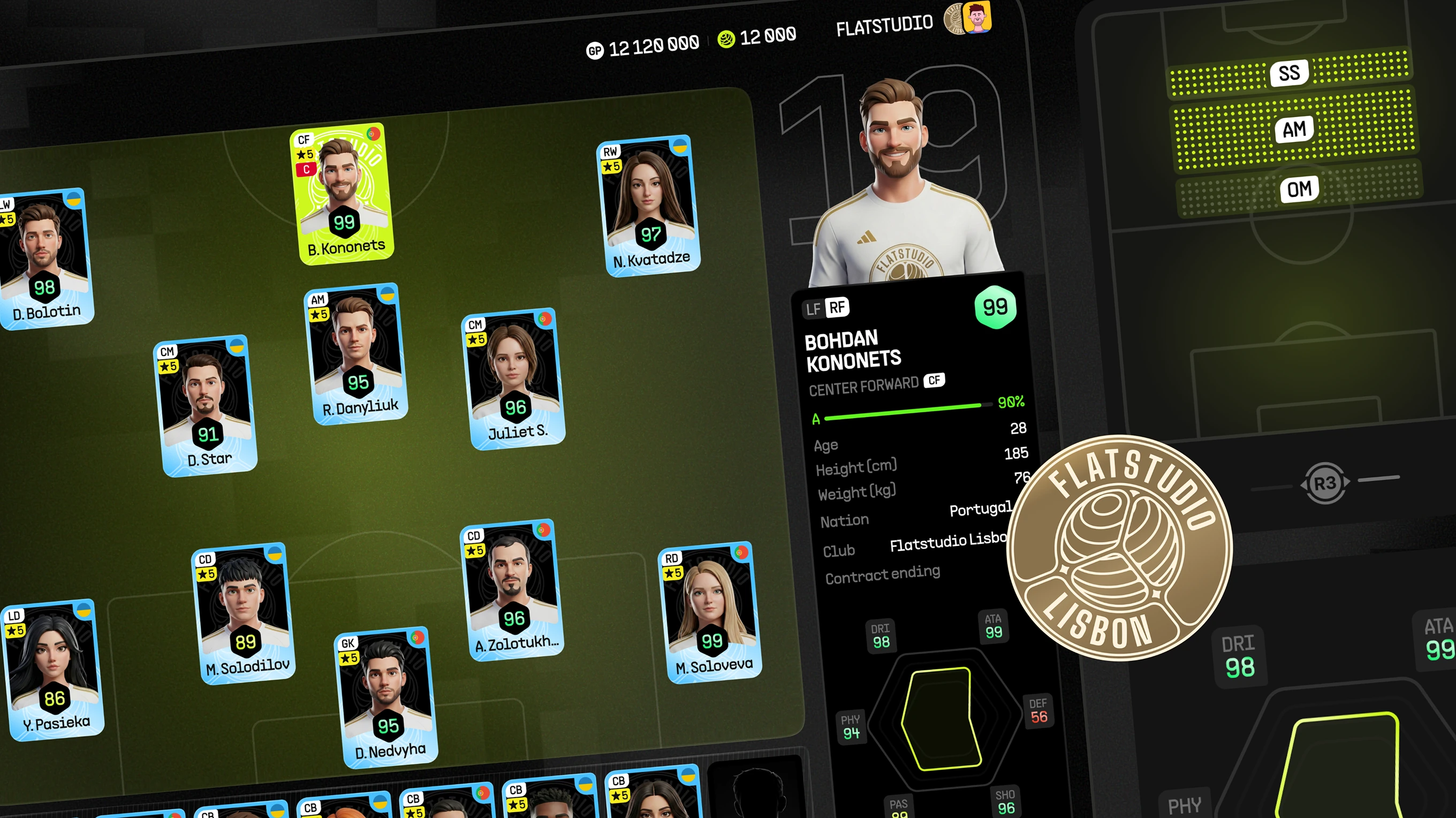
We designed it as an internal eFootball concept, covering character design, AI avatar creation, and skins/customisation logic for a personalised football gaming experience. Players needed stylised characters generated from a real-person phone scan – and the concept combined fan engagement with game-like AI avatar creation in one coherent interface.

eFootball Ultra Concept Overview

A single-screen summary of what the eFootball concept covers, from AI-generated player cards to club rosters. Injury tracking and stamina screens round out the collage.
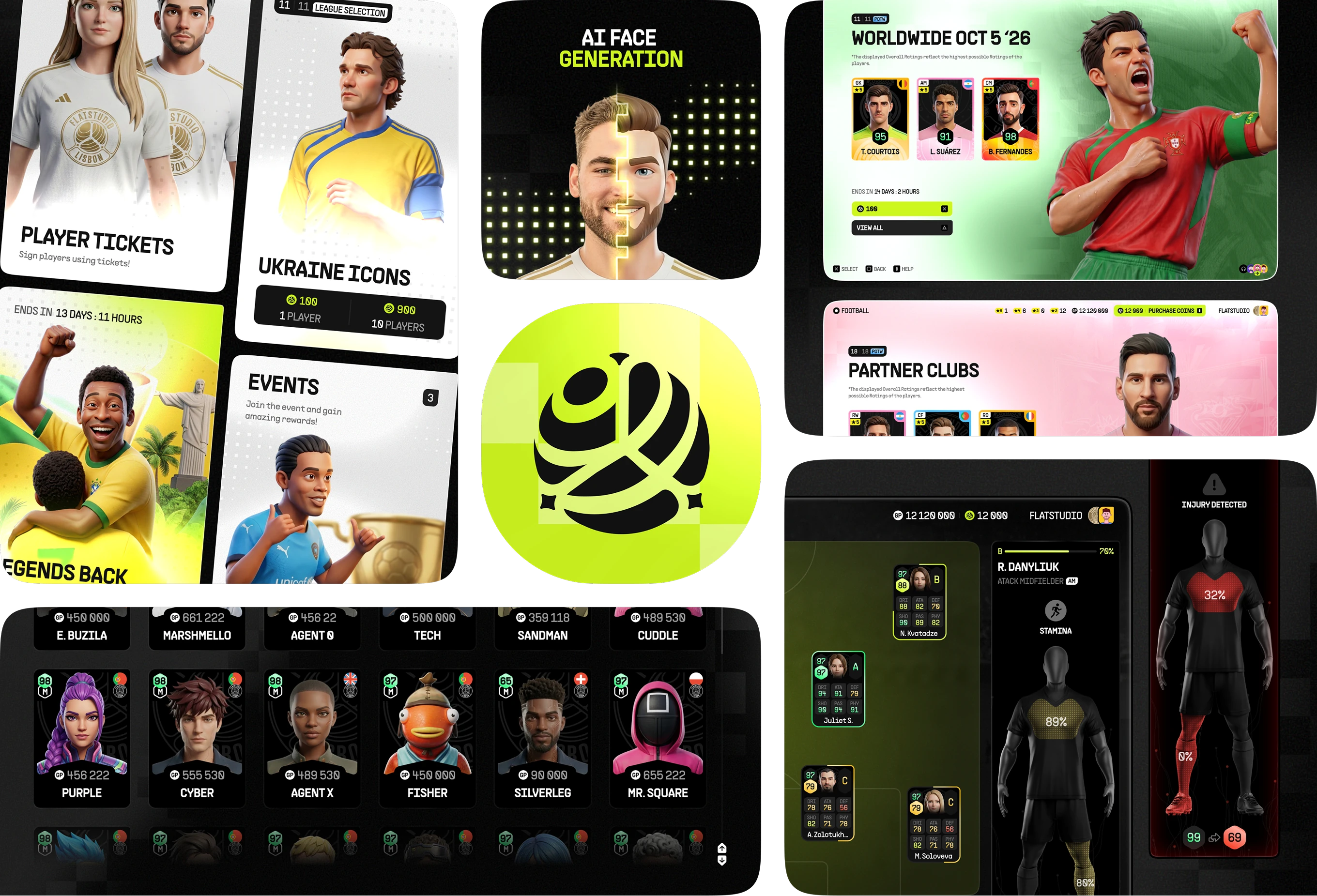
Overview collage of eFootball Ultra console concept screens showing players, clubs, and match stats
AI-Generated Player Faces

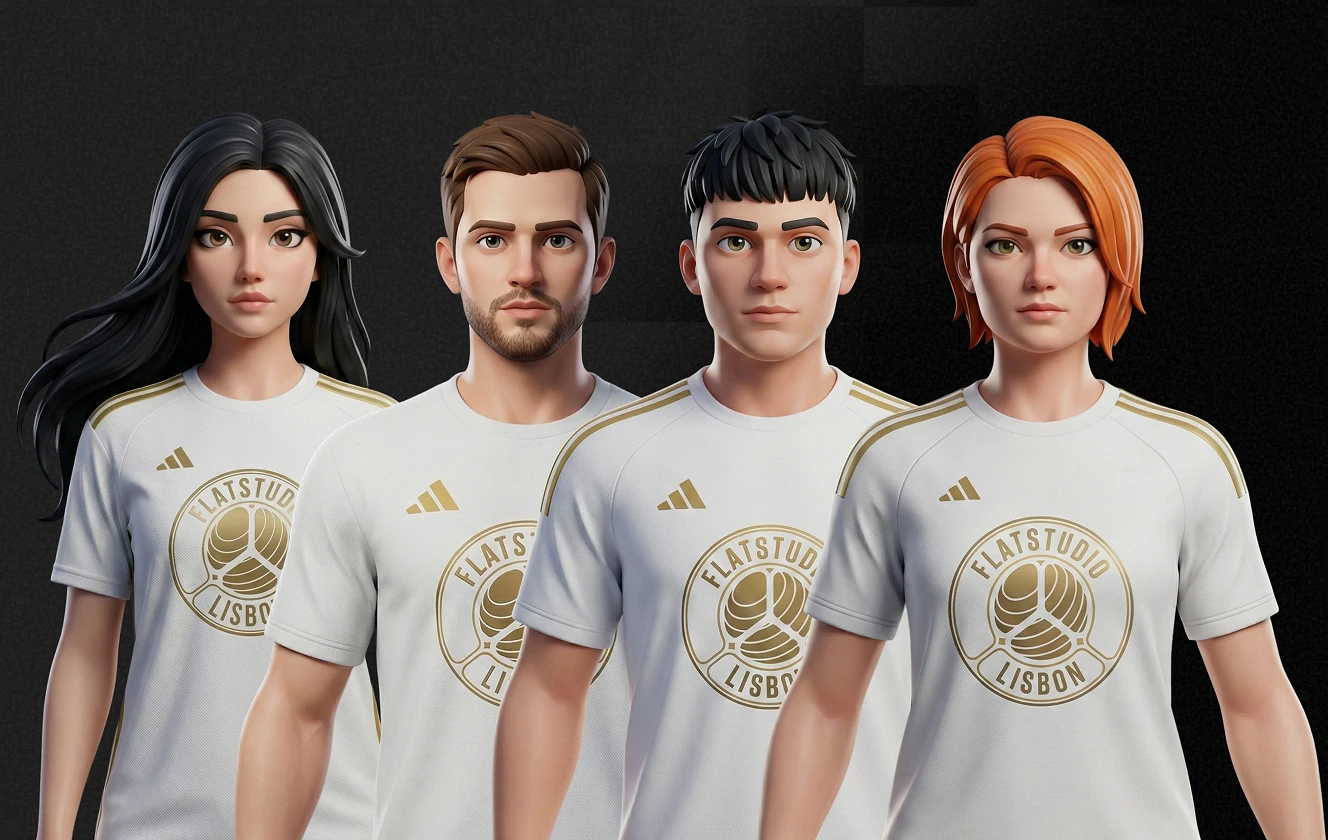
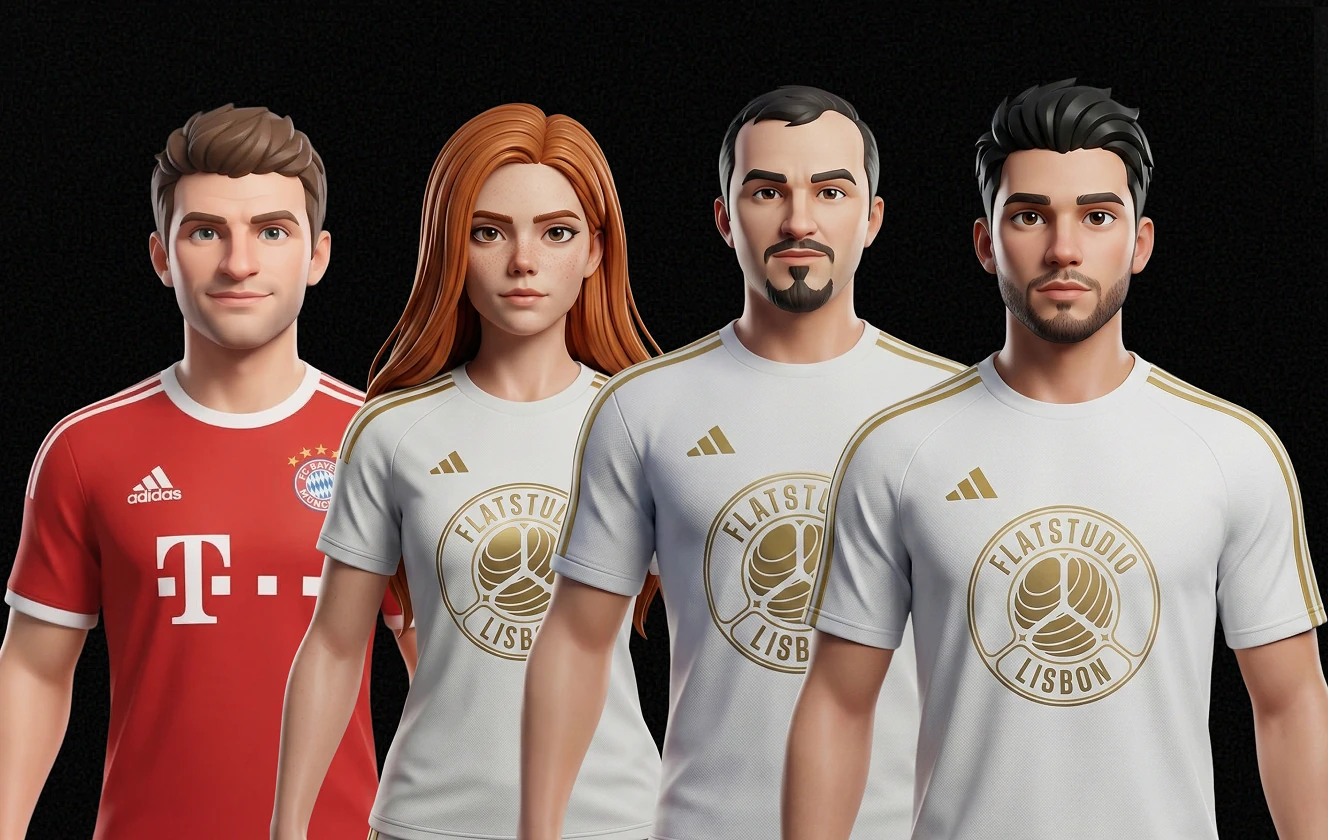
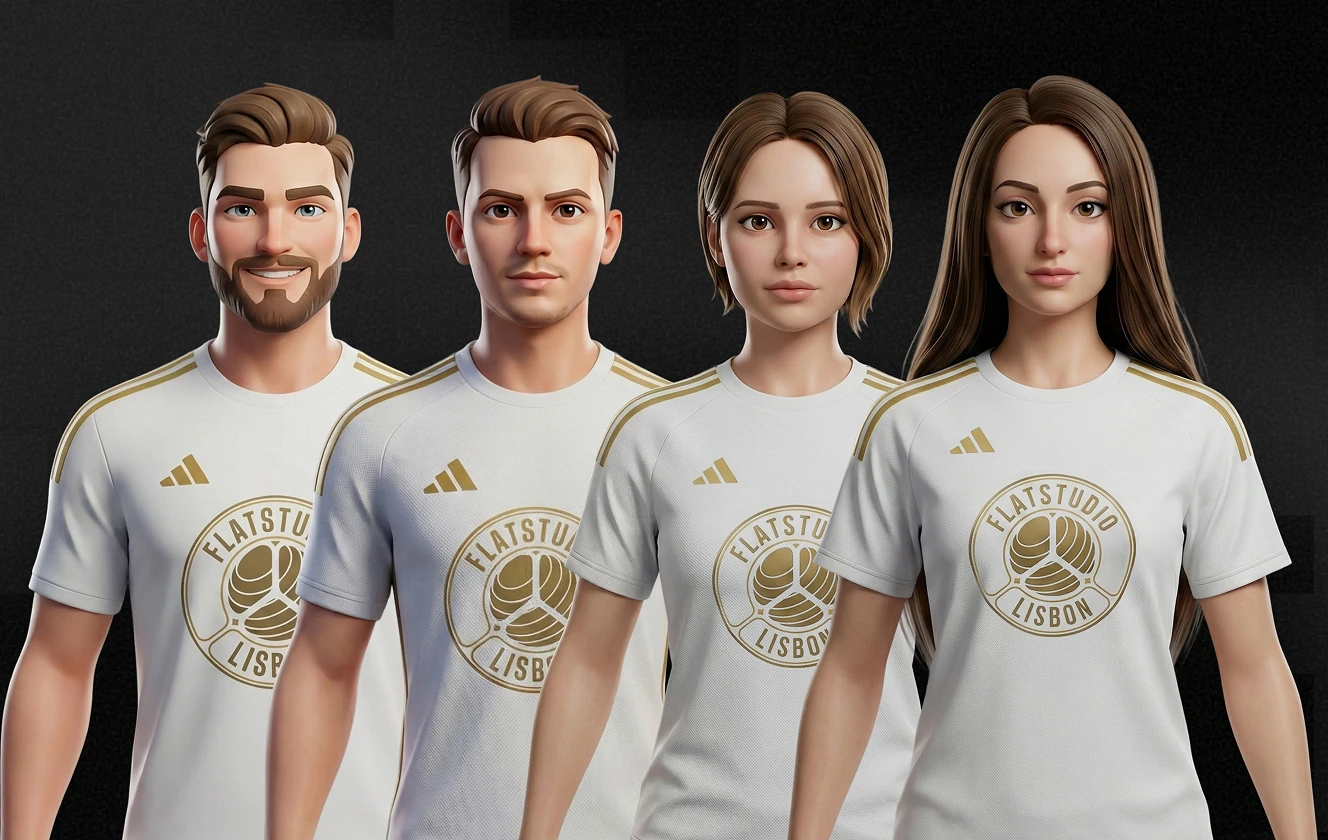
AI Avatar Design work turns a real-person phone scan into a stylised player. Each generated face keeps individual features across kit colours and skin tones.
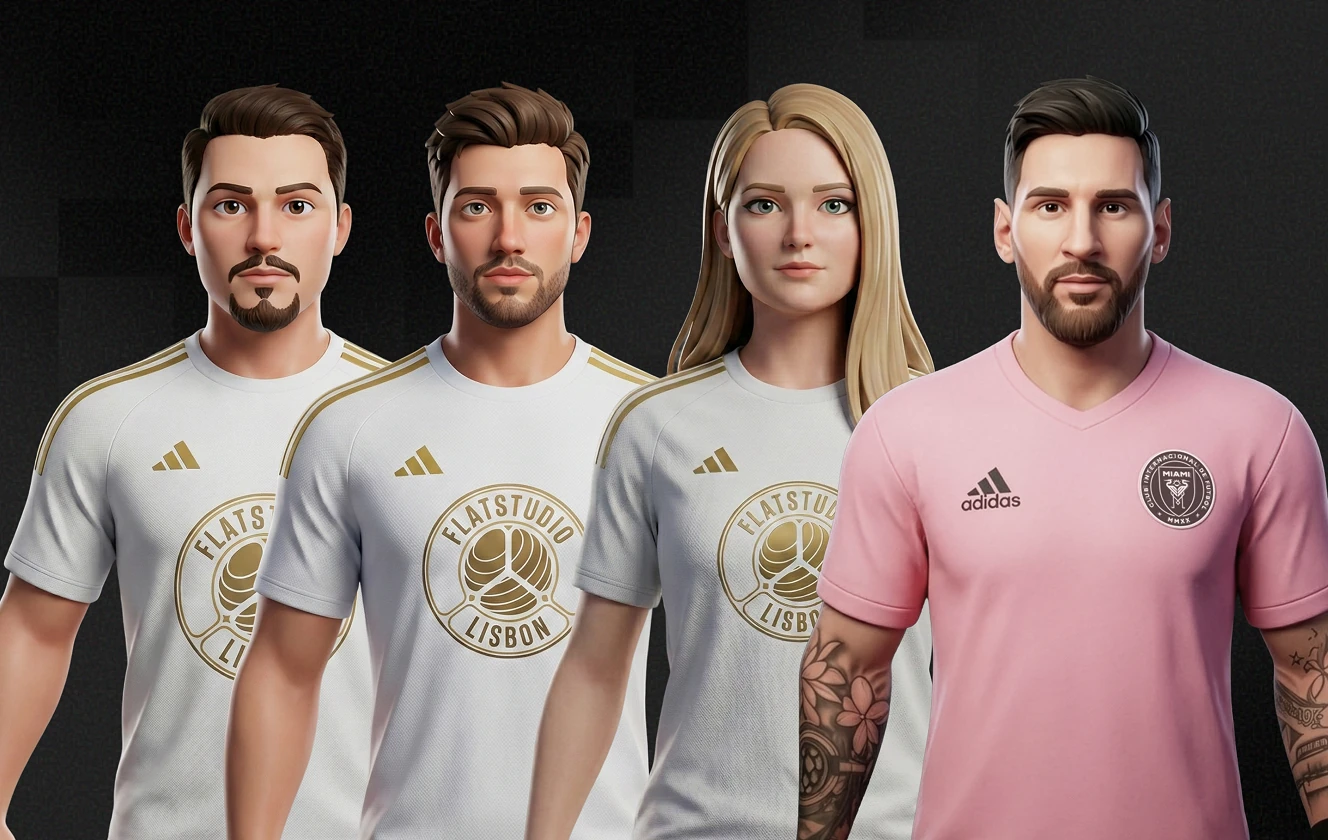
Four AI-generated football player avatars in club and away kits with visible tattoo detail
Four AI-generated player faces sharing the same home kit with varied hairstyles and skin tones
Four AI-generated player avatars showing diverse hair colours and facial features in matching kits
Four AI-generated player faces mixing a rival kit with home kit variants across genders

Club Hub for Team Management

Club management hub bringing squad, tactics entry, and friendly matches into one screen. Tiles cover Dream Team, Game Plan, and Friends Match, next to a full player roster.
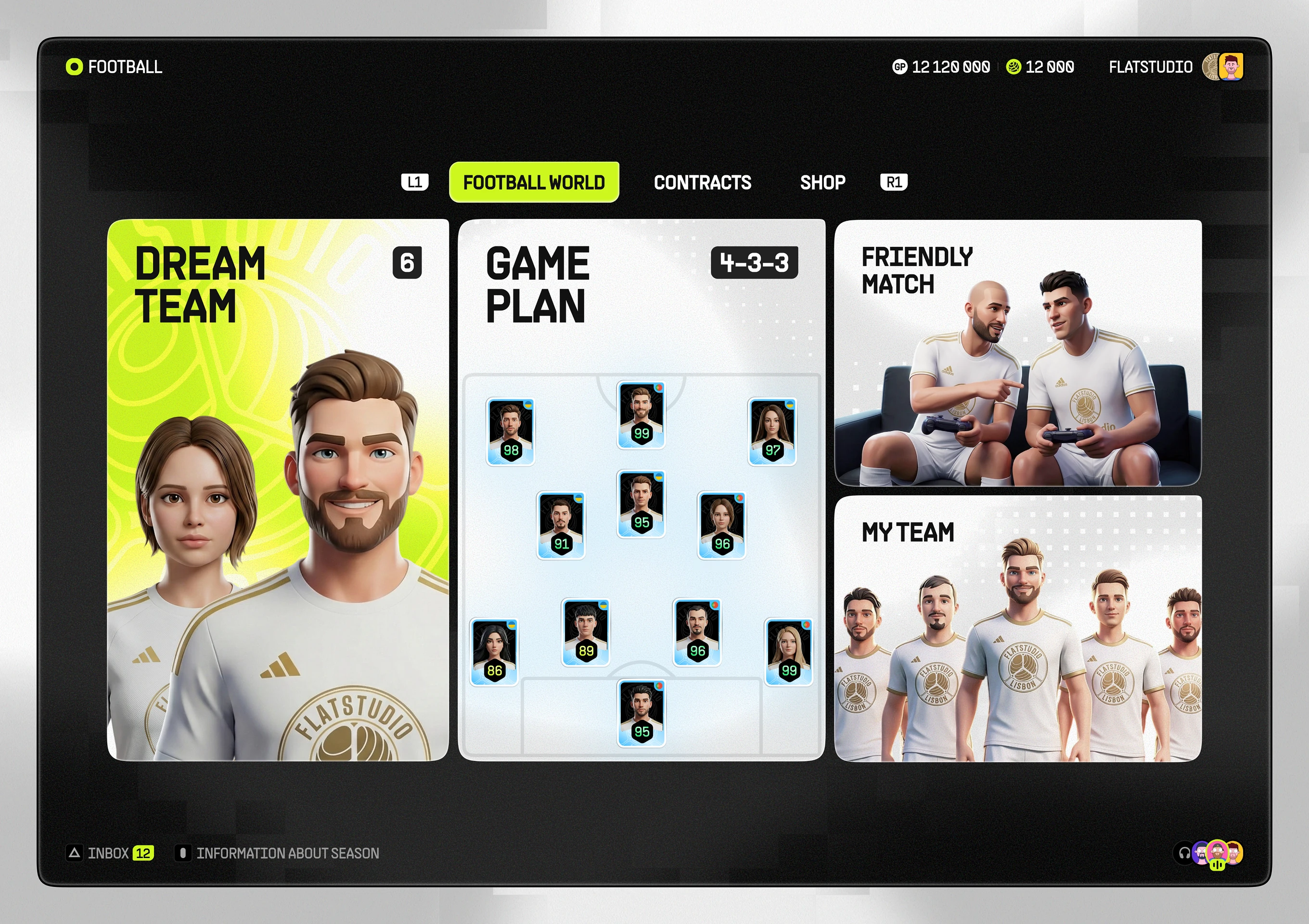
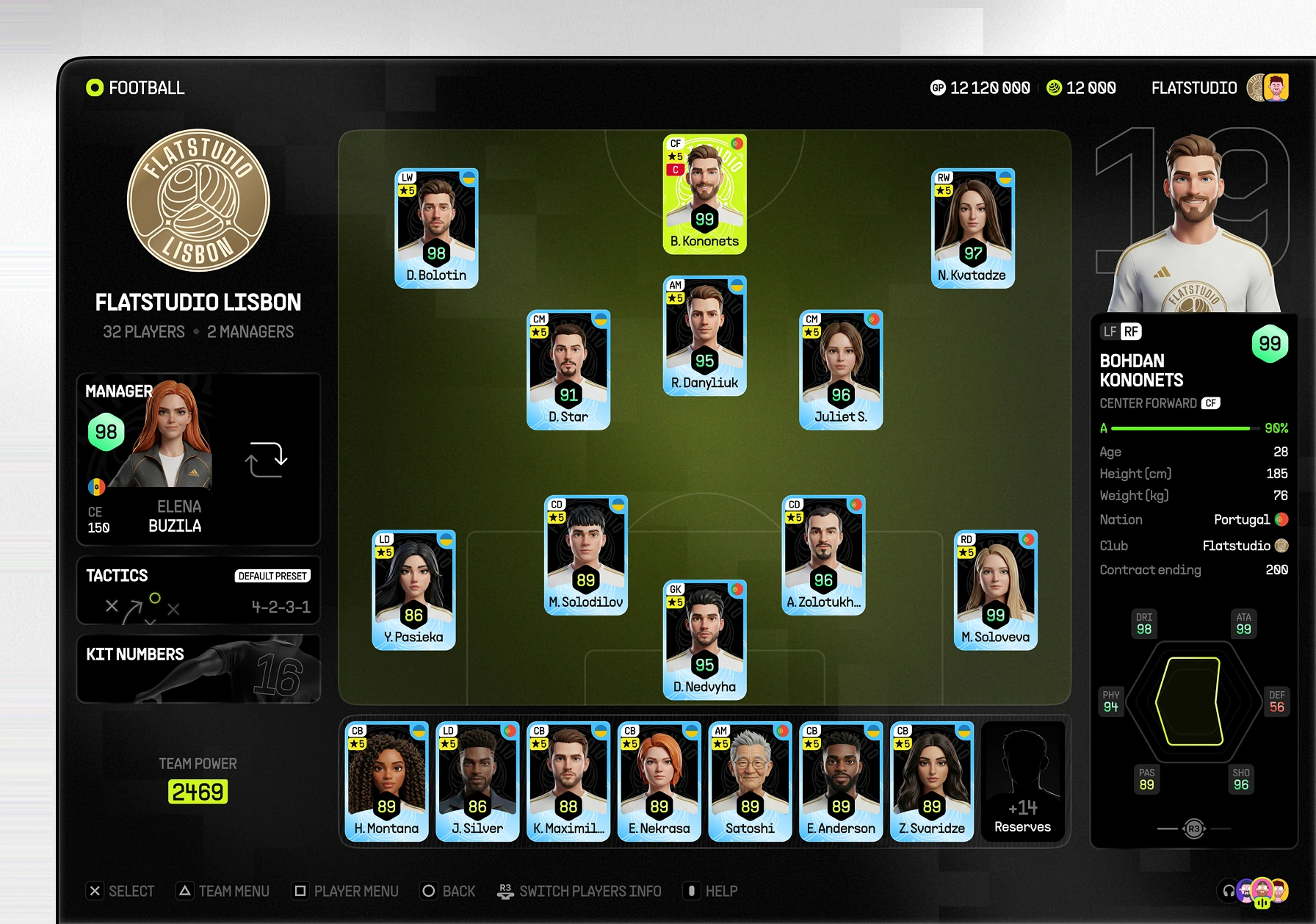
Club management hub screen with squad, game plan, and friendly match tiles
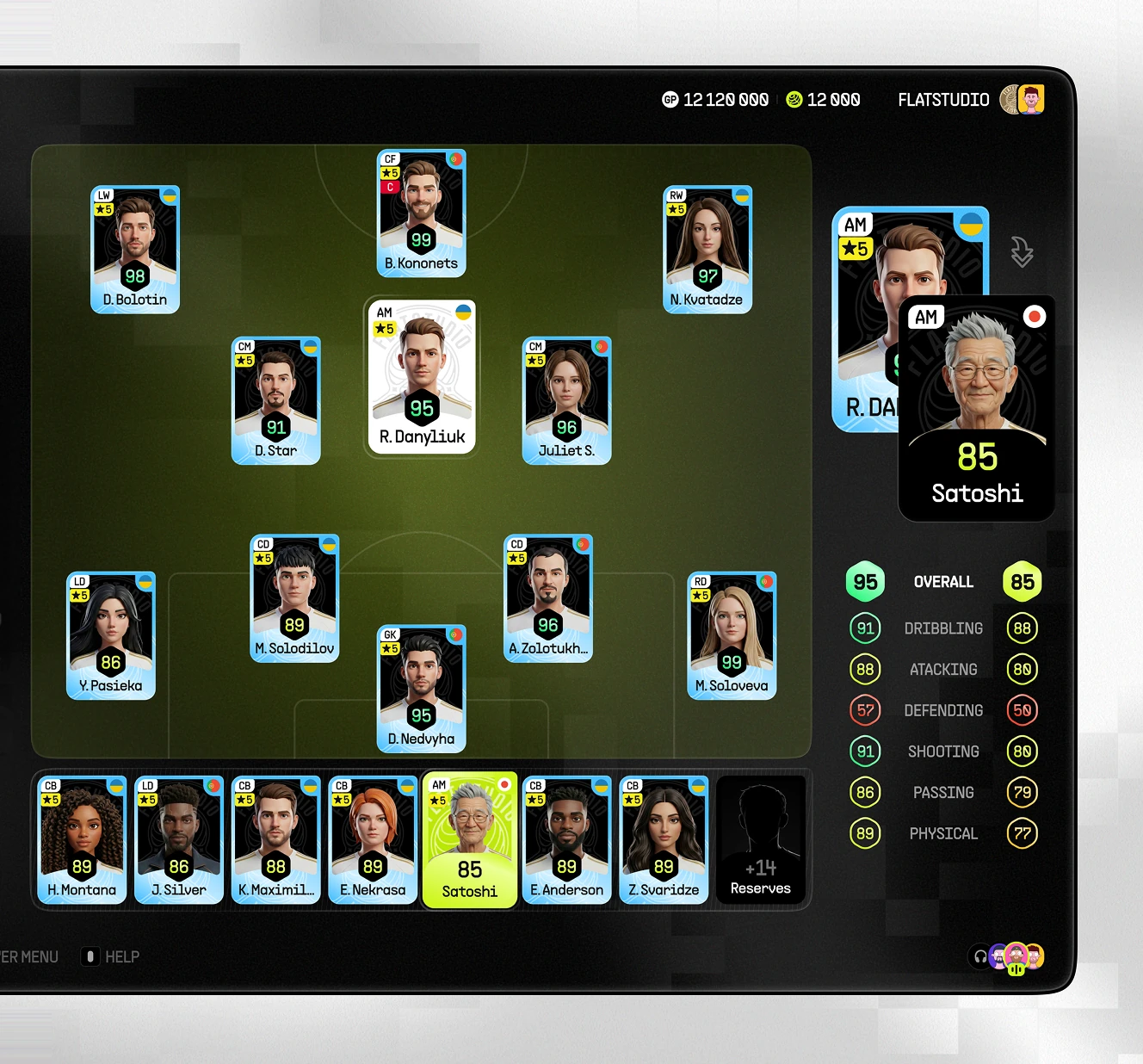
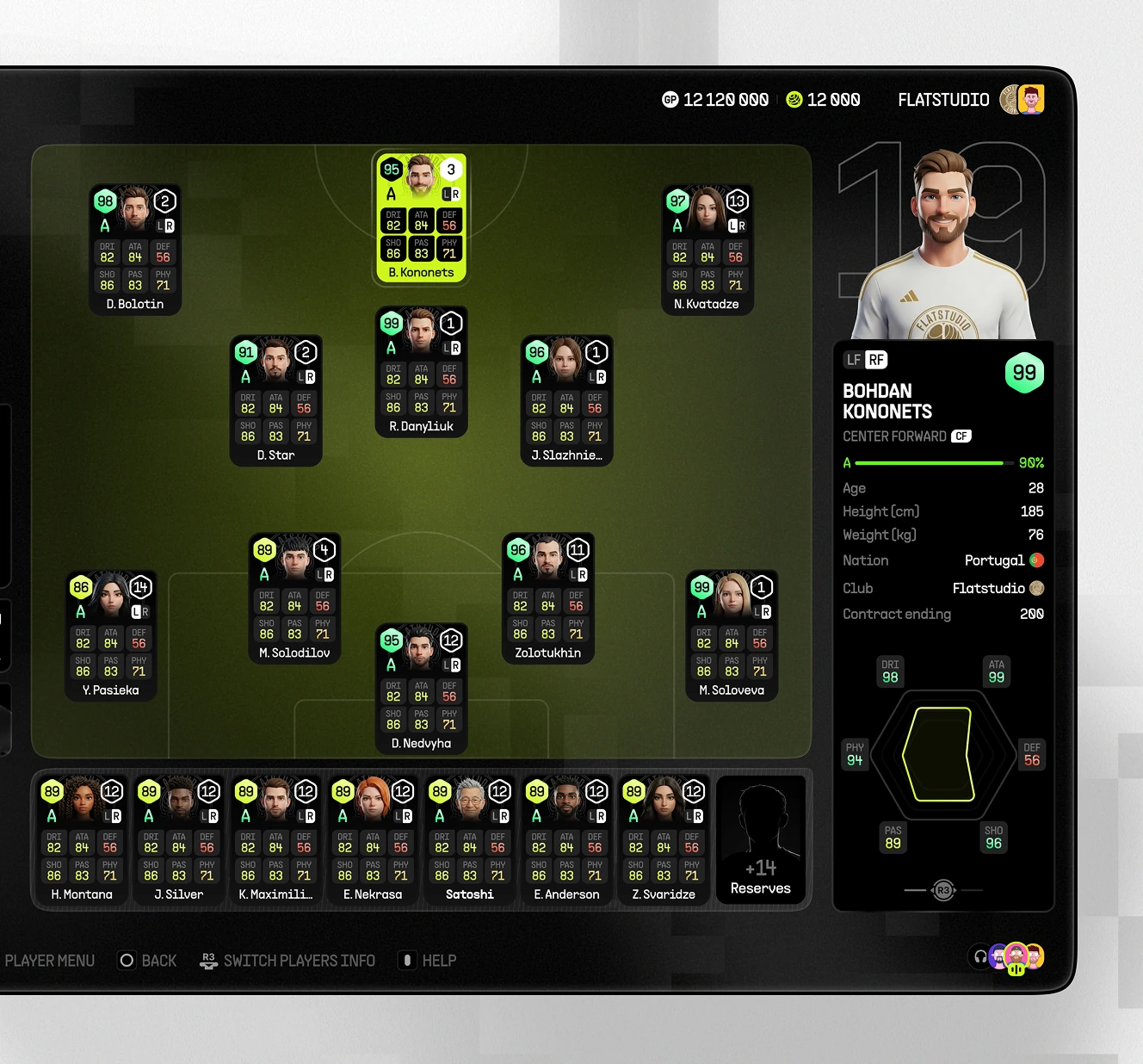
Full squad screen for a football club showing a 4-2-3-1 formation, manager card, and player detail panel
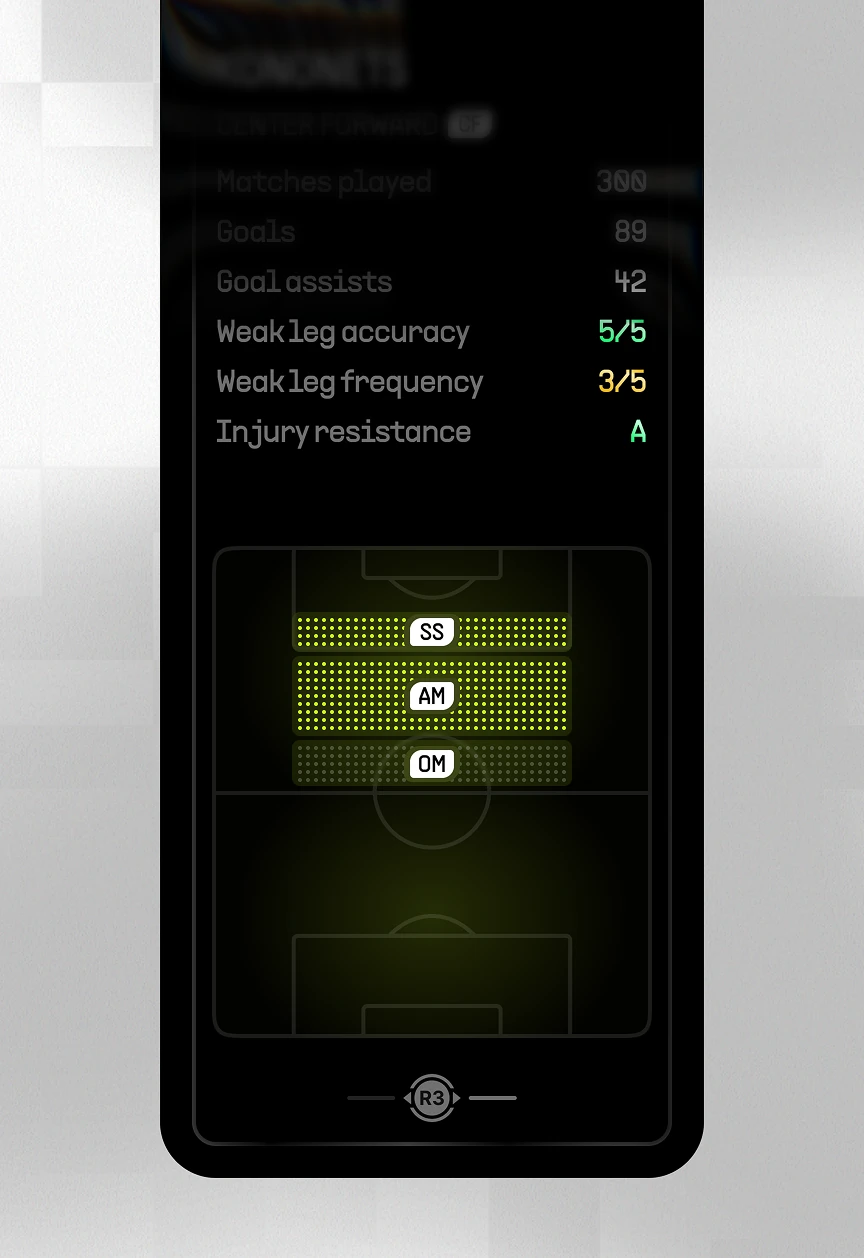
Vertical player card showing matches played, goal assists, weak-leg accuracy, and a pitch heatmap
Squad screen comparing a starting player against a highlighted bench substitute with side-by-side stat ratings
Formation screen with per-player stat icons and a center-forward detail panel showing radar attributes
Manager and Reserves Selection

Coaching module letting a manager be swapped and bench depth reviewed before a match. Manager cards show a signing cost; the reserves list adds swap controls for each roster slot.
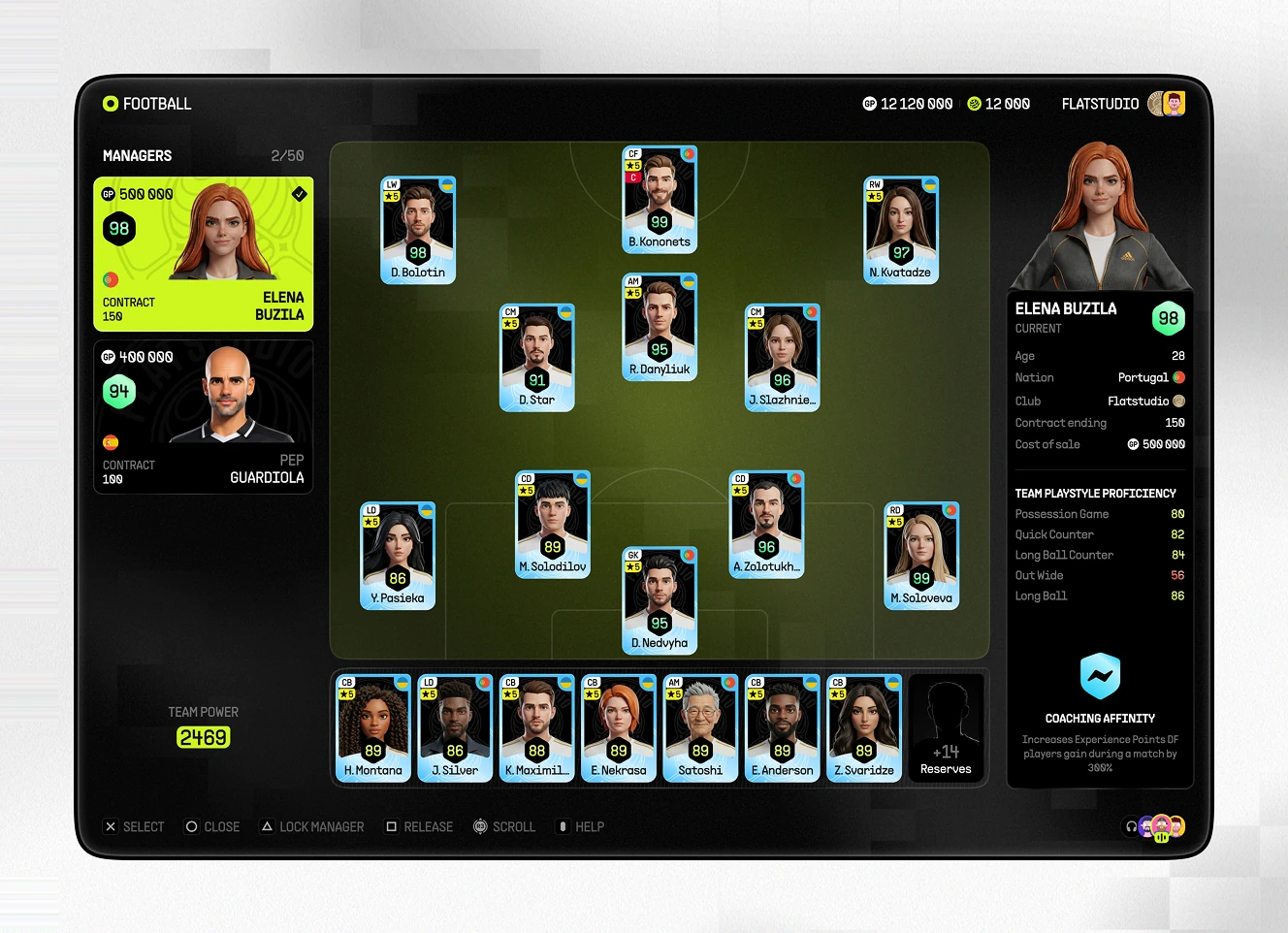
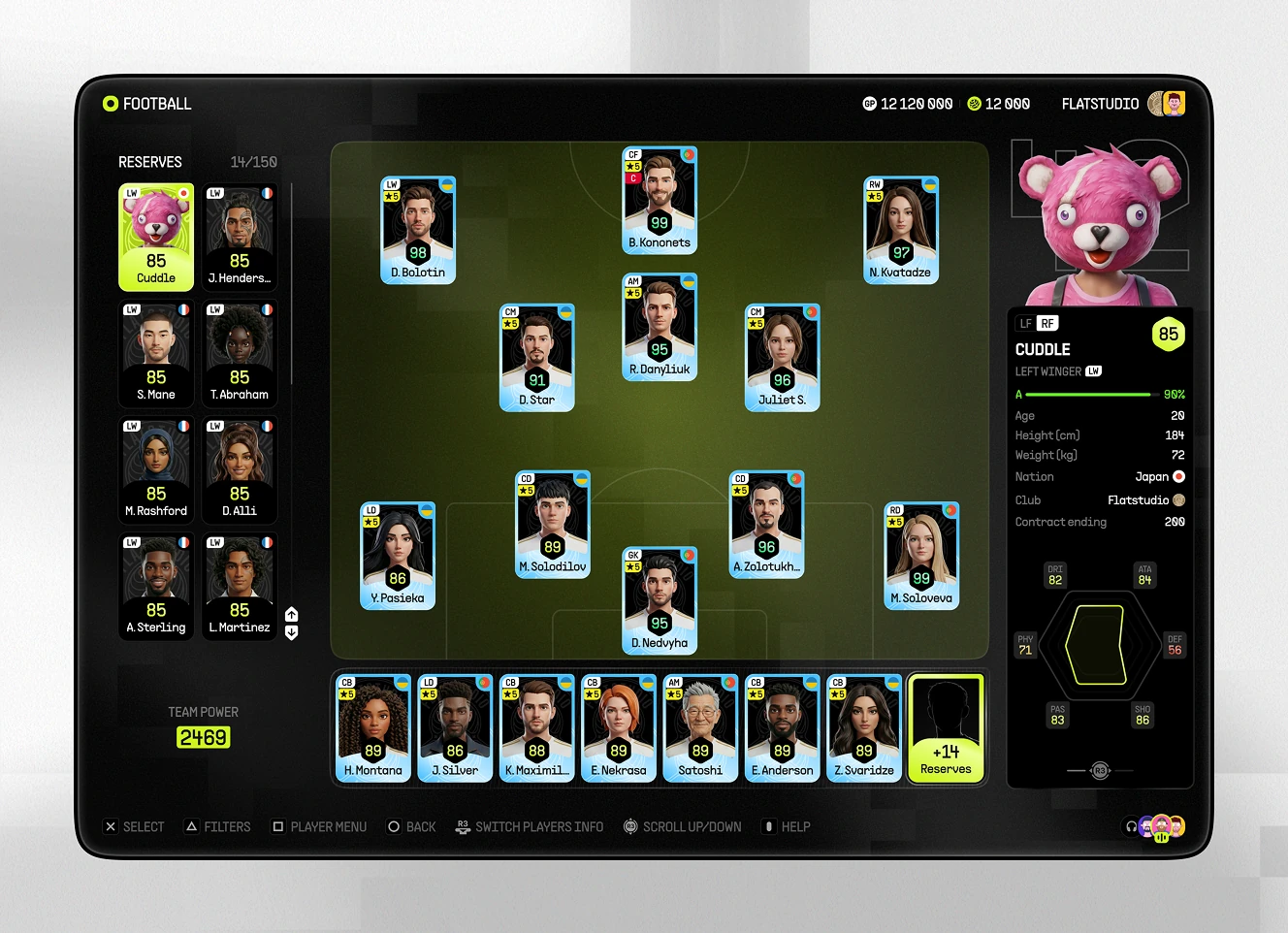
Manager list screen with a selected manager's coaching stats and squad affinity panel beside the formation
Reserves list including a masked mascot-style player card, with a selected reserve's stat panel shown
Tactical Roles and Formation Setup

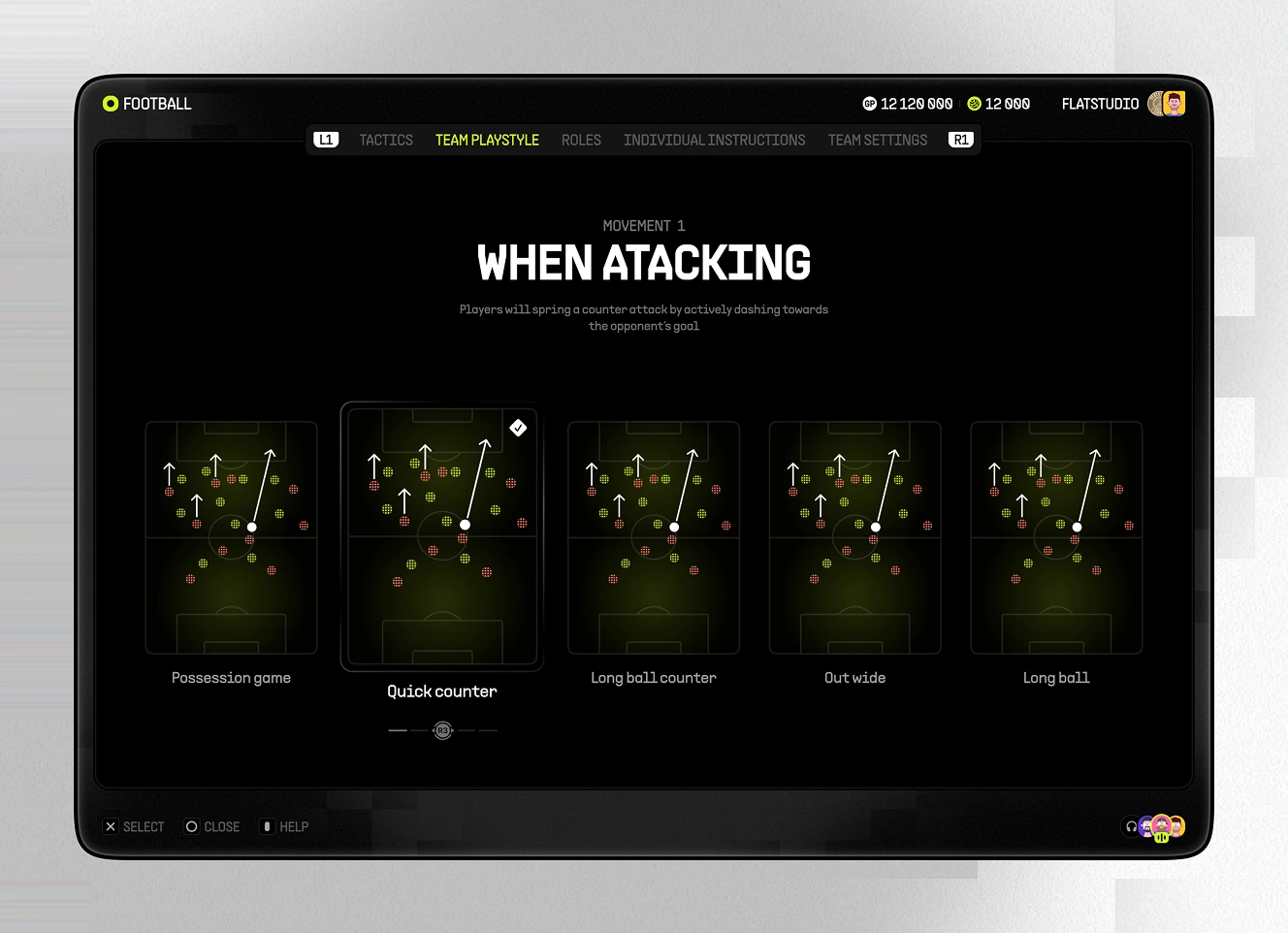
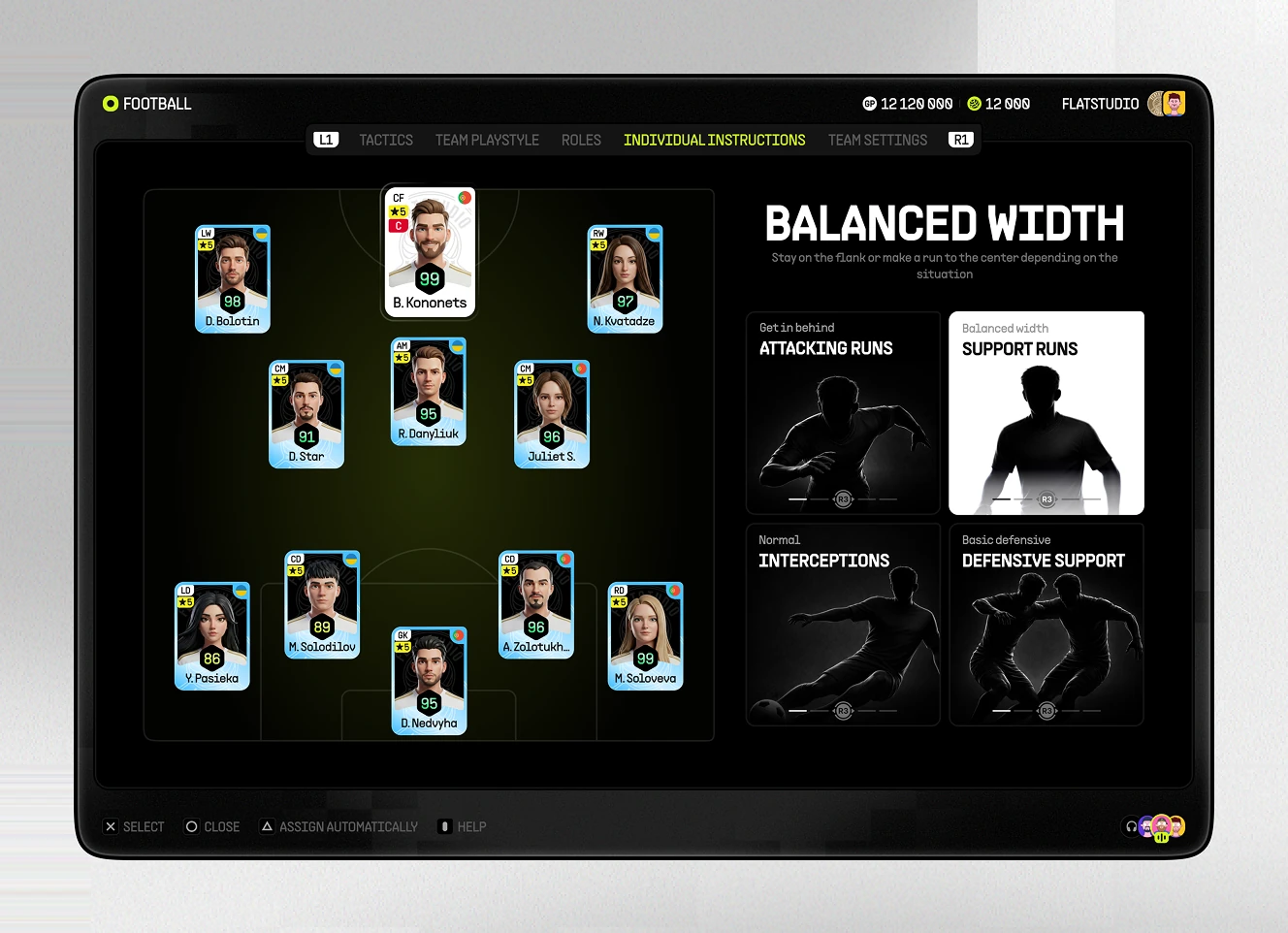
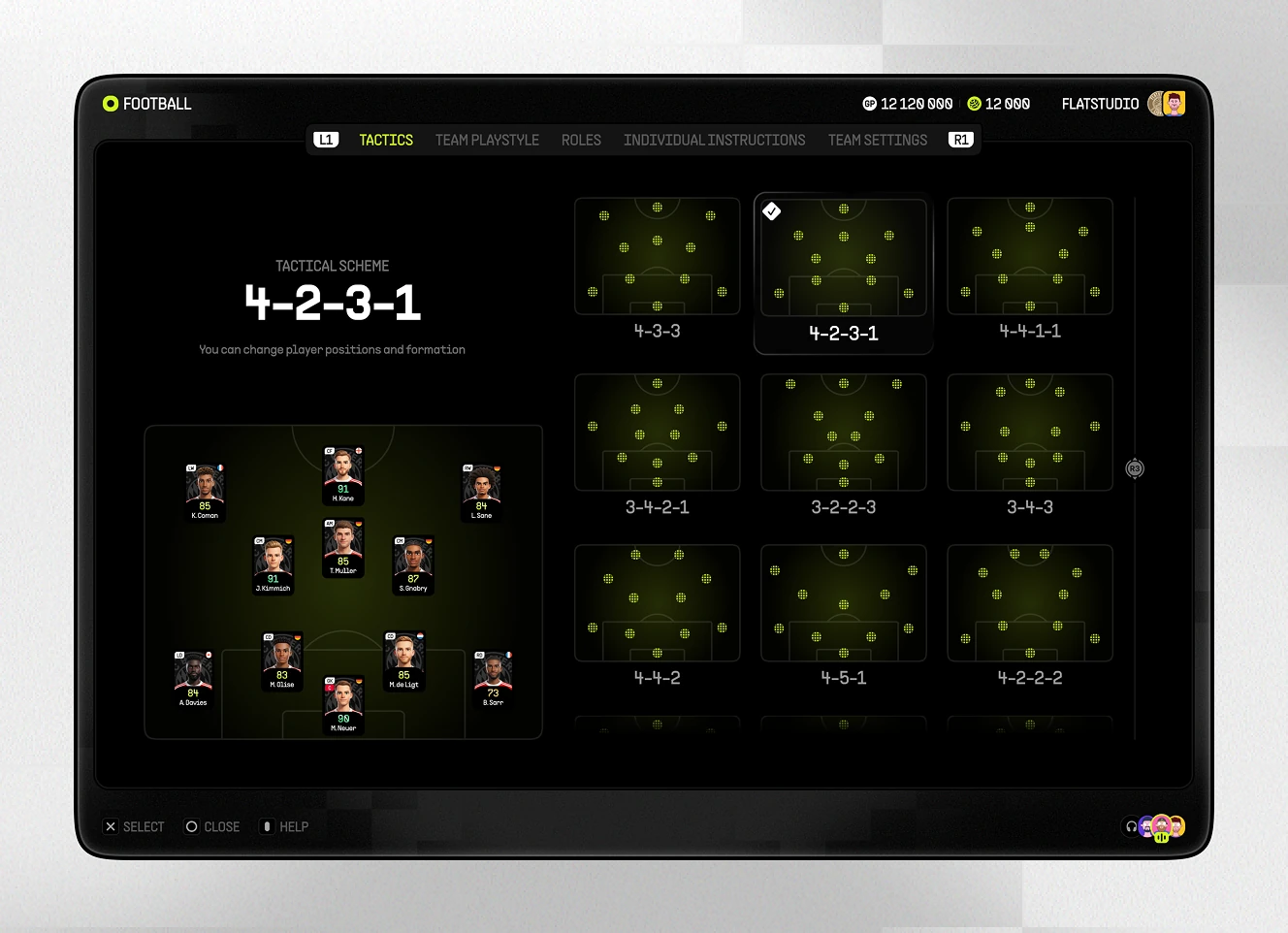
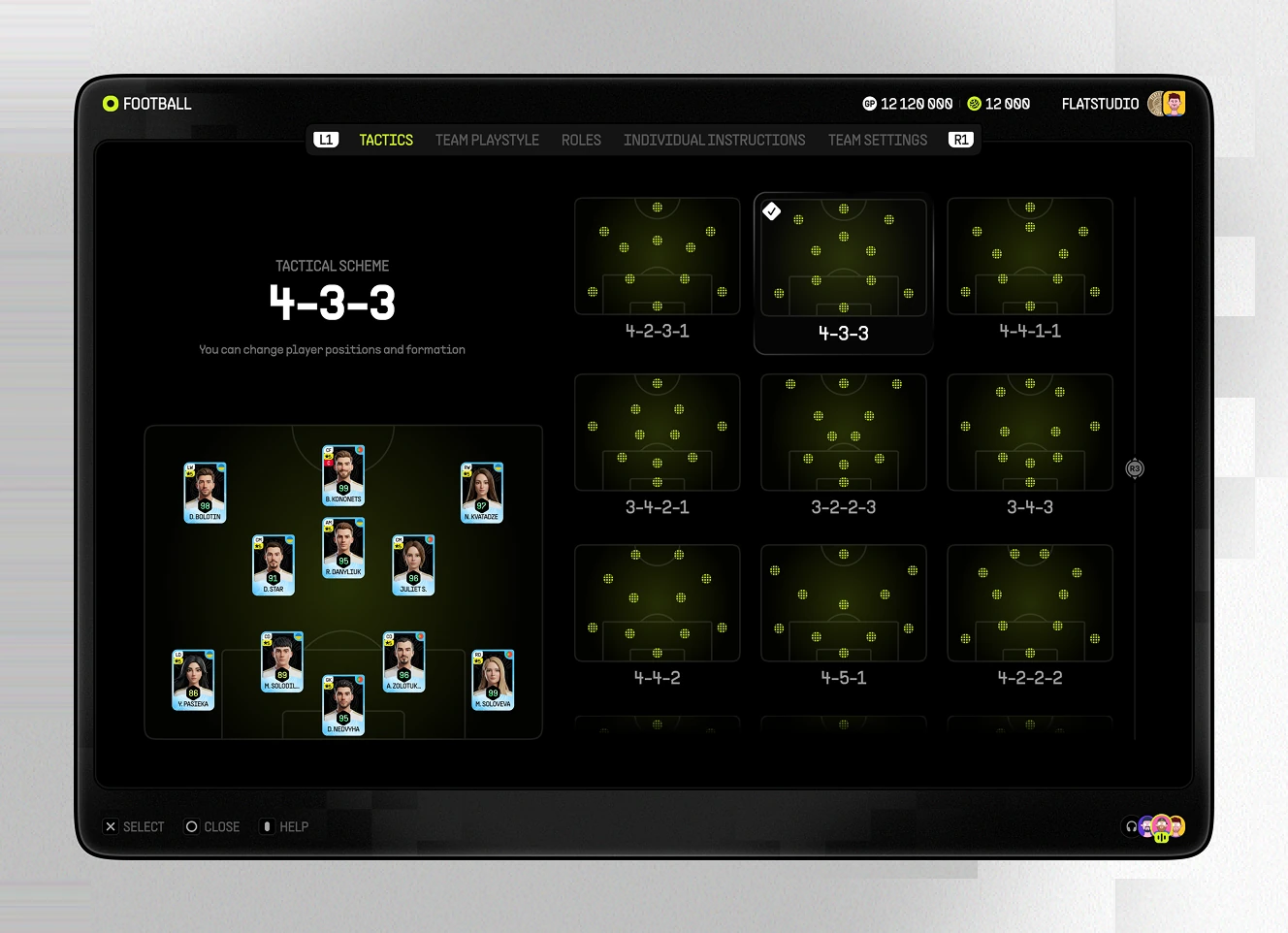
Tactics module setting who takes free kicks, corners, and penalties, plus the team's base formation. A 4-3-3 grid and attacking-instruction cards shape how the squad plays.
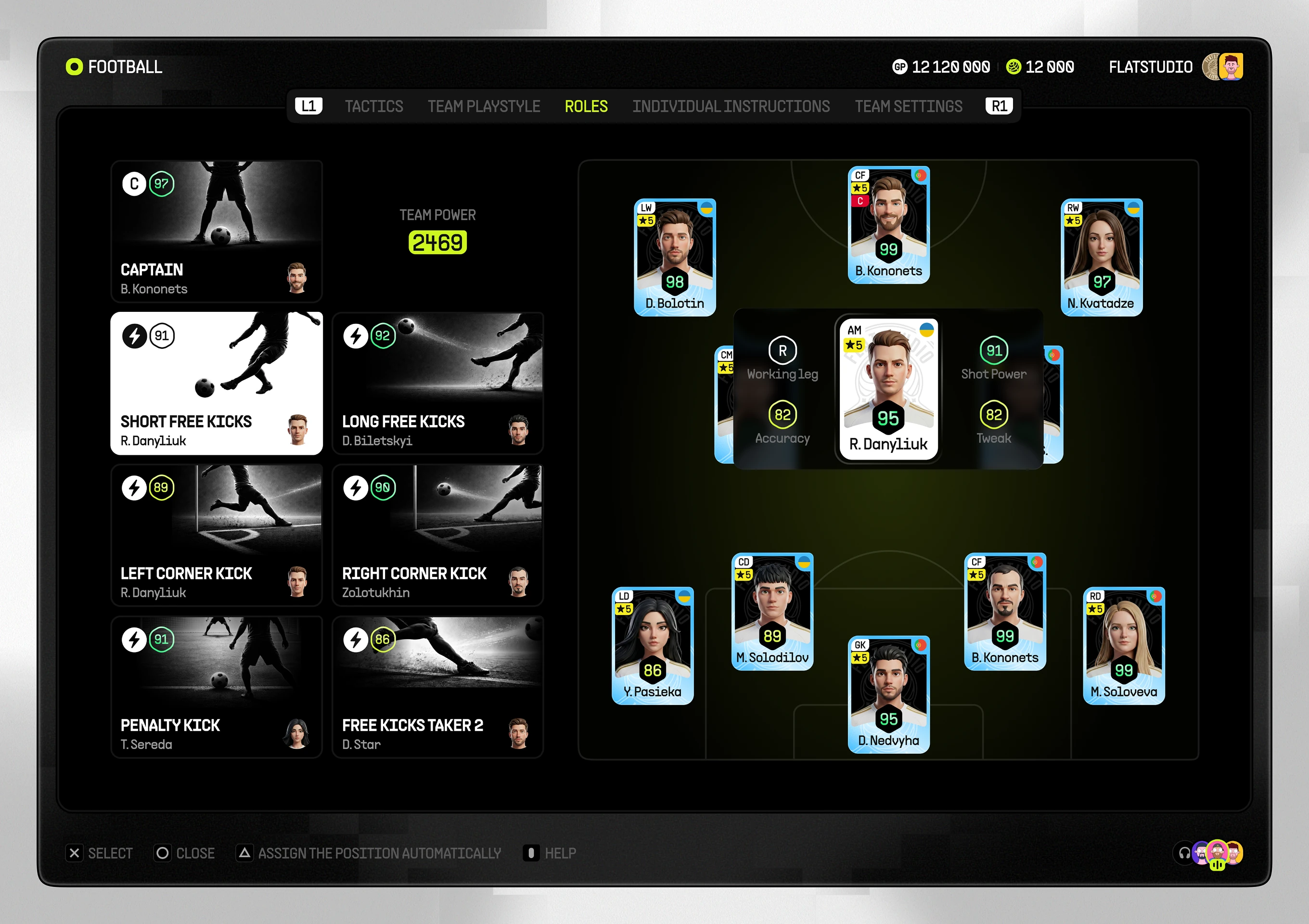
Roles screen assigning captain and set-piece takers such as corner kicks and penalties on the pitch
actical scheme screen selecting a 4-3-3 formation from a grid of nine formation options
When Attacking screen showing five movement patterns including possession game, quick counter, and long ball
Individual Instructions screen assigning a balanced-width role with attacking runs and defensive support icons
Tactical scheme screen selecting a 4-2-3-1 formation from the same nine-formation selection grid
Kit and Club Identity Setup

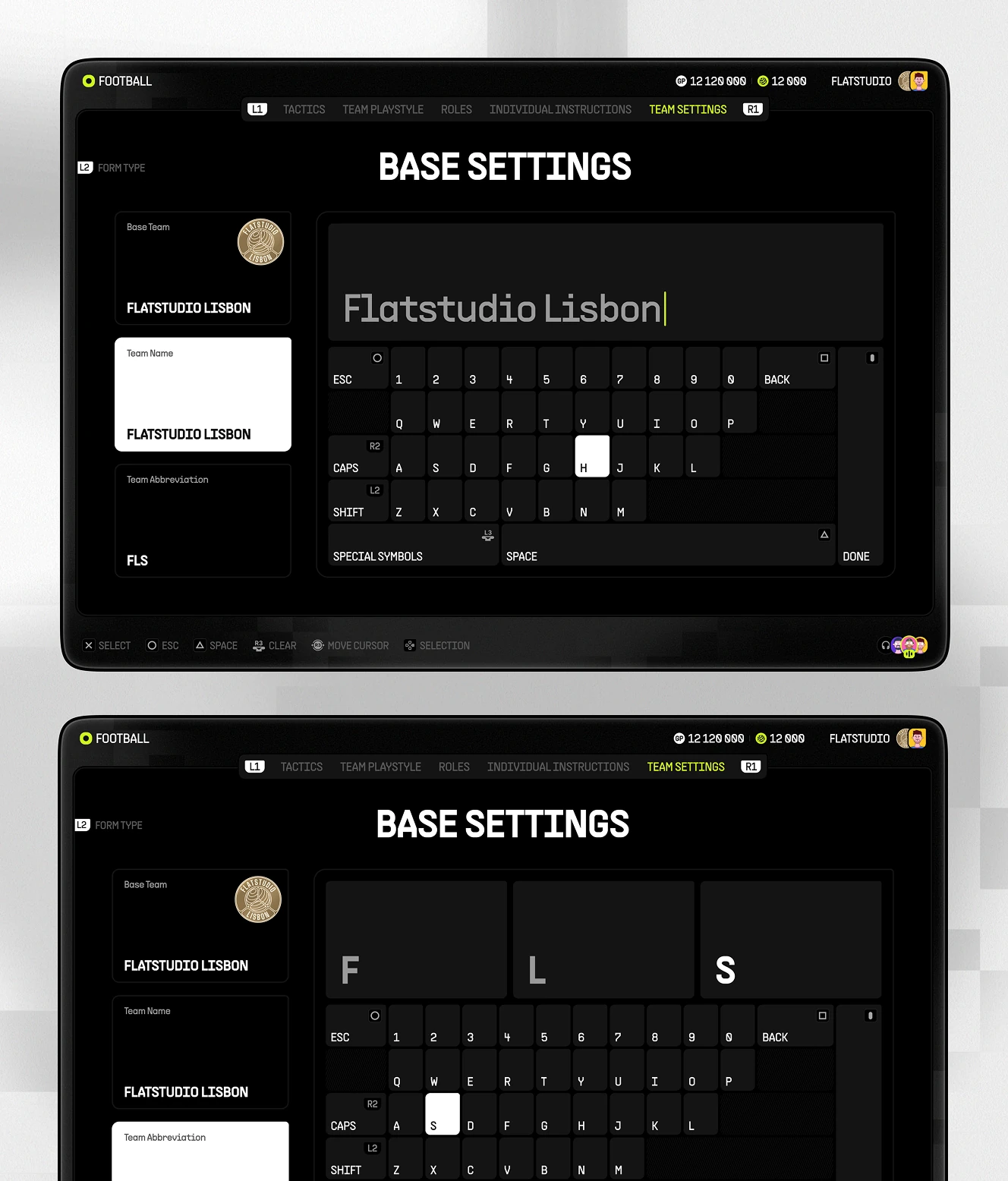
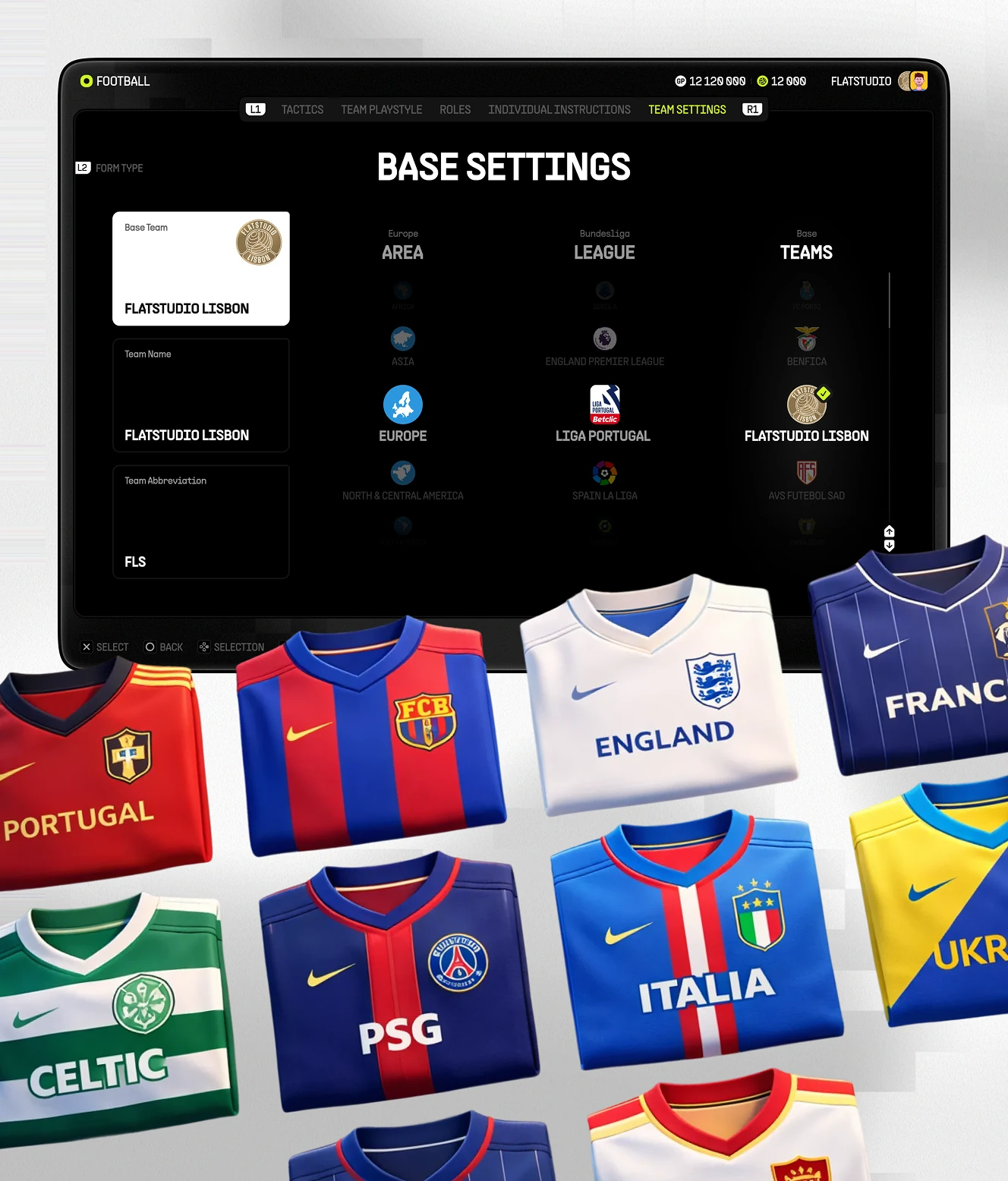
Club identity setup covering avatar form, home and away kits, and base details. A text-entry keyboard lets the user name the club and pick its league and area.
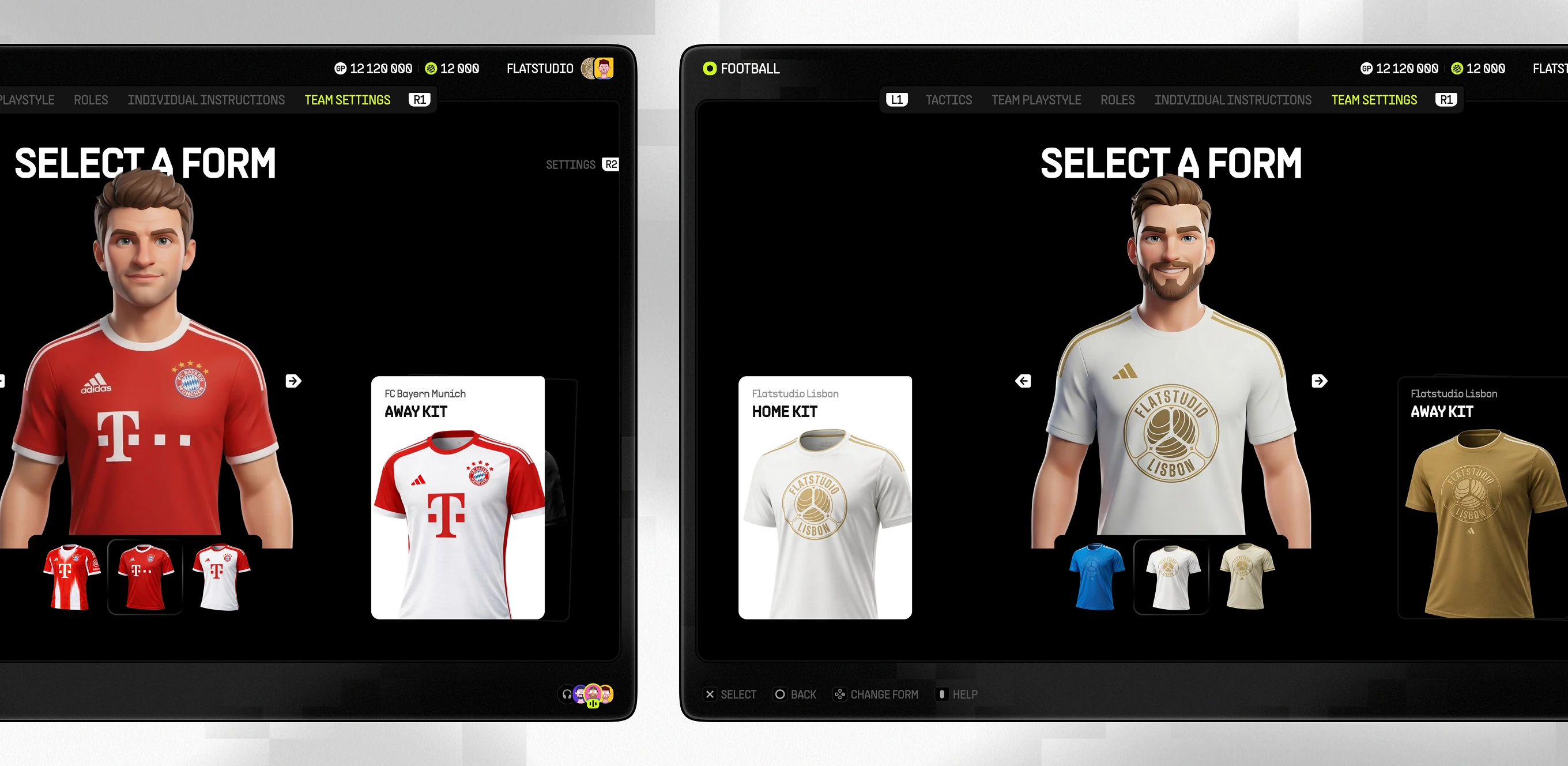
Club kit and identity setup screen
Base Settings screen with area, league, and team selectors above a grid of national and club kit options
Two Base Settings screens using an on-screen keyboard to enter a team name and a three-letter abbreviation
Player Stats and Skill Training

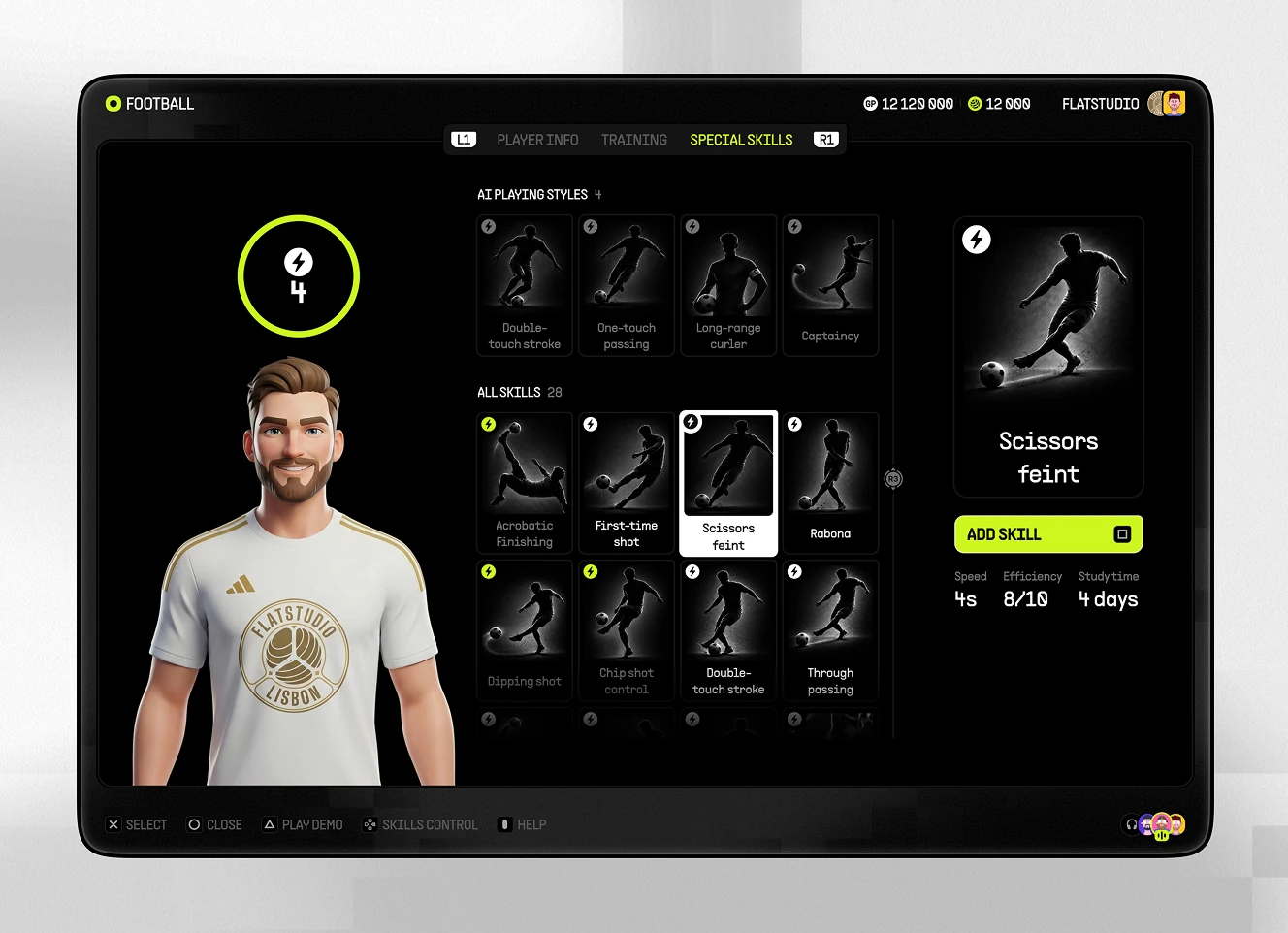
Individual player module showing attributes on a radar chart alongside dribbling, shooting, passing, and physical ratings. A training screen allocates points; a skills screen adds moves.
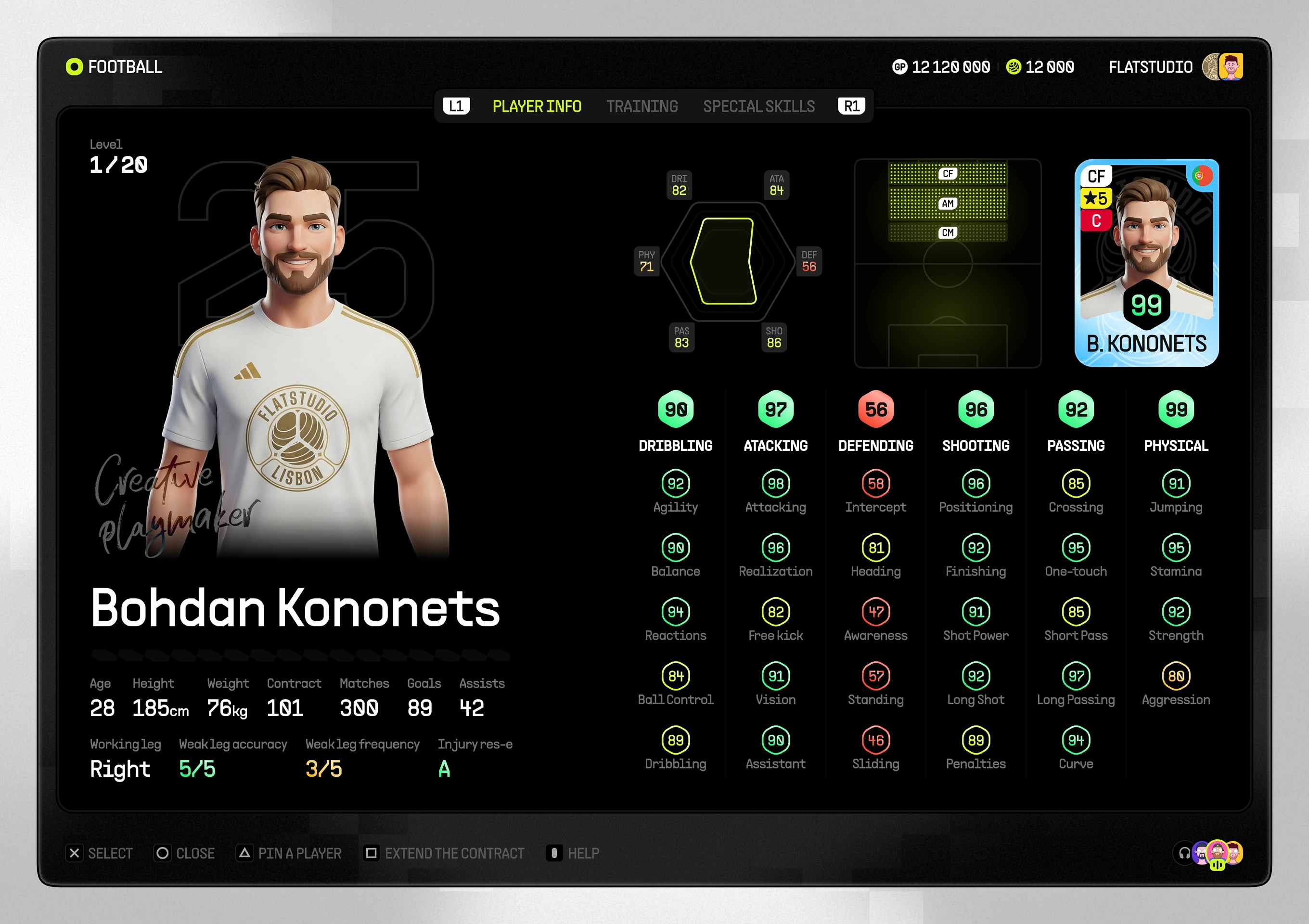
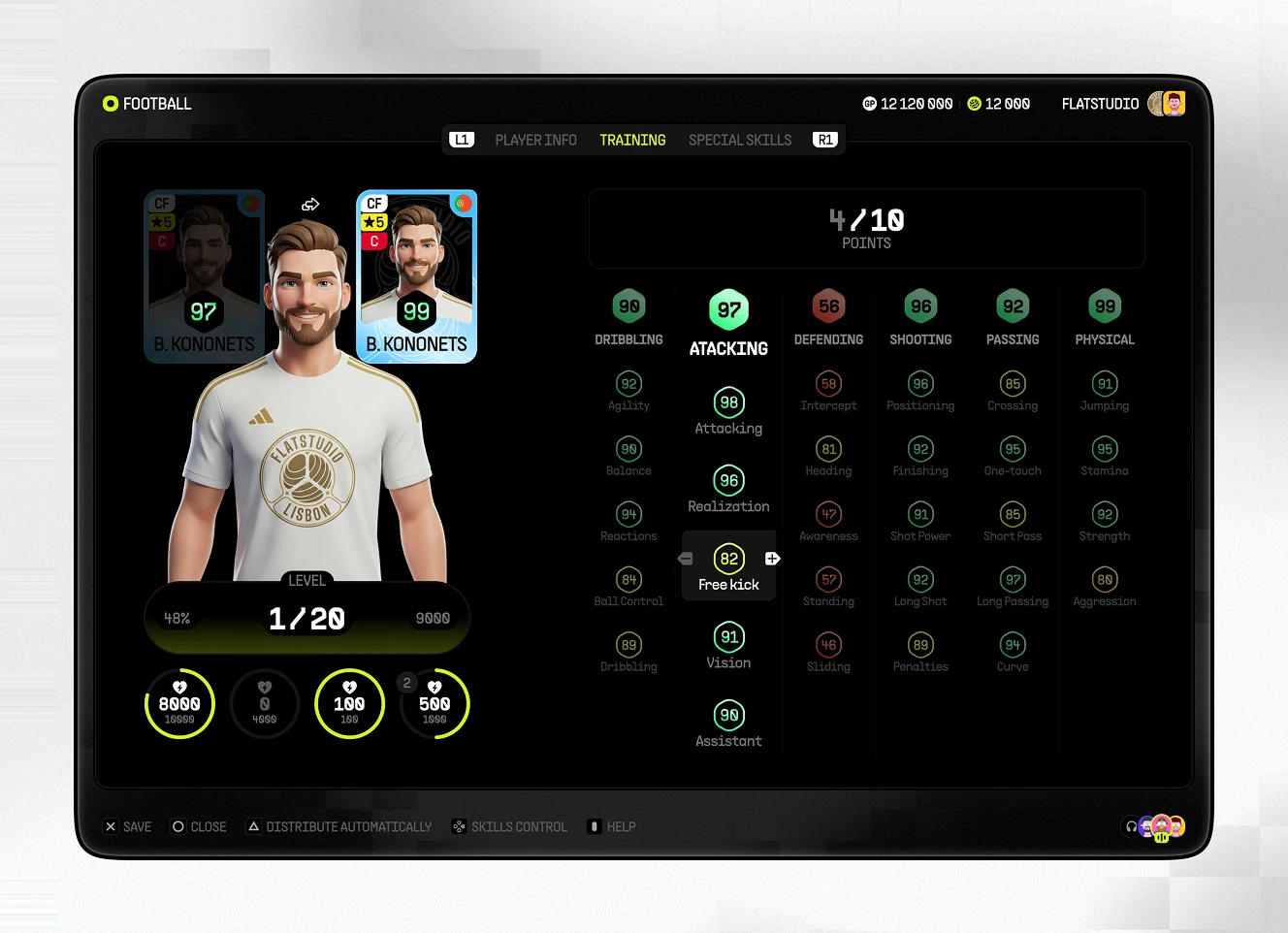
Player attribute radar chart with training points
Training screen showing before-and-after player ratings with 4 of 10 points allocated across six attribute categories
Special Skills screen selecting
Squad Number Assignment Screen

Squad-number module for assigning shirt numbers within eFootball Ultra. A grid shows which digits are taken; a back-of-shirt preview confirms the number before it's locked in.
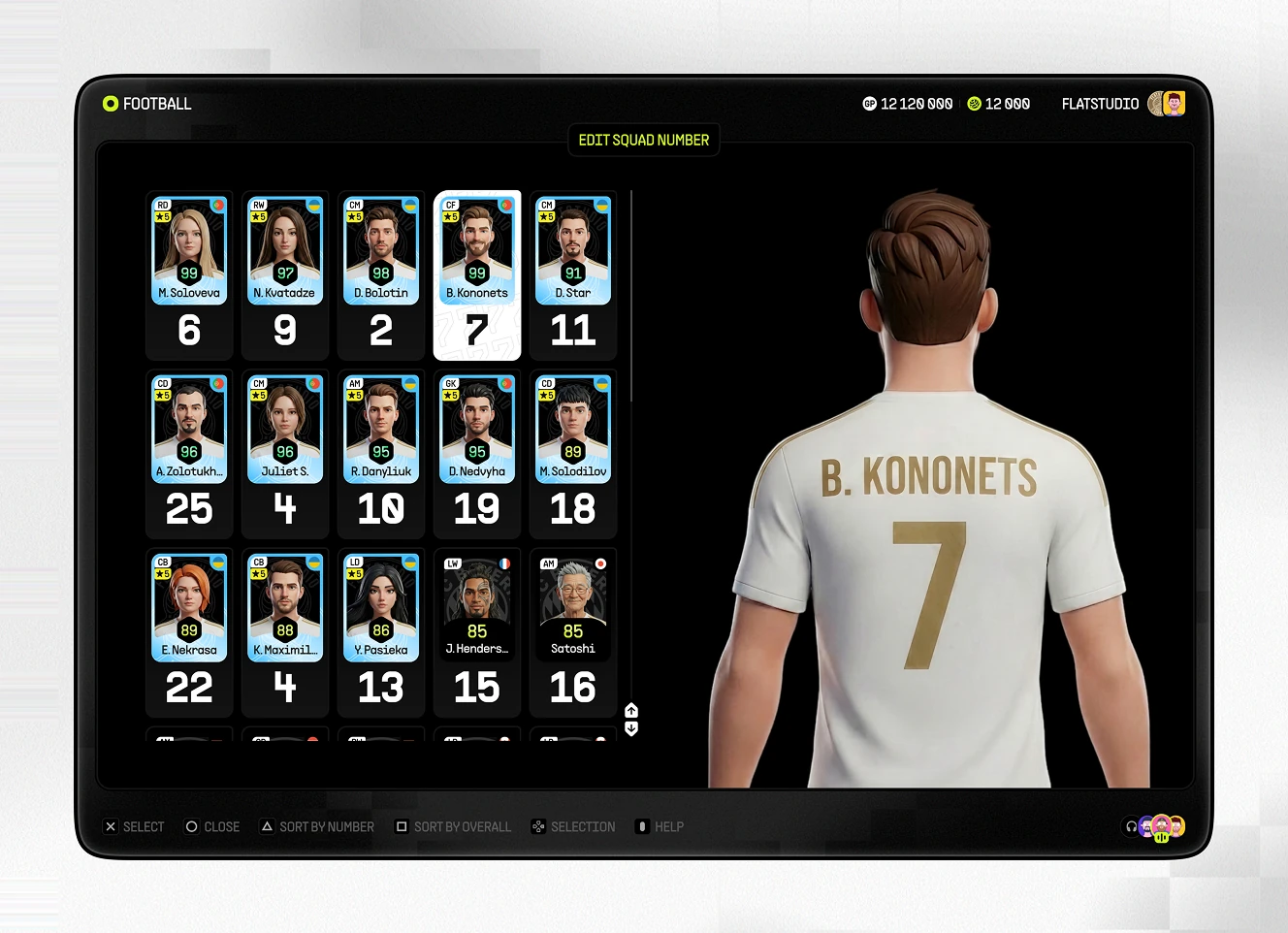
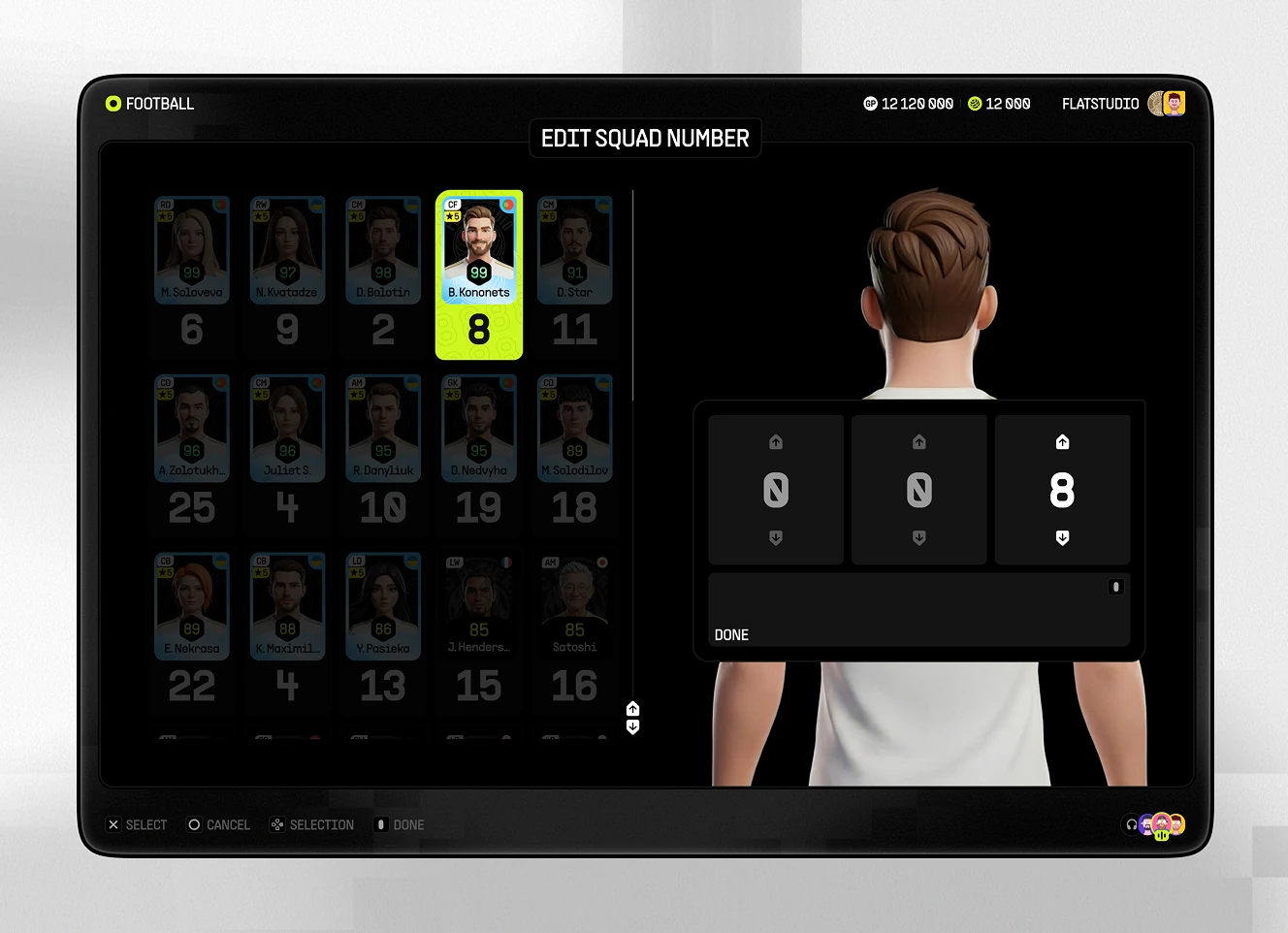
Select Squad Number screen with a player grid
Edit Squad Number screen using a digit wheel to change

Match Modes and Live Events

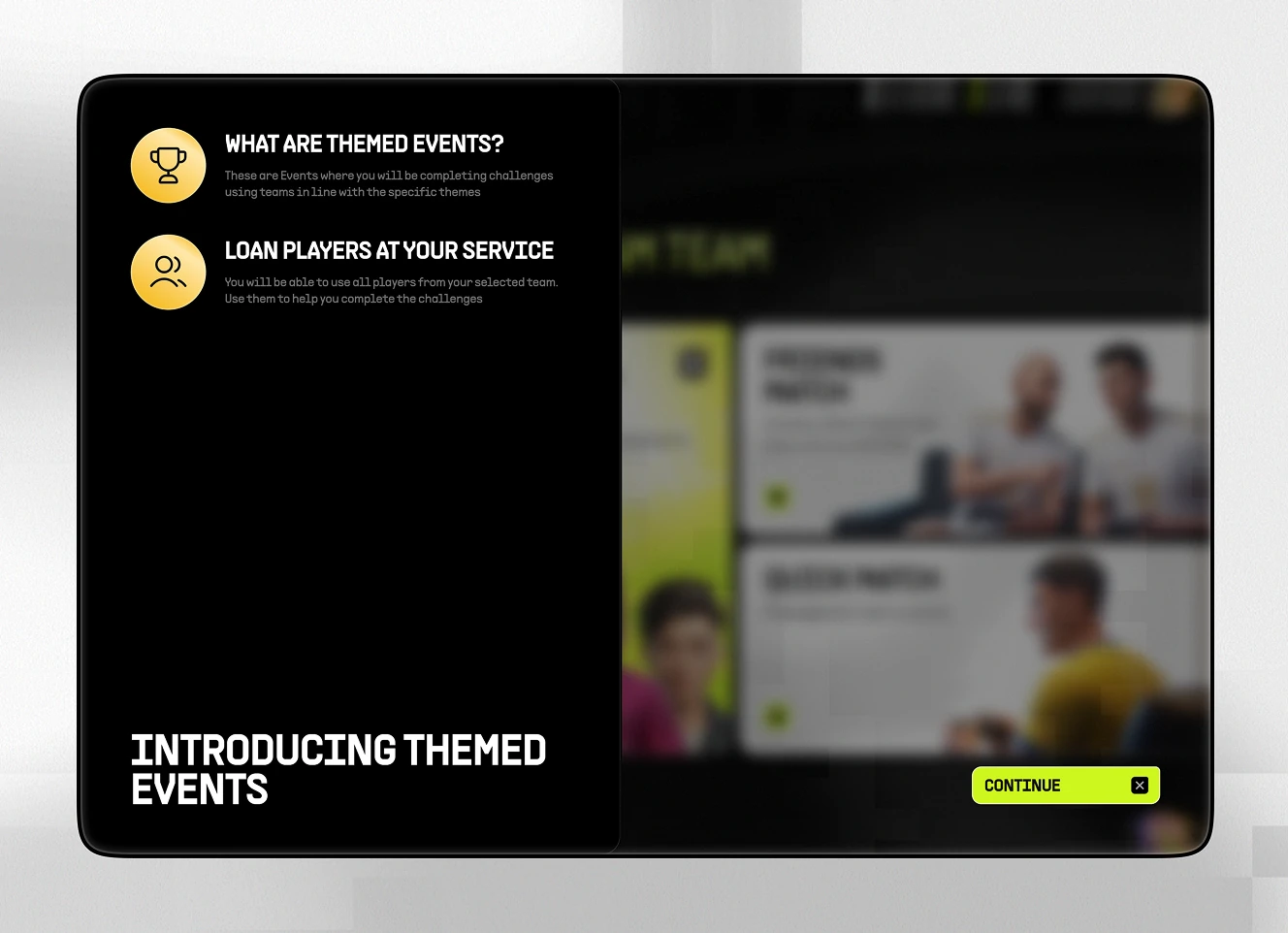
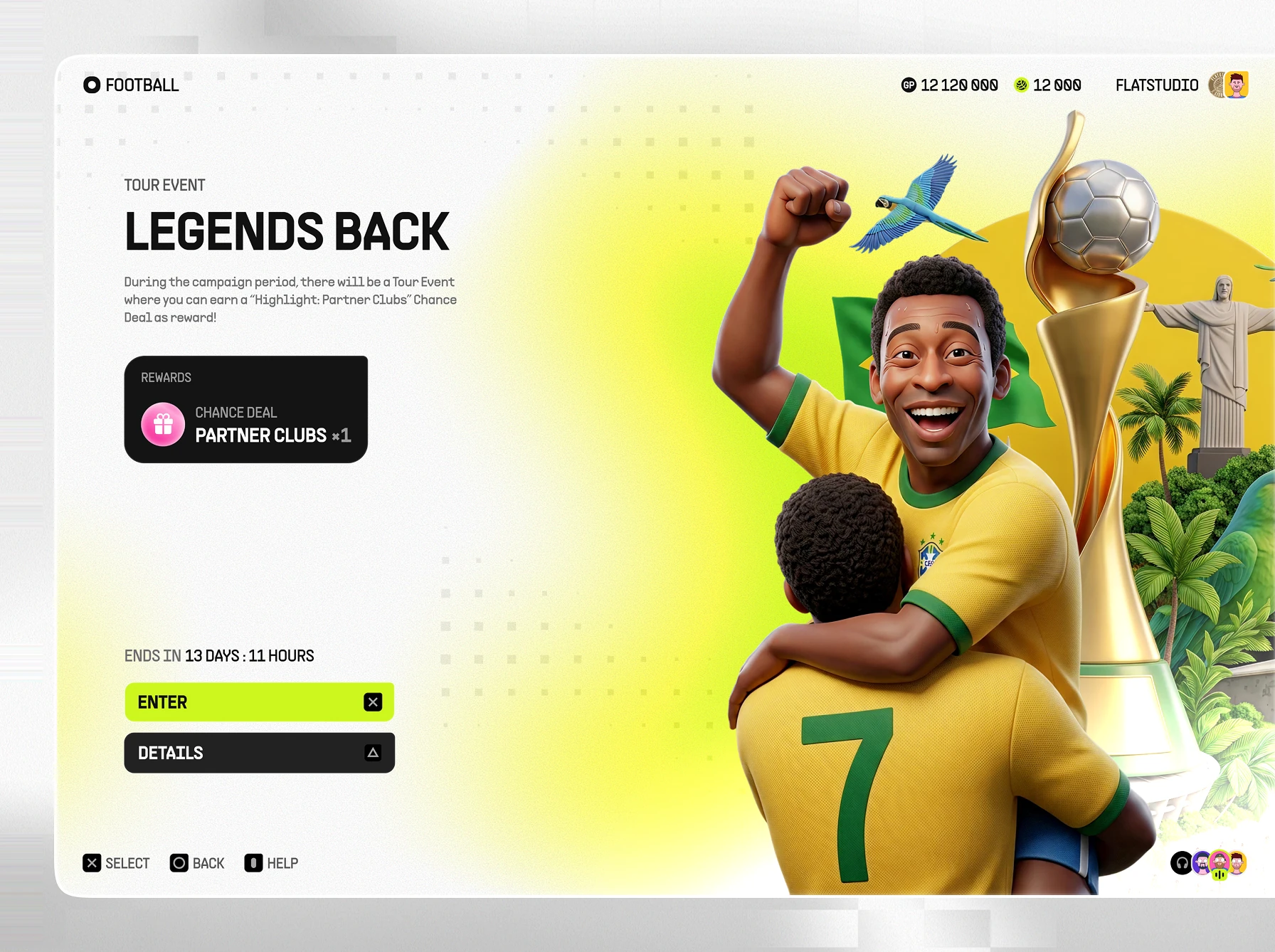
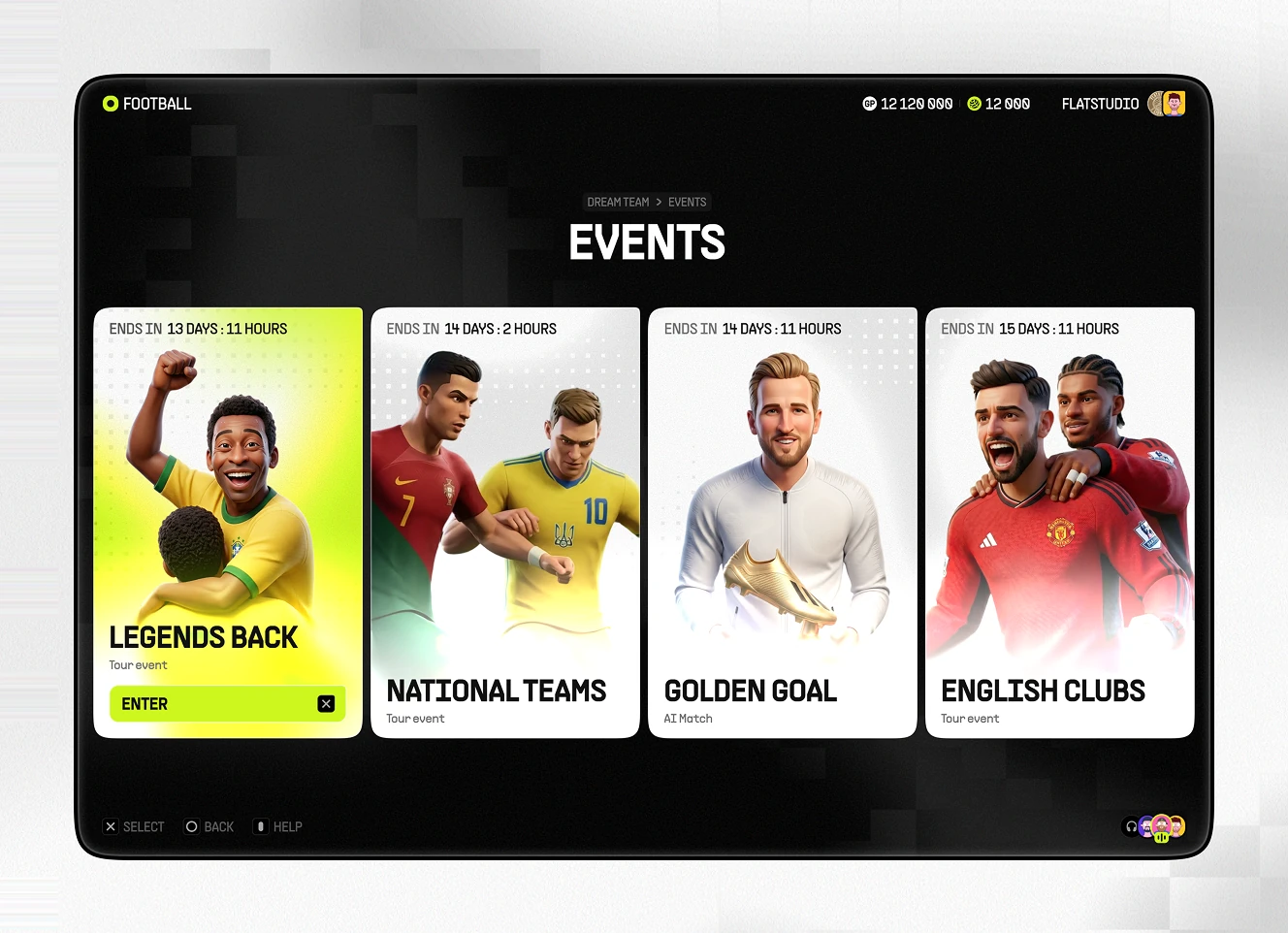
Match-mode hub offering events, league play, friends matches, and quick match against another user. Themed event cards carry countdown timers, entry rewards, and named campaigns.
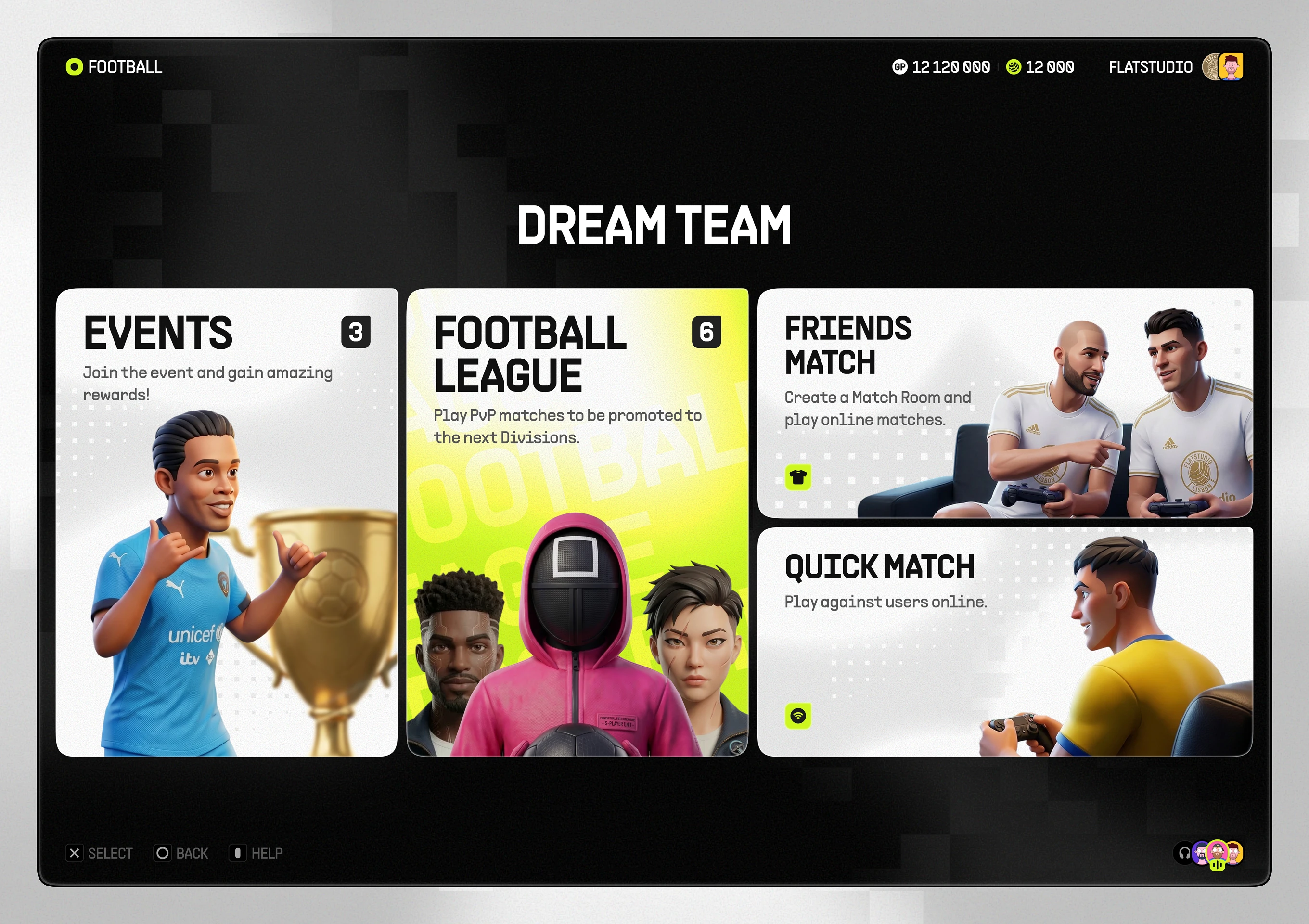
Dream Team hub with four tiles for events, league matches, friends matches, and quick match
Events screen listing four time-limited event cards each with its own countdown timer
Onboarding panel introducing themed events and explaining loan players before a Continue button
Tour event detail page showing a countdown timer, a partner-club reward, and Enter and Details buttons
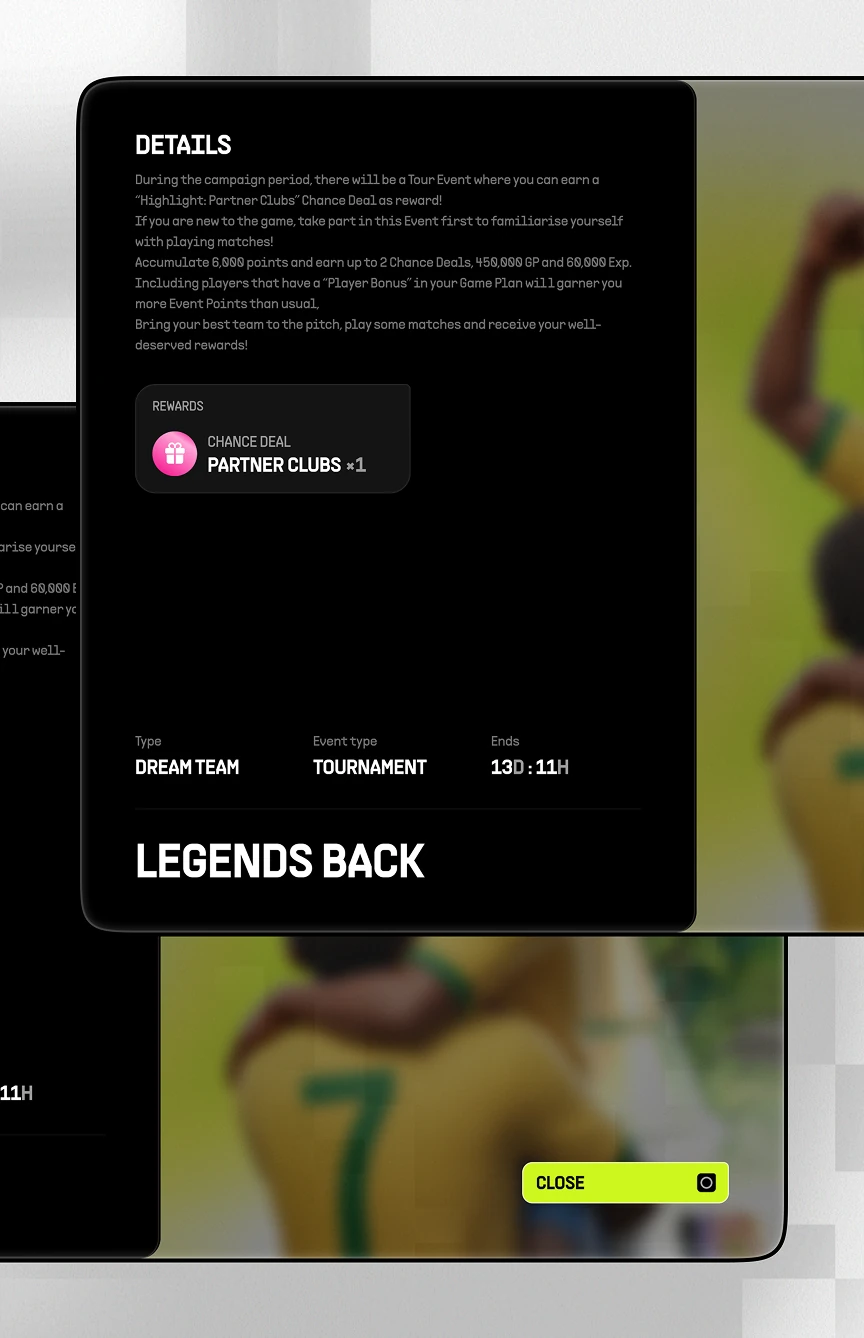
Event details modal listing reward, event type, and tournament category before a Close button

Prematch Lineup and Matchmaking

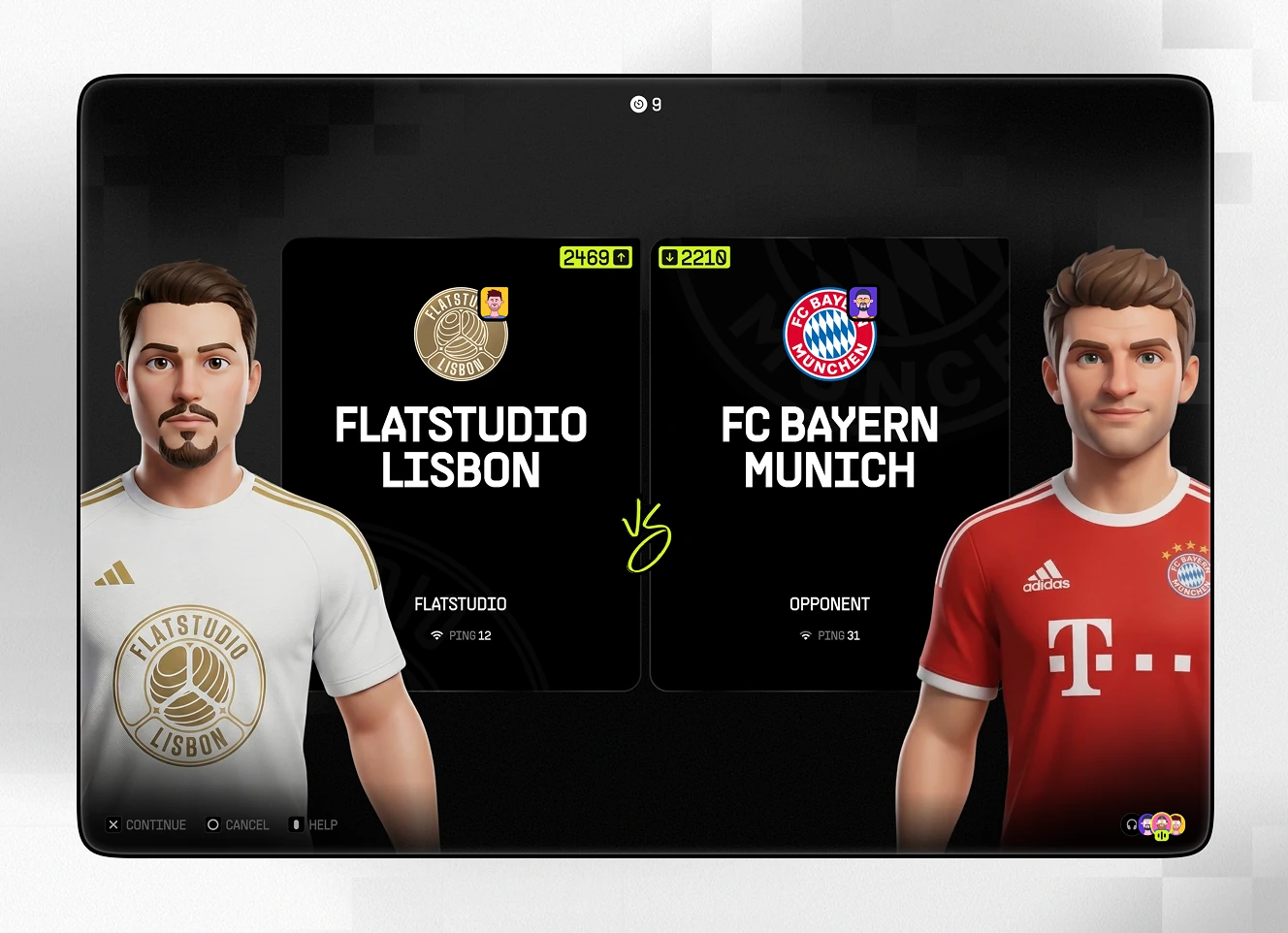
Matchmaking module connecting two squads before kickoff. An opponent-found confirmation leads to a side-by-side club comparison, then a full starting lineup screen before Start Match.
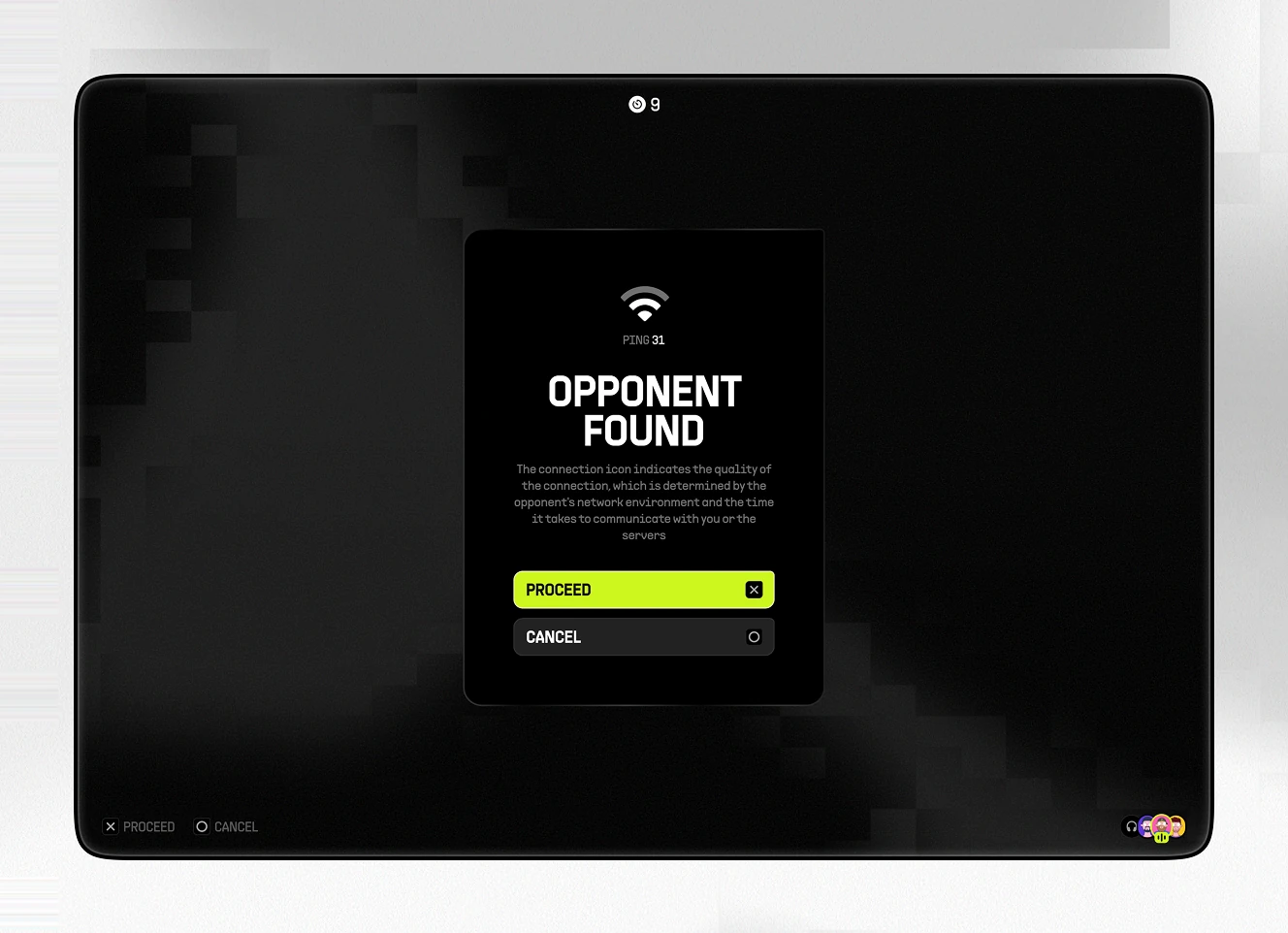
Opponent Found confirmation screen with Proceed and Cancel buttons before a match begins
Side-by-side club comparison screen showing team power ratings before an online match
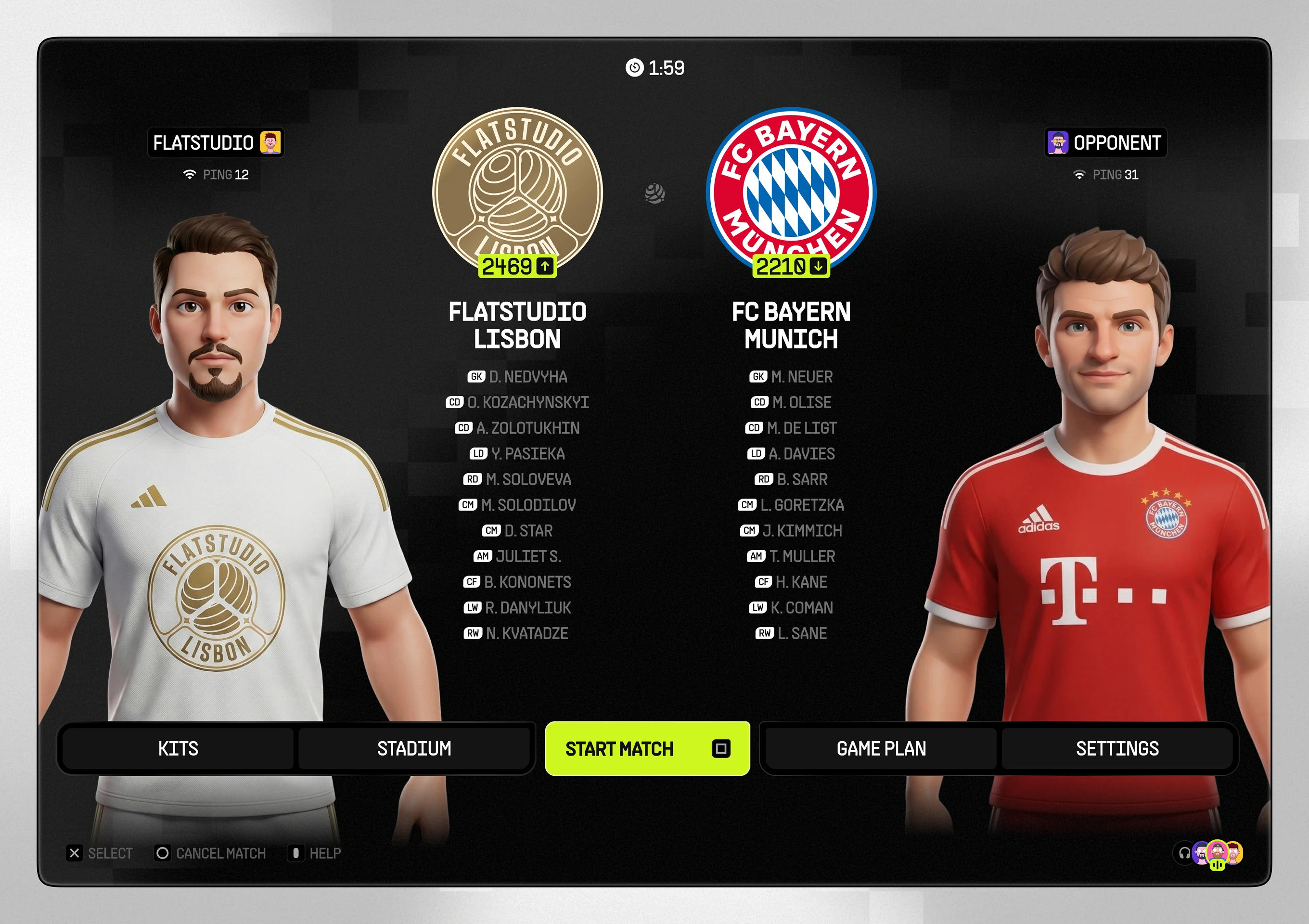
Full pre-match lineup screen listing both starting elevens beside a Start Match button
Match Kit and Stadium Picker

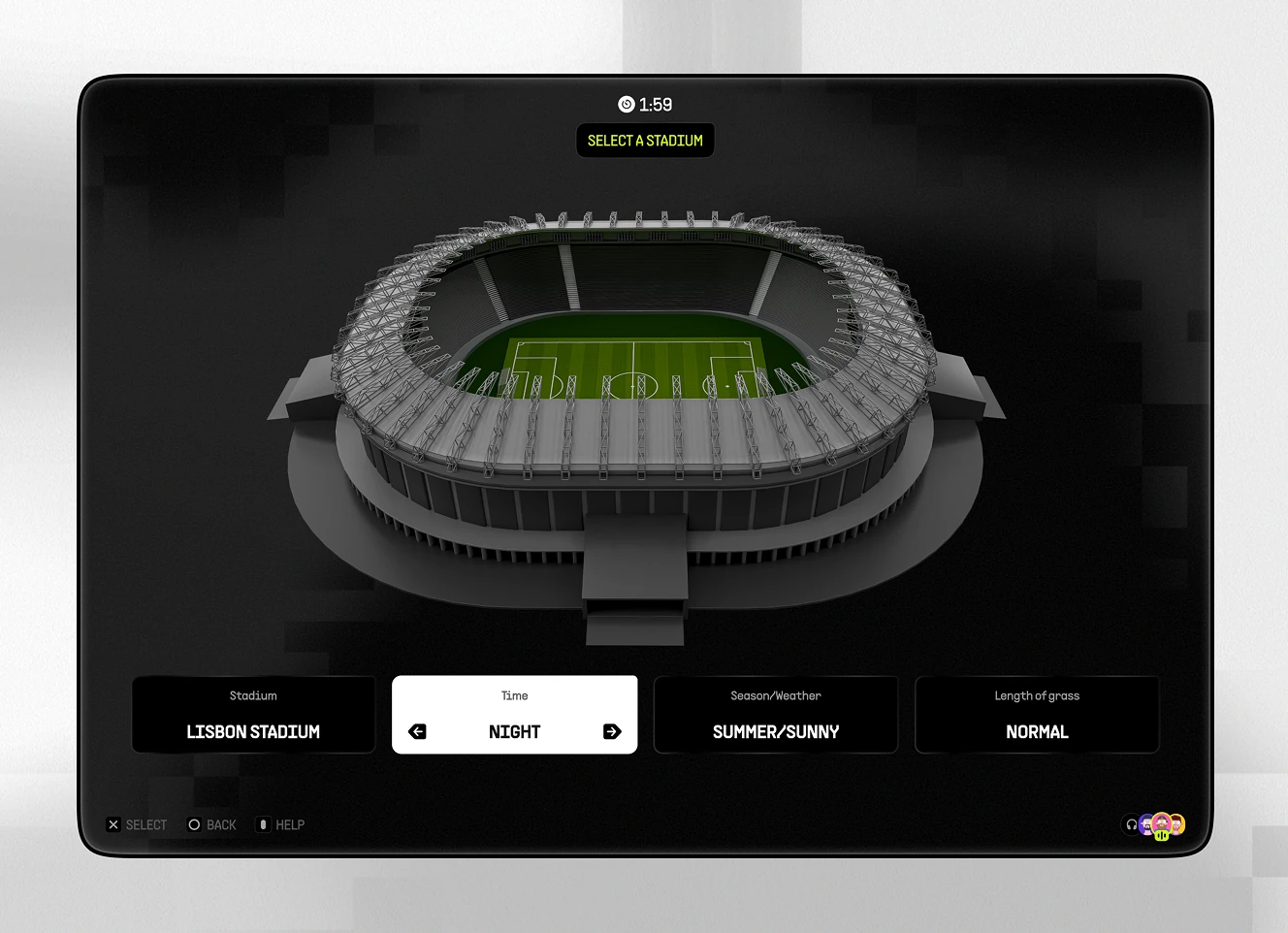
Pre-match customisation screen for picking a kit and a stadium. Home and away kits sit side by side, while stadium controls set time of day, season, and pitch length.
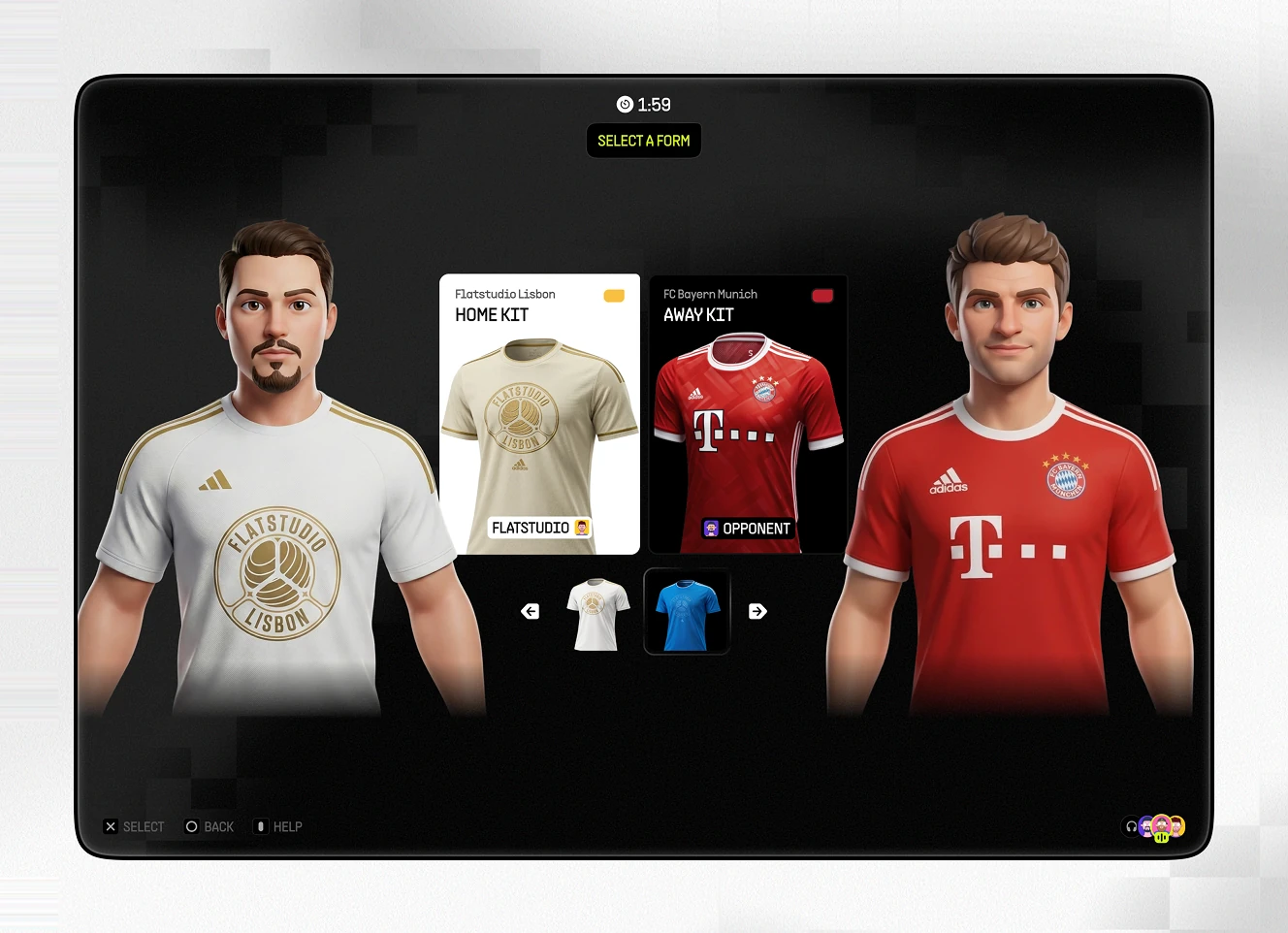
Kit selection screen comparing home and away jerseys for both clubs before a match
Stadium selection screen with a 3D venue model and controls for time, weather, and pitch length
Multiple Camera Views for Matches

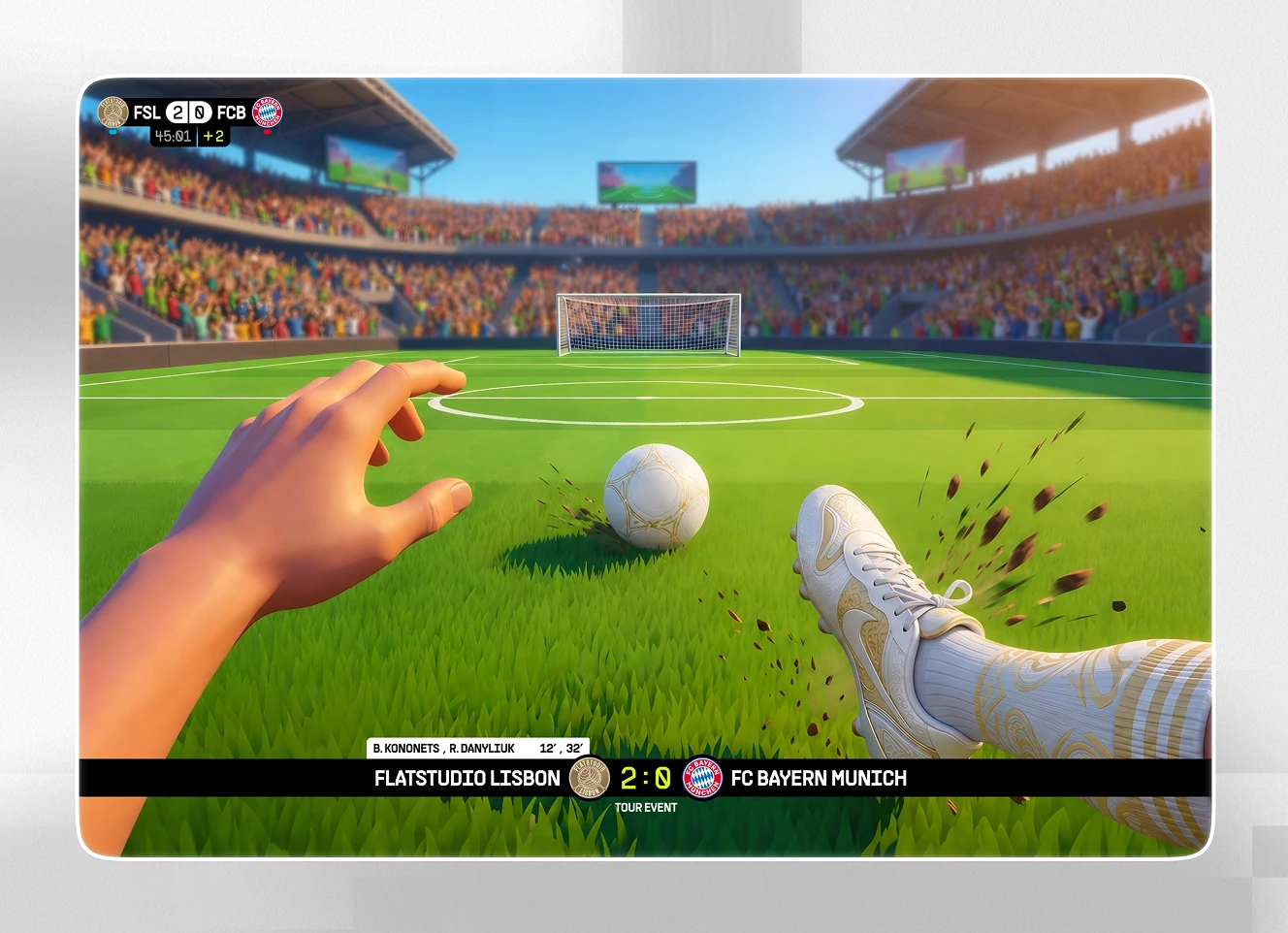
Live-play module offering more than one viewing angle during a match. A top-down pitch view supports tactical reads, while a first-person, POV-style kick view echoes the shooter-game reference behind the concept.
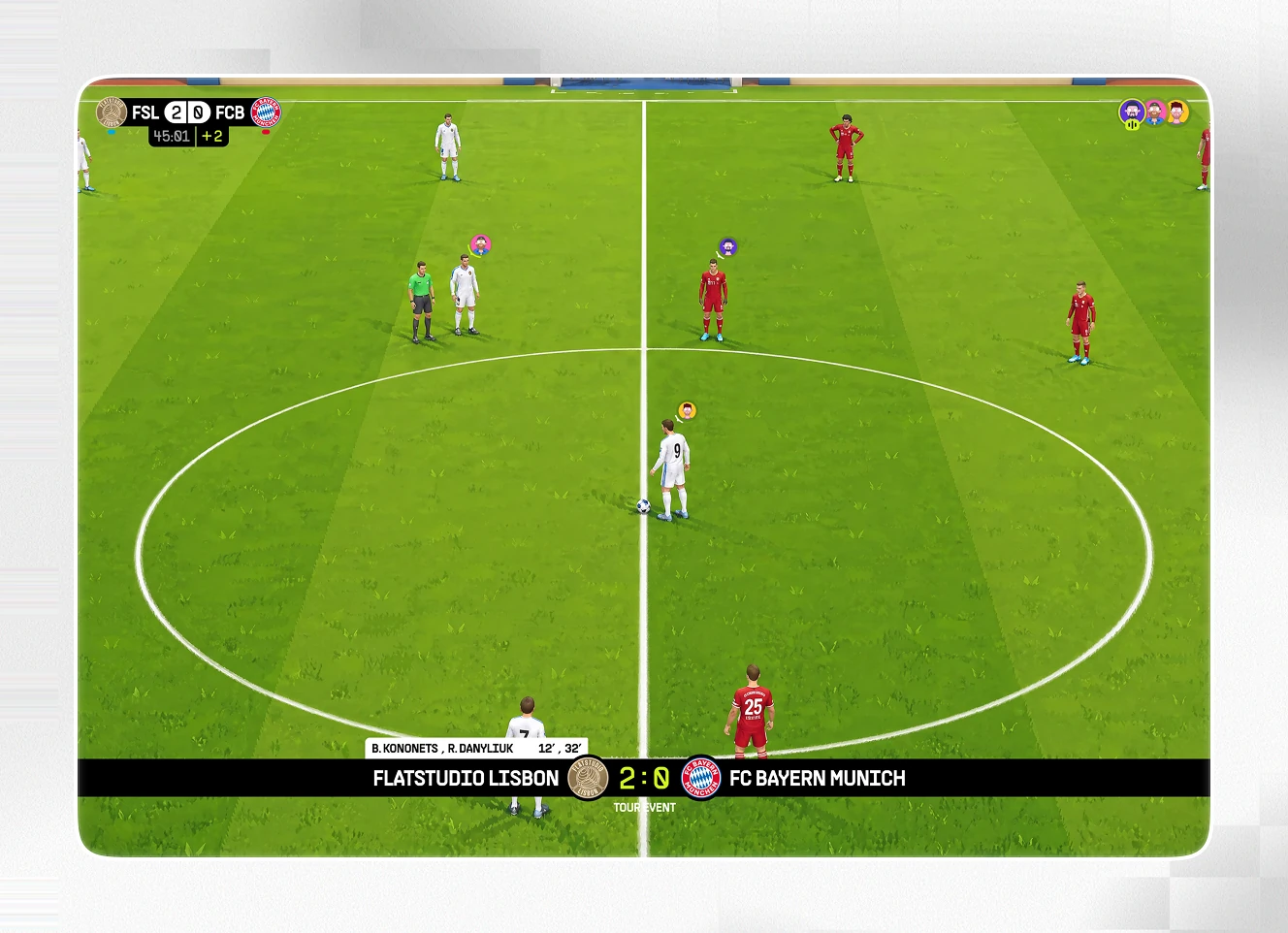
Top-down pitch view of a live match with players positioned for kickoff and a scoreboard overlay
First-person POV kick view showing a hand and boot at the point of contact with the ball
Live Match Management Menu

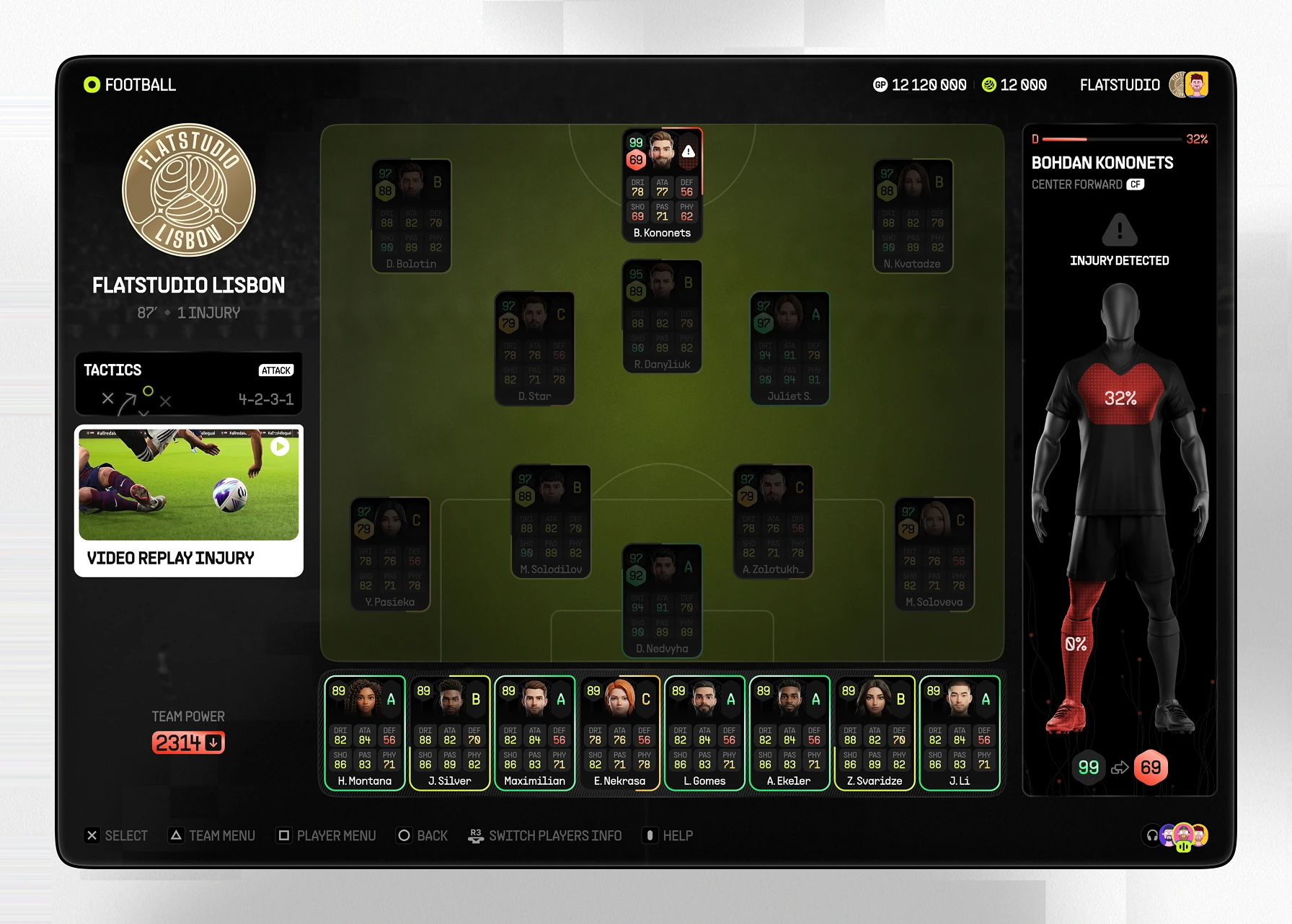
In-match menu giving access to resume, game plan, replay, and settings without leaving the game. A live stats panel flags an injury mid-match.
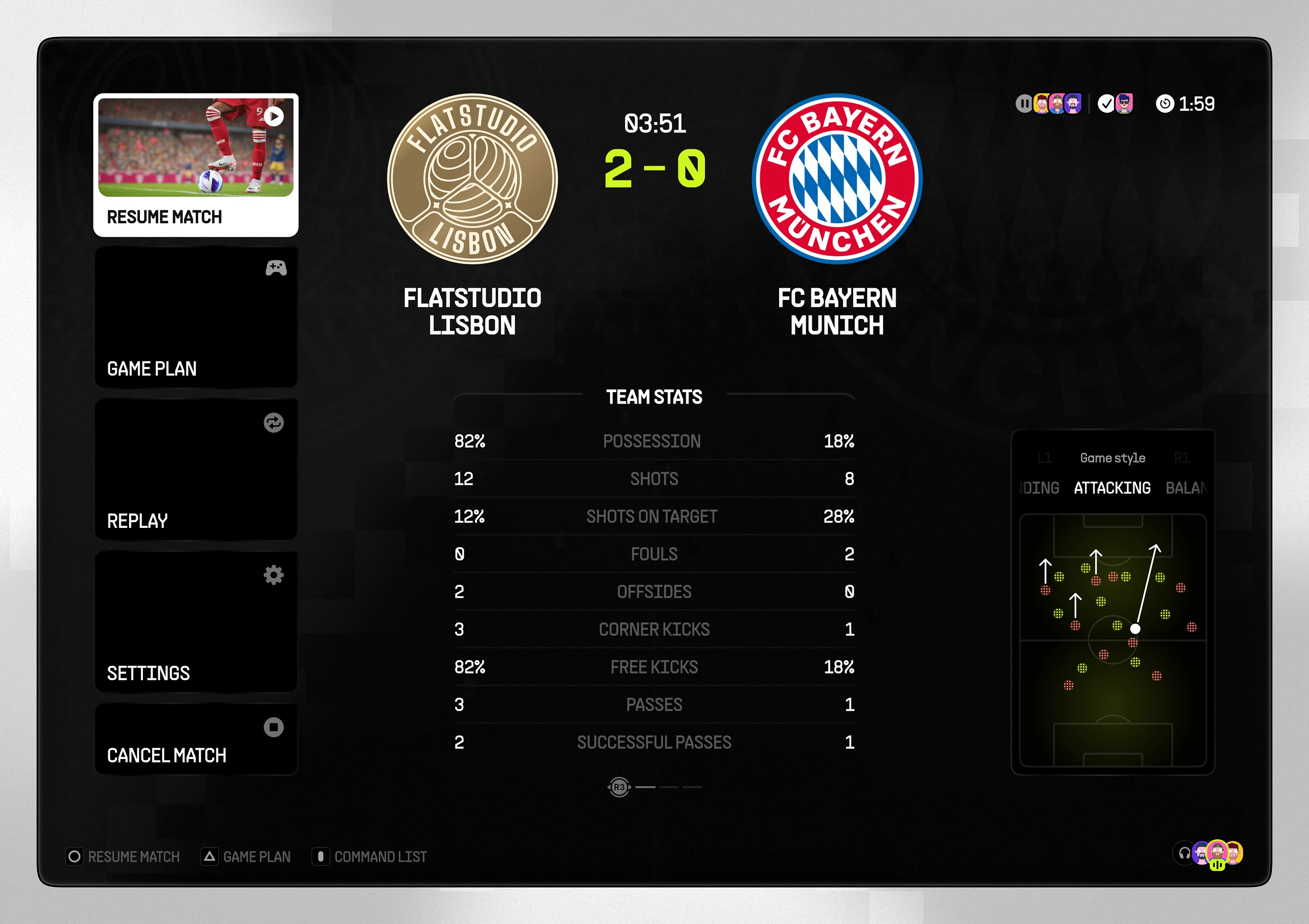
Menu with resume, game plan, and replay options beside a live match stats panel
Mid-match tactics screen flagging an injured player with a body-map showing fitness
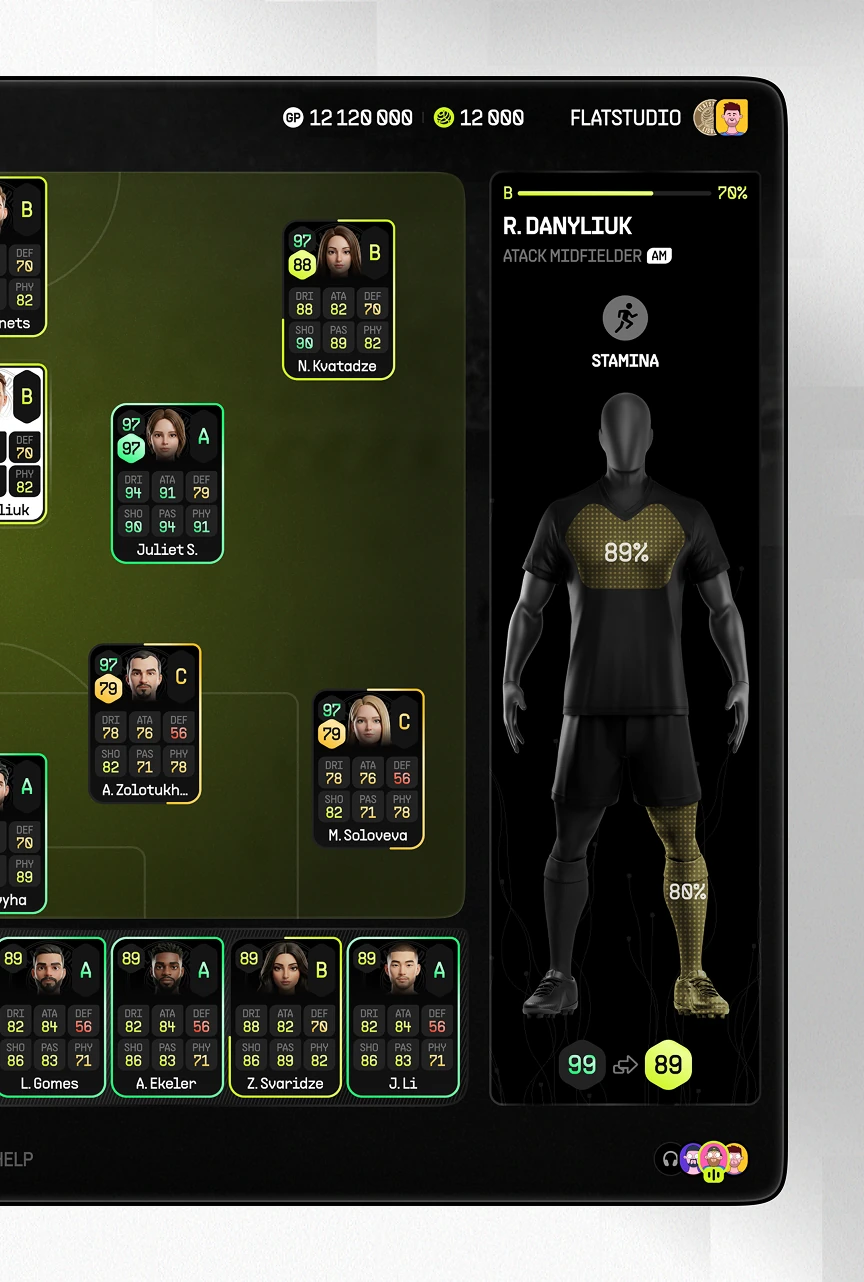
Player detail panel showing an attacking midfielder's stamina level during a match

Contracts Hub for Squad Building

Recruitment hub inside the eFootball concept, structured around four paths: special players, packs, player tickets, and a manager list, each on its own in-game currency.
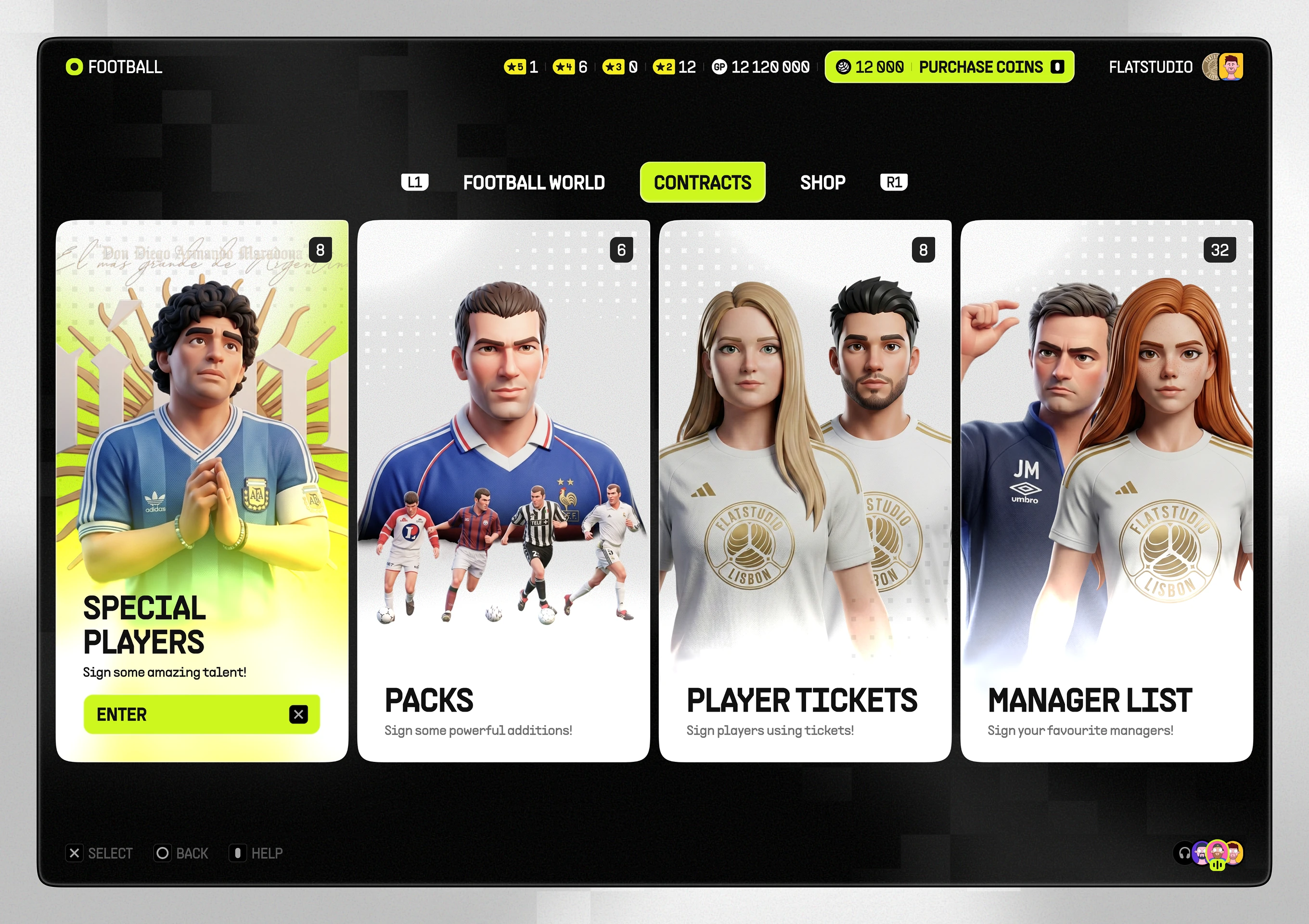
Contracts hub with tiles for special players, packs, and manager list
Special Player Recruitment Flow

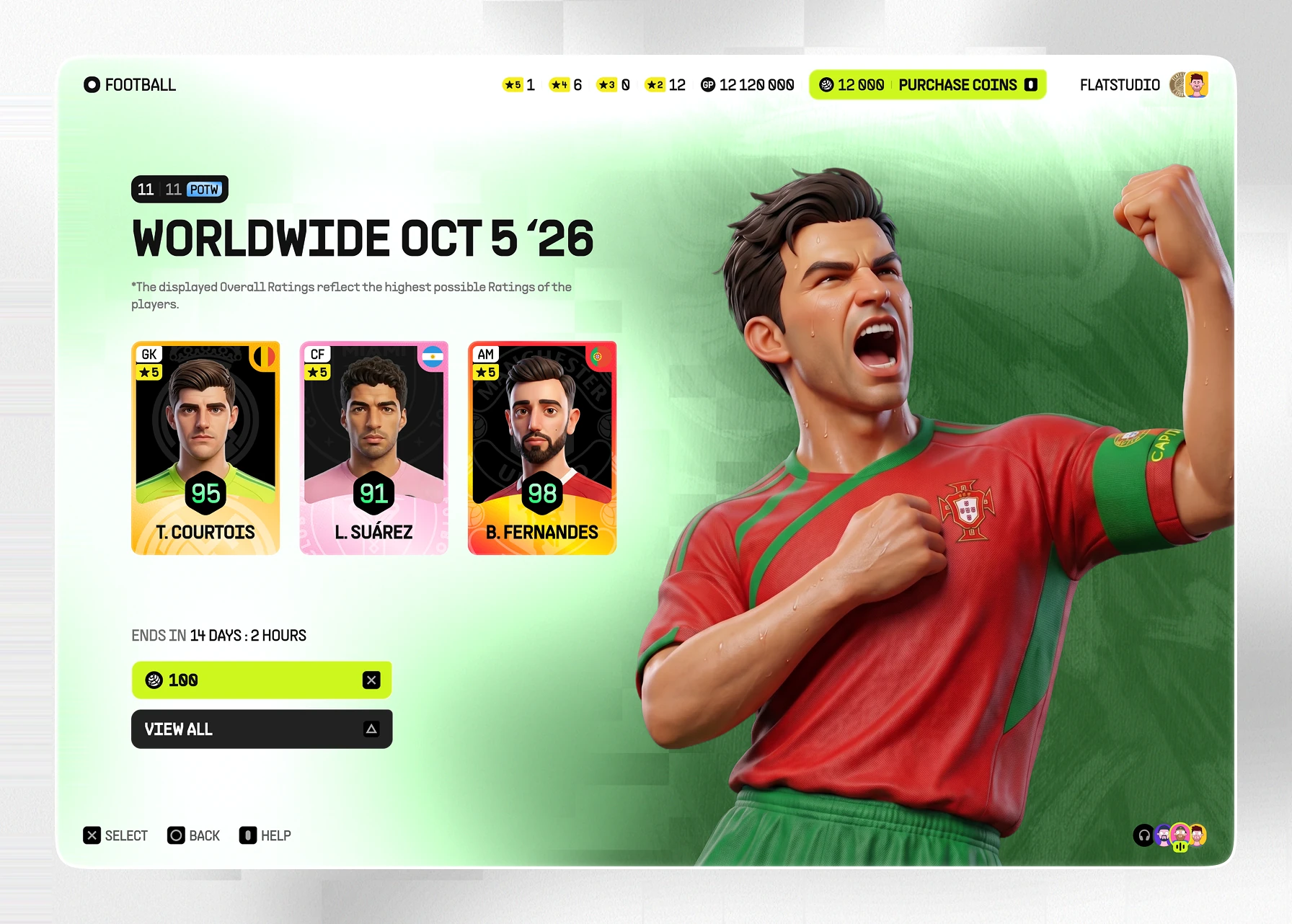
Premium-recruitment flow inside the contracts hub, split into categories such as top scorers, partner clubs, and worldwide picks. A countdown-timed roster and payment step sit before signing.
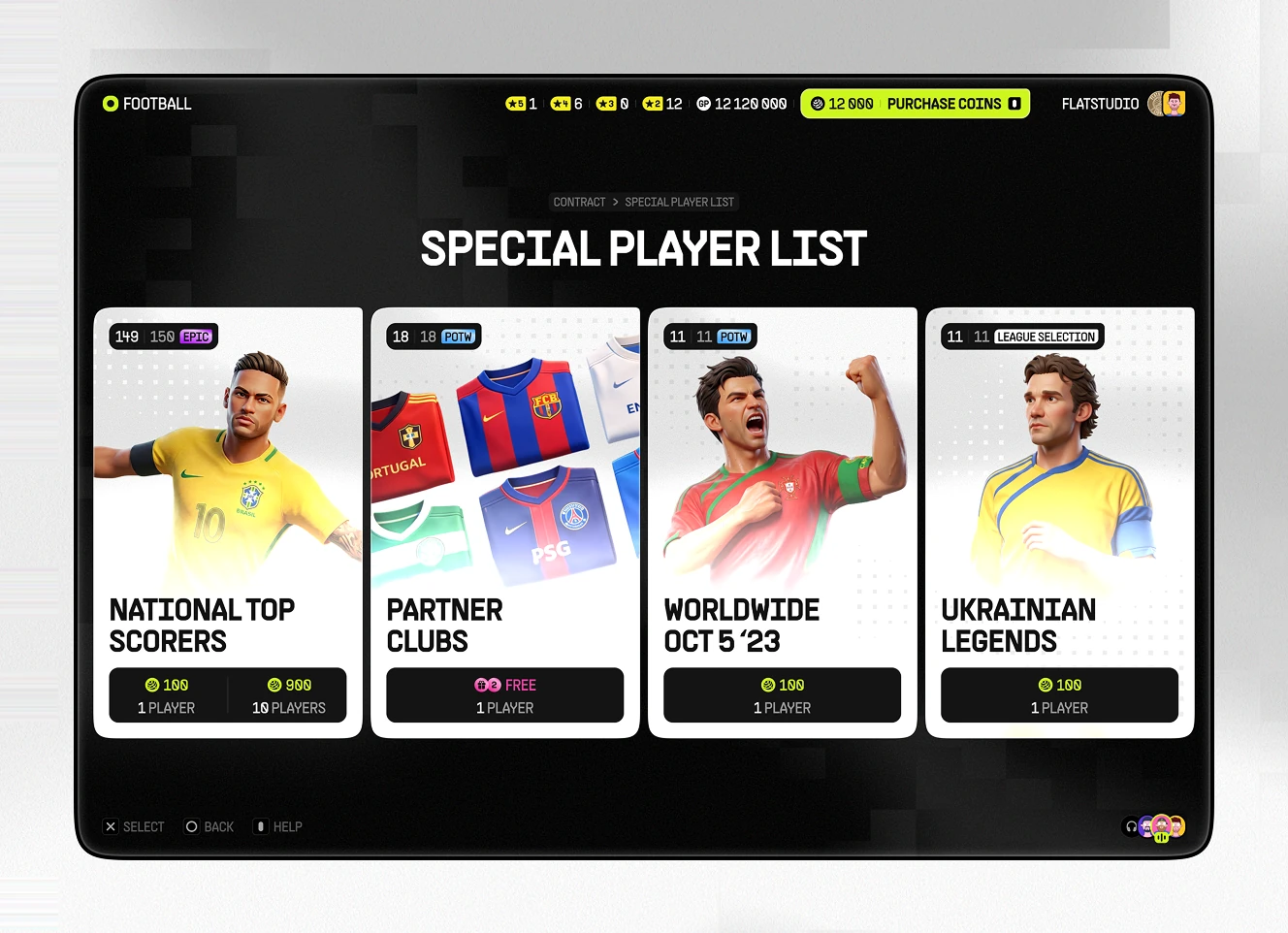
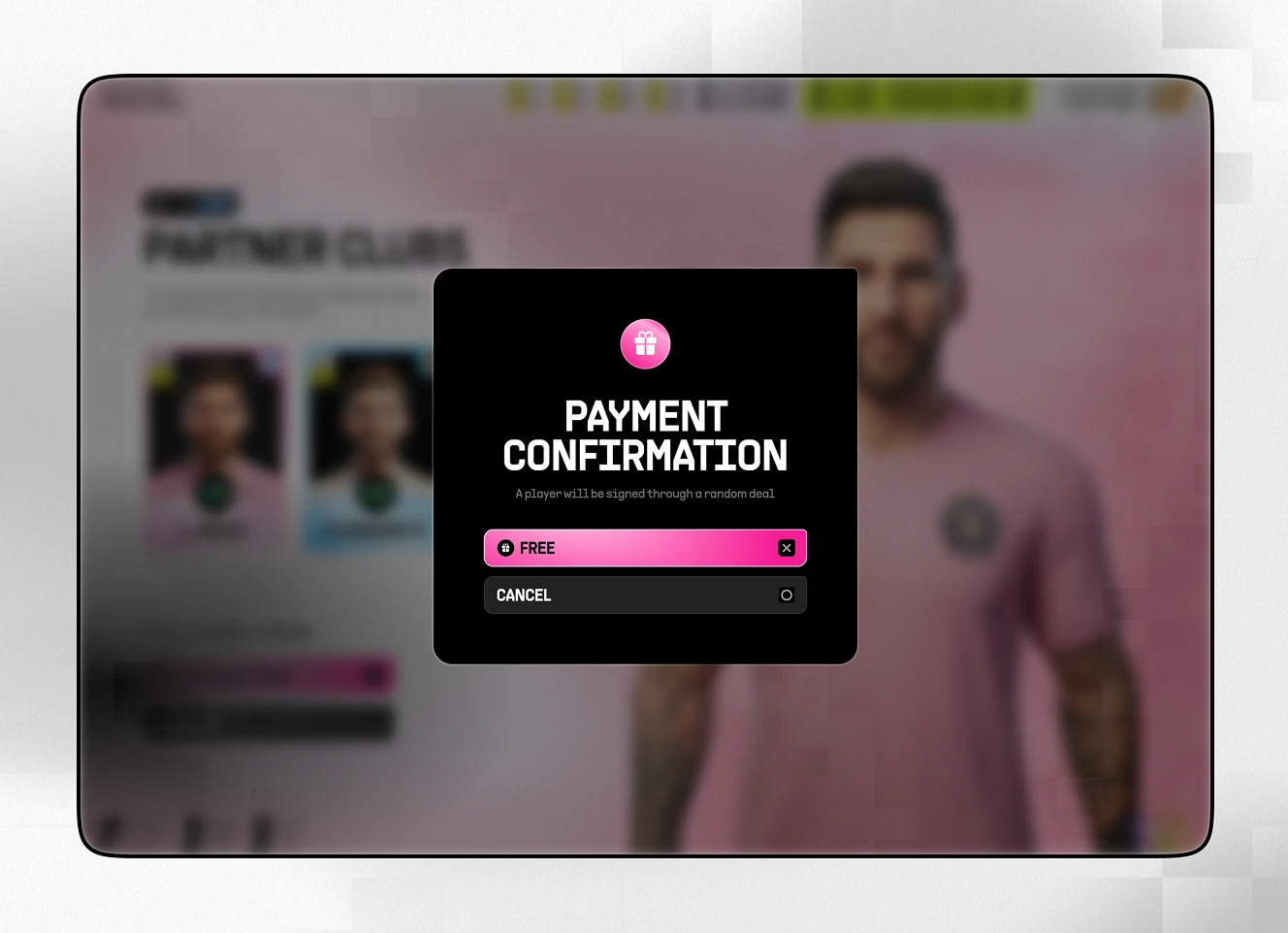
Special Player List screen with four categories: top scorers, partner clubs, worldwide, and legends
Payment confirmation modal offering a free player sign-up with Free and Cancel buttons
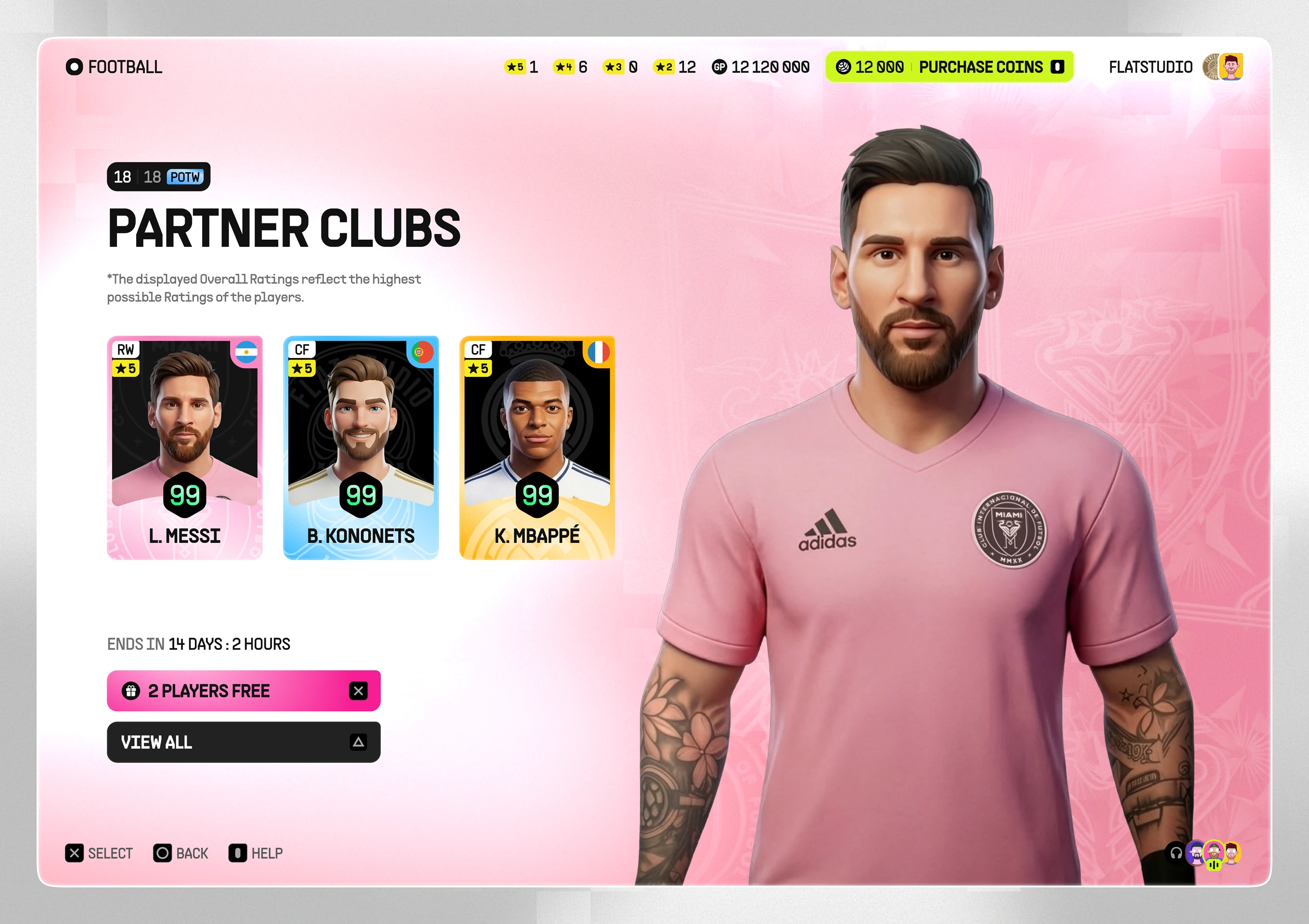
Partner Clubs list showing three top-rated players with a countdown timer and two free slots
Worldwide player list showing three top-rated players with a coin cost and a countdown timer
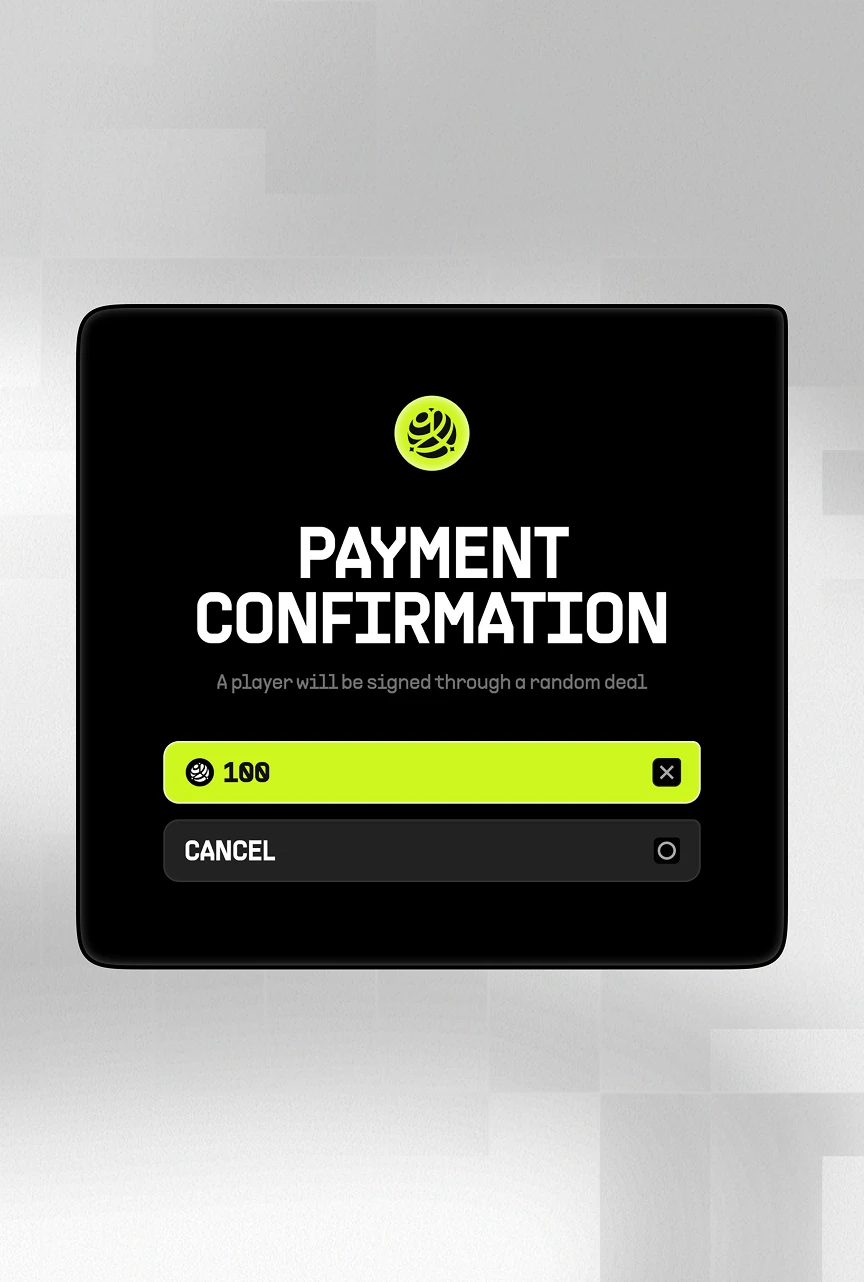
Payment confirmation modal showing a coin cost for a random player deal with a Cancel option
Player Pack Browsing and Filters

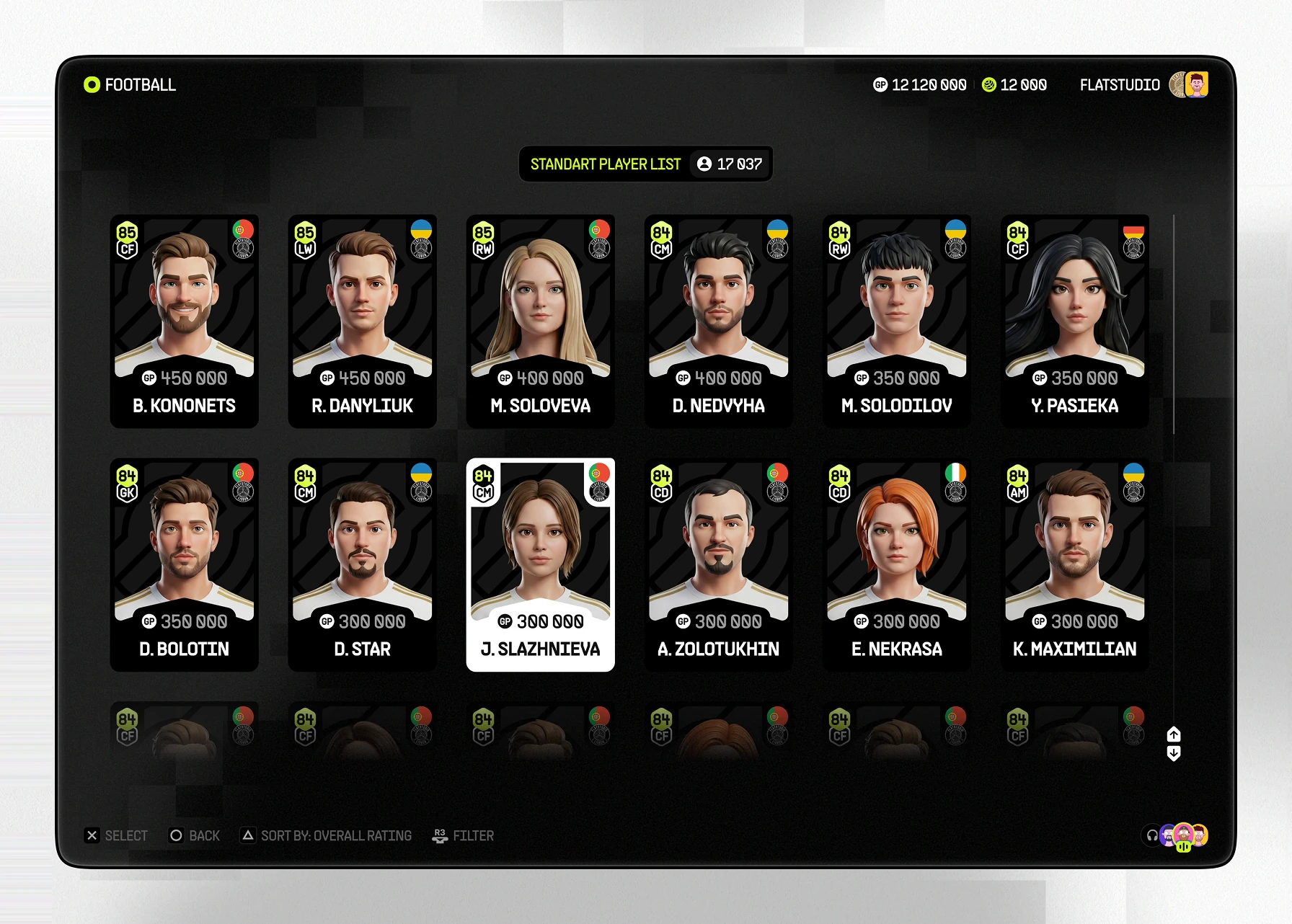
Player-browsing module covering a full recruitment pool. A pack grid and a detailed stat-row view sit alongside a standard list, plus a filter panel by club, position, and price.
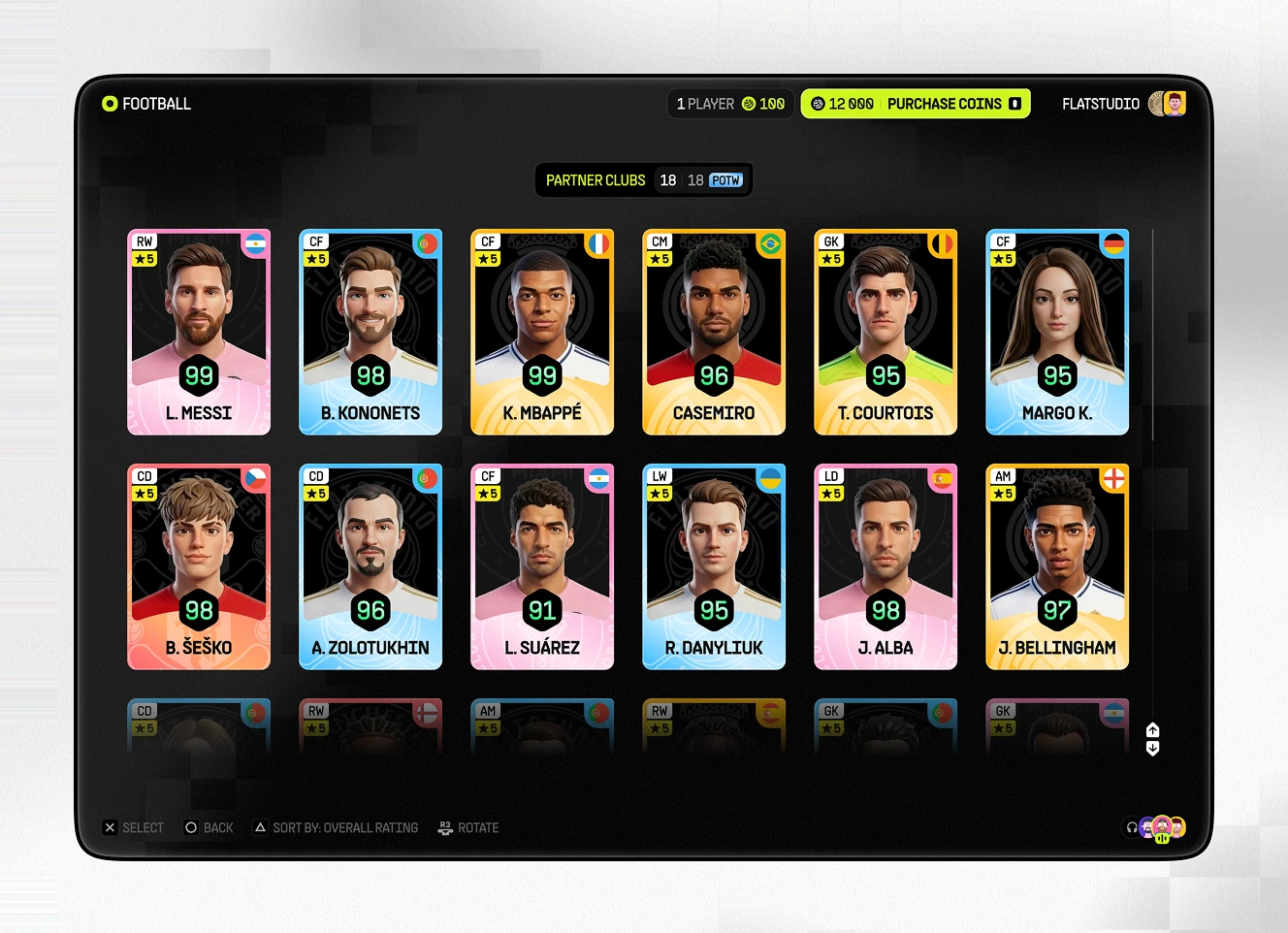
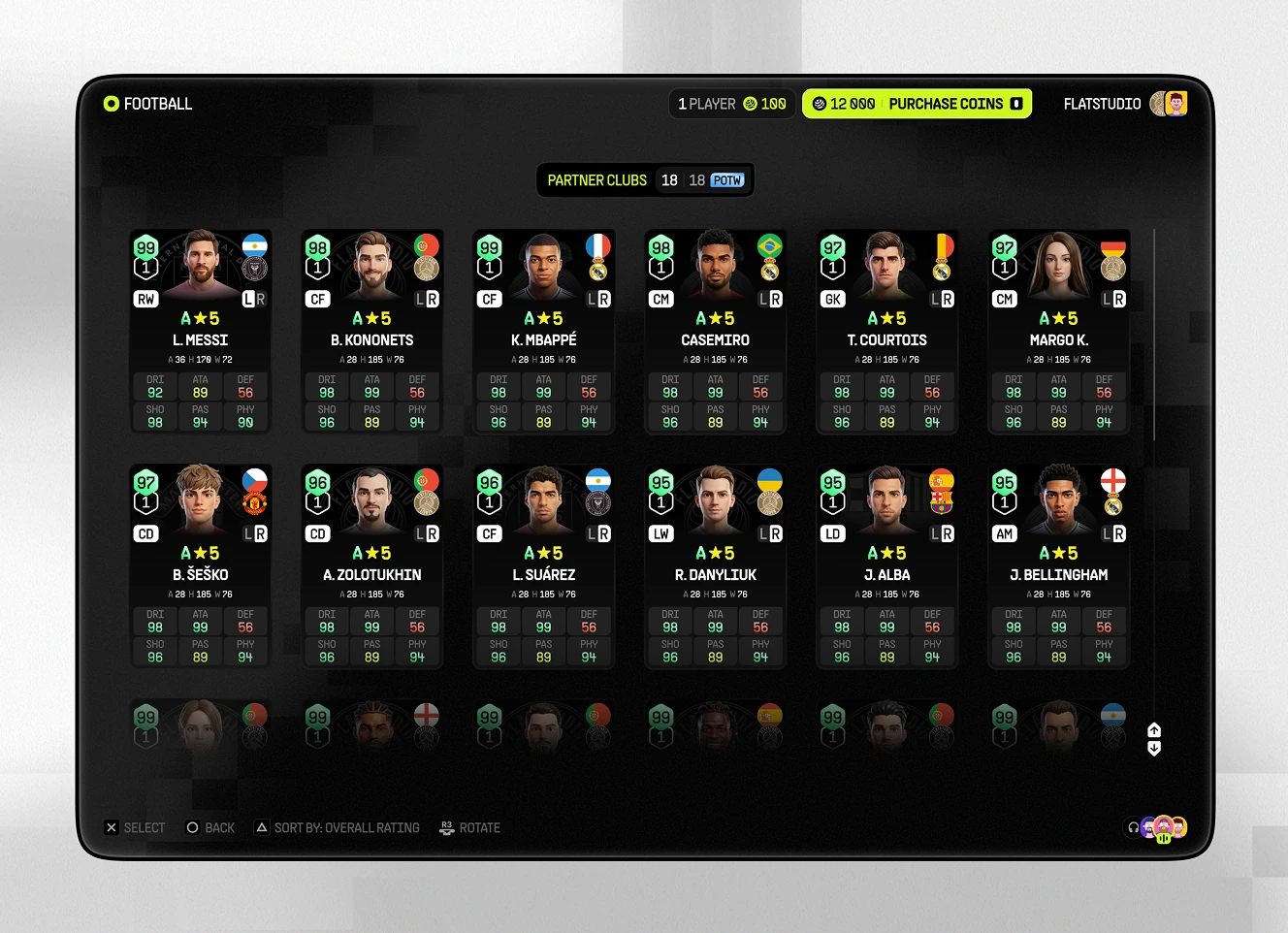
Player pack grid showing twelve player cards with photo, rating, and name in a two-row layout
Player pack grid in a detailed row view showing rating breakdowns across six attribute categories per player
Standard player list with a selected player card and a coin price shown under each name
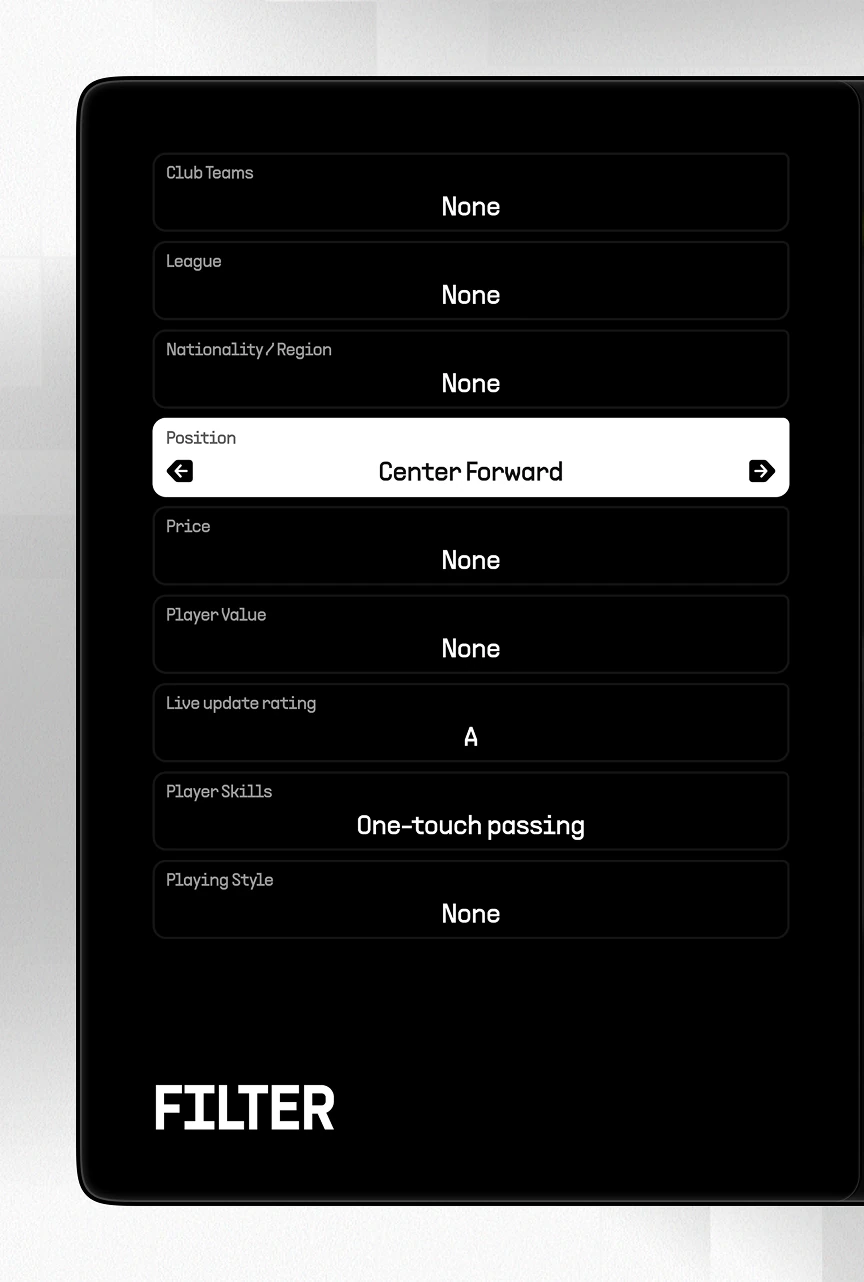
Filter panel for narrowing player search by club, league, nationality, position, price, and playing style
Manager Roster and Coaching Stats

Coaching-staff module listing available managers by signing cost. A detail view breaks down possession game, quick counter, and long-ball ratings, plus a squad-wide affinity bonus.
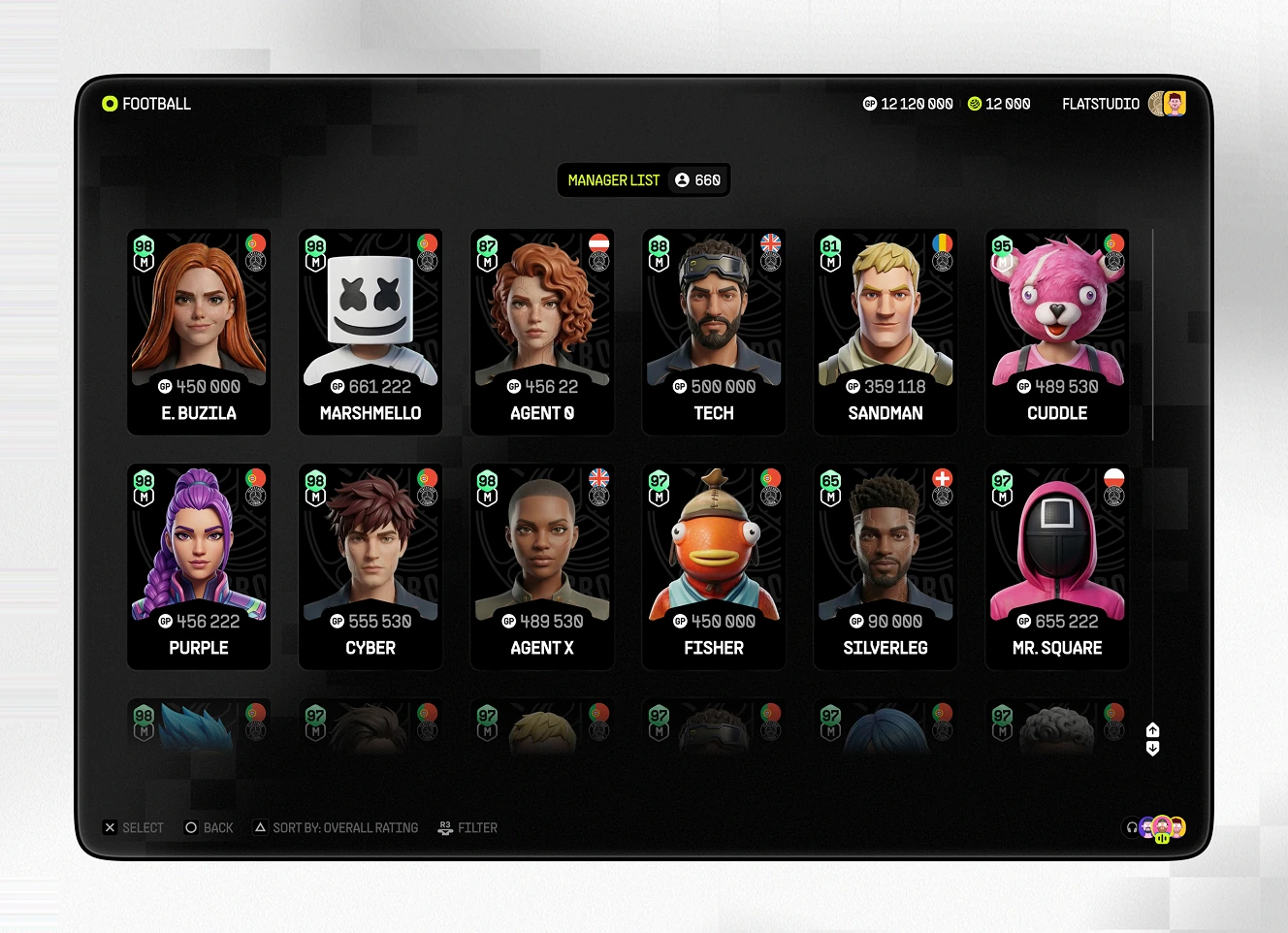
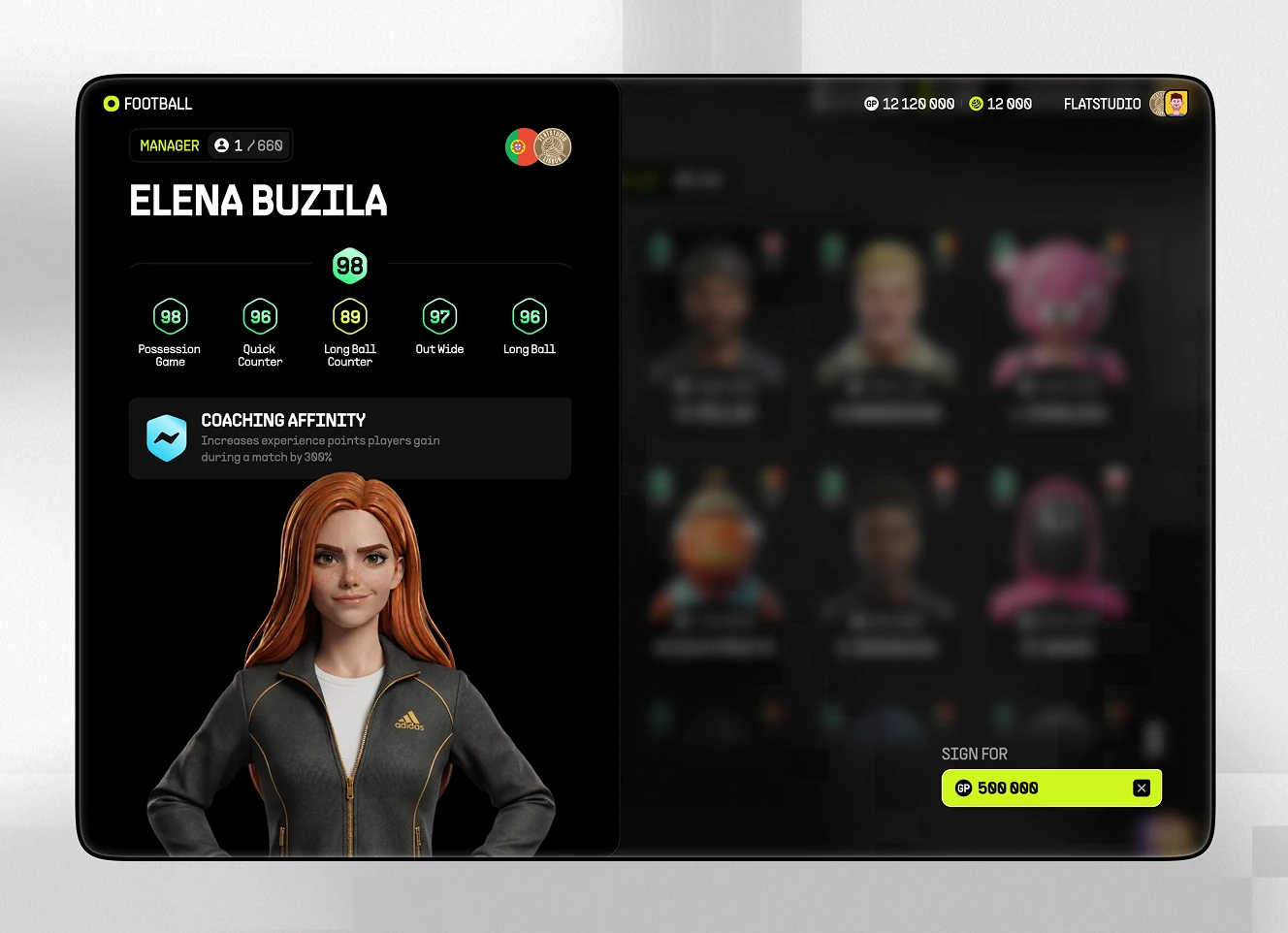
Manager list grid with twelve stylised coach avatars, each showing a signing cost
Manager detail screen showing possession, quick counter, and long-ball ratings with a coaching affinity bonus

In-Game Currency and Packs Shop

In-game store, split into three purchase paths shown as separate tiles. E-Coins buy football currency, Game Points get redeemed, and Packs sign new players.
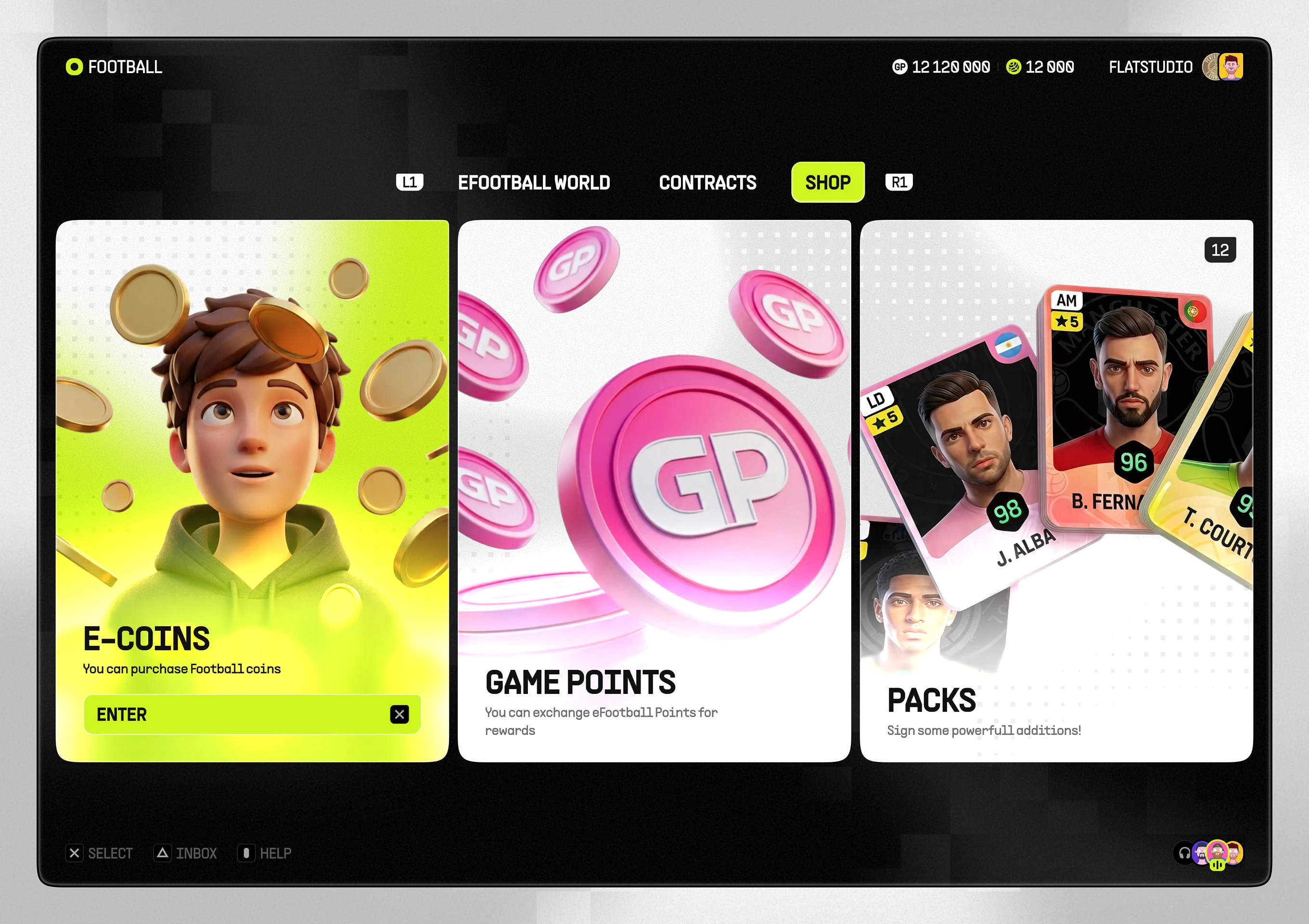
Shop screen with e-coins, game points, and player pack tiles
Coin Purchase and Player Exchange

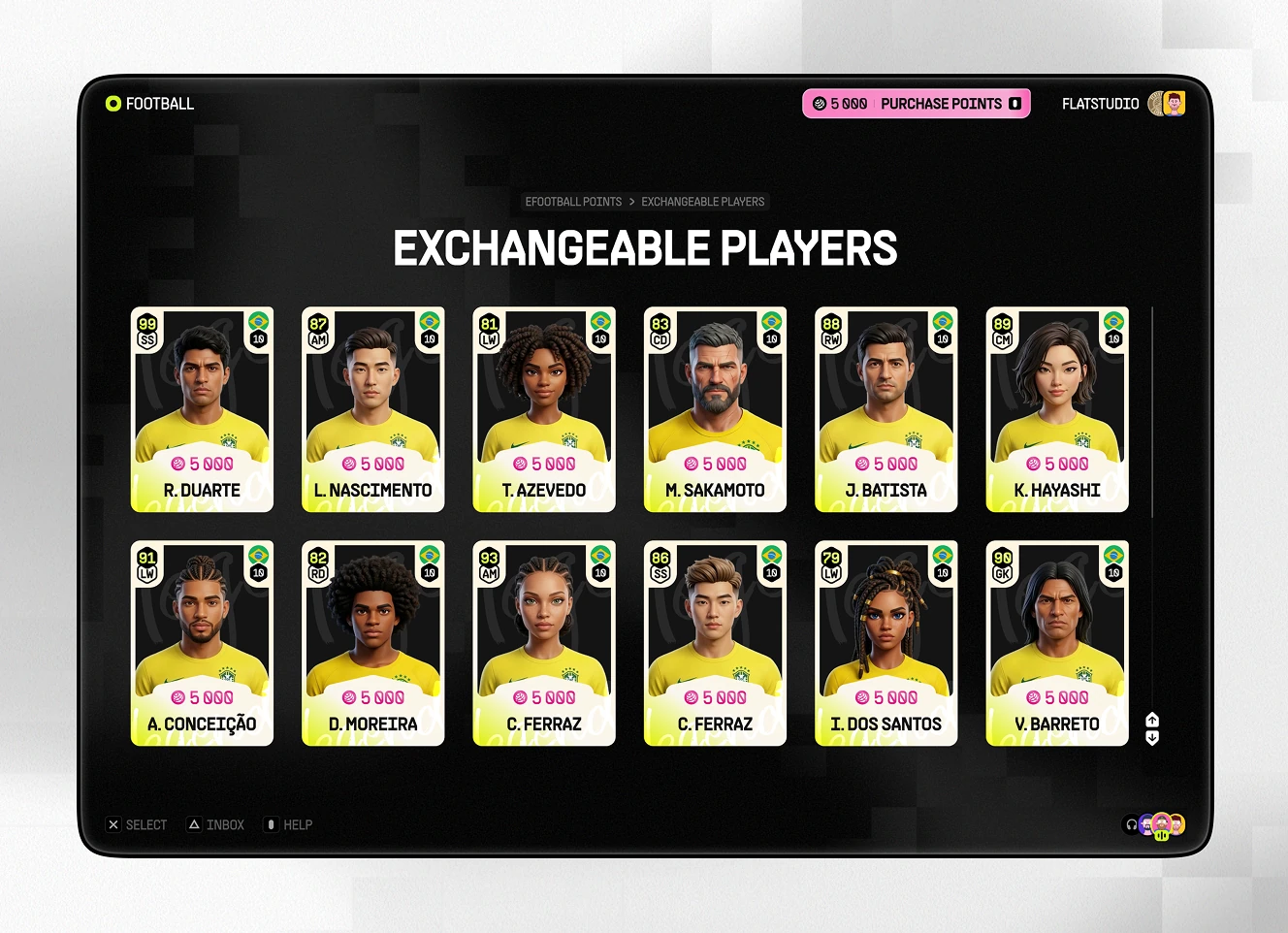
Two currency paths inside the shop: buying coins directly, or trading points for players. Five coin tiers list paid-plus-bonus amounts; a twelve-player list assigns a point cost to each name.
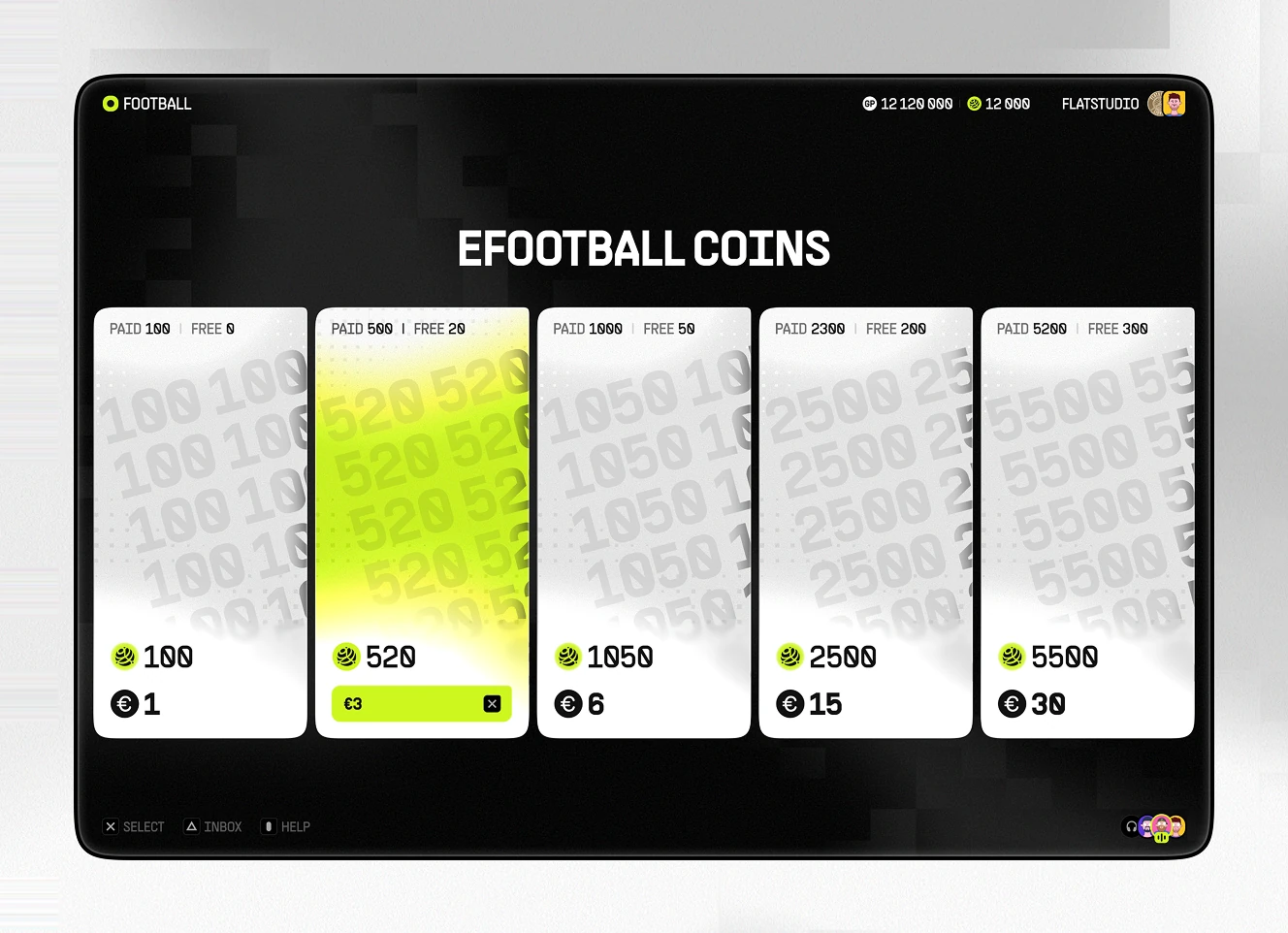
Coin purchase screen with five tiers showing paid-plus-bonus coin amounts
Exchangeable players list with twelve player cards each priced in game points

Exploring AI-driven personalisation for a gaming or fan product? A concept sprint answers whether the idea works before engineering costs start.

Bring us the idea.

Ready to start your own project?