












View more
Published in
2026

Mollybet. Pro sports betting web platform with Gen‑Z first UX.

Elena Buzila
Bohdan Kononets
Andrei Zolotukhin
Roman Danyliuk
Dmytro Staryshev
Maria Soloveva
Services
UX Design
UI Design
Dashboard Design
Design System
Design Tokens
Component Library
Data Visualization
Motion Design
Concept Design
Deliverables
Custom Icon Set
Research Findings
User Personas
Information Architecture Map
Design System
Component Library
Design Tokens

MollyBet Gen Z is an alternative product concept for the MollyBet trading terminal.

We designed it as an alternative product concept, covering dashboard design, motion, and dark mode exploration on the same trading terminal foundation. A younger audience needed the same trading data depth in a different visual register – and the concept delivered that direction as a ready-to-use foundation for future development.

Core Trading Interface for Live Odds

A showcase of trading interface components designed for professional bettors. The set brings together live odds charts, sport category icons, and sports match cards. The chart highlights in-game events, while the betslip compares bookmakers' prices for each match.
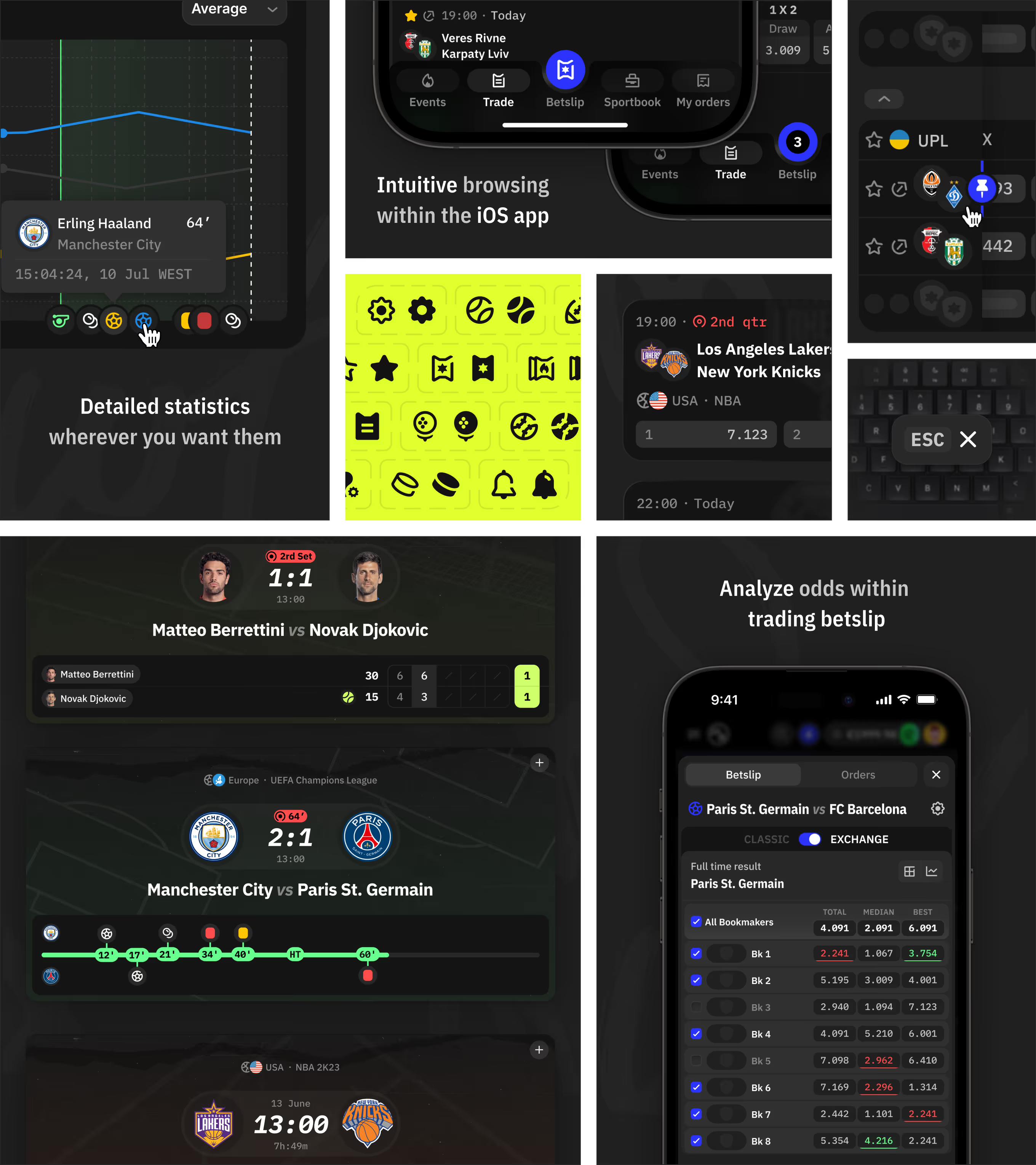
MollyBet Gen Z trade page collage showing live odds chart, sport icons, and betslip comparison.

Market Presets for the Trade Grid

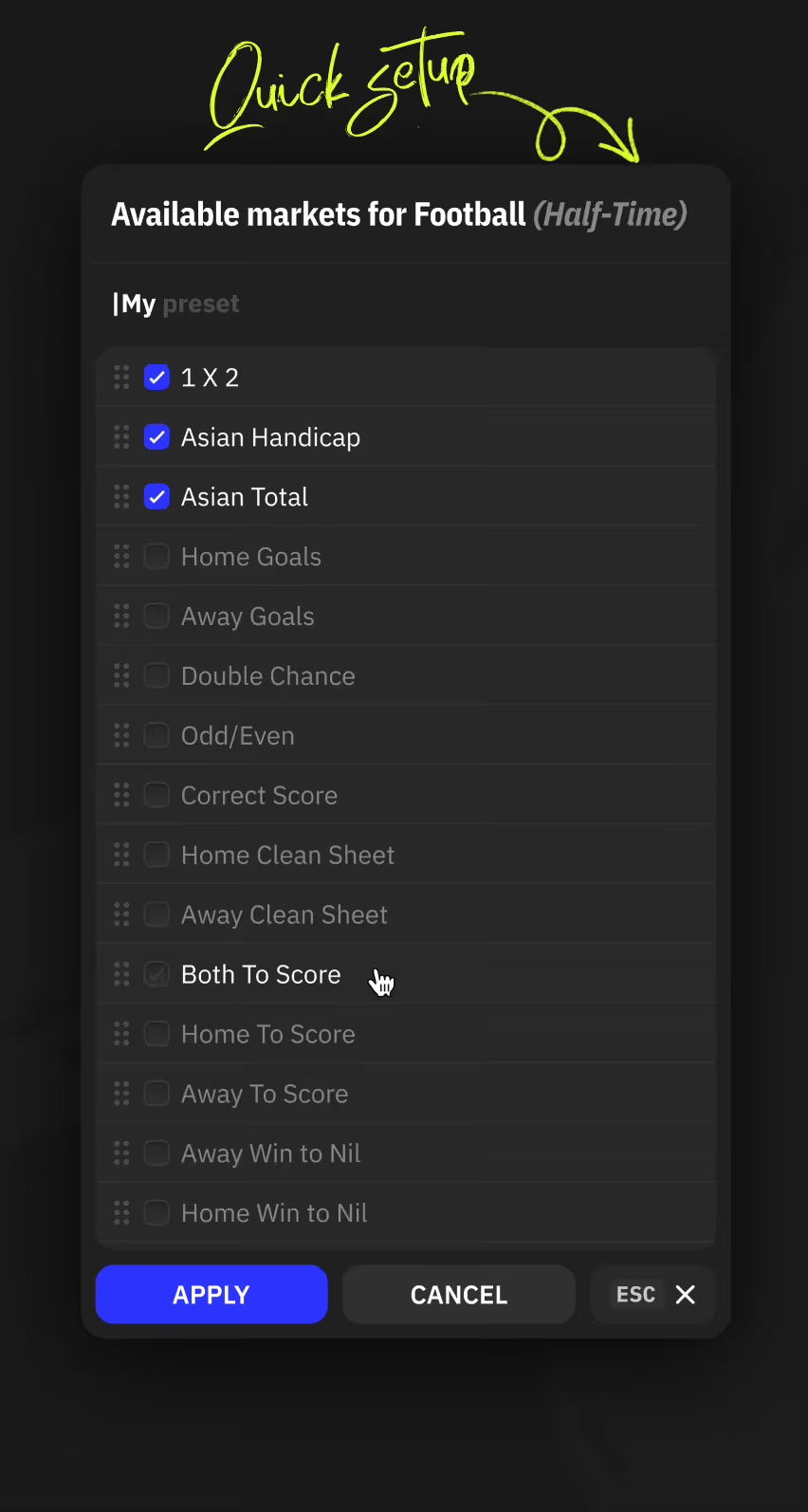
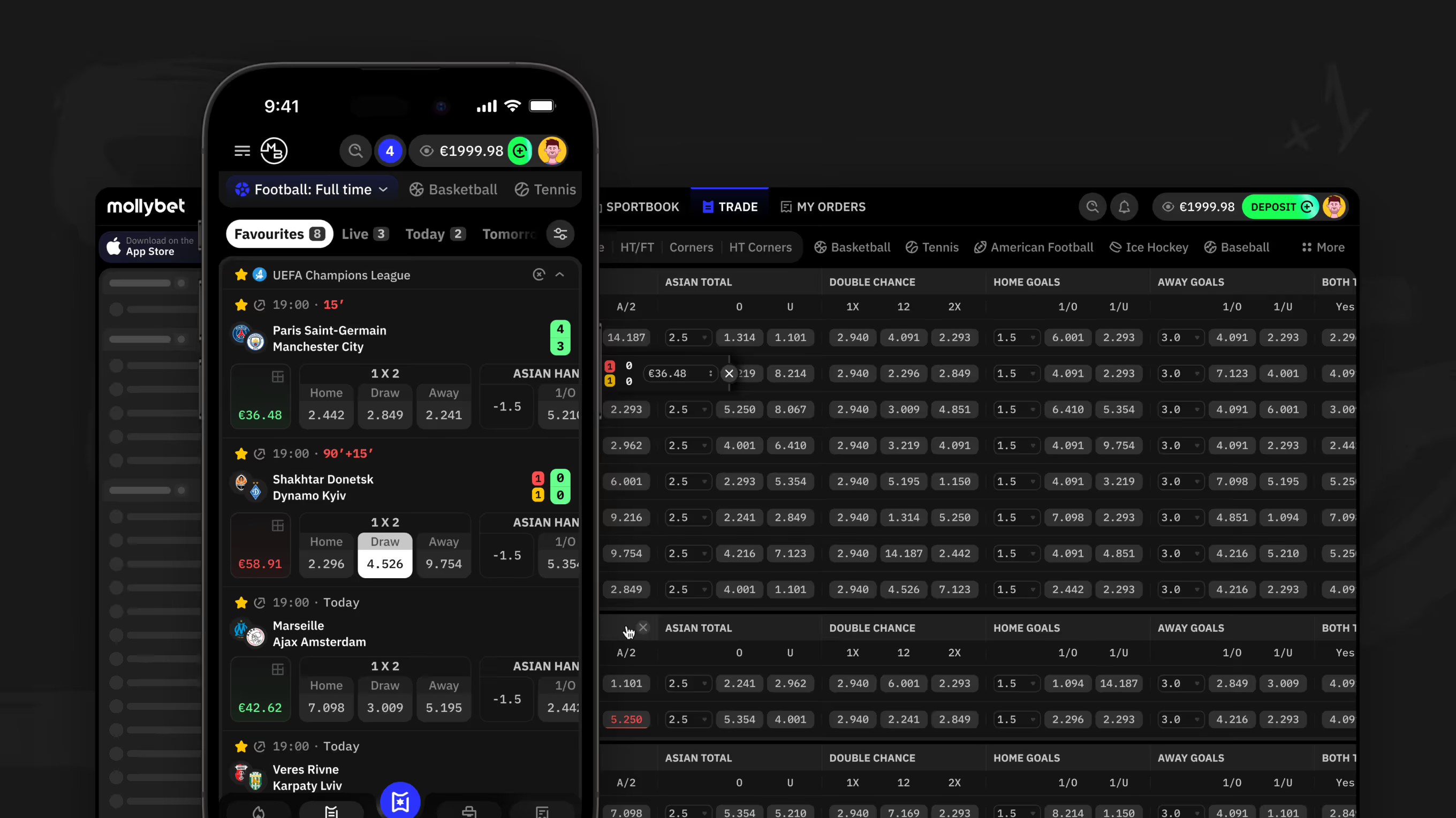
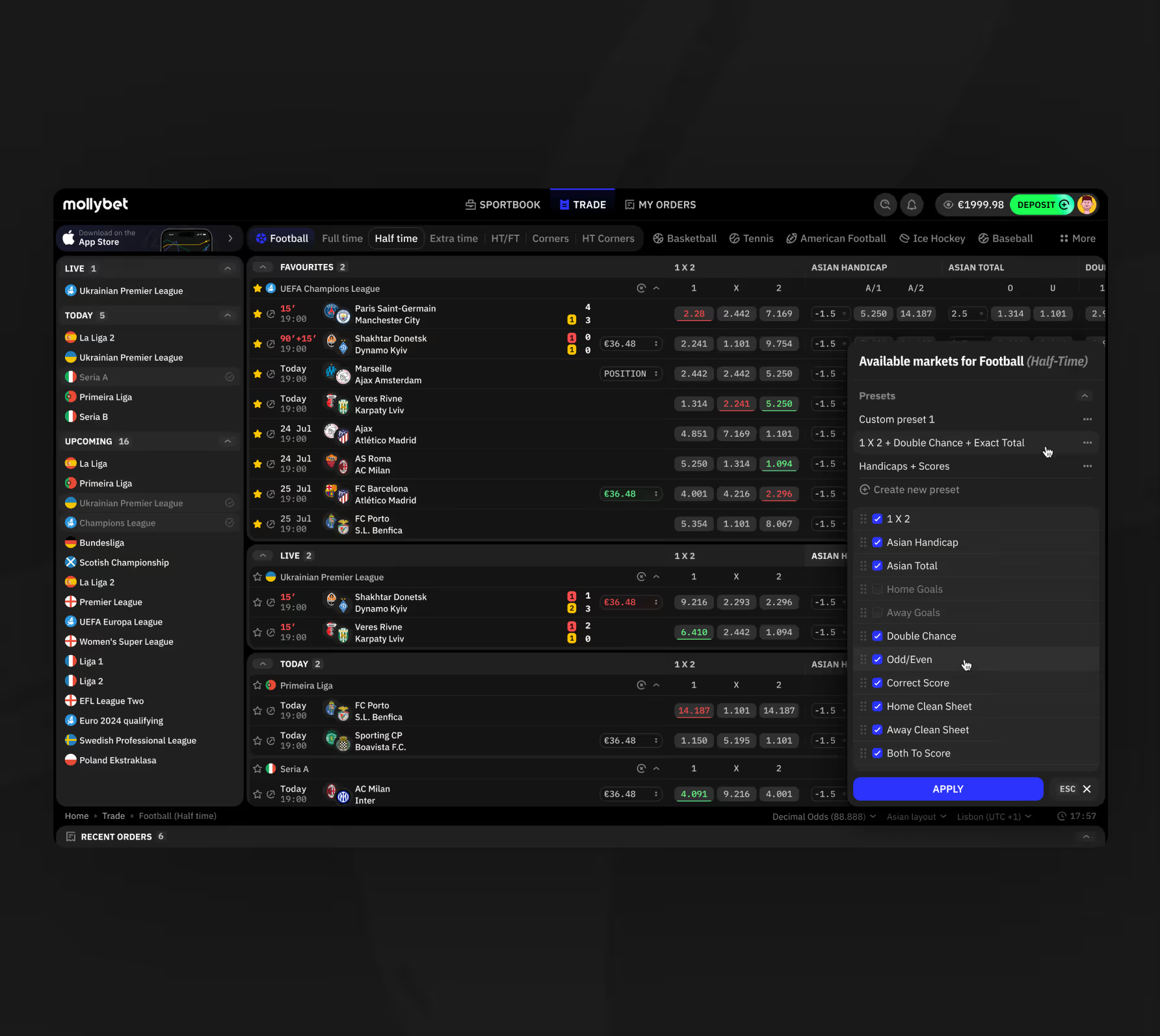
A market preset panel lets bettors choose which odds columns appear in the trade grid and save their selection as a reusable preset. Favourites, Live, and Today tabs group matches for faster browsing.
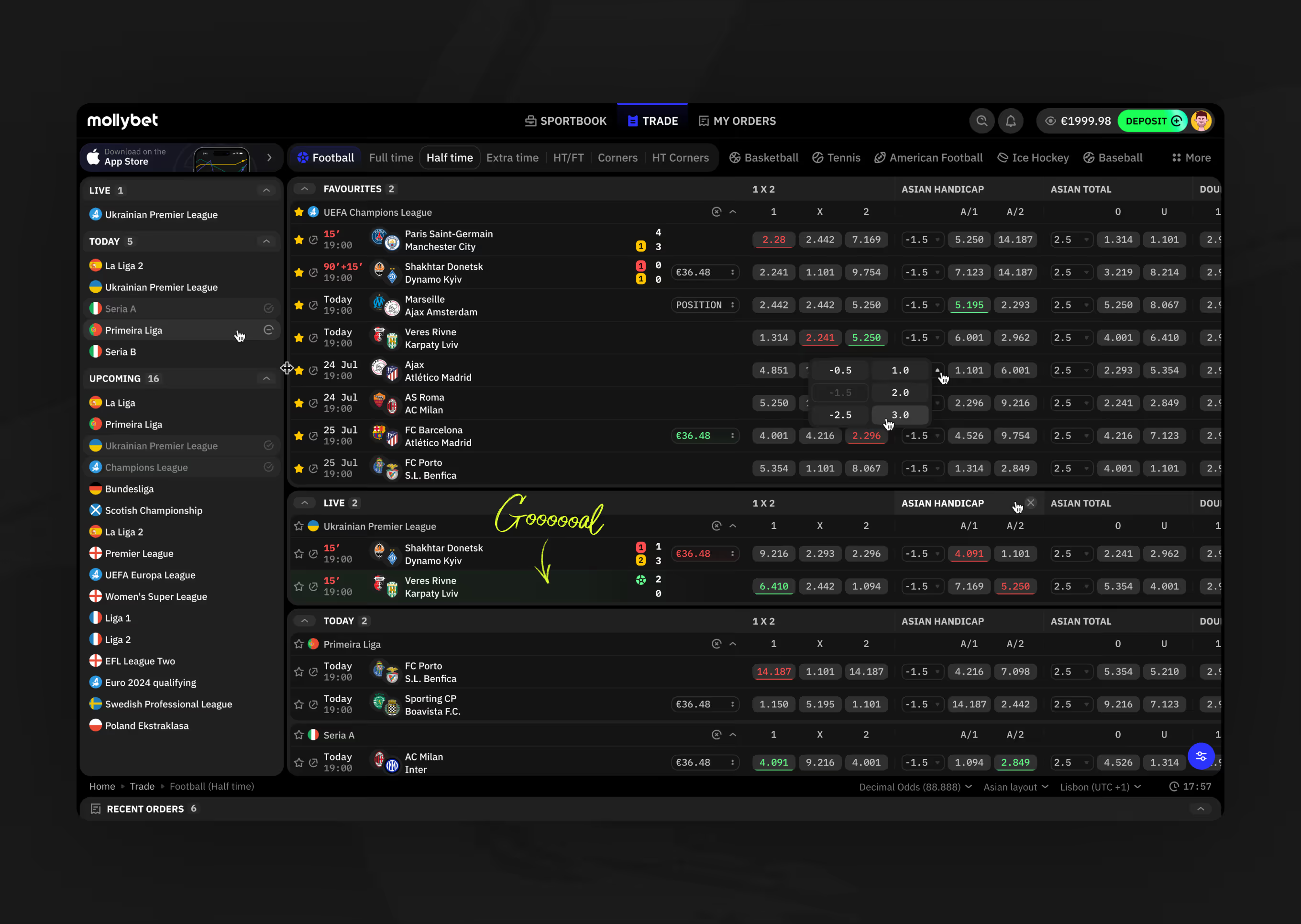
Trade page desktop view showing football half-time odds grid, live match, and league sidebar navigation.
Trade grid with Available Markets preset panel open, showing football market checkboxes and presets.
: Mobile Quick Setup modal for choosing football half-time market columns to display.
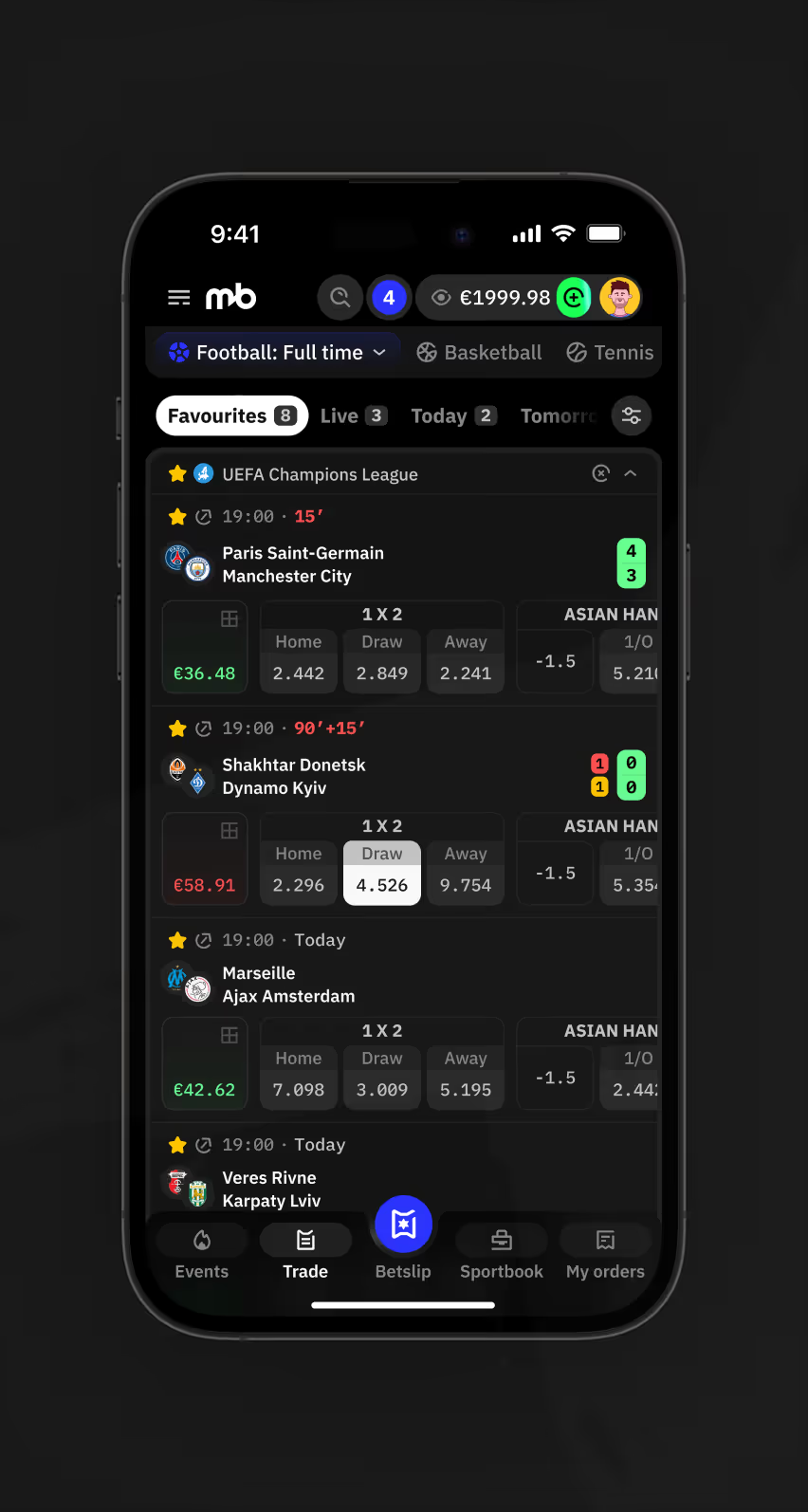
Mobile trade page Favourites tab listing football full-time matches with 1X2 and handicap odds.
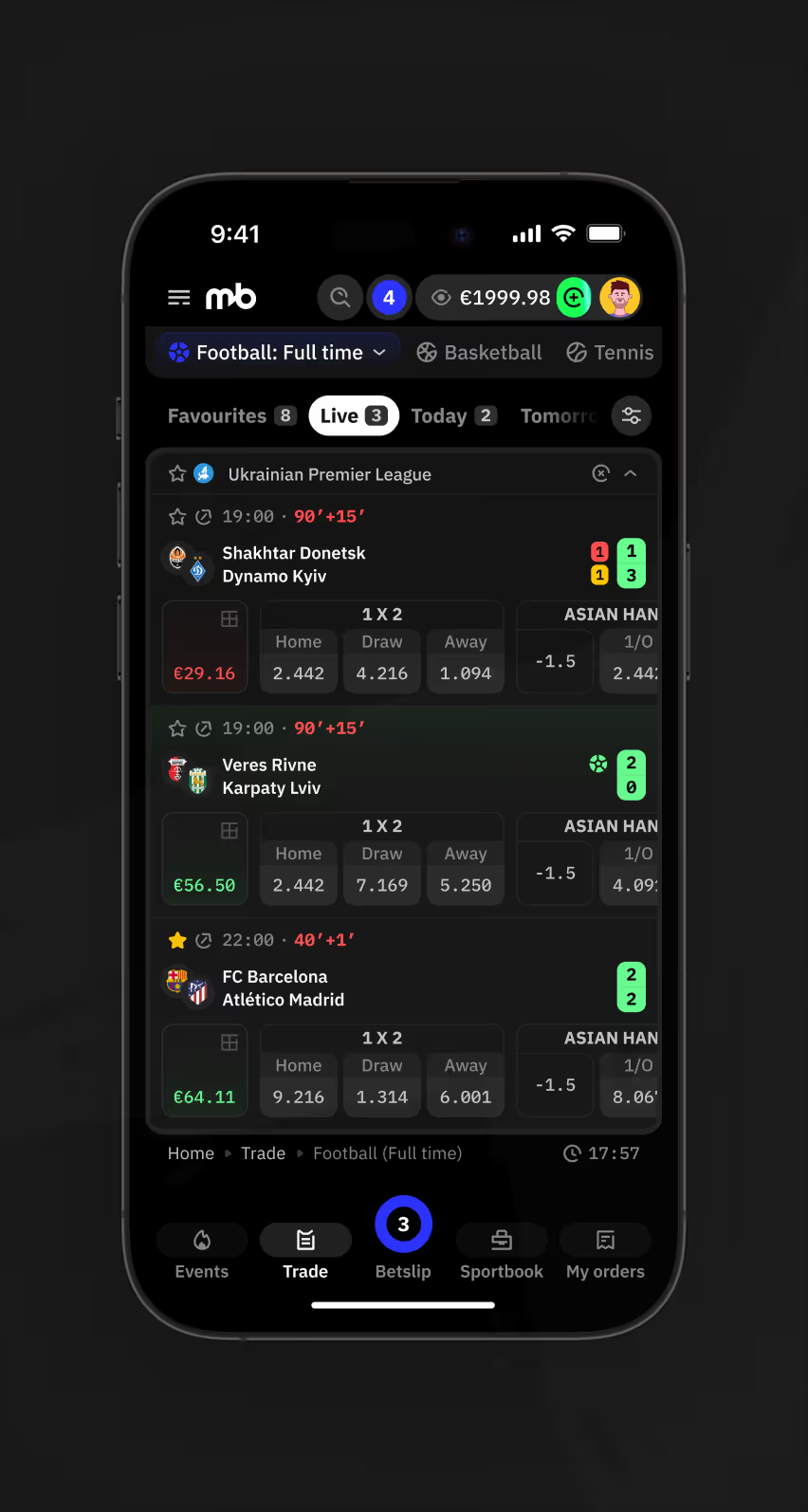
Mobile trade page Live tab showing in-play football matches with minute markers and odds.
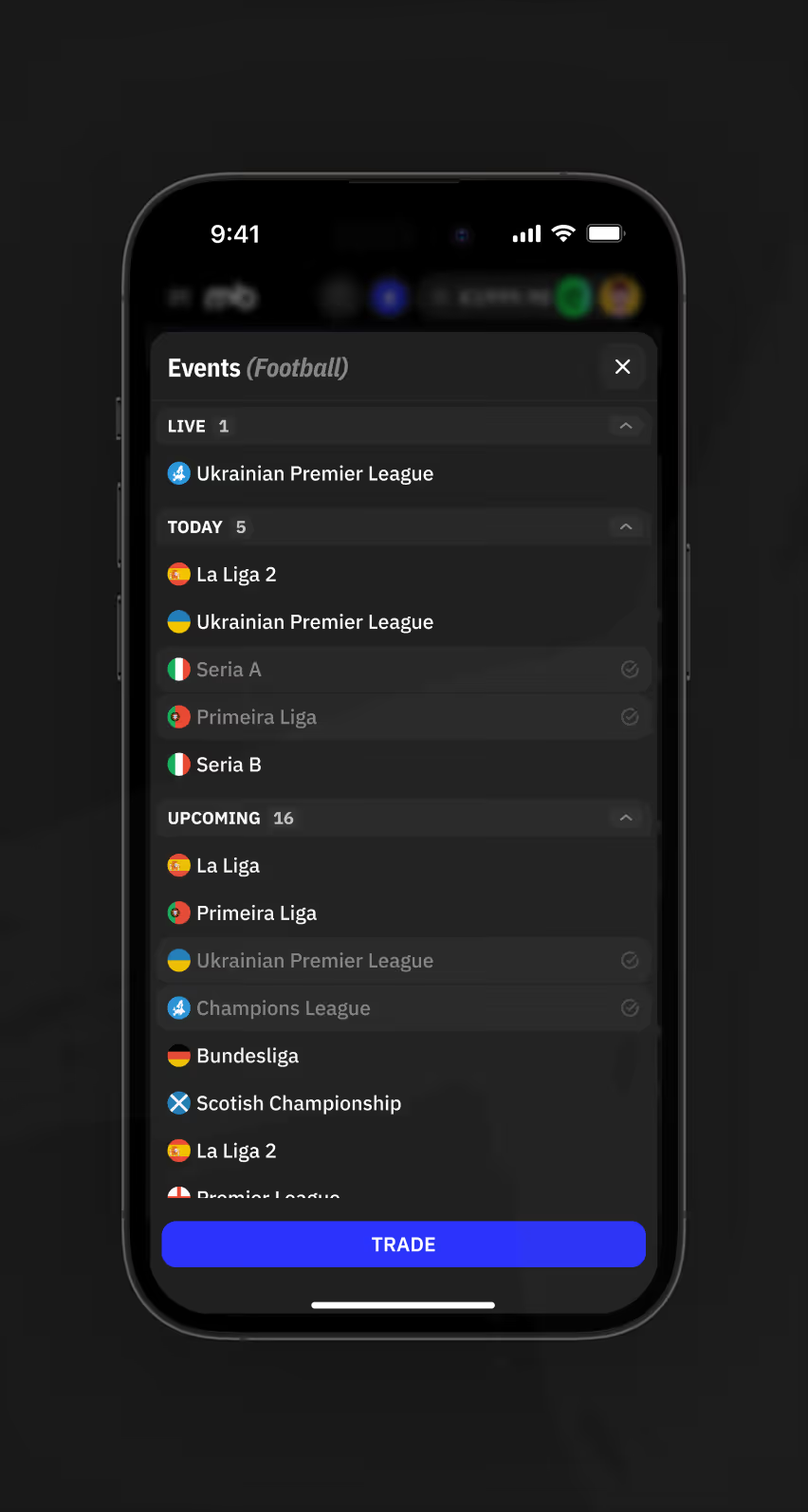
Mobile Events list grouping football leagues by Live, Today, and Upcoming status.
Odds Table With Extended Football Markets

A single match row spans ten-plus markets. Bettors compare lines without opening separate pages.
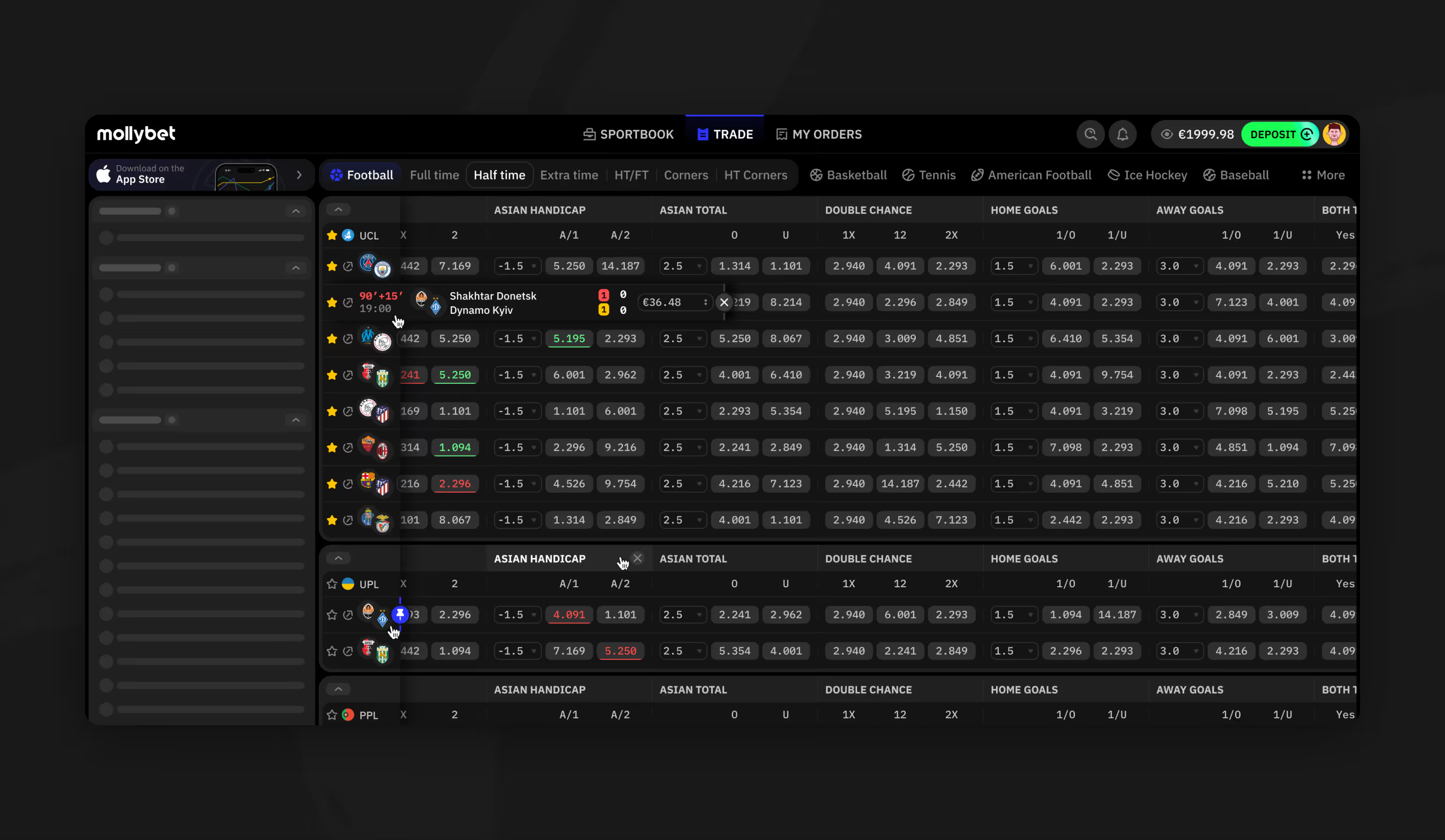
Football odds table with Asian Handicap, Asian Total, and double chance columns.

Order History With Live Bet Status

The orders view lists each bet's match, price, and stake in one row. Status tags — unassigned, success, or failed — update as combo and single bets settle.
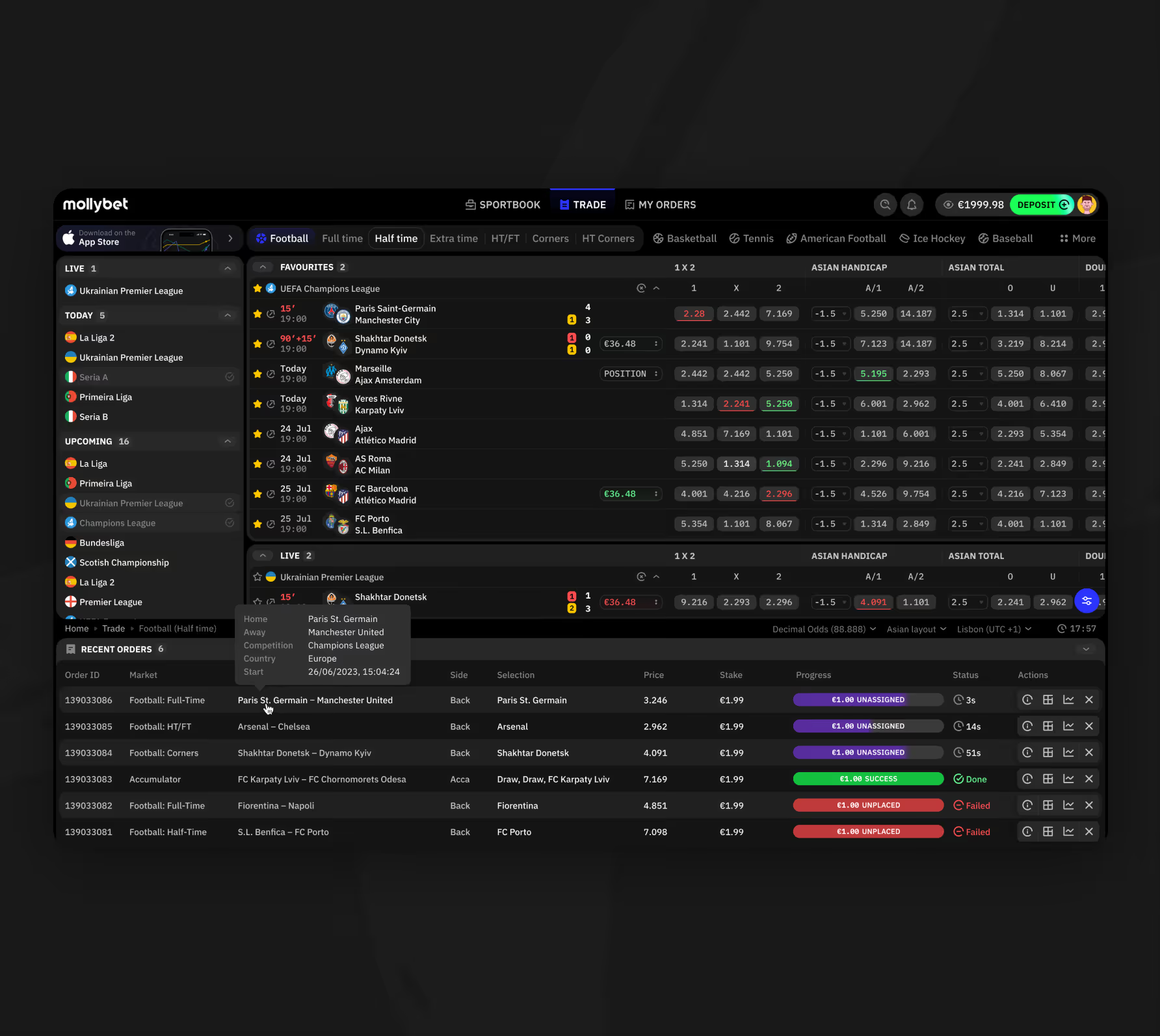
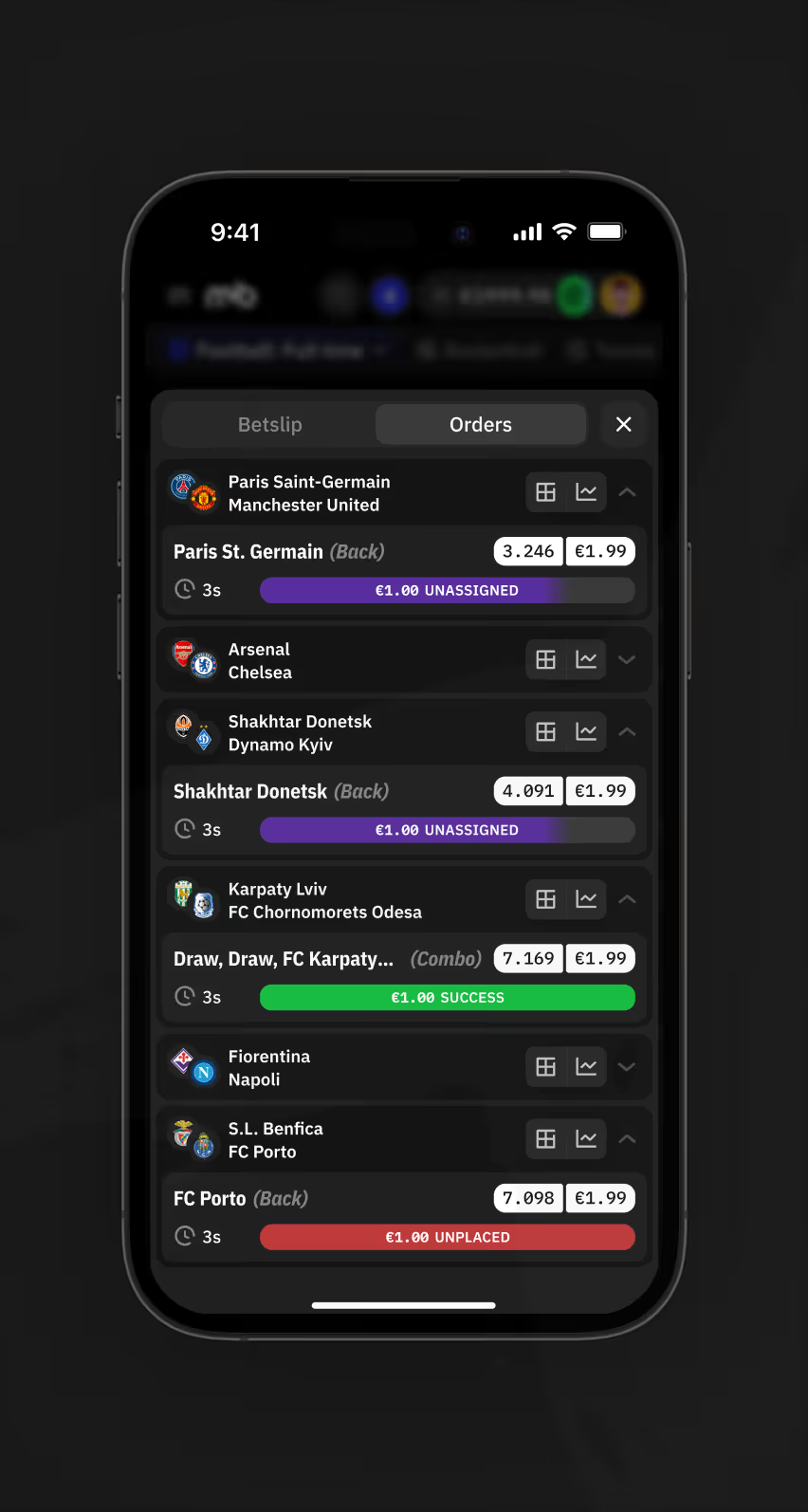
Trade page desktop view with football odds grid, recent orders table, and status colors below.
Mobile Orders tab listing bet selections with unassigned, success, and unplaced status tags
Classic and Exchange Betslip Modes

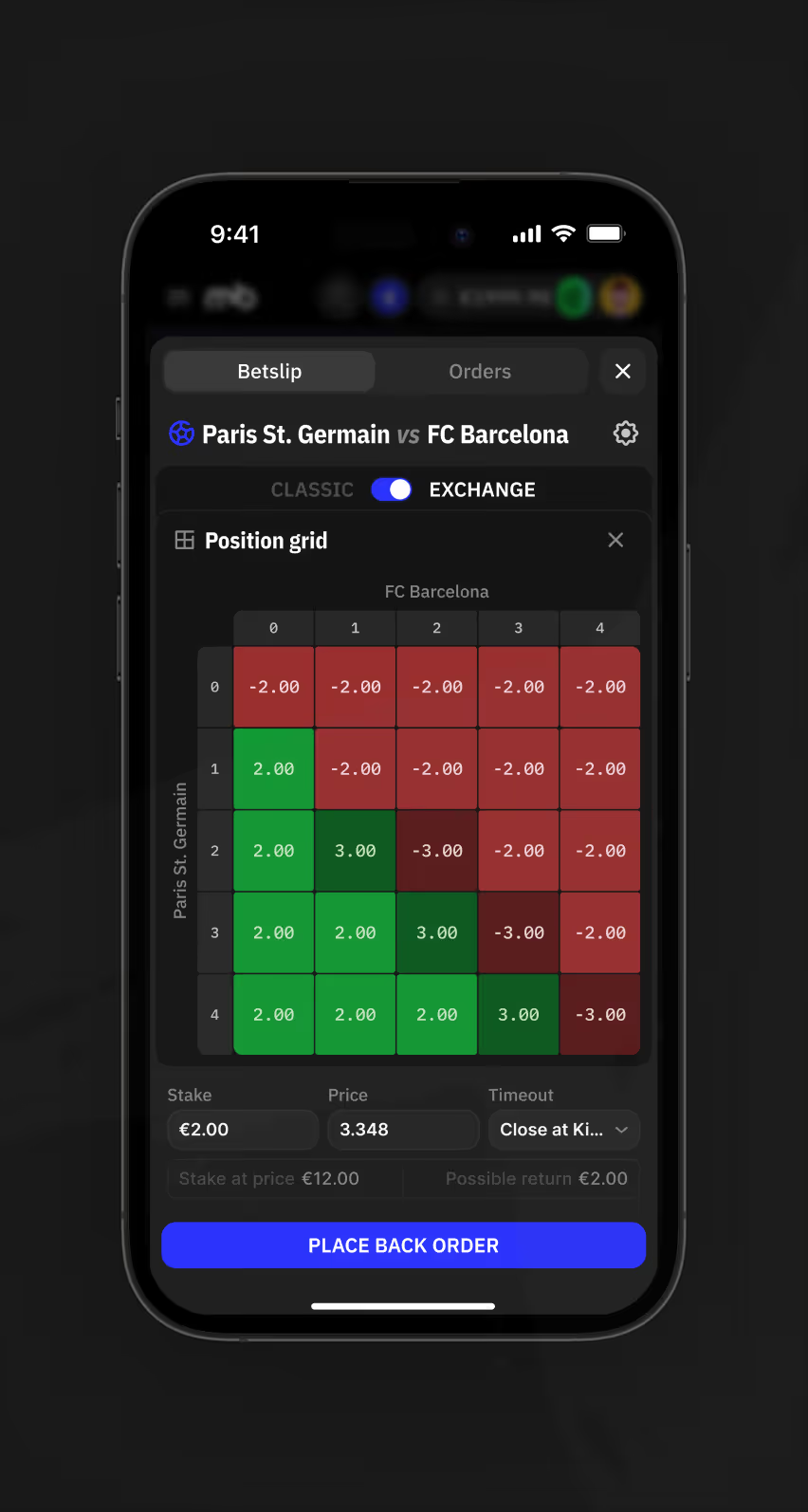
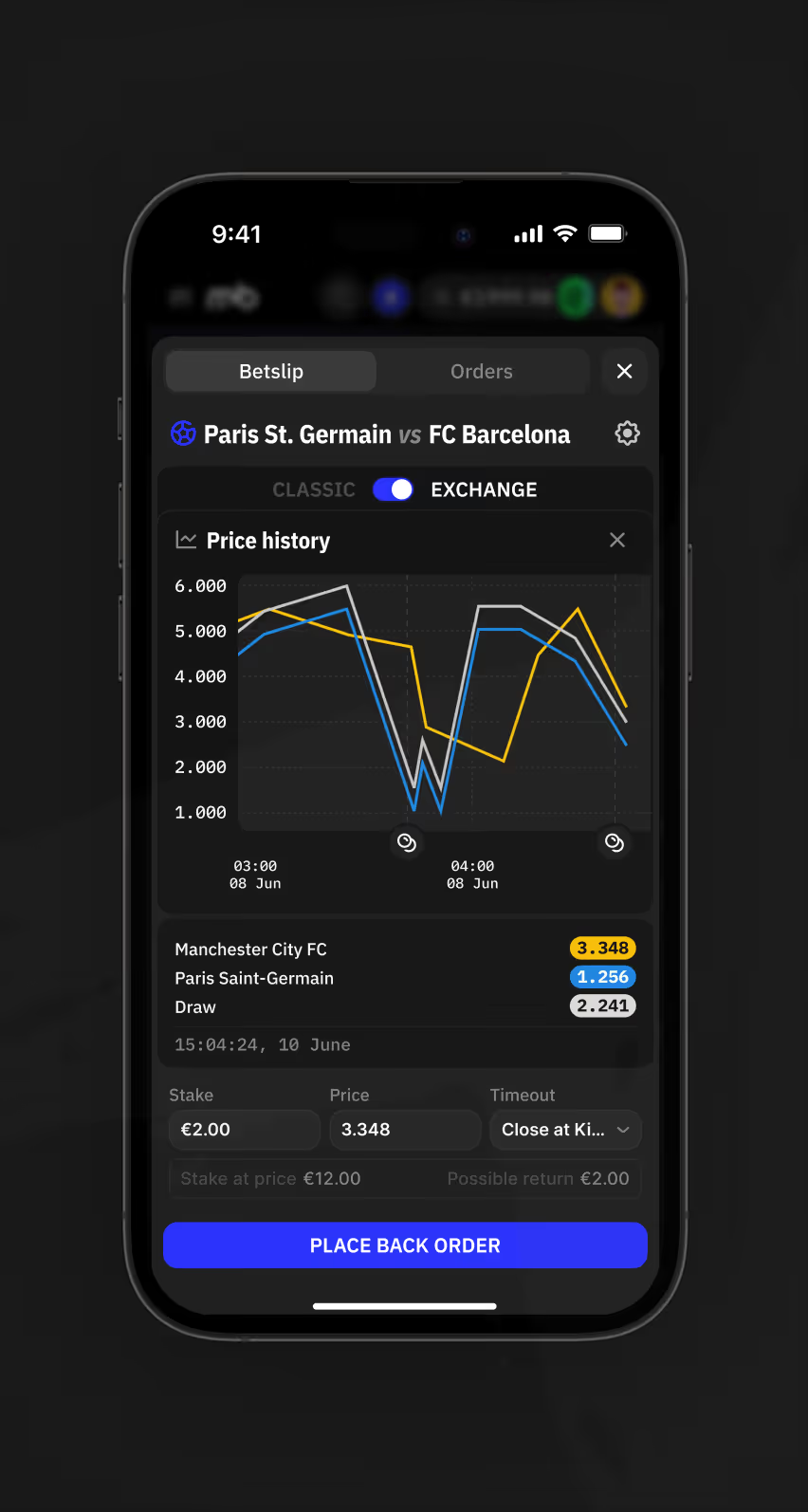
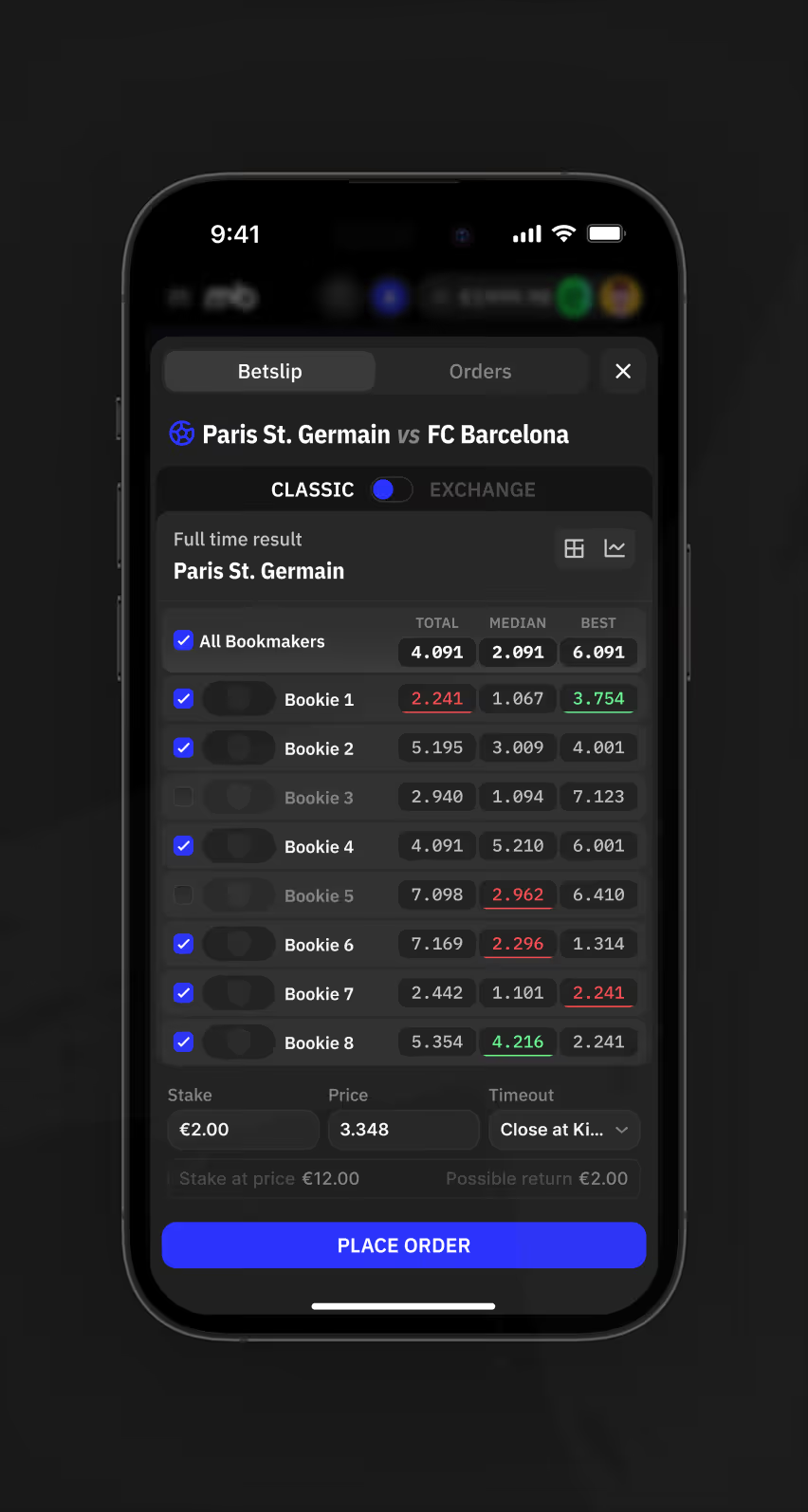
The betslip offers two placement modes for one match — Classic, listing nine bookmaker prices, and Exchange, adding a Molly Price Estimate. Mobile adds Position grid and Price history tabs.
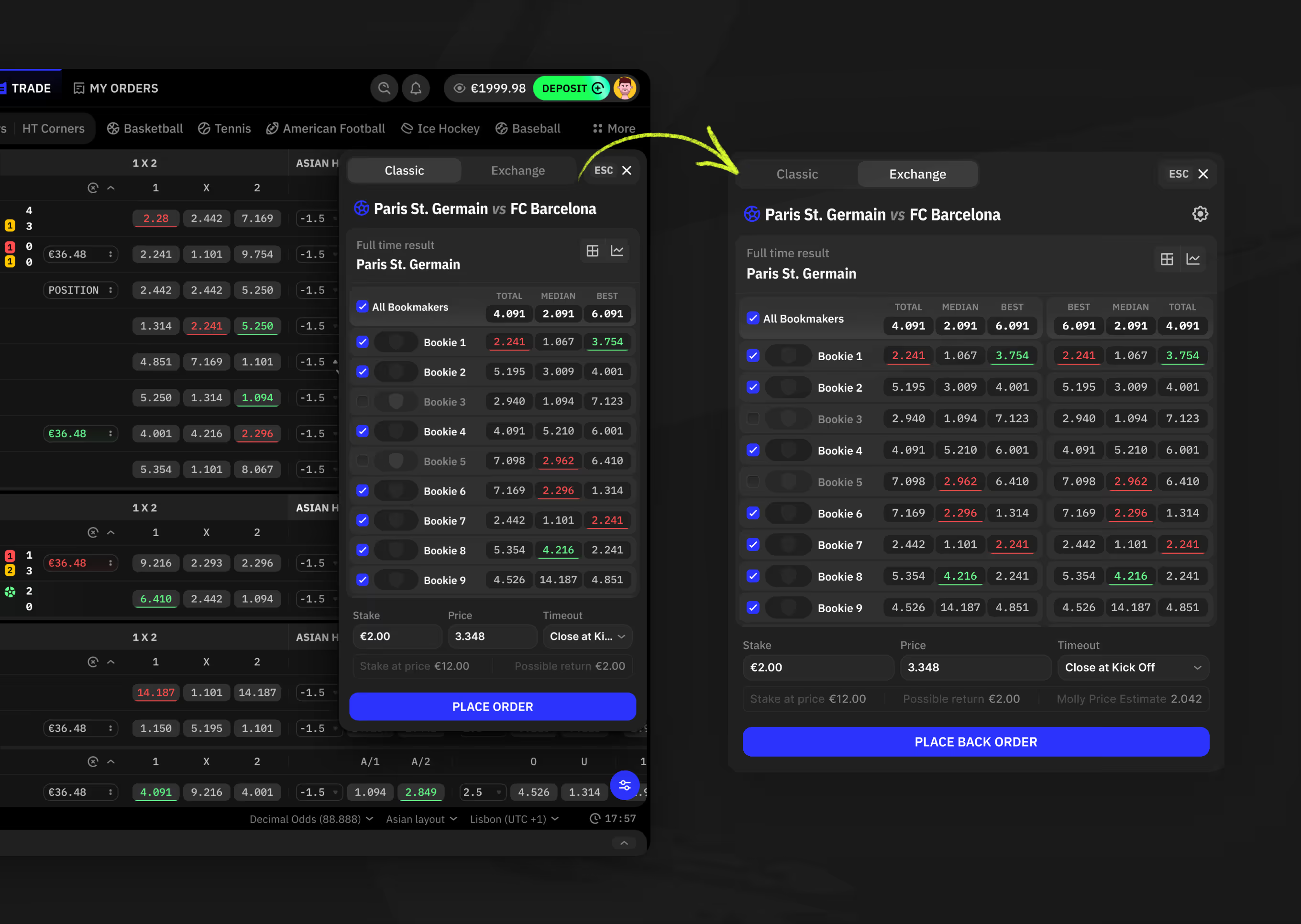
Betslip comparing Classic and Exchange modes with nine bookmaker odds columns.
Mobile Classic betslip showing all bookmaker prices
Mobile Exchange betslip position grid showing win and loss outcomes for each stake combination
Mobile Exchange betslip price history chart tracking odds movement for three match outcomes.

Sportsbook Top Events and Favourites

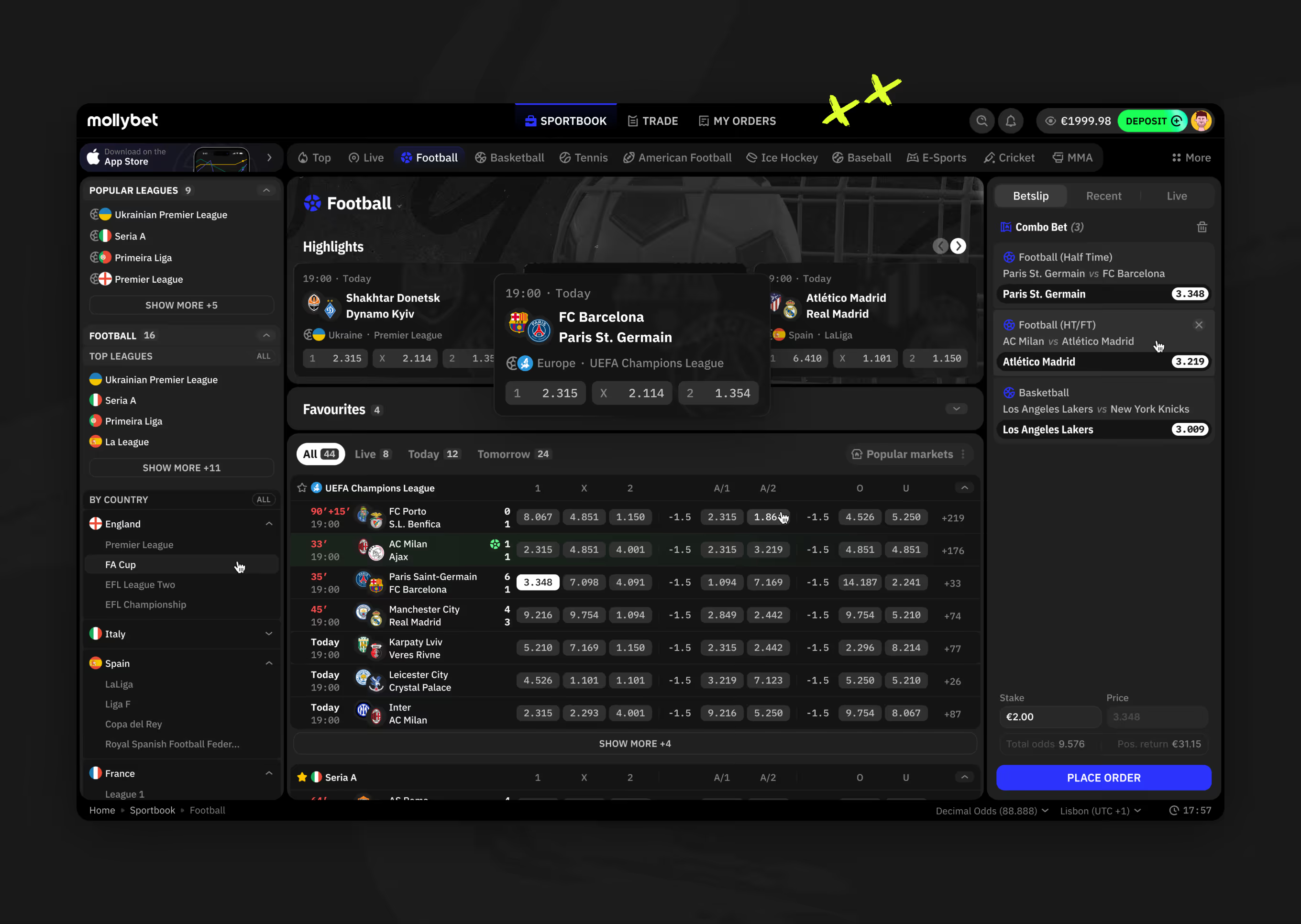
The sportsbook homepage groups Highlights, Favourites, and Live matches across sports. A side betslip panel keeps position grid and price history visible while browsing.
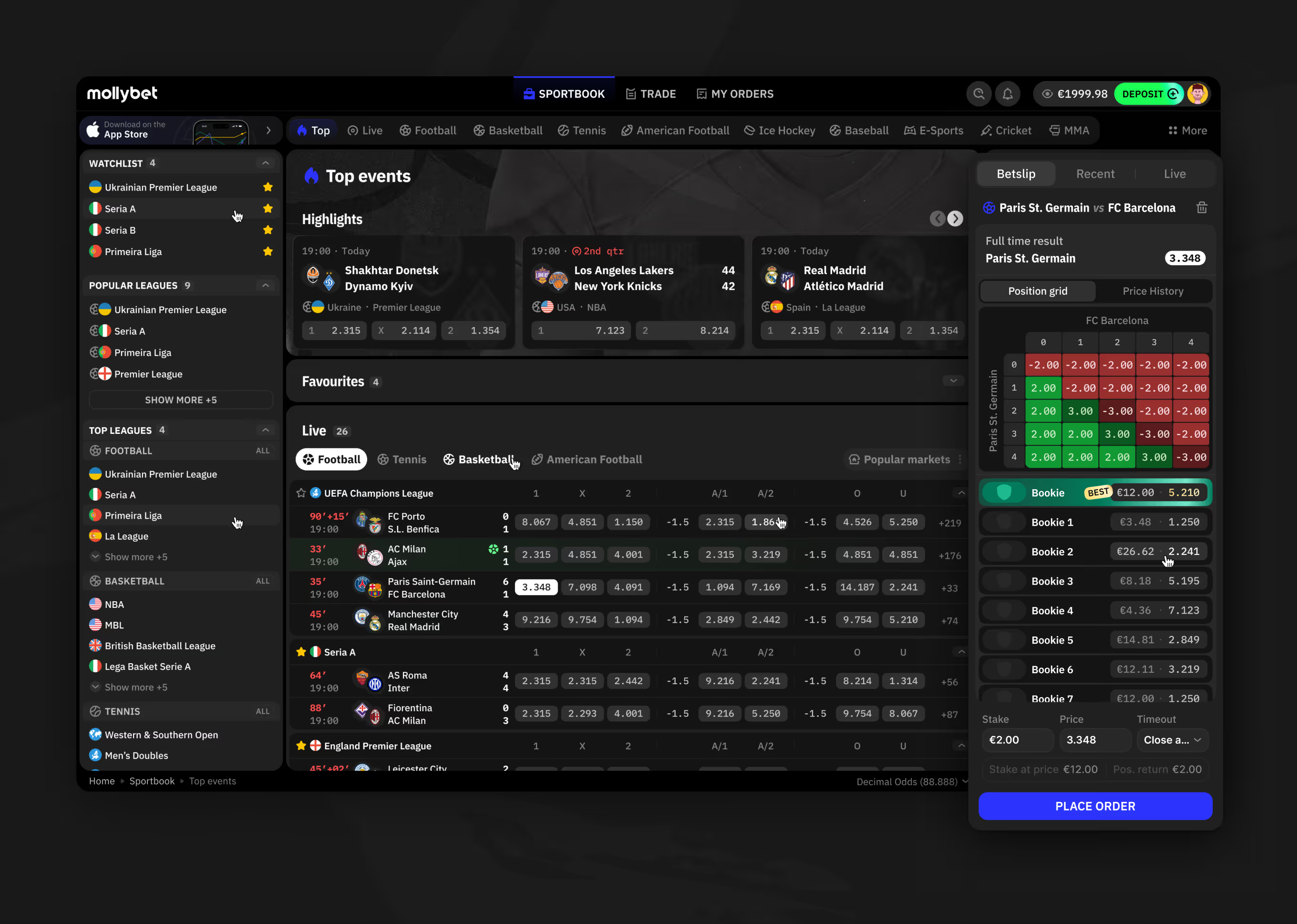
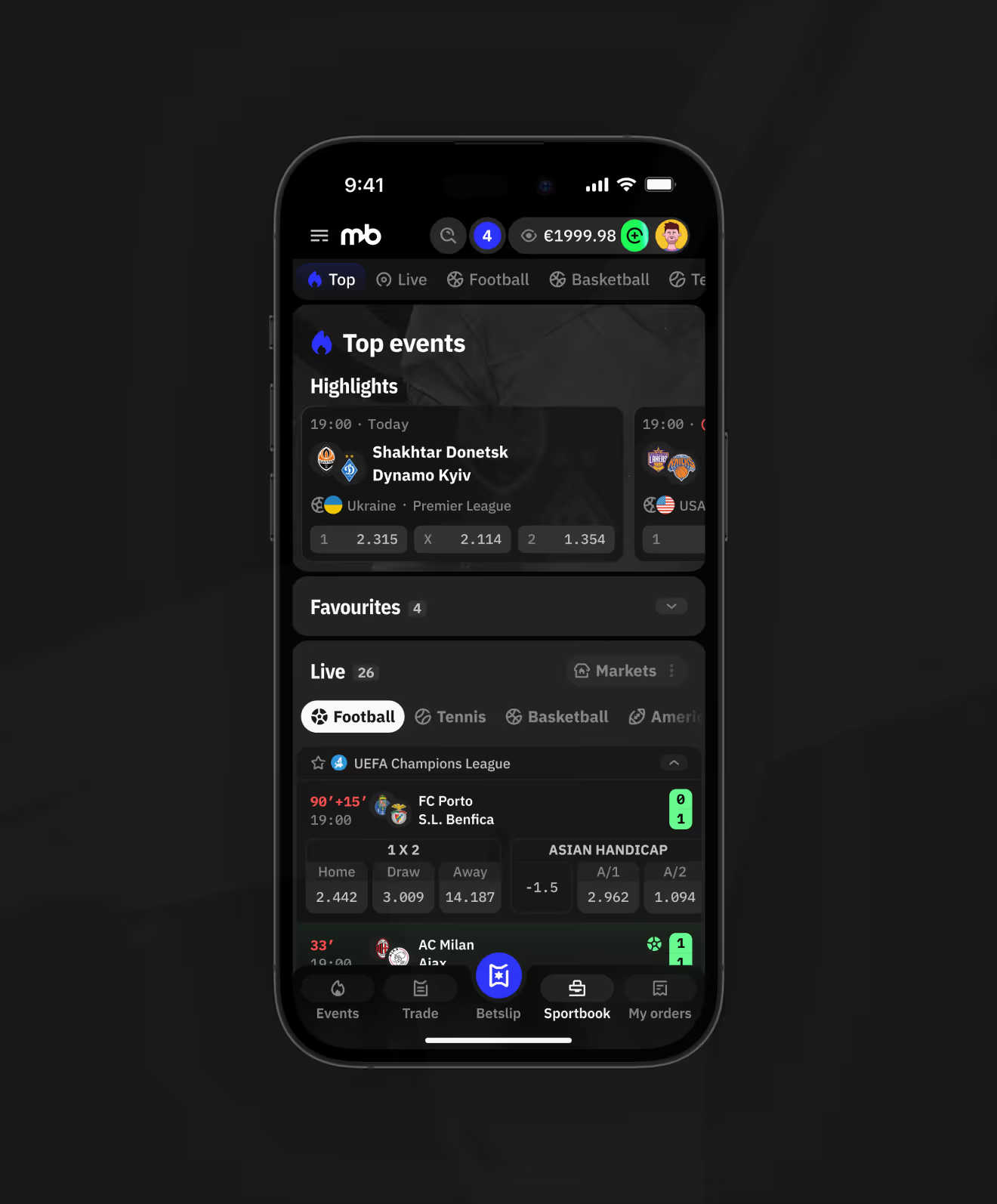
Sportsbook homepage with highlights, favourites, and live match tabs across sports.
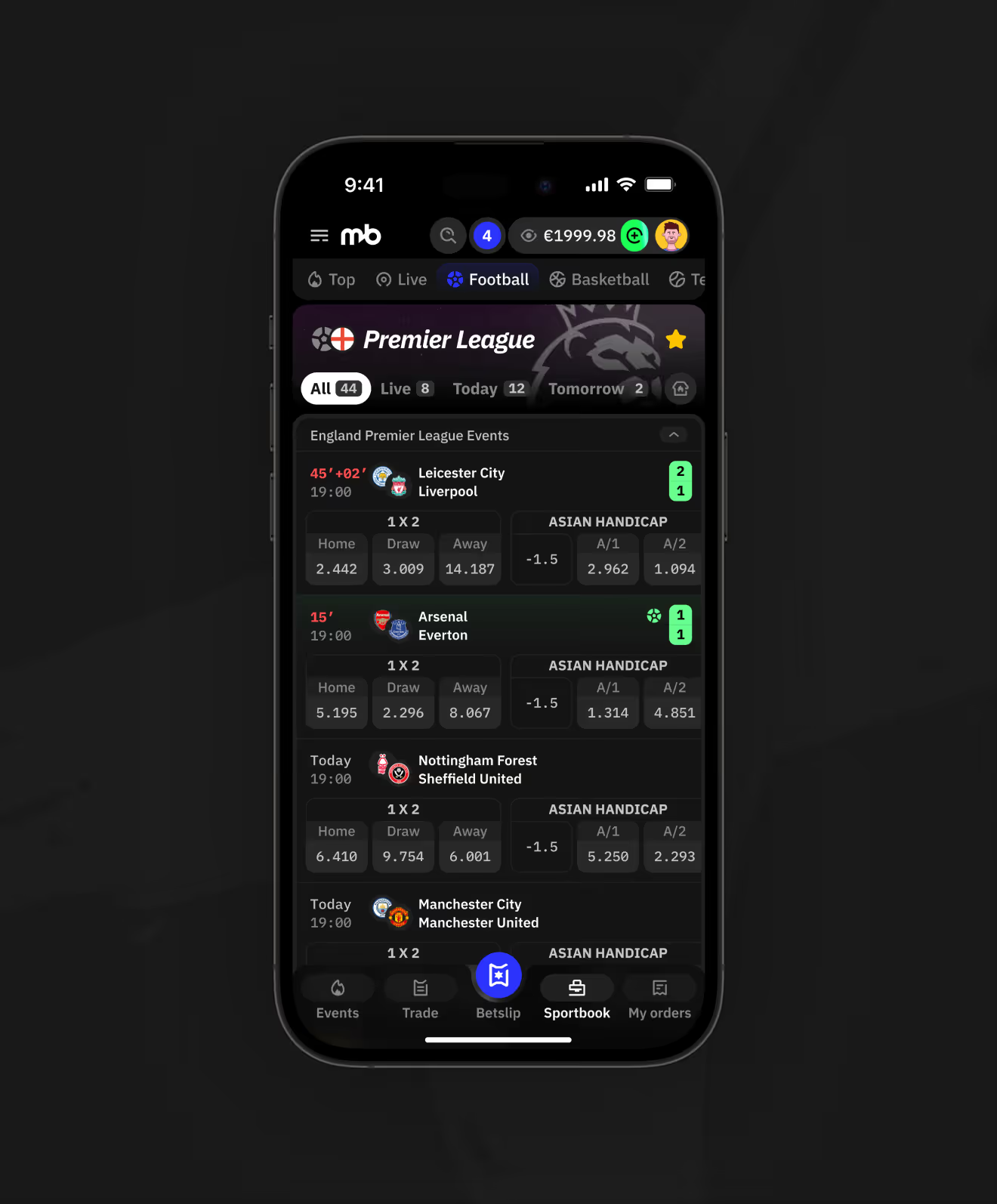
Mobile Sportsbook Top tab showing highlighted matches and live football scores by league.
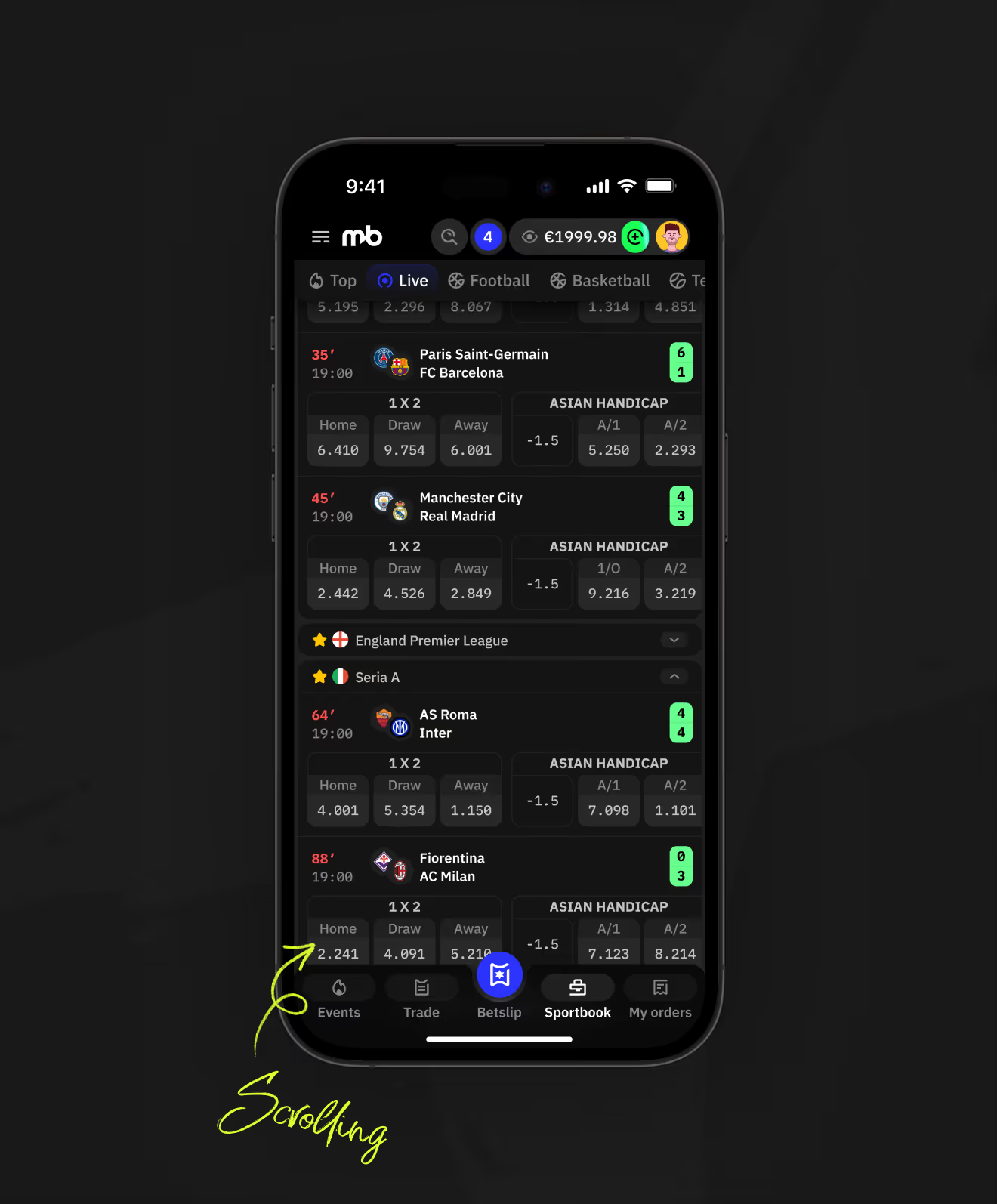
Mobile Sportsbook Live tab scrolling through in-play matches.

Combo Bet Placement and Live Status

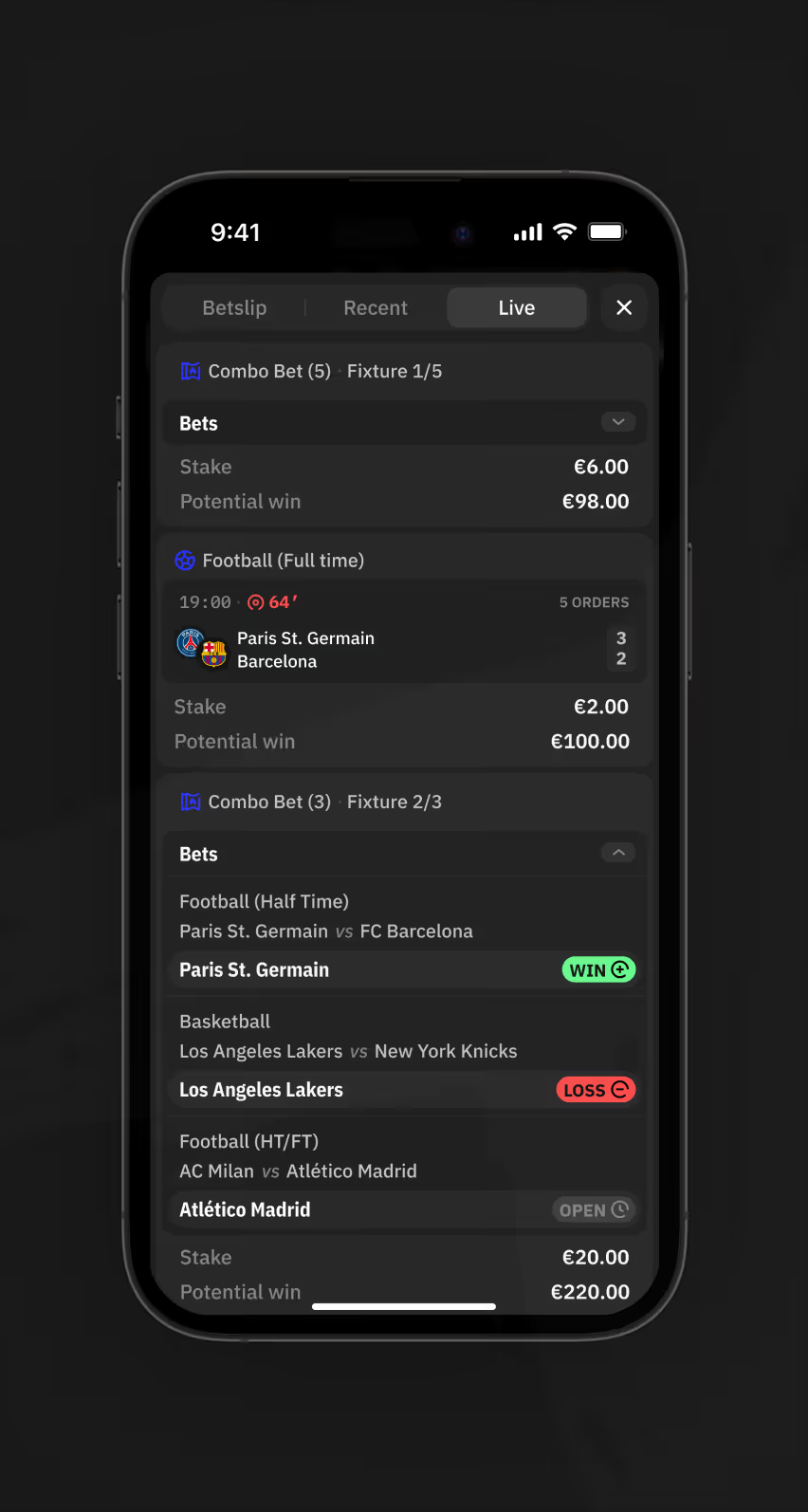
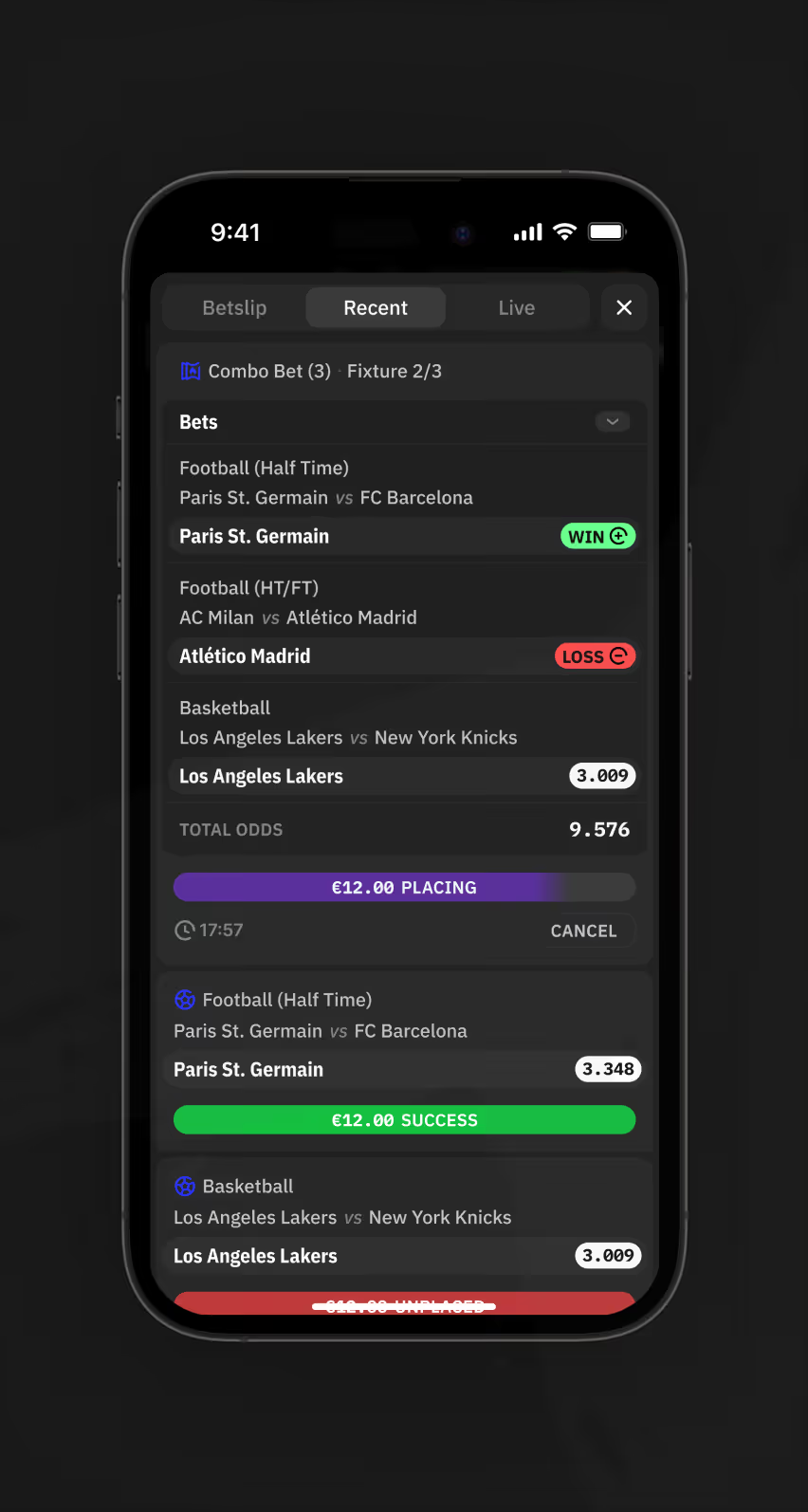
A combo betslip tracks football and basketball selections in one bet, showing stake and potential win. Mobile states move from Placing to Success as each leg confirms.
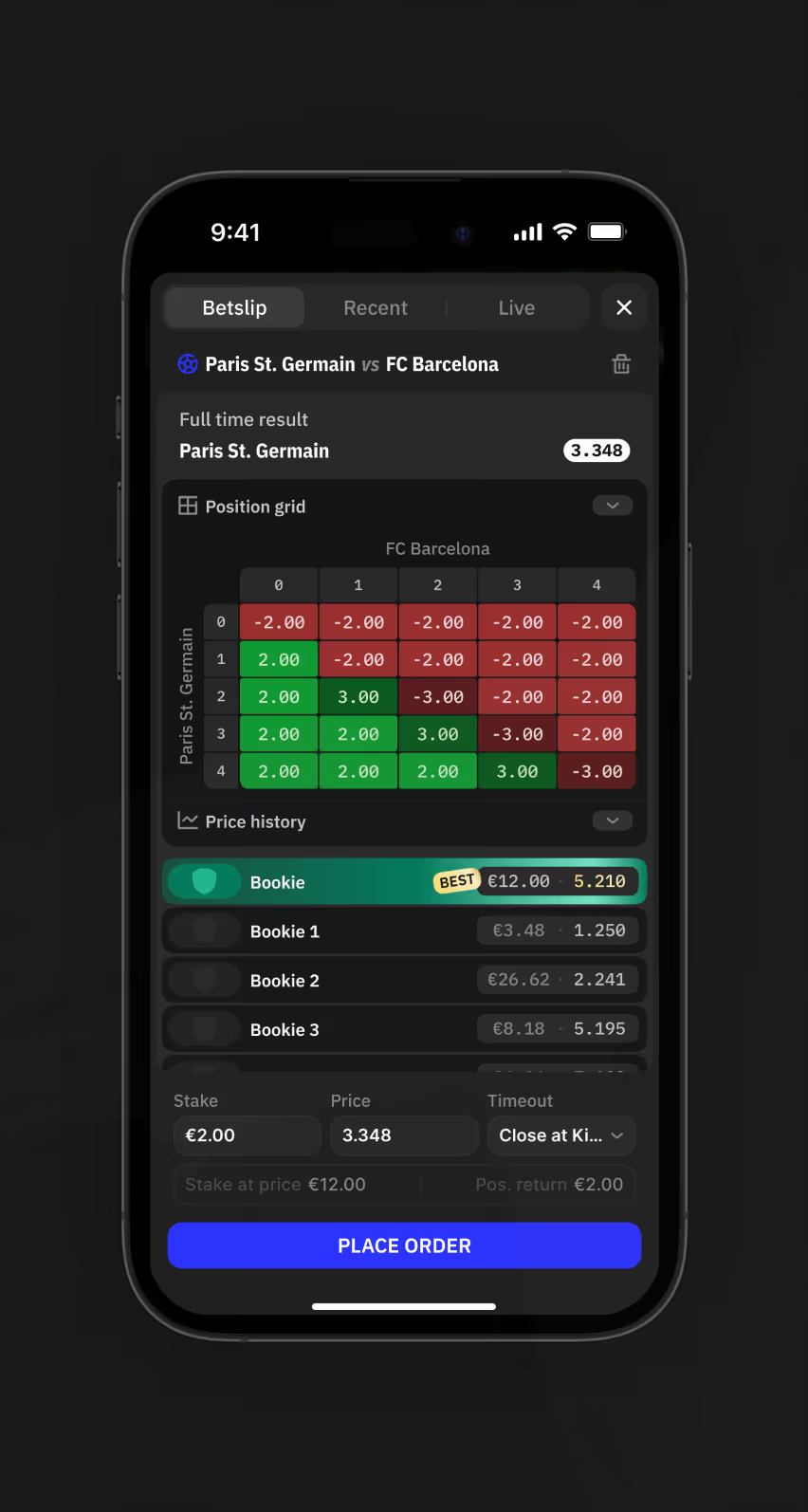
Mobile Exchange betslip showing position grid, price history, and bookmaker odds for one match.
Mobile Recent tab showing a three-leg combo bet with win, loss, and placing statuses.
Mobile Live tab showing two open combo bets with stake and potential win amounts.
Sportsbook Football page desktop view with a three-leg combo betslip and total odds.
League and Country Navigation Structure

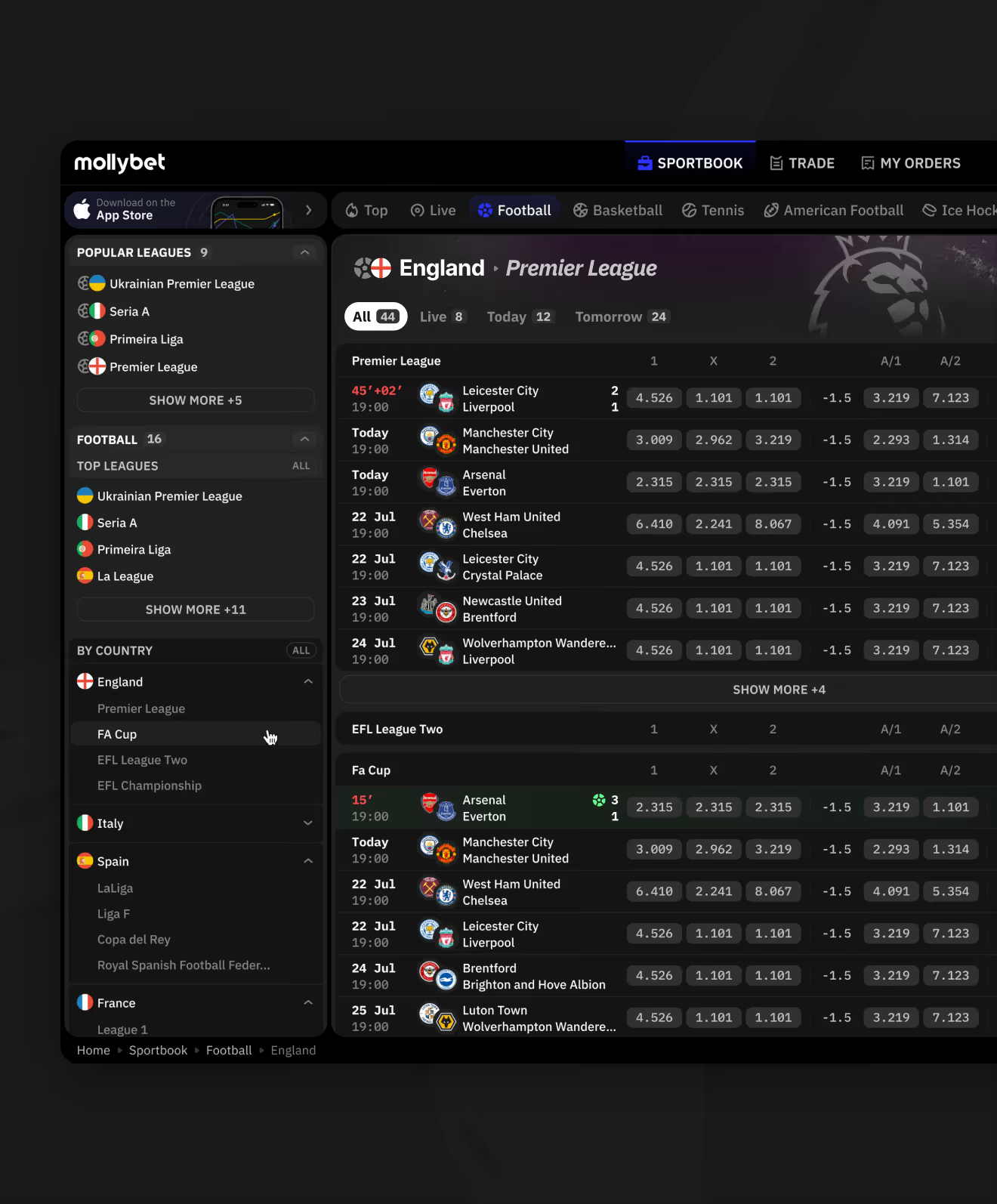
Matches are organized by country and league, with each fixture row displaying odds without opening a new page.
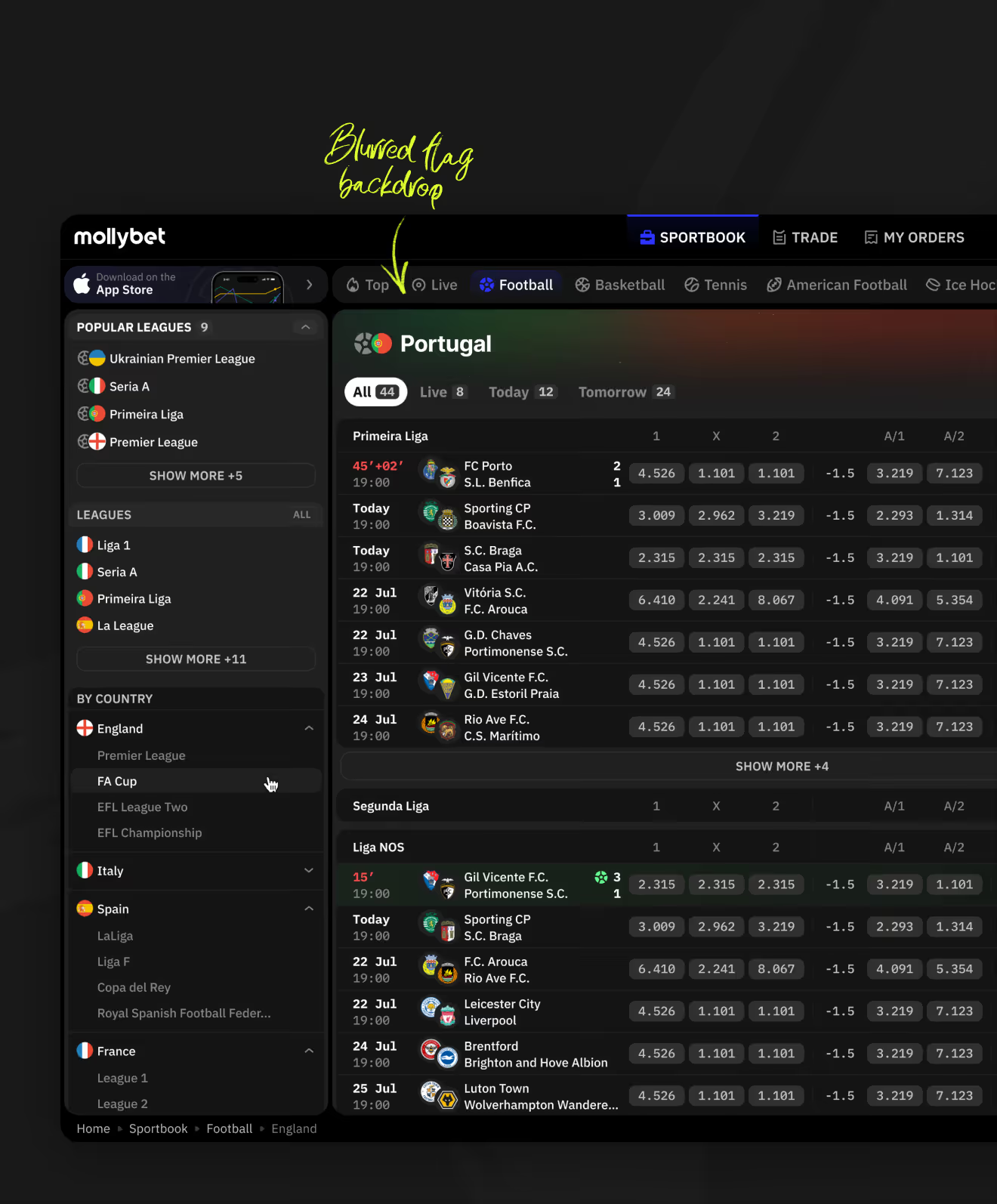
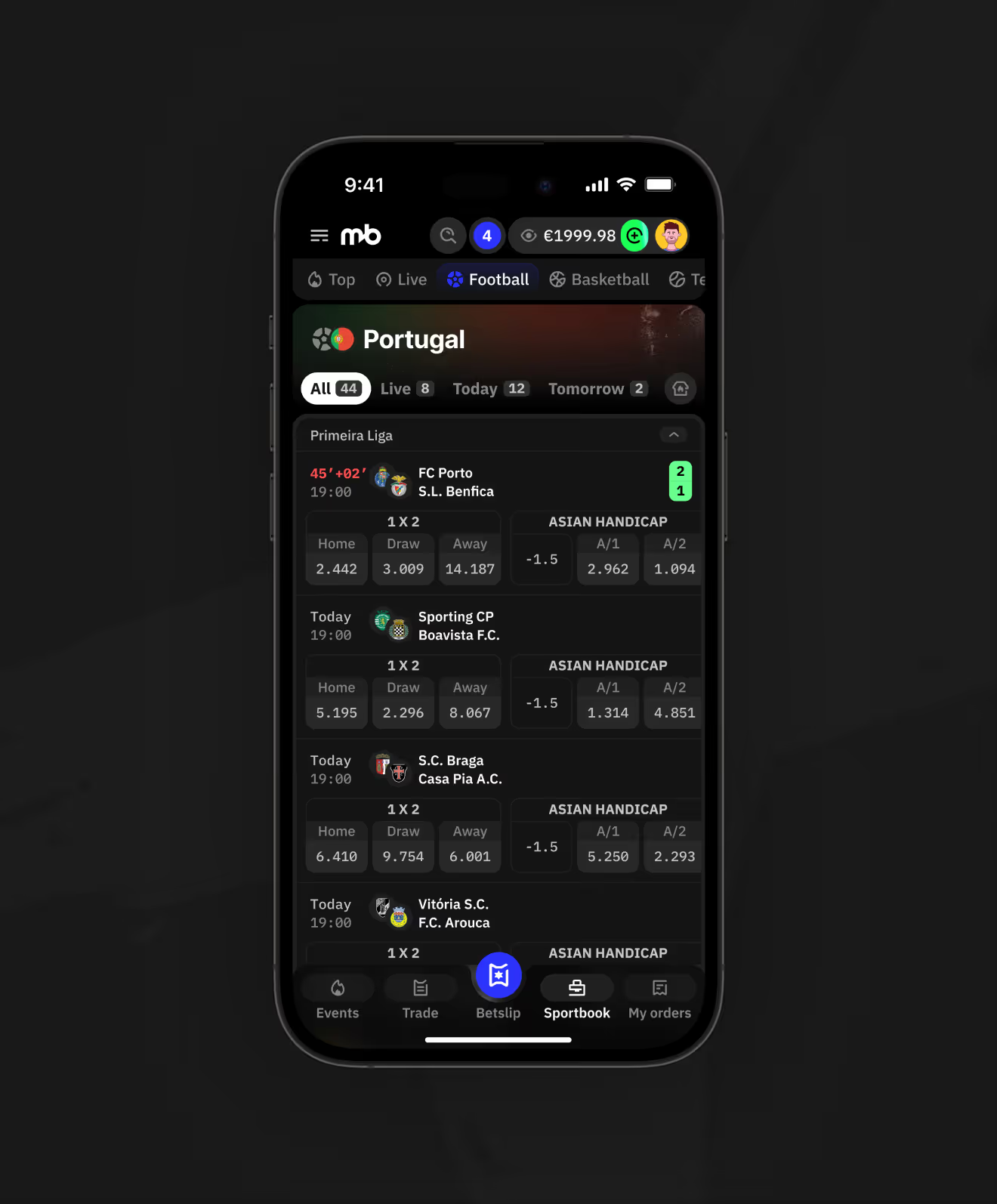
Sportsbook page desktop view with fixtures under a blurred flag backdrop.
Mobile Sportsbook page showing  fixtures with live match score.
Mobile Sportsbook listing England fixtures with Asian Handicap odds.
Sportsbook page desktop view with country sidebar navigation and  fixtures.

Match Centre With Live Event Timeline

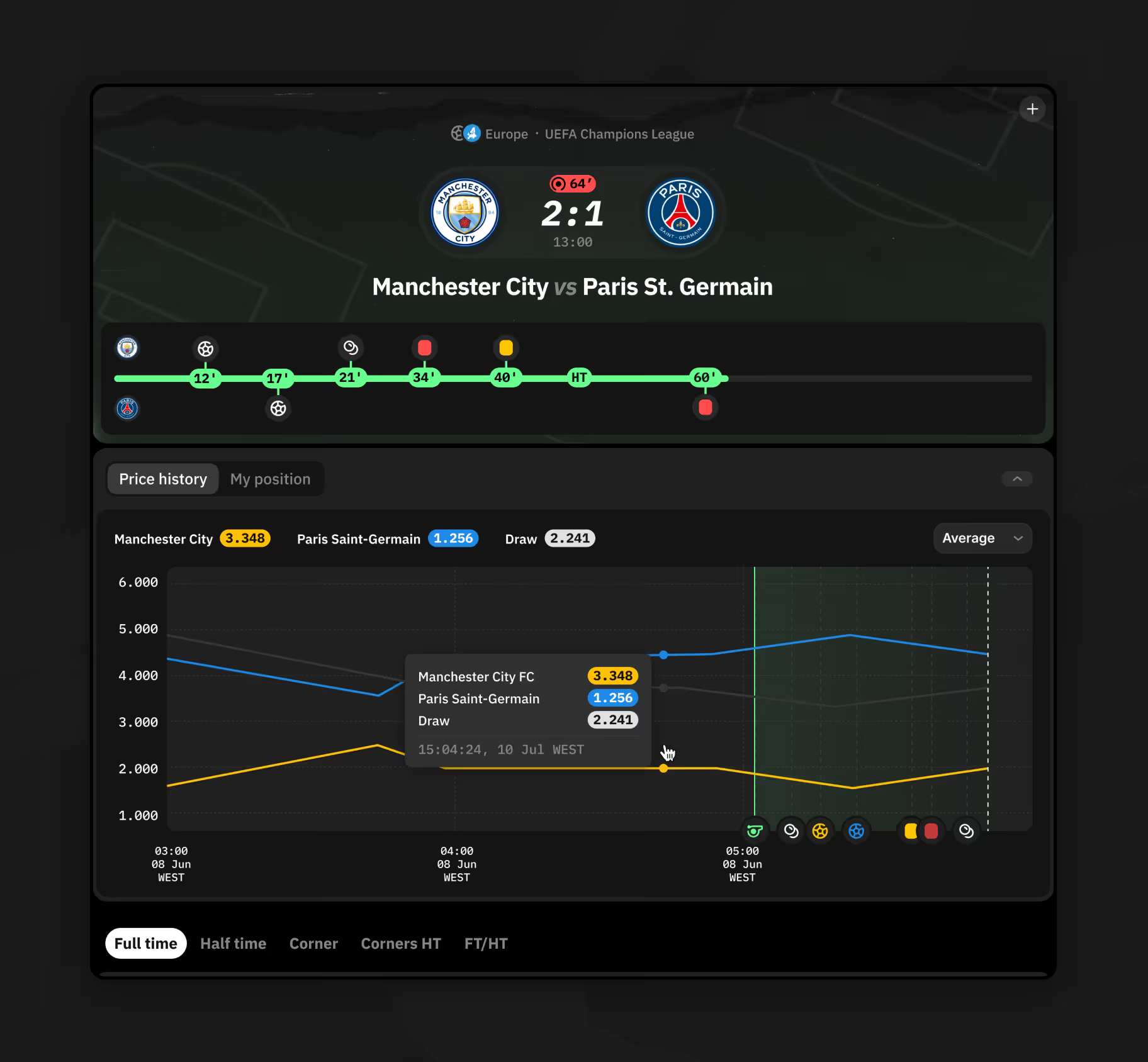
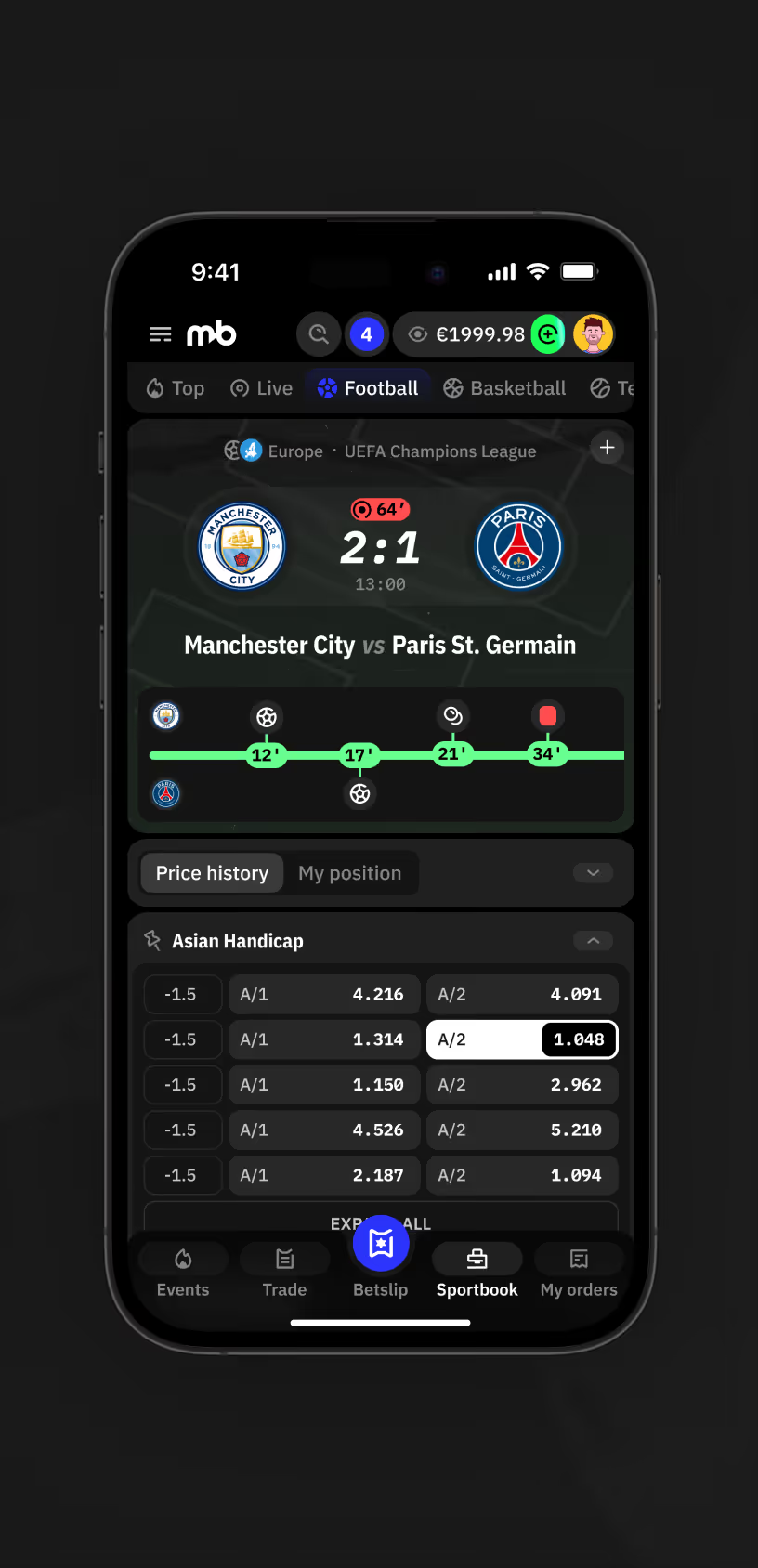
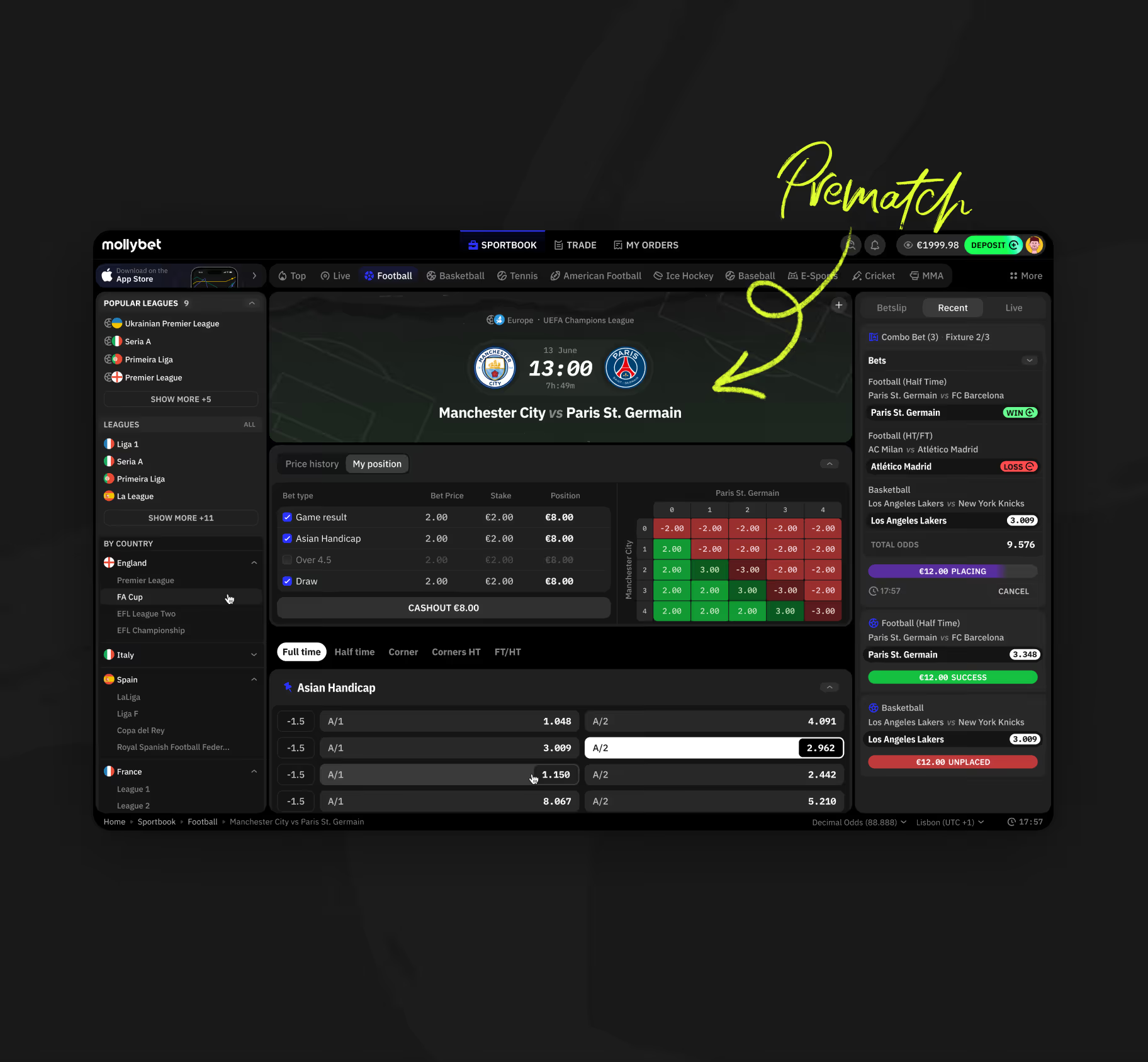
The match page pairs prematch odds with a live timeline marking goals and cards by minute for in-play bettors.
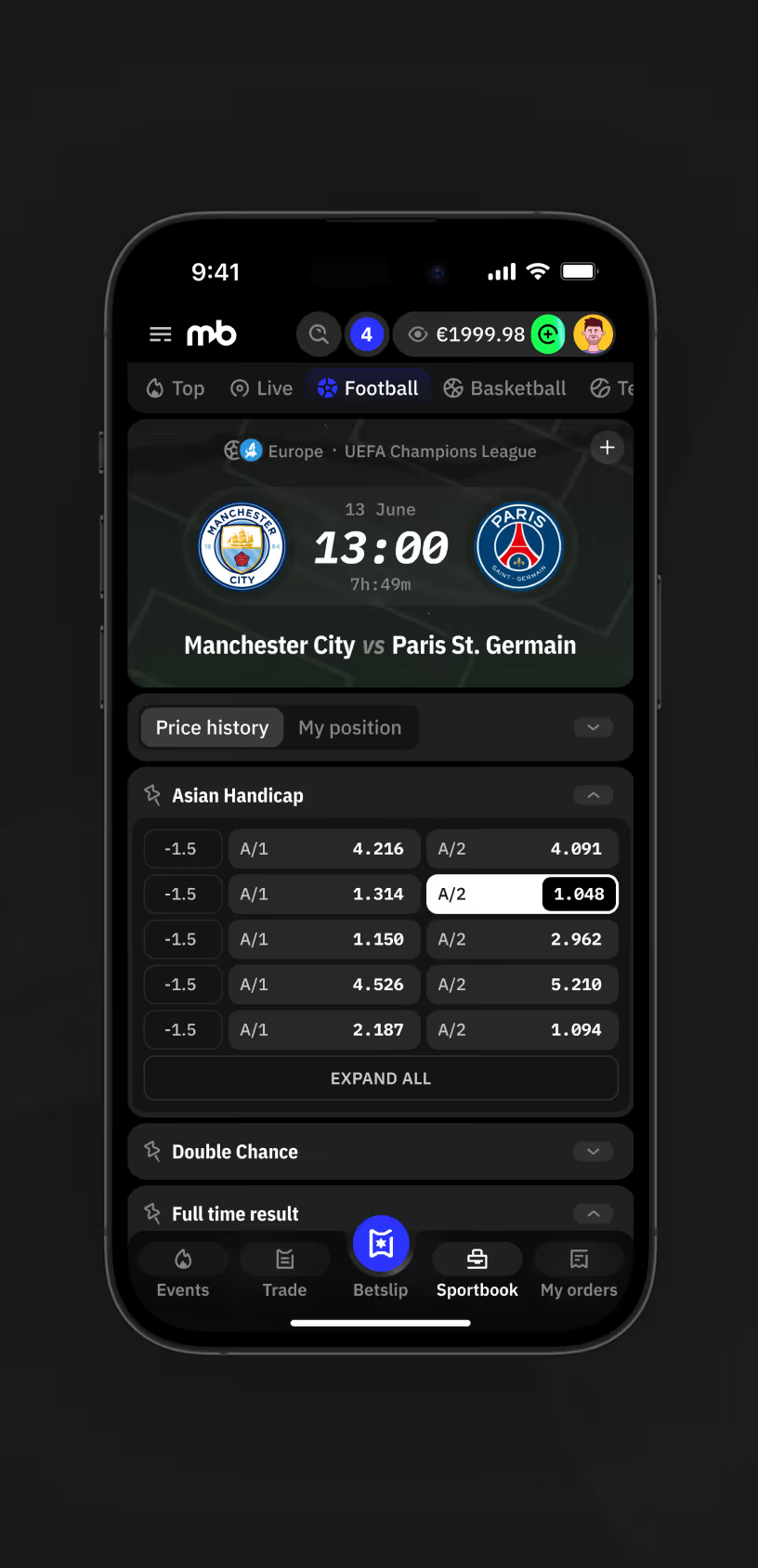
Mobile match page showing prematch
Sportsbook match page desktop view with prematch bet type table, position grid, and combo betslip.
Match centre live timeline marking goals and cards by minute alongside a price history chart.
Mobile match page showing live event timeline with goal and card markers during the match.
Price History Chart for Tennis Odds

A price history chart plots both players' odds over time, with a tooltip showing the exact price at a given minute. Moneyline, set winner, and set score markets stack below.
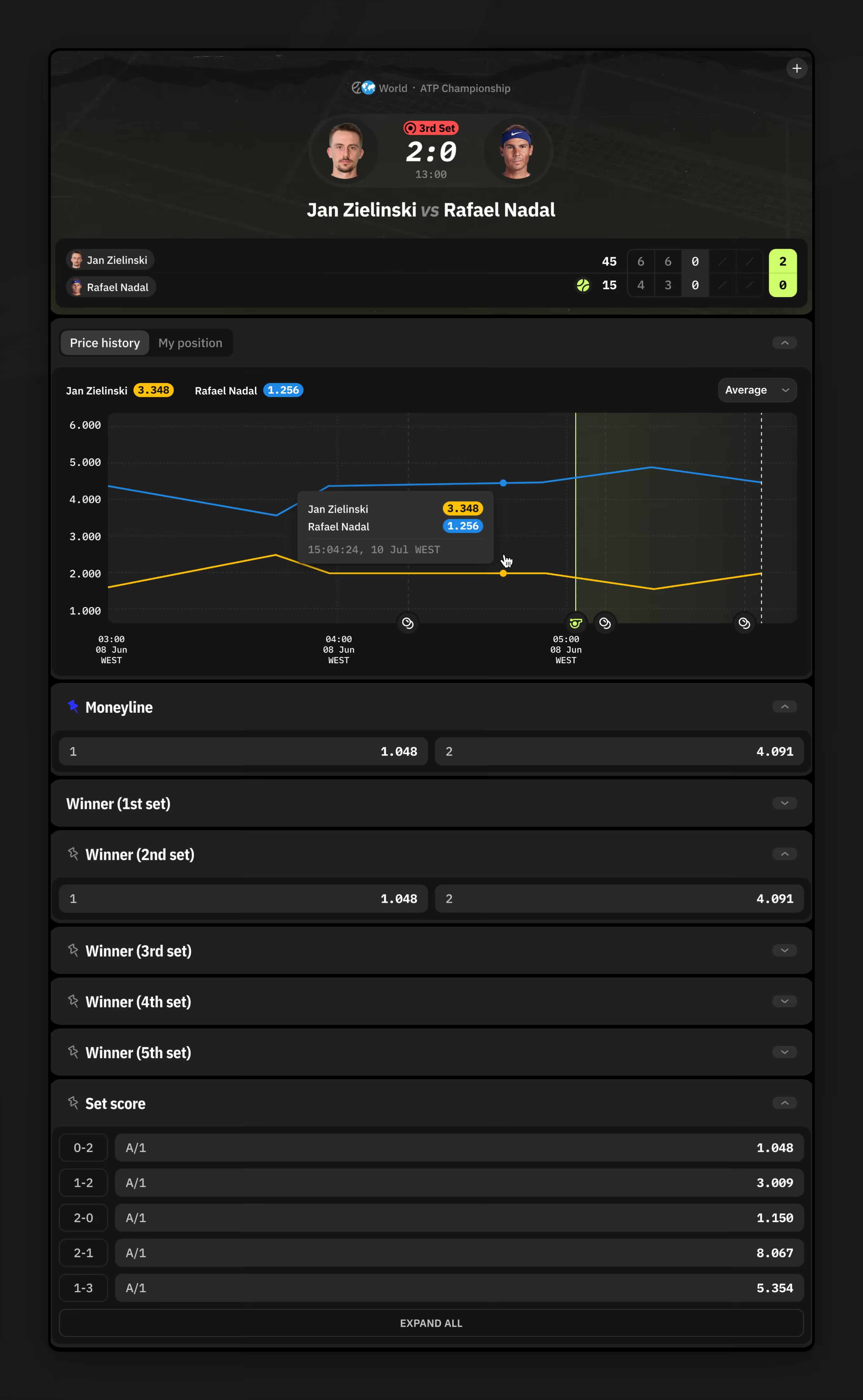
Tennis odds chart tracking price history with moneyline and set score markets.
Cashout and Bet Type Selection

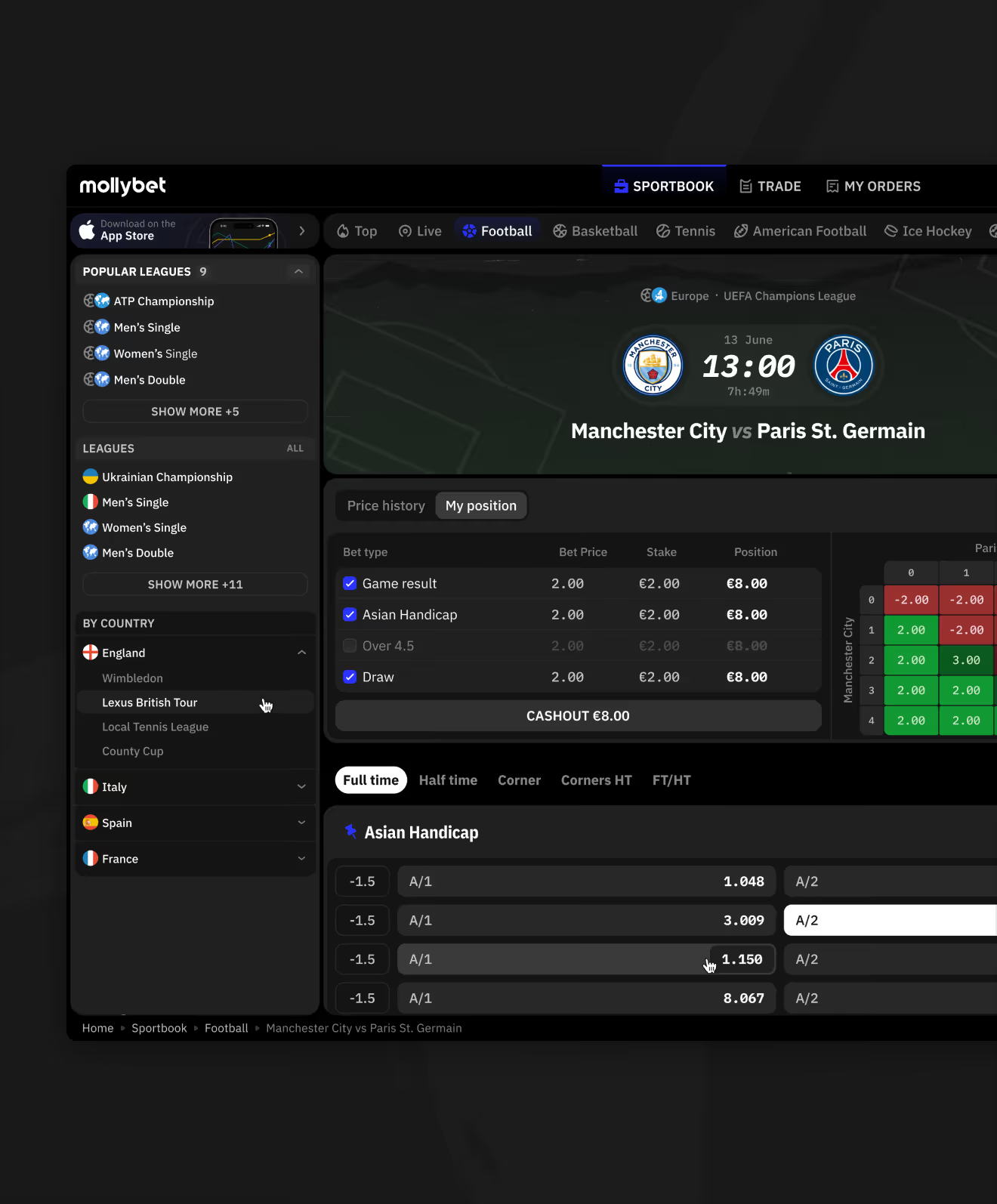
A match card sits next to a bet type table — game result, Asian Handicap, over/under, draw — each row showing stake and its own cashout value.
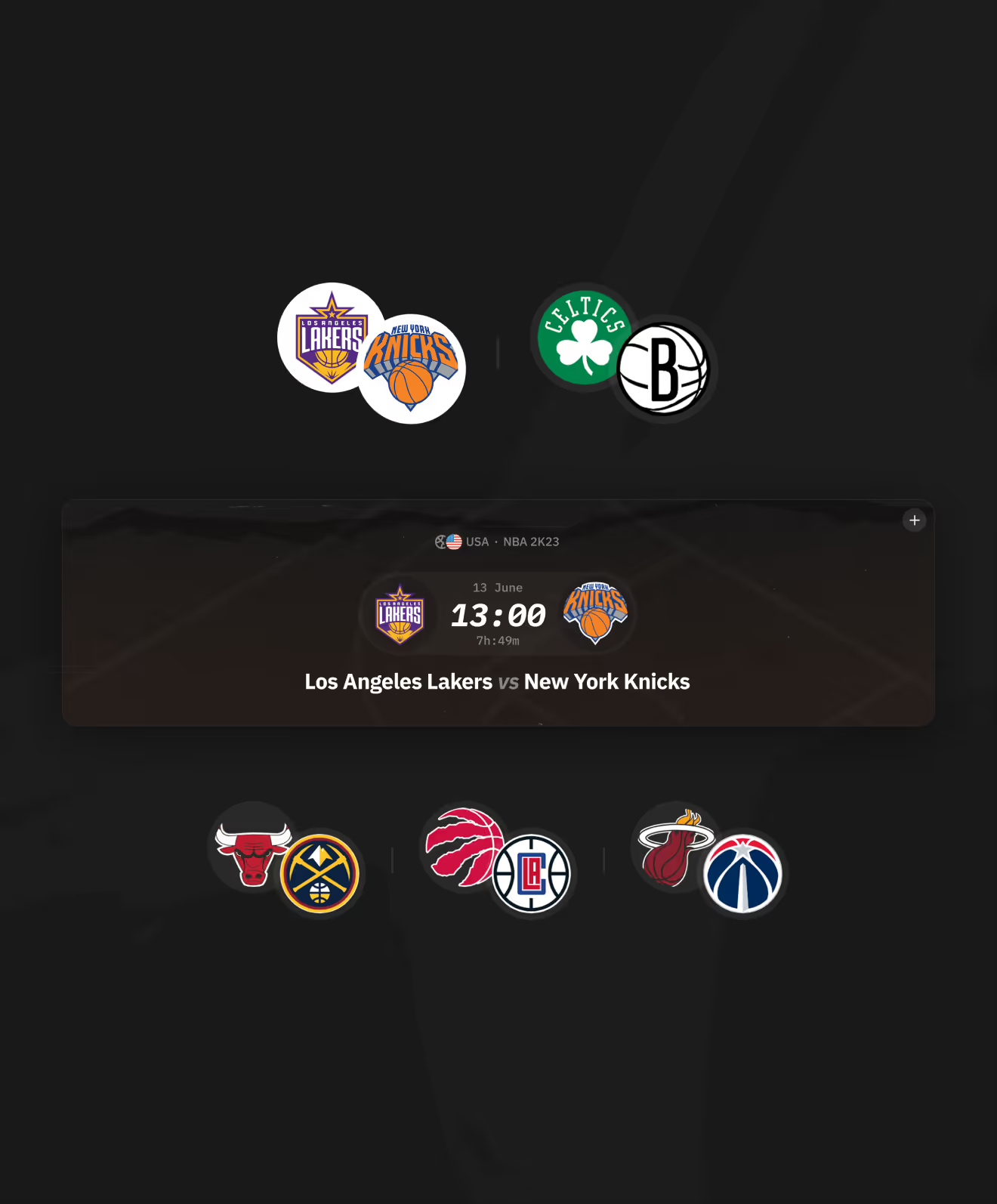
NBA team logo pairs for upcoming matchups
Sportsbook match page desktop view with My Position table and Asian Handicap odds list.
Mobile Match Tracking Across Sports

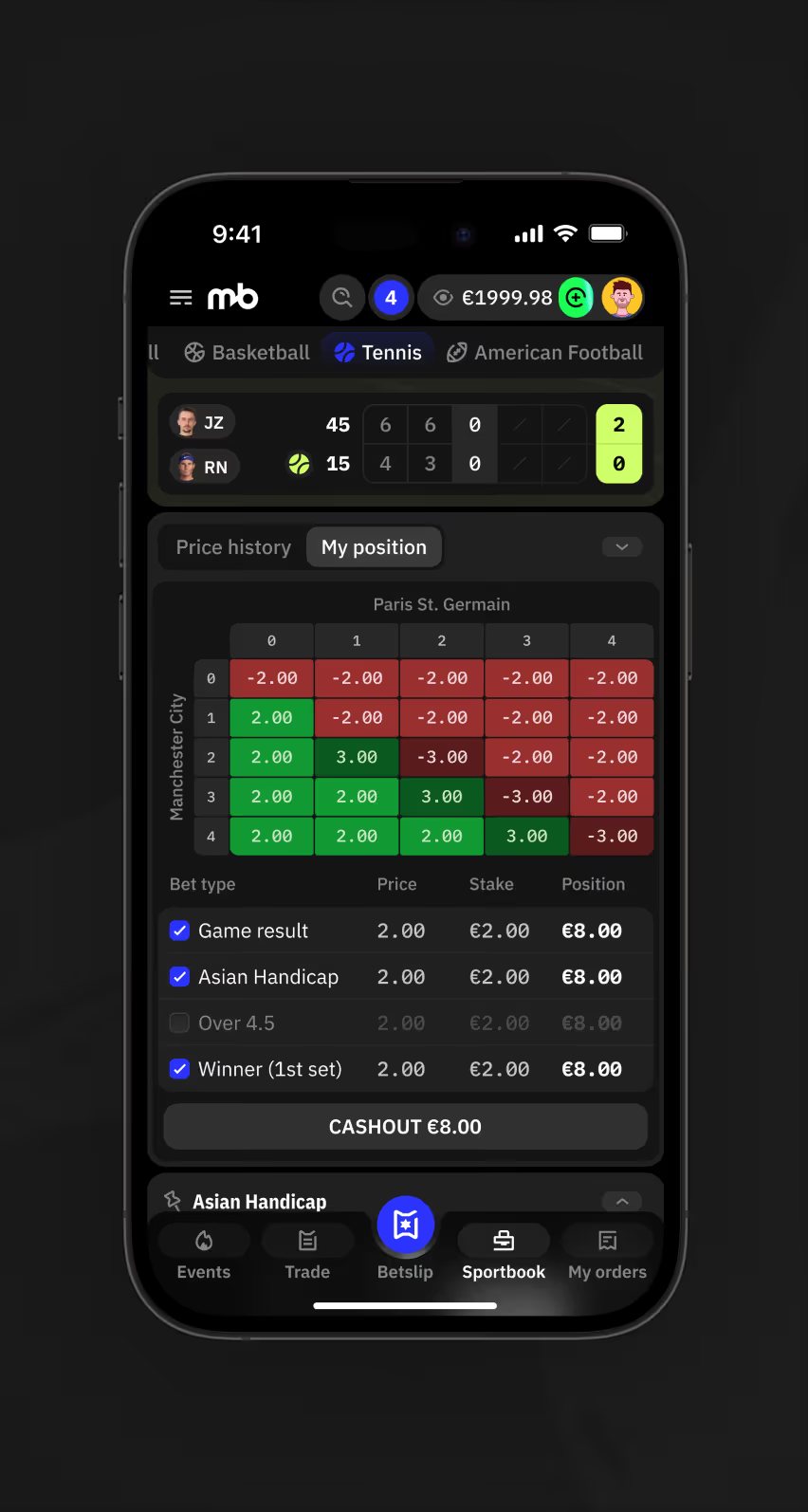
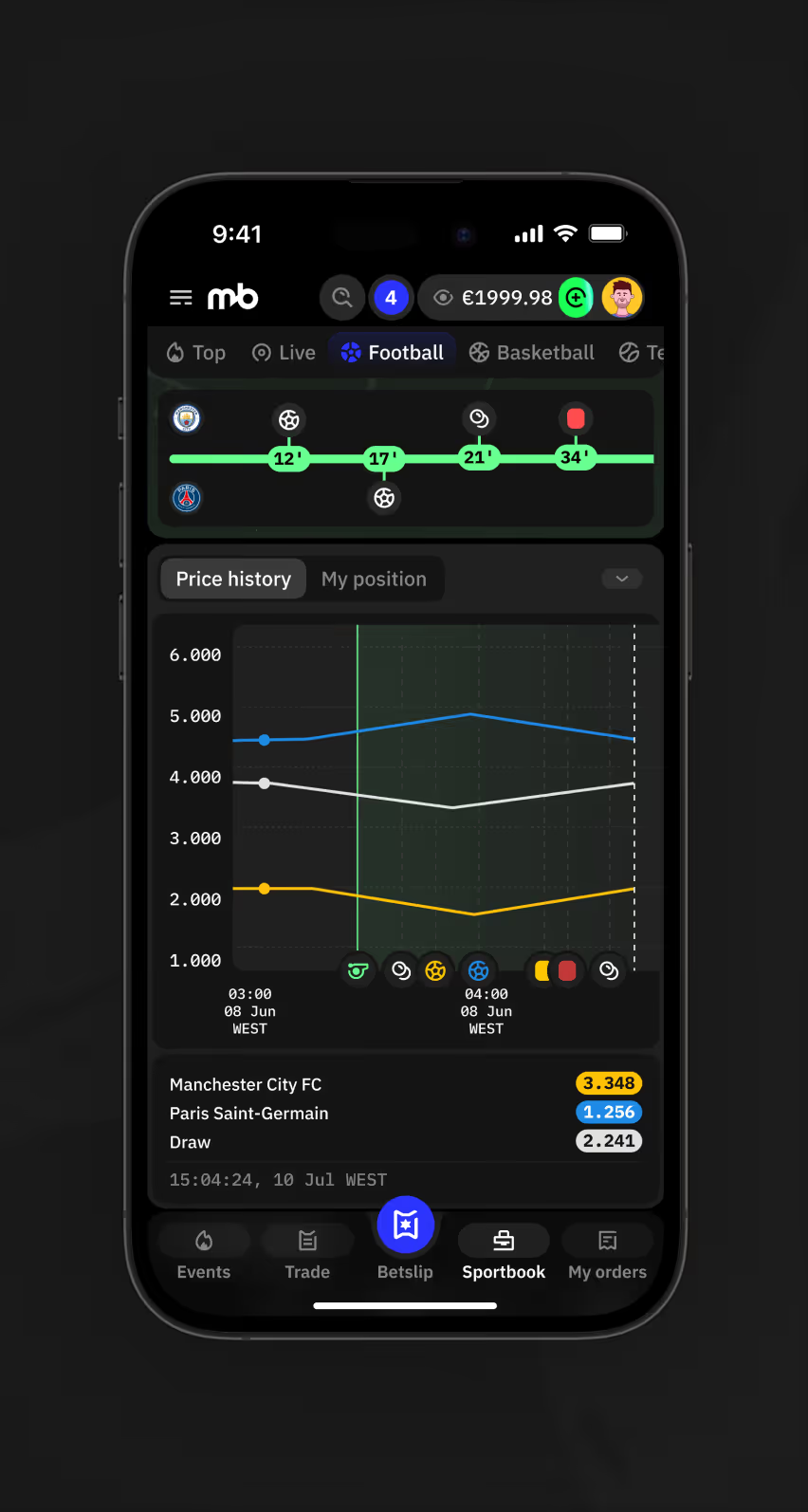
The same price history, live timeline, and position grid patterns repeat on mobile — across different sports, bet tracking and cashout stay in one view.
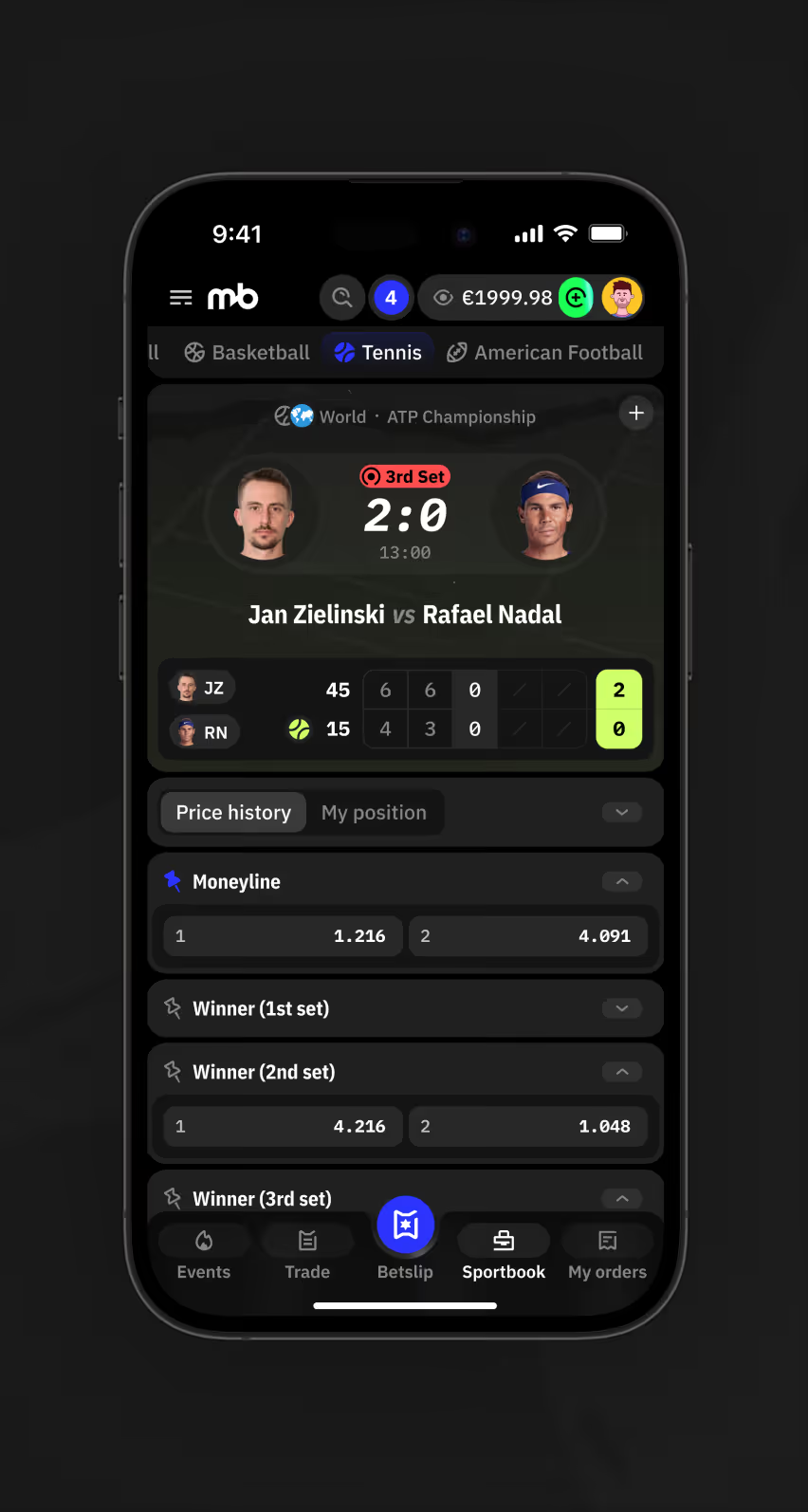
Mobile tennis match page showing live set score and Moneyline, set winner markets.
Mobile football match page price history chart tracking
Mobile match page My Position tab showing stake, price, and position across combined bets.
Adding Live Events Across Sports

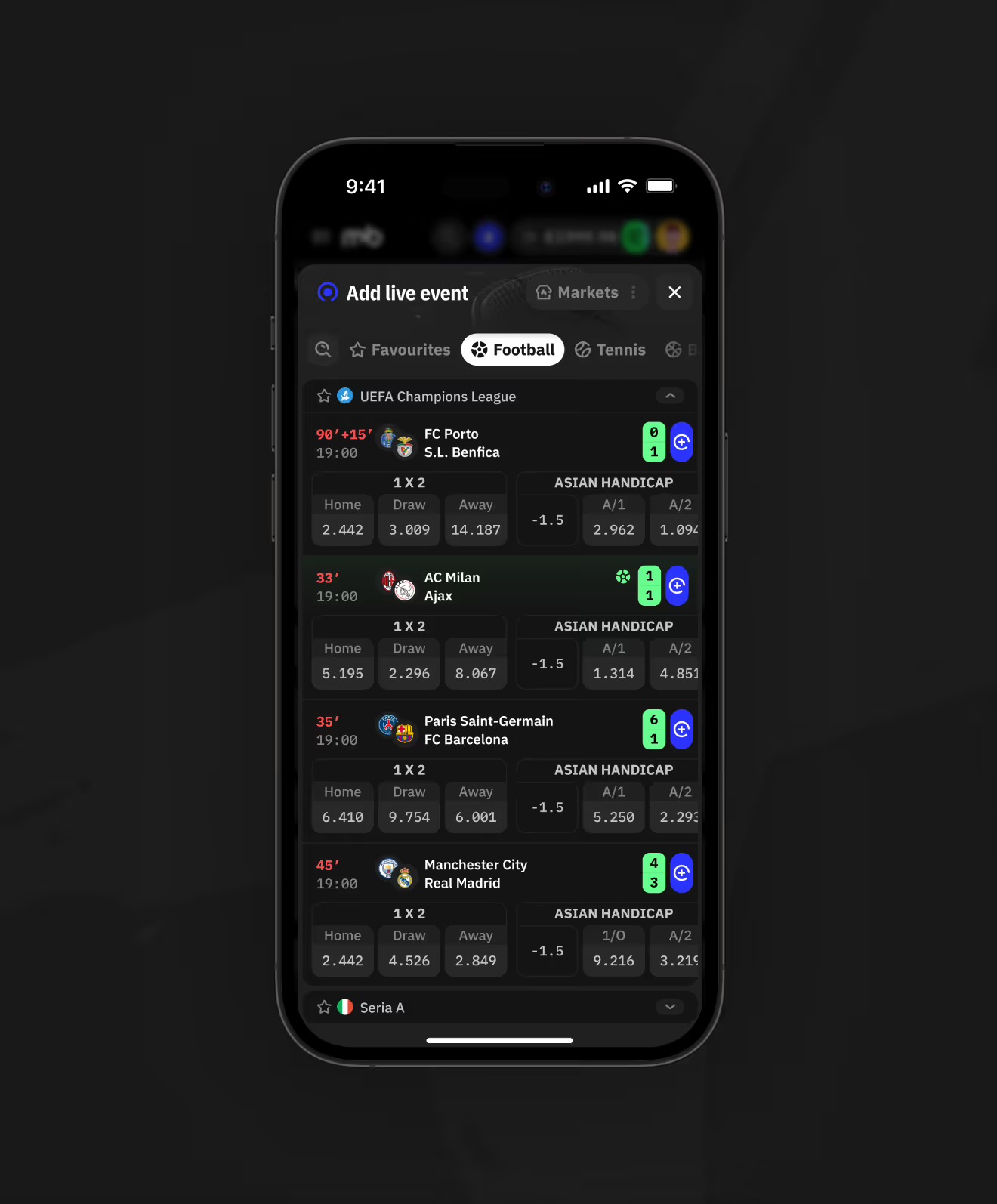
An "Add live event" picker lets bettors add fixtures from different sports to the match already open, without switching pages.
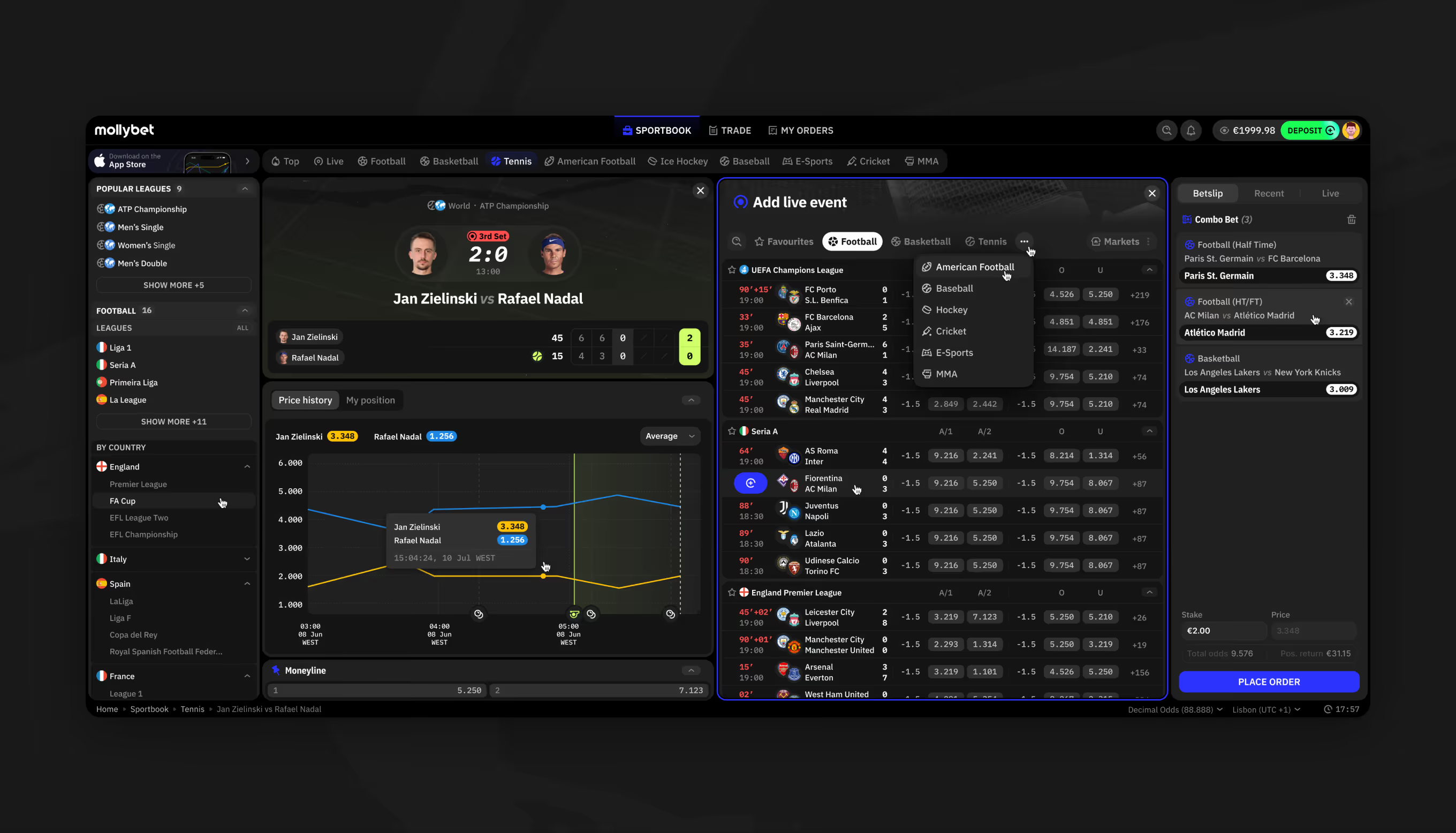
Sport picker adding American football, baseball, and MMA live events.
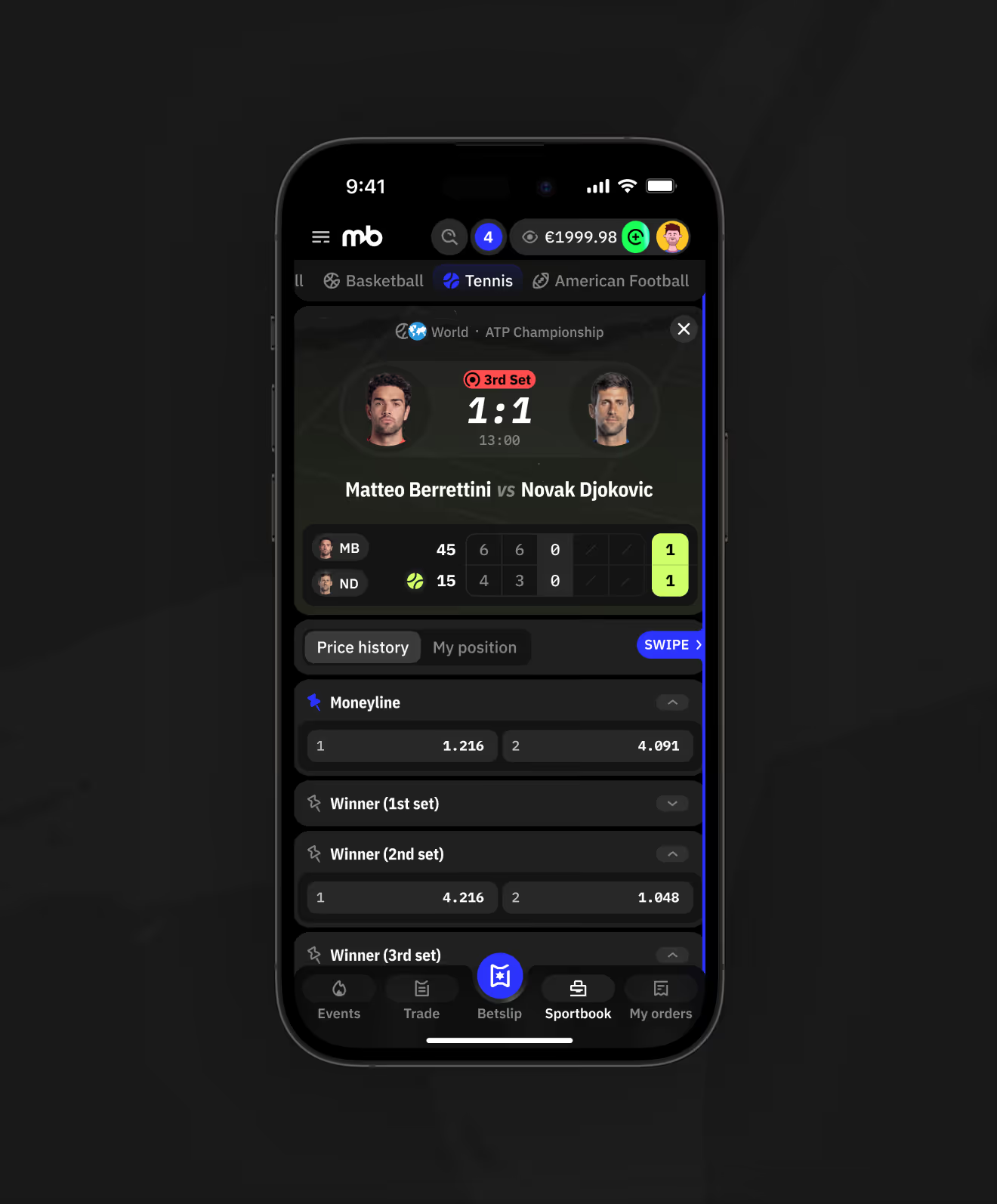
Mobile tennis match page with a swipe hint between match.
Mobile Add Live Event modal listing football matches with live scores to add to the dashboard.

Analytics Filters for Bet Performance

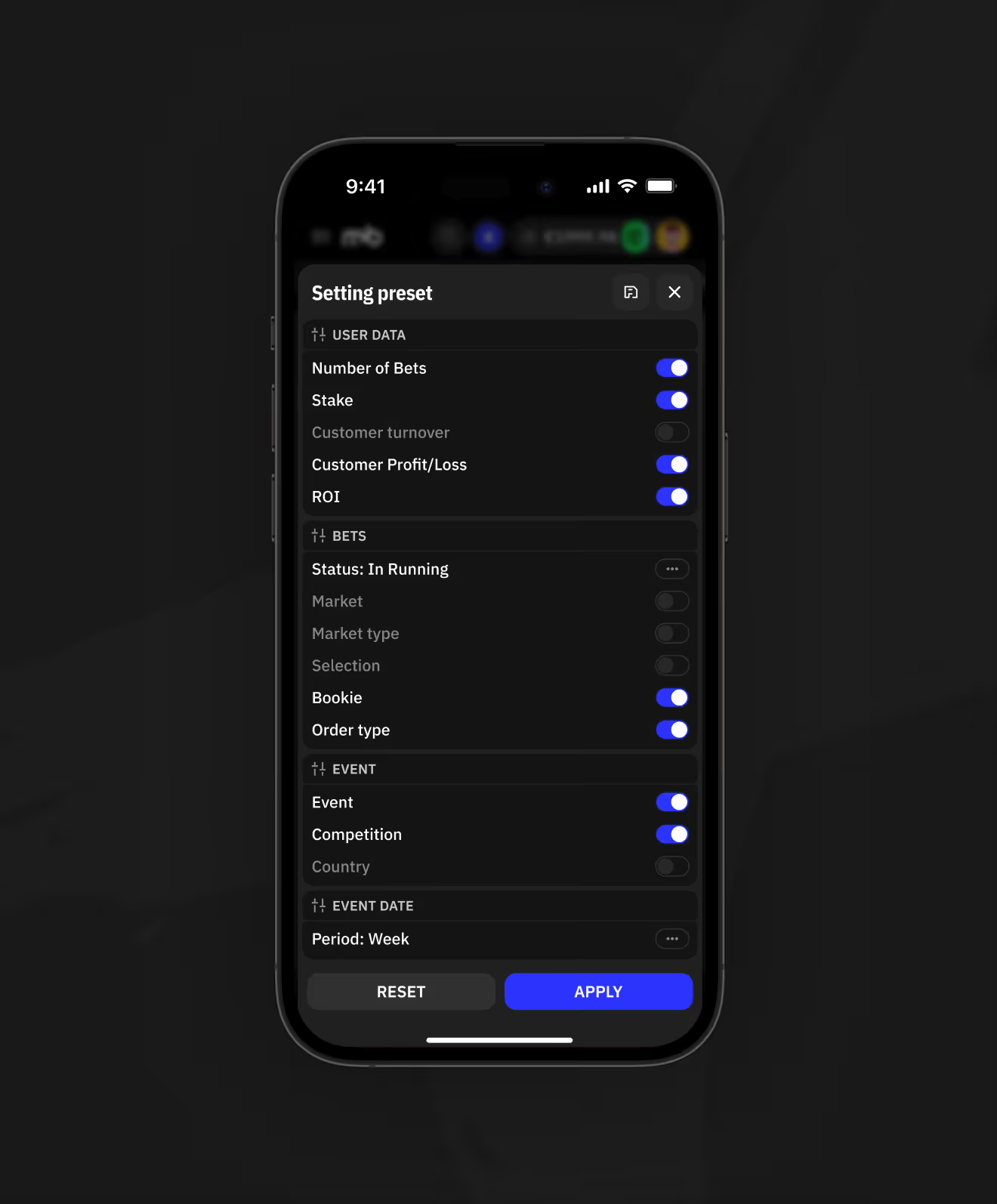
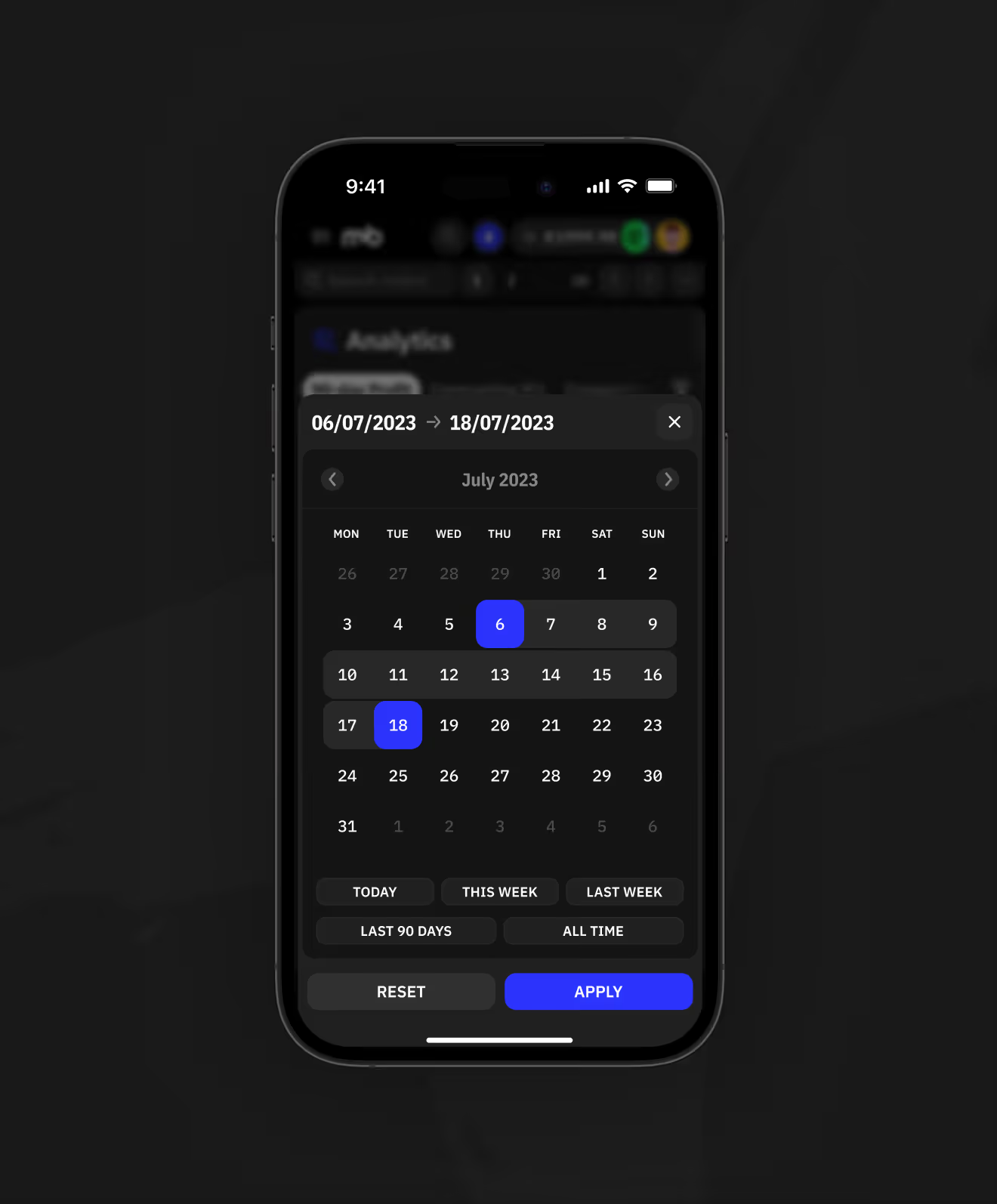
An analytics table breaks down stake, customer profit/loss, and ROI by bet, bookie, and competition. Filters and a date range preset narrow the view to any period.
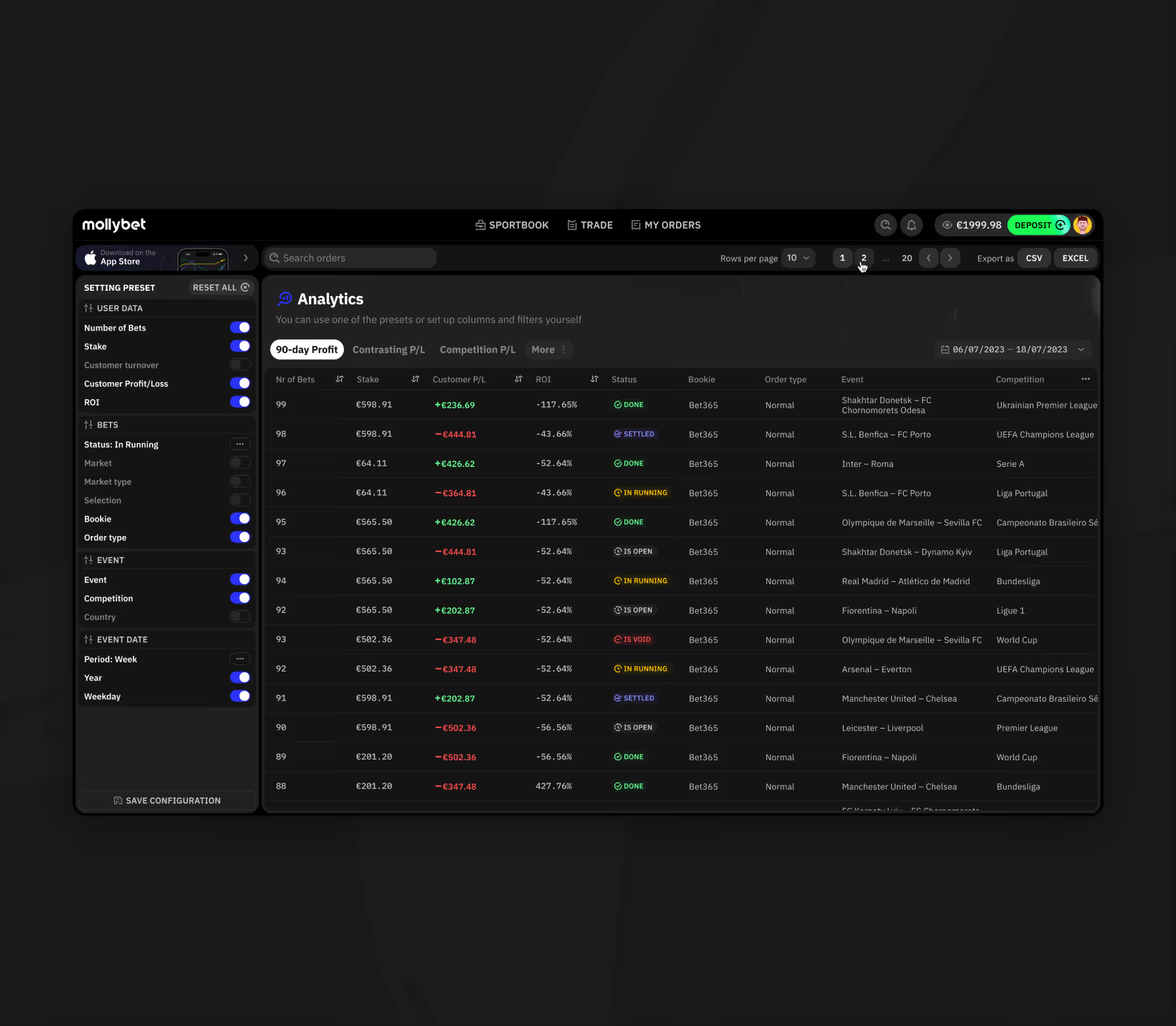
Analytics dashboard with stake, profit and loss, and ROI filter panel.
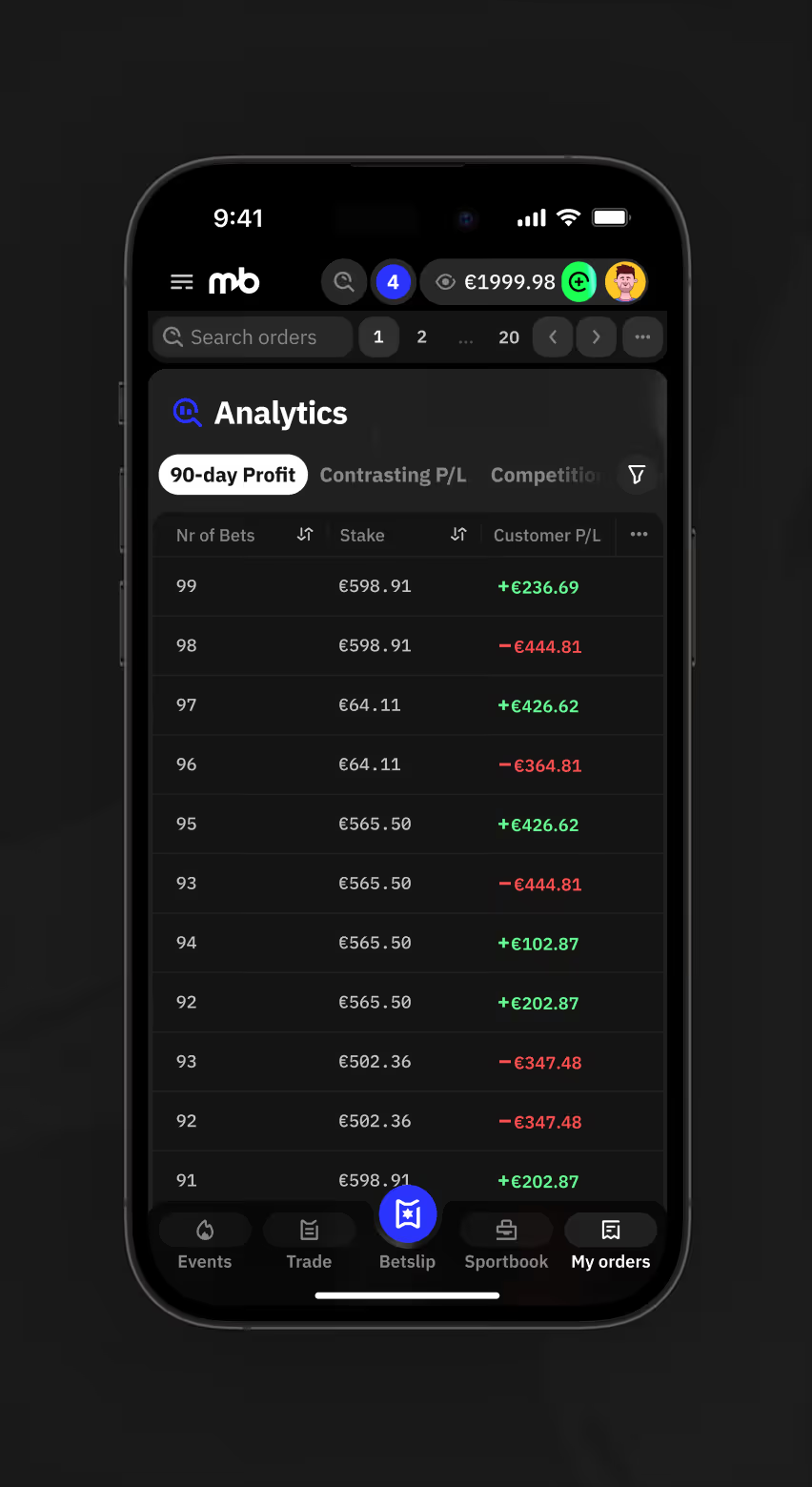
Mobile analytics dashboard with stake, profit and loss, and ROI filter panel.
Mobile Analytics Setting Preset panel with toggles for user data, bets, event, and date columns
Mobile Analytics date range picker with quick presets
Search and Export Within Analytics

A search bar filters the analytics table by keyword, with a clear no-results state when nothing matches. Results export to CSV or Excel from the same toolbar.
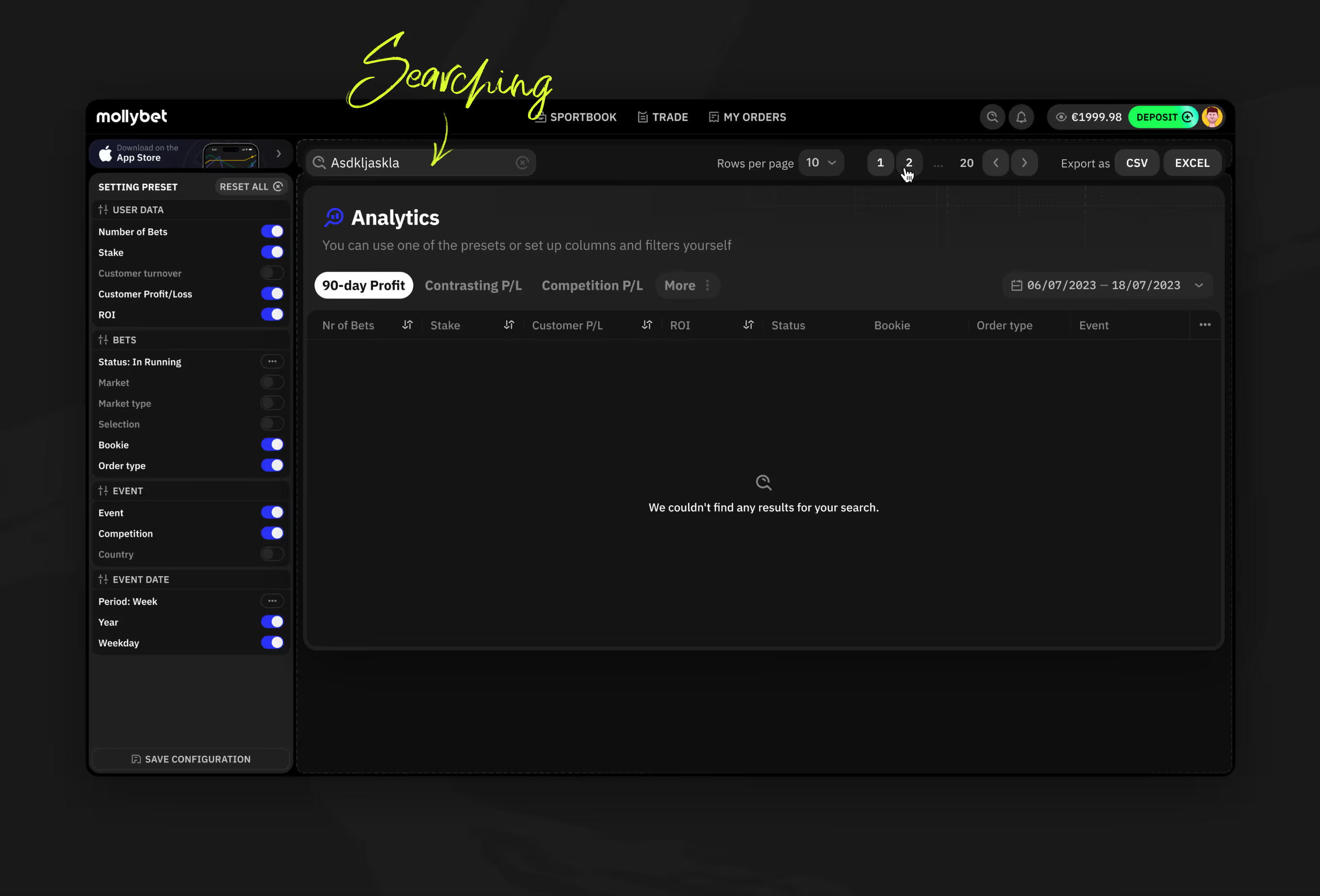
Analytics search bar with no-results state and CSV and Excel export.
Order Filters by Country and Sport

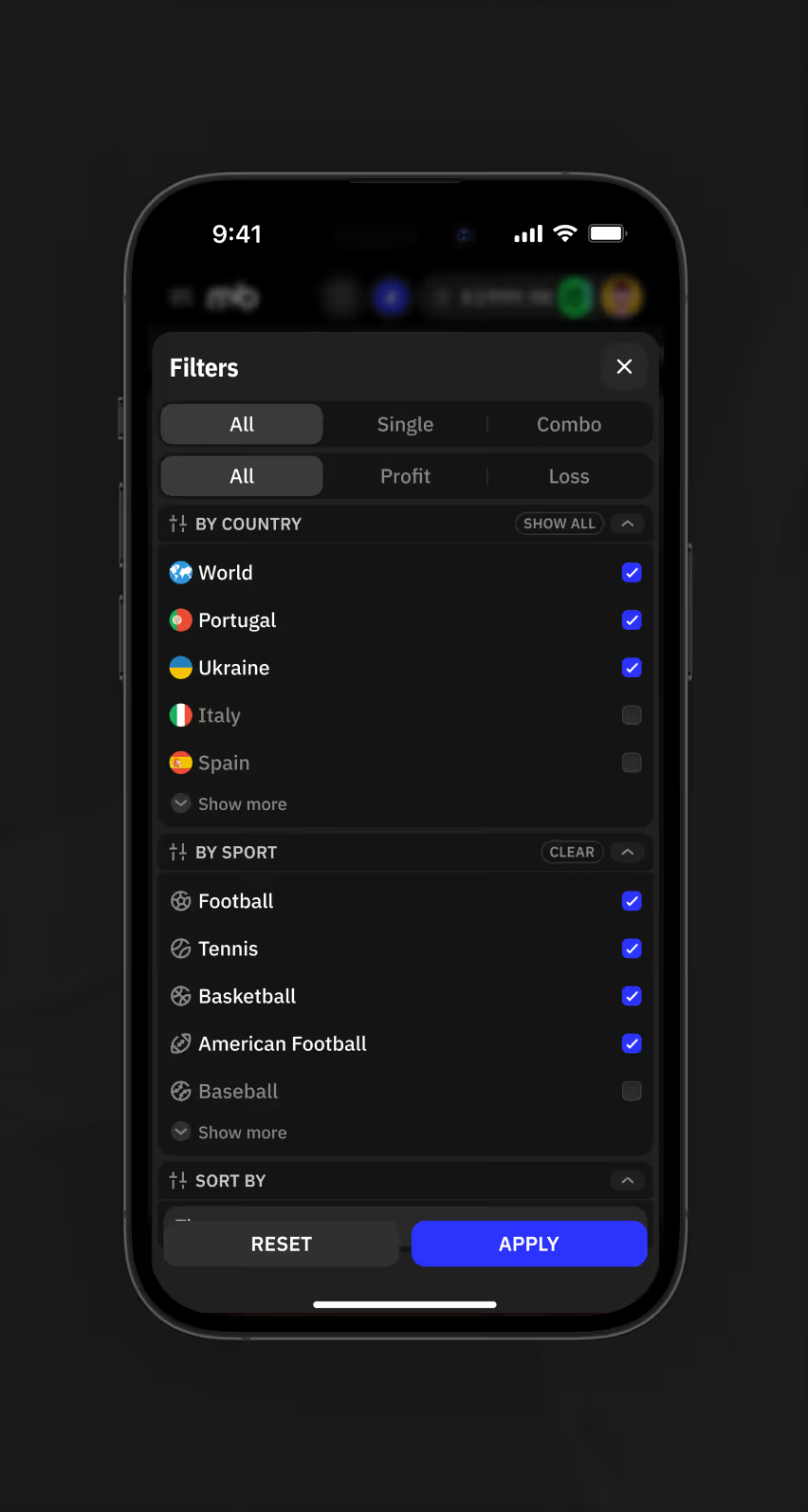
Live orders filter by country and sport. Each combo bet expands into a position grid with stake and cashout per leg.
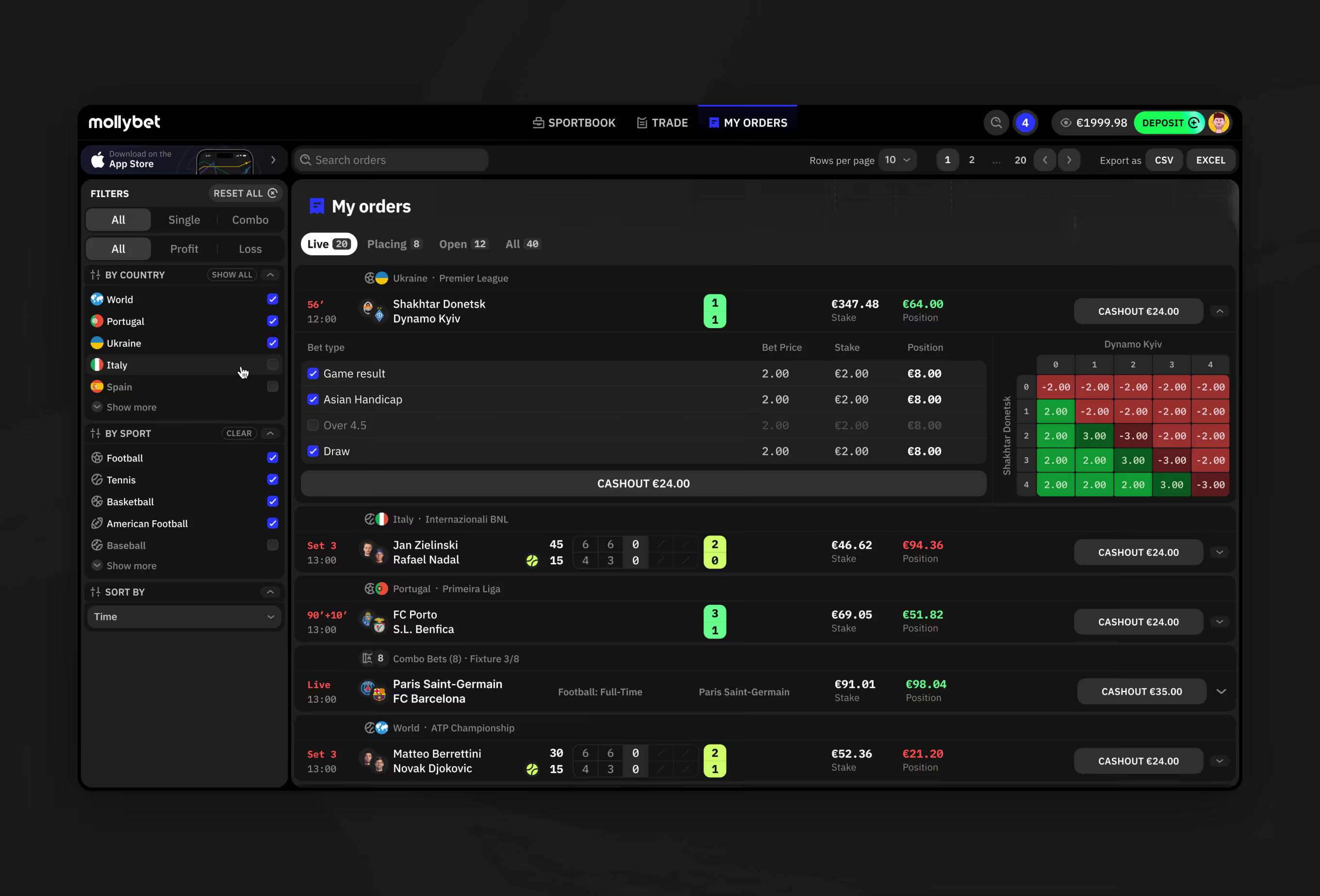
My orders page filtered by country and sport with combo bet position grid.
Bet History and Accounting Ledger

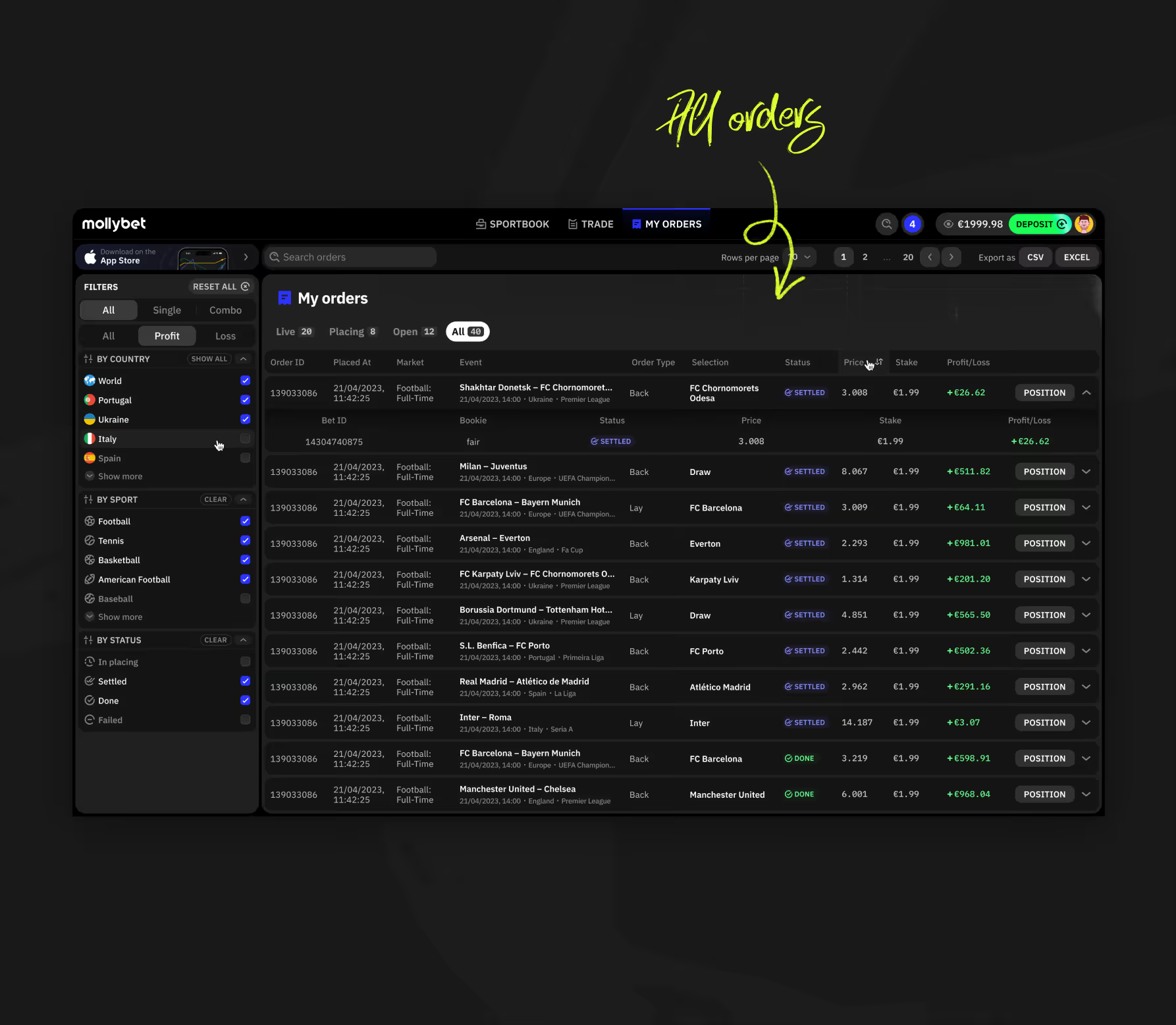
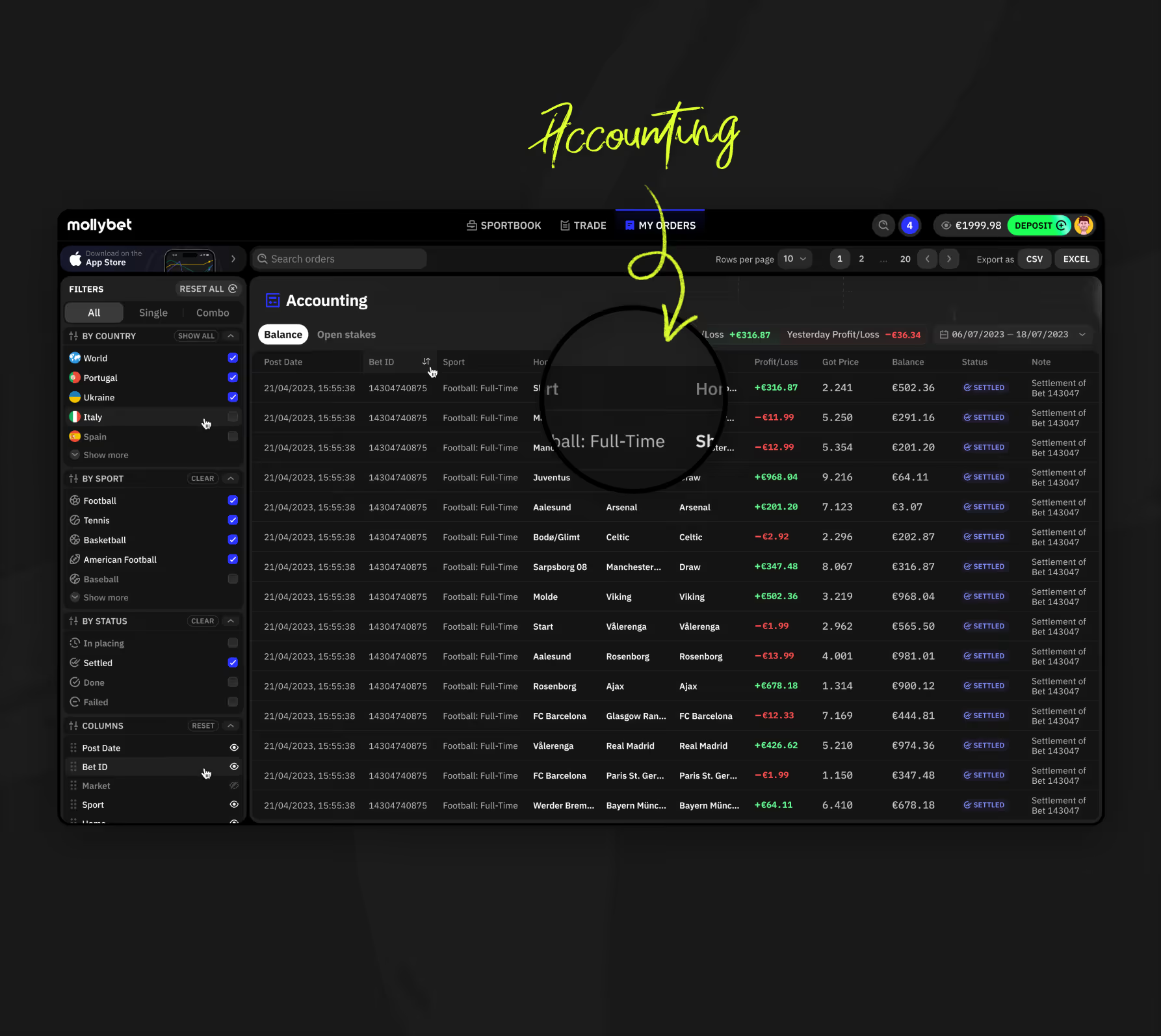
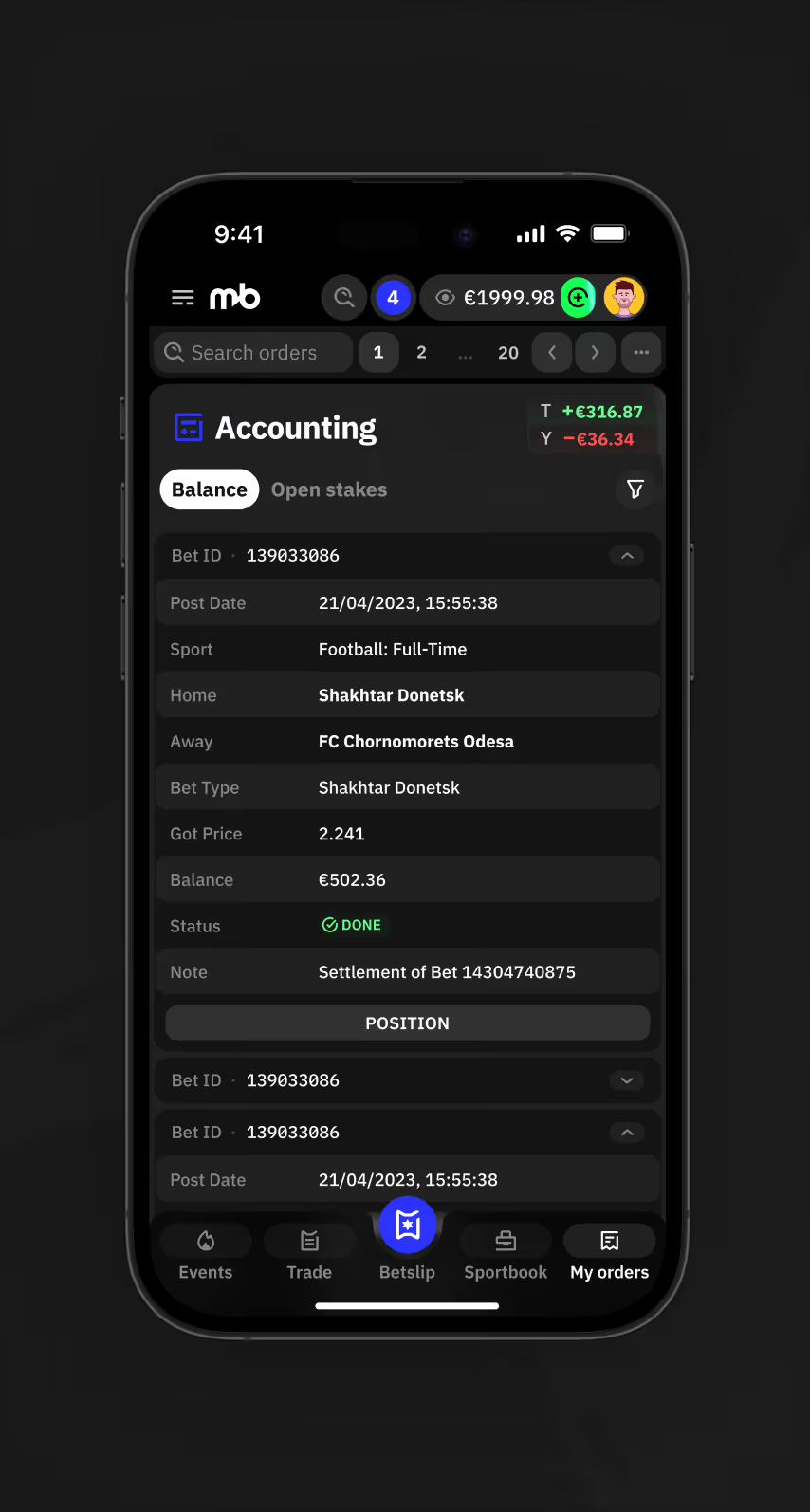
My Orders lists settled bets by status, country, and sport, while a separate Accounting tab tracks balance, profit/loss, and settlement notes per bet, including today-versus-yesterday totals.
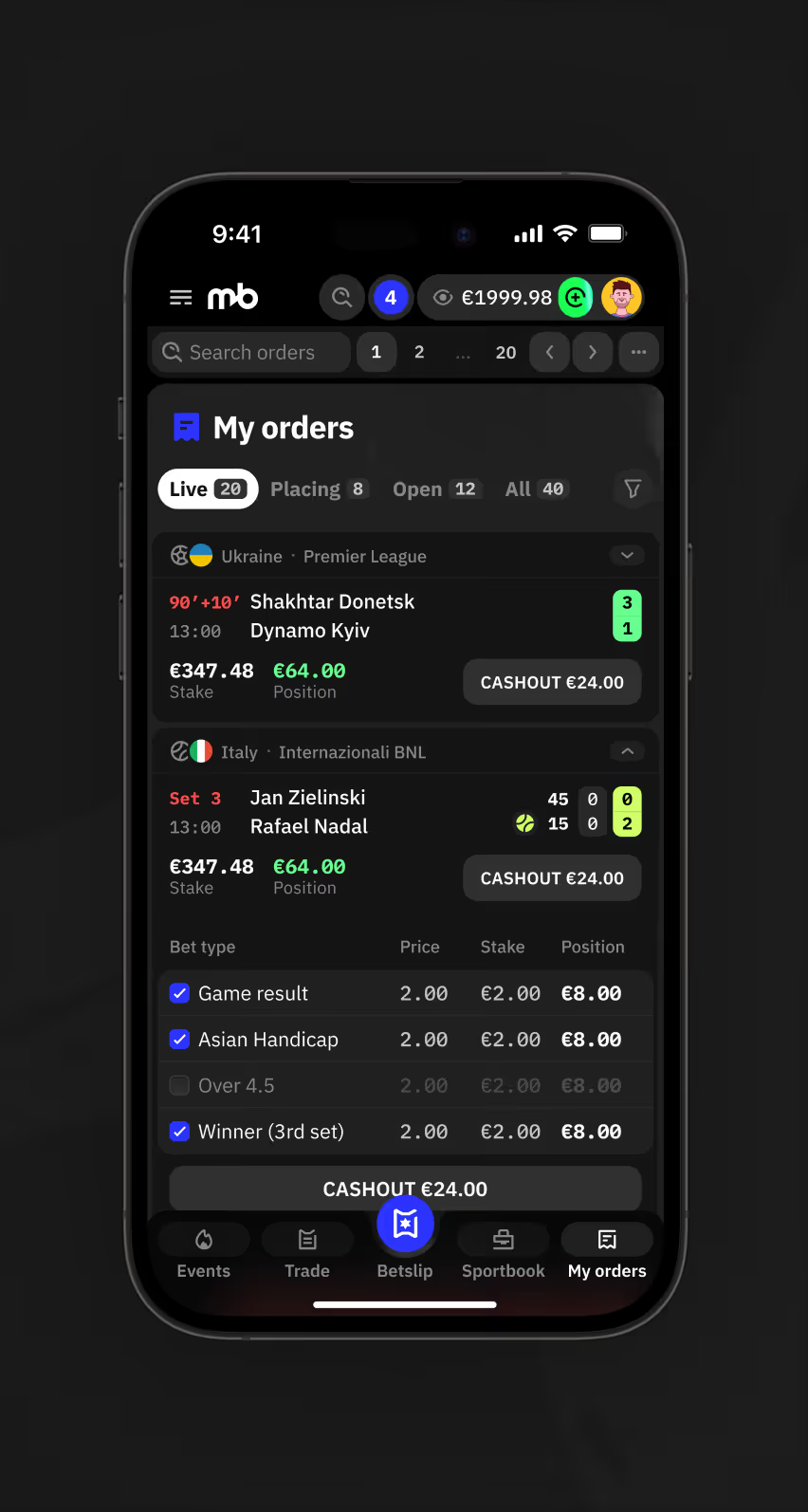
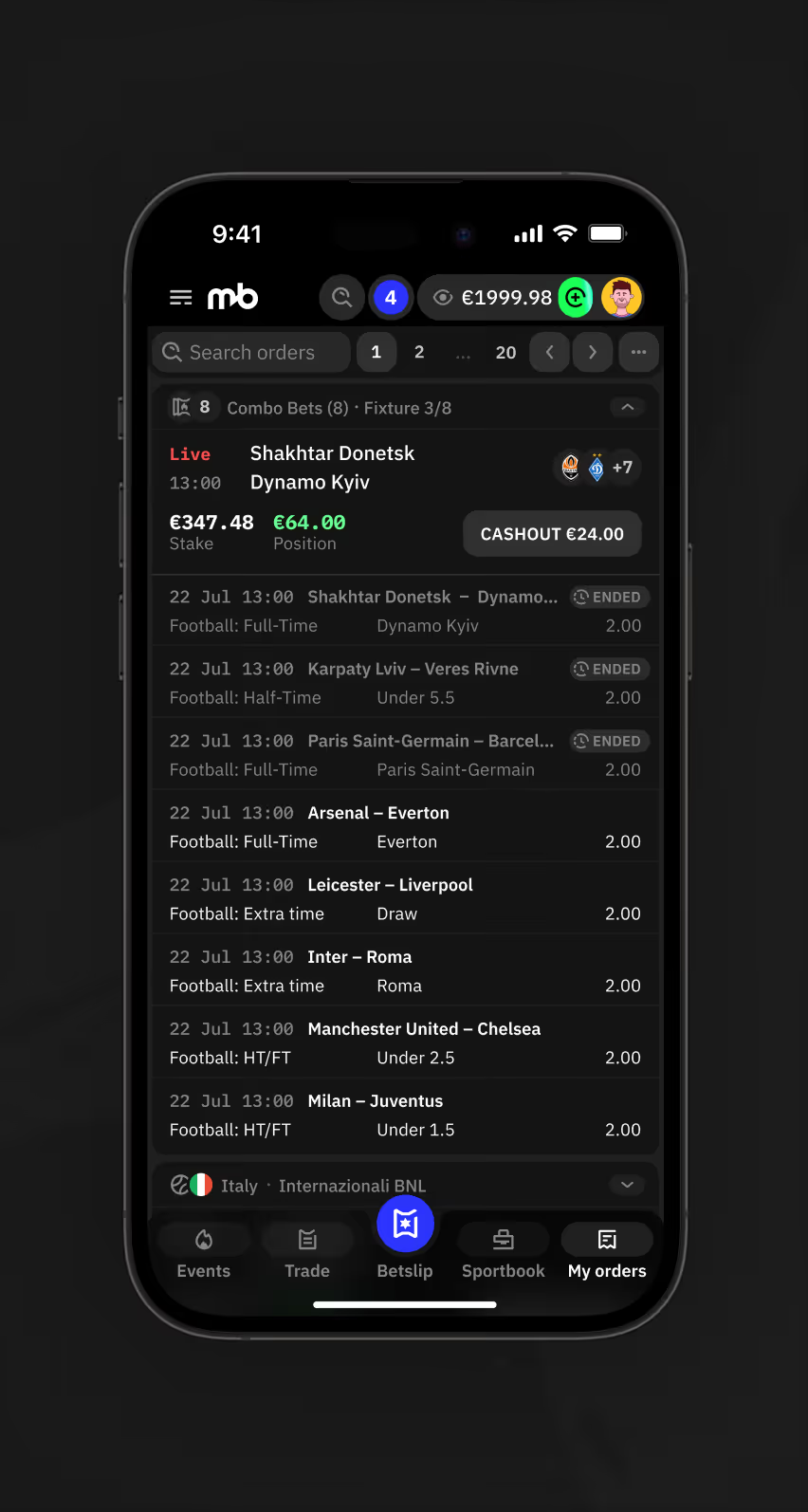
Mobile My Orders Live tab listing two live bets with cashout amounts and bet type breakdown.
Mobile My Orders combo bet list showing eight settled football legs within one fixture.
Mobile Filters panel for orders by bet type, country, sport, and profit or loss.
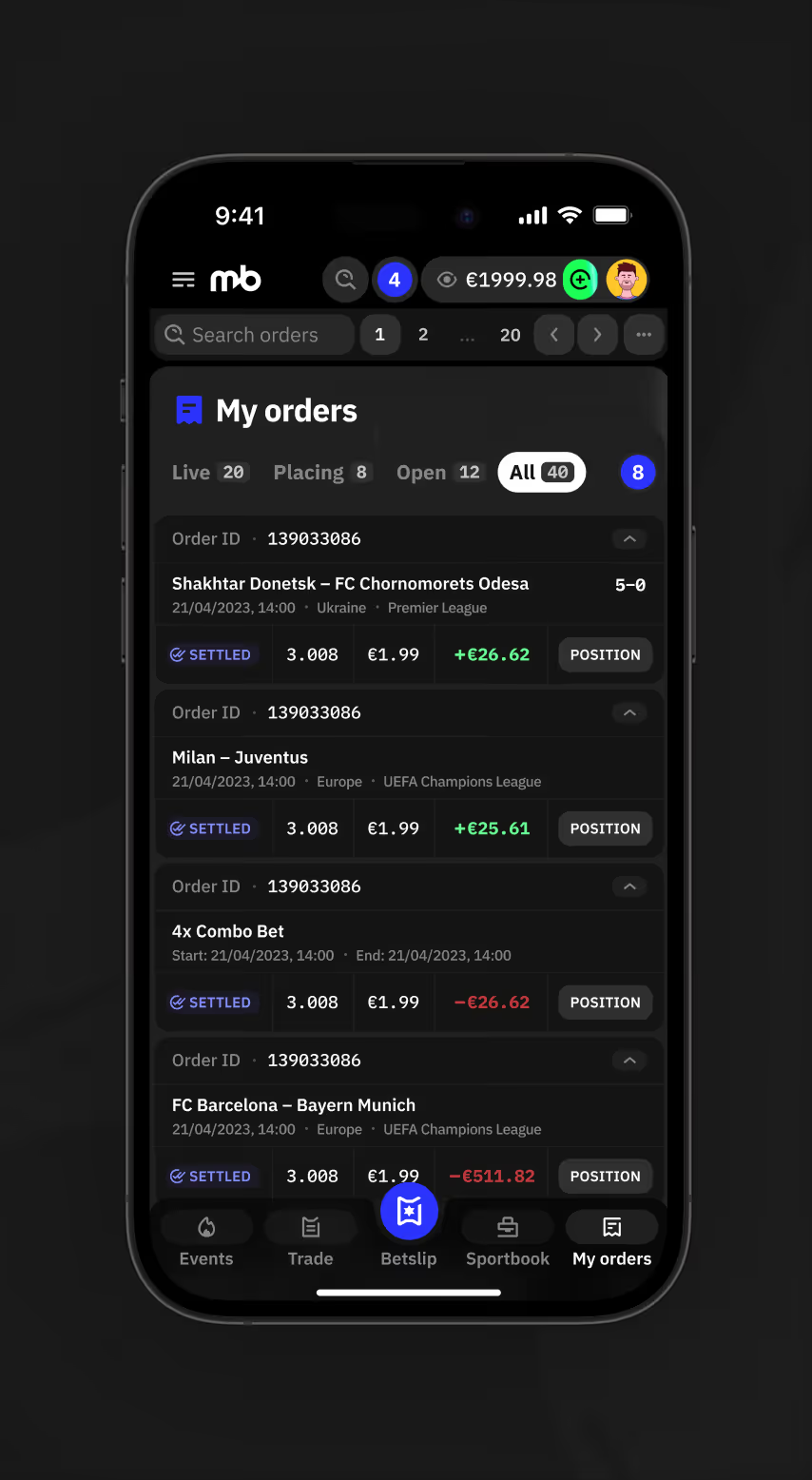
Mobile My Orders All tab listing settled bets with order ID, price, and profit or loss.
My Orders desktop view listing all settled orders with price, stake, and profit or loss columns.
Accounting desktop view listing settled bets with post date, sport, price, and running balance.
Mobile Accounting Balance tab showing bet details, settlement note, and today versus yesterday profit and loss.

Account Settings and Notification Controls

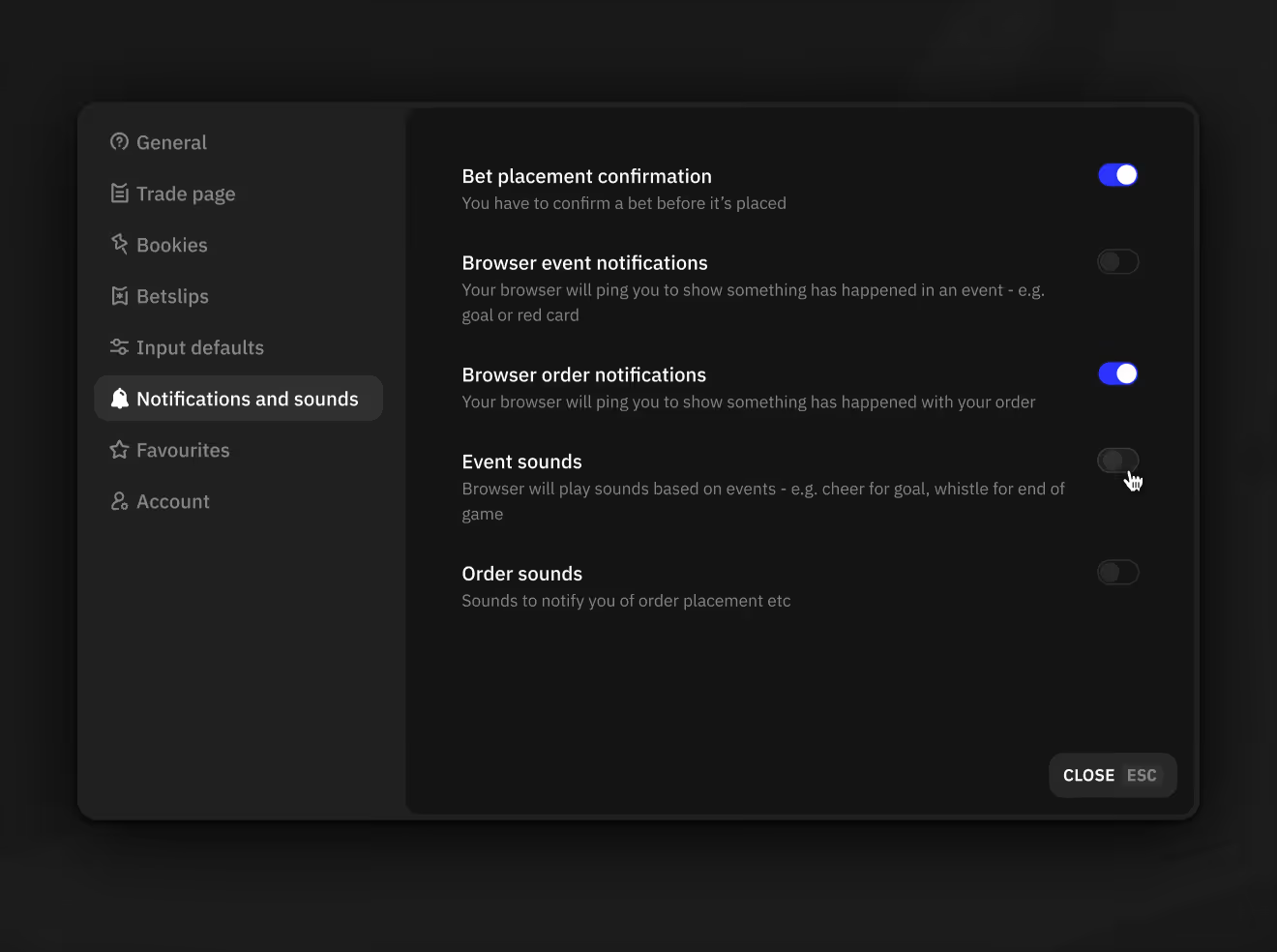
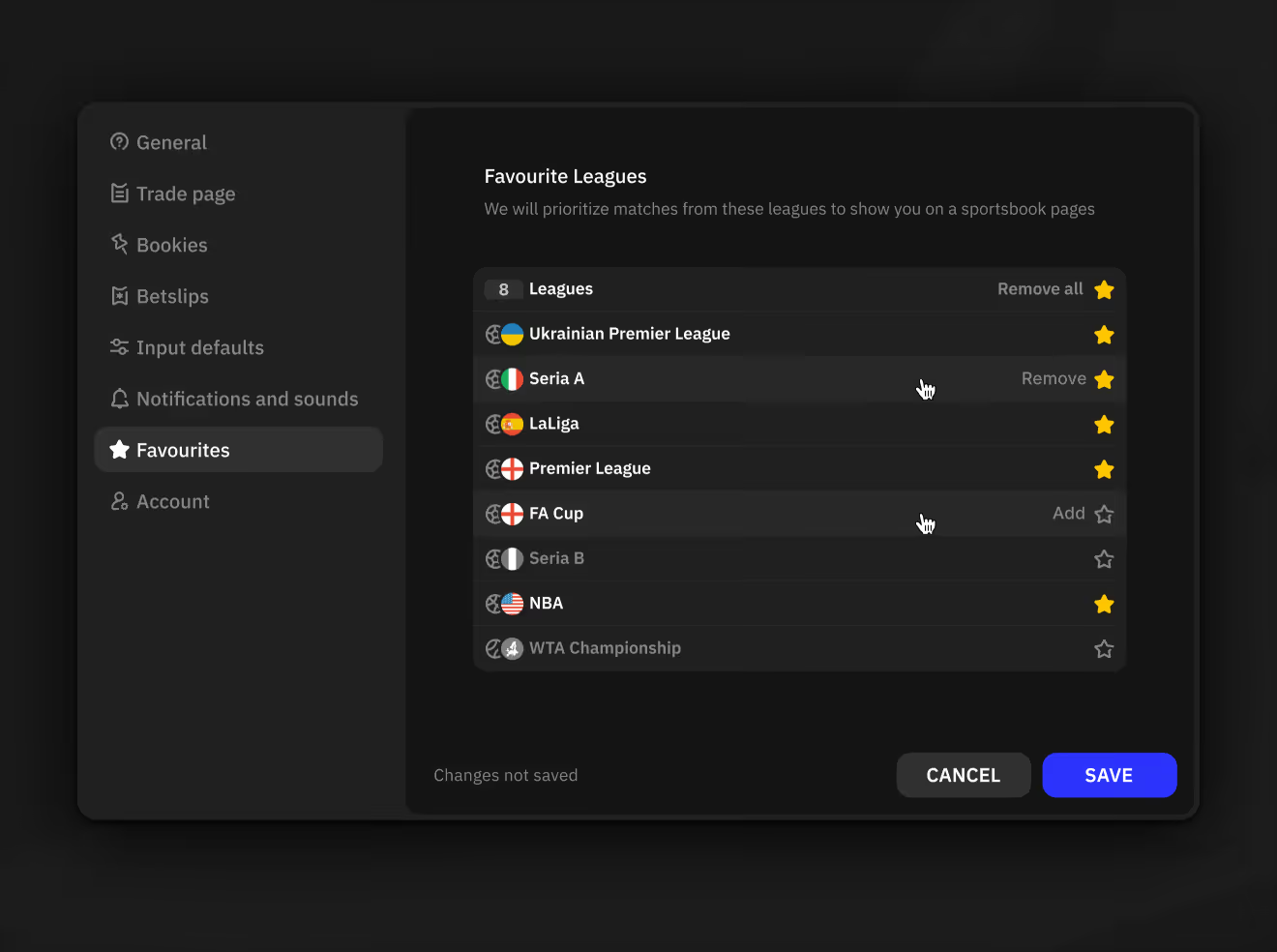
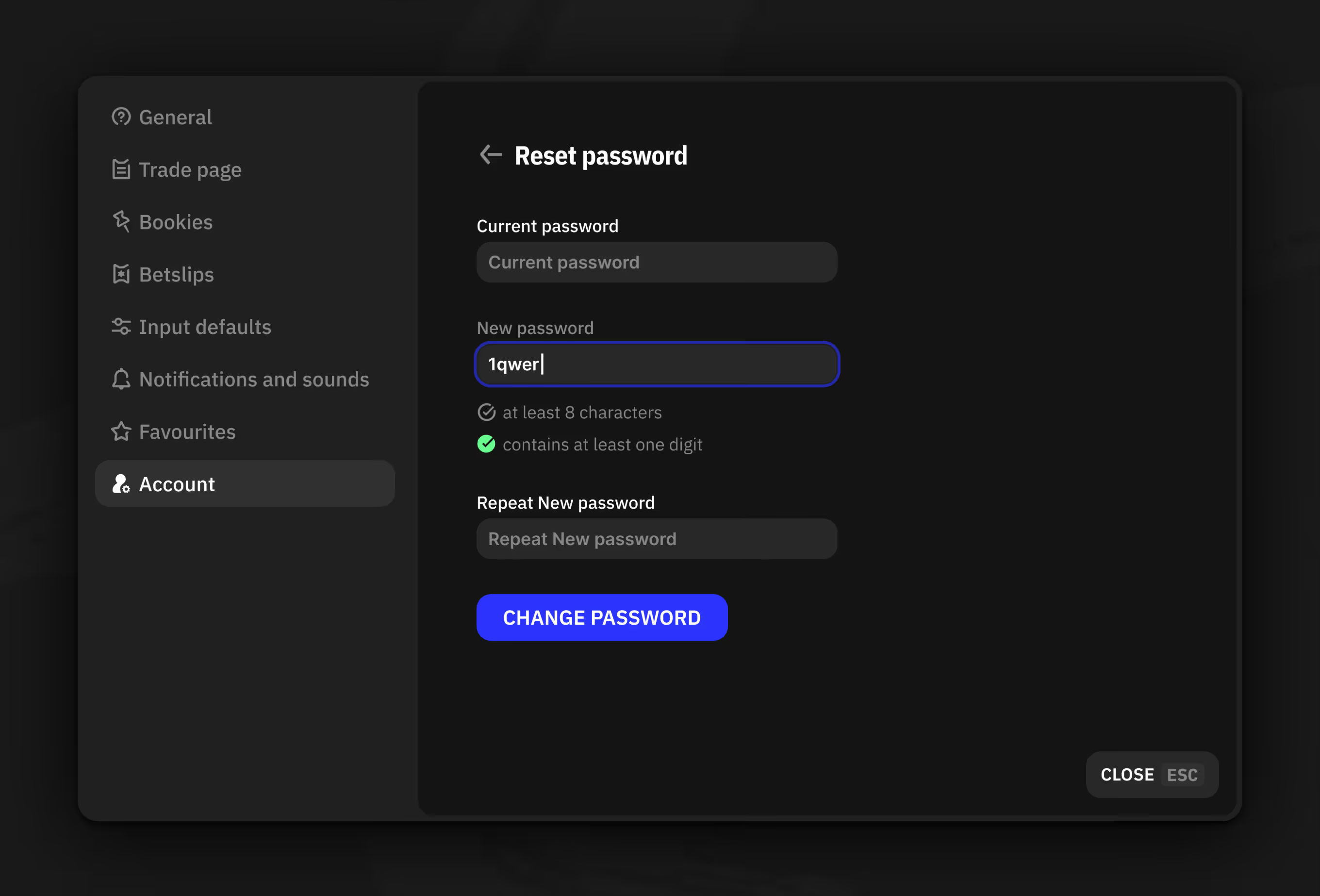
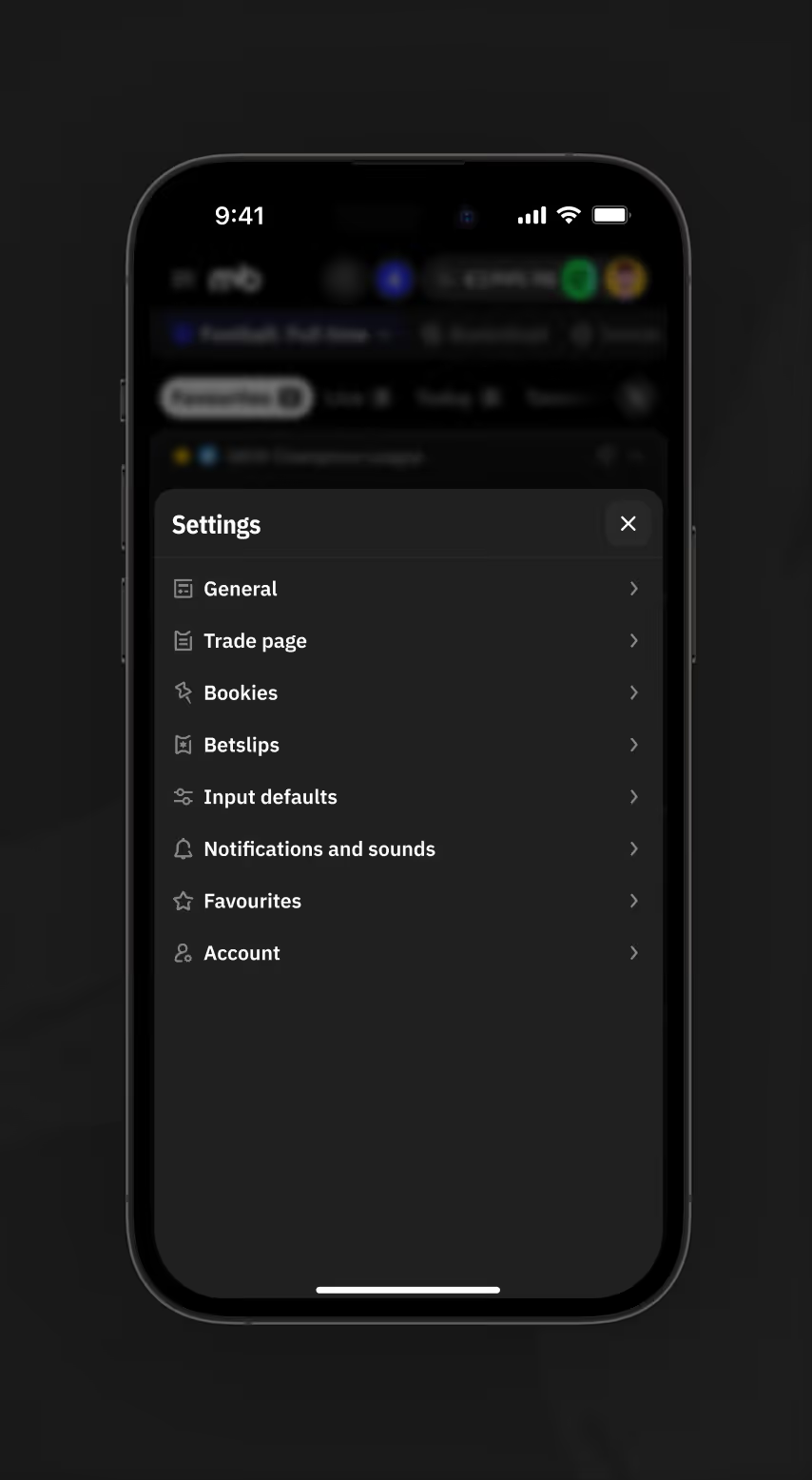
Settings cover language, timezone, and price format, plus toggles for event and order sounds. A favourite leagues list and password reset flow complete account management.
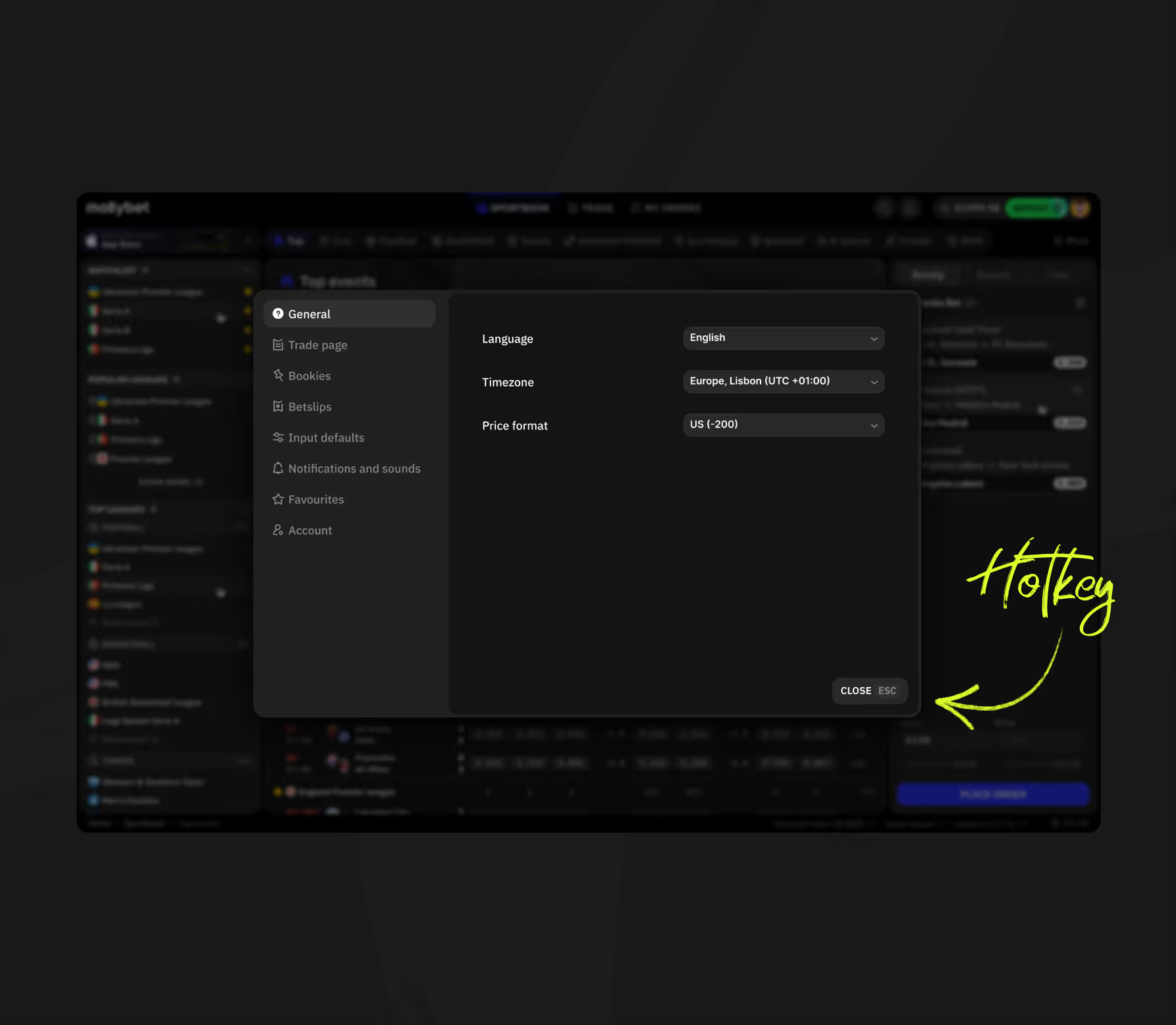
Settings modal General tab showing language, timezone, and price format dropdowns with a hotkey label.
Mobile Settings menu listing General, Trade page, Bookies, Betslips, and Account tabs.
Settings Notifications and sounds tab with toggles for bet confirmation and event sound alerts.
Settings Favourite Leagues tab showing starred leagues
Settings Account tab showing password reset form with character and digit requirements.

Trading Account and Quick Settings

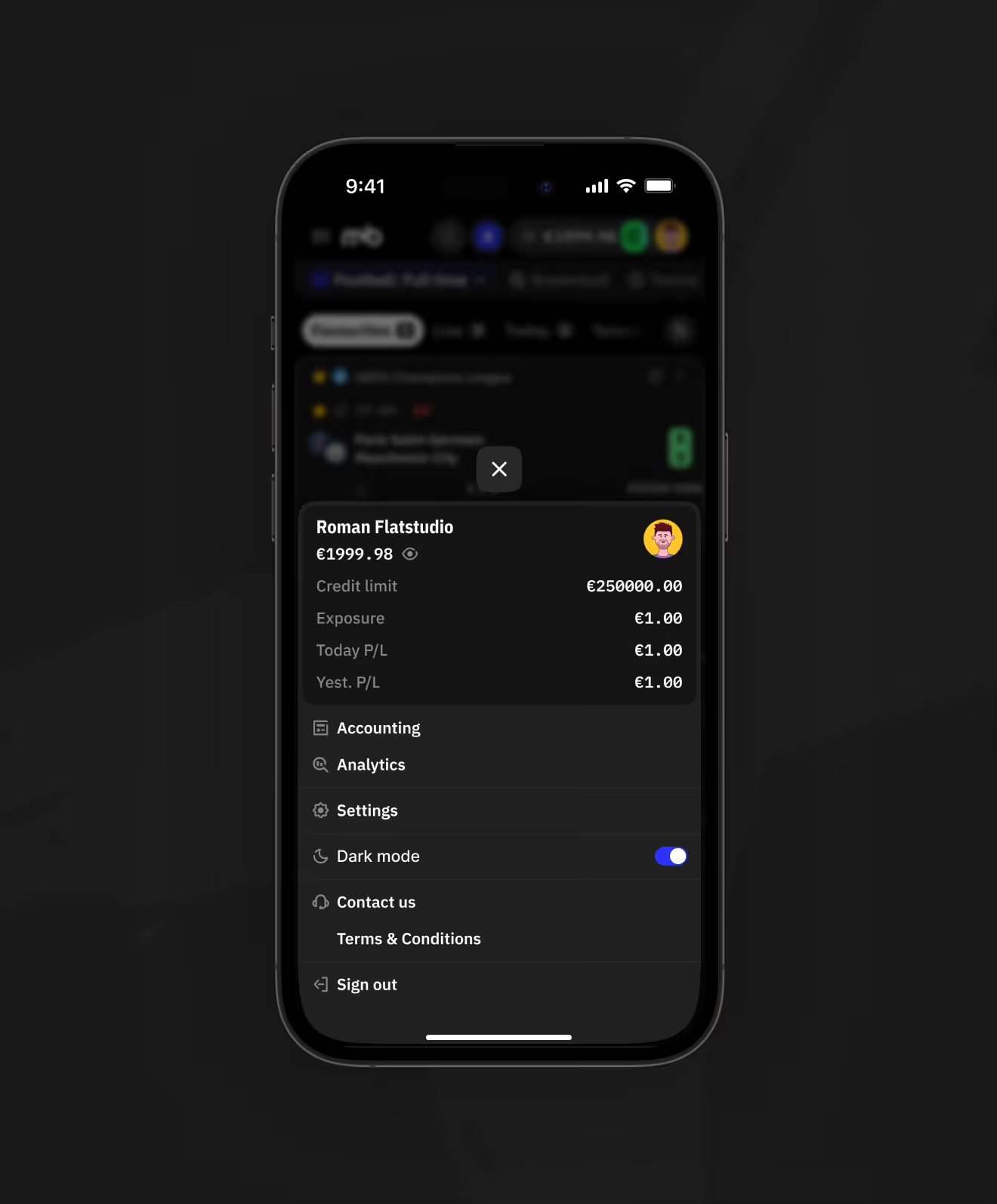
The account dropdown shows credit limit, balance, exposure, and daily P/L without leaving the page. Settings below add timezone, price format, trade layout, and interface languages.
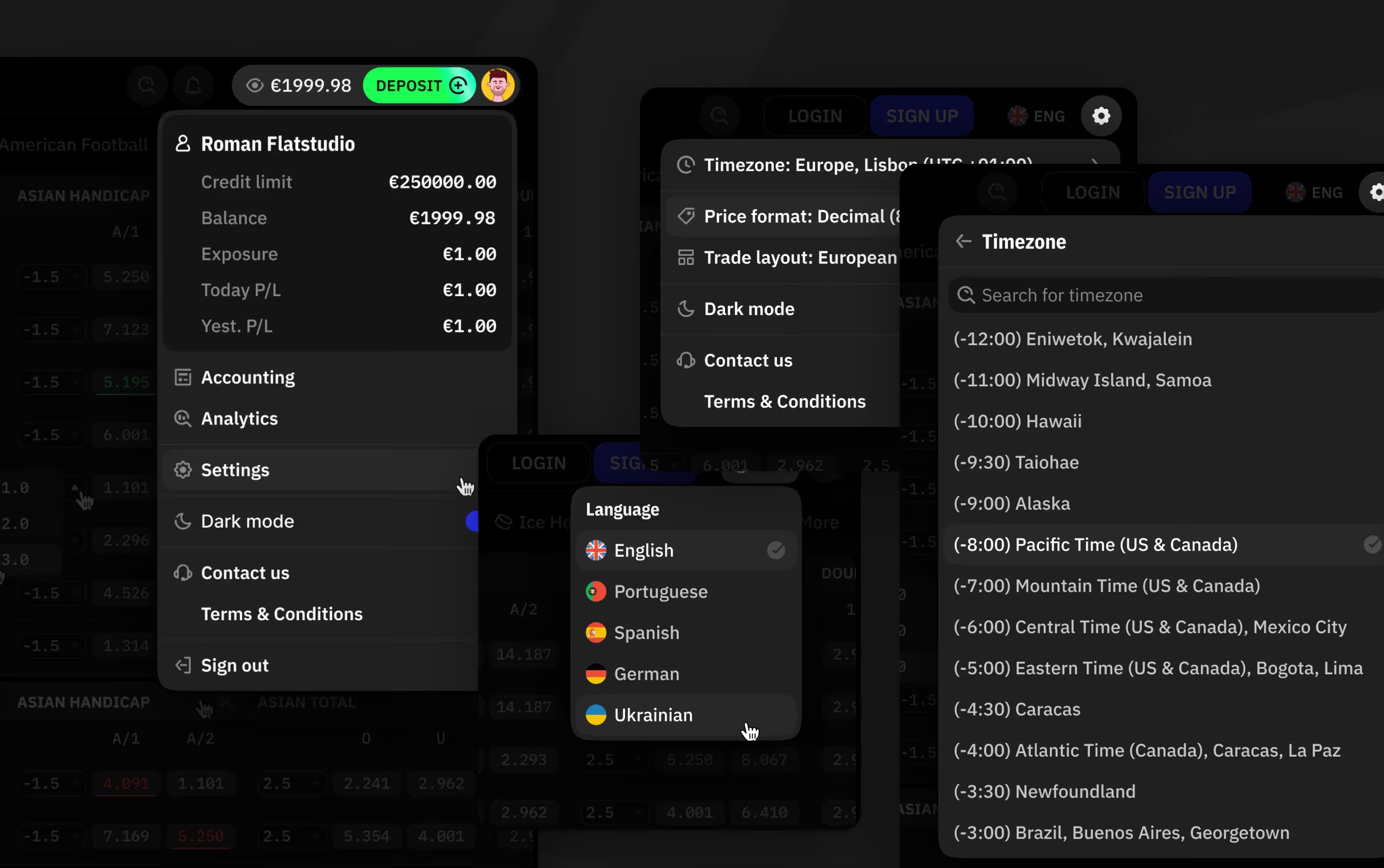
MollyBet Gen Z account dropdown showing credit limit, balance, exposure, and language settings.
Notification Feed for Bets and Events

Notifications list settled bets with exact win or loss amounts, a maintenance notice, and new competition alerts in one feed. The mobile account menu mirrors the same balance and P/L fields as desktop.
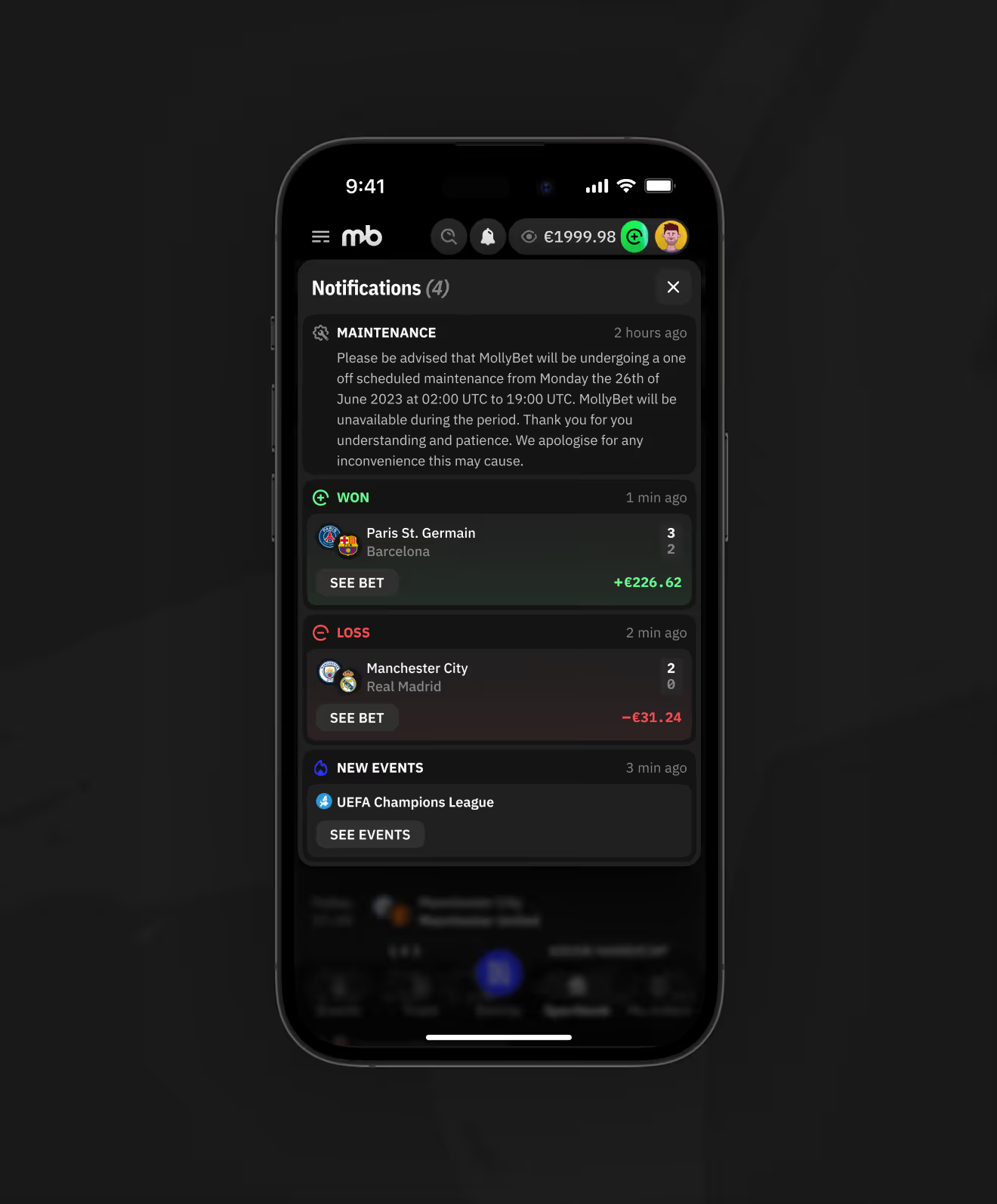
Mobile Notifications panel showing settled bet results, maintenance alert, and new event update.
Mobile account menu showing credit limit, exposure, today and yesterday profit or loss, and dark mode toggle.
Trade and Sportsbook Search Modes

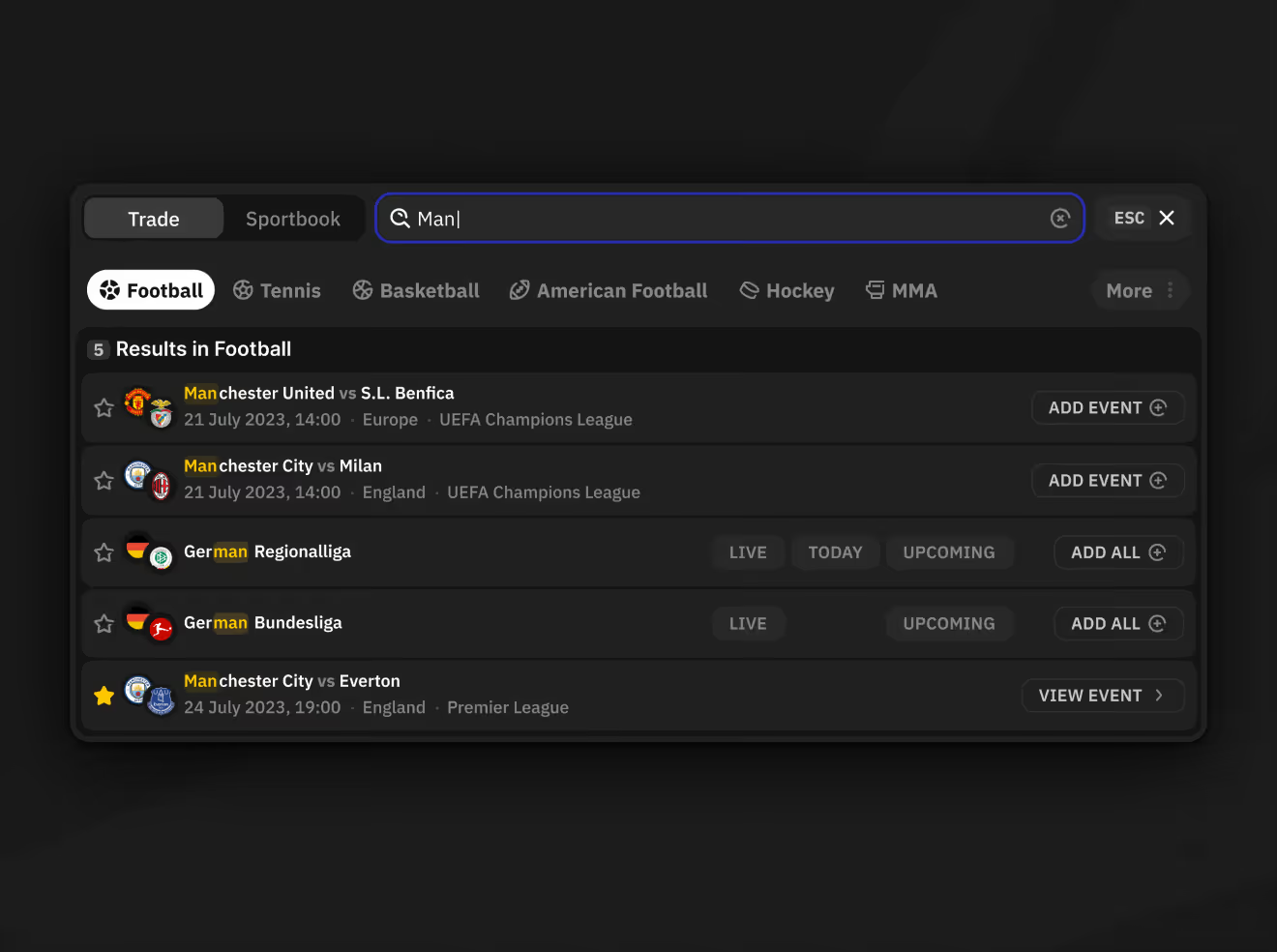
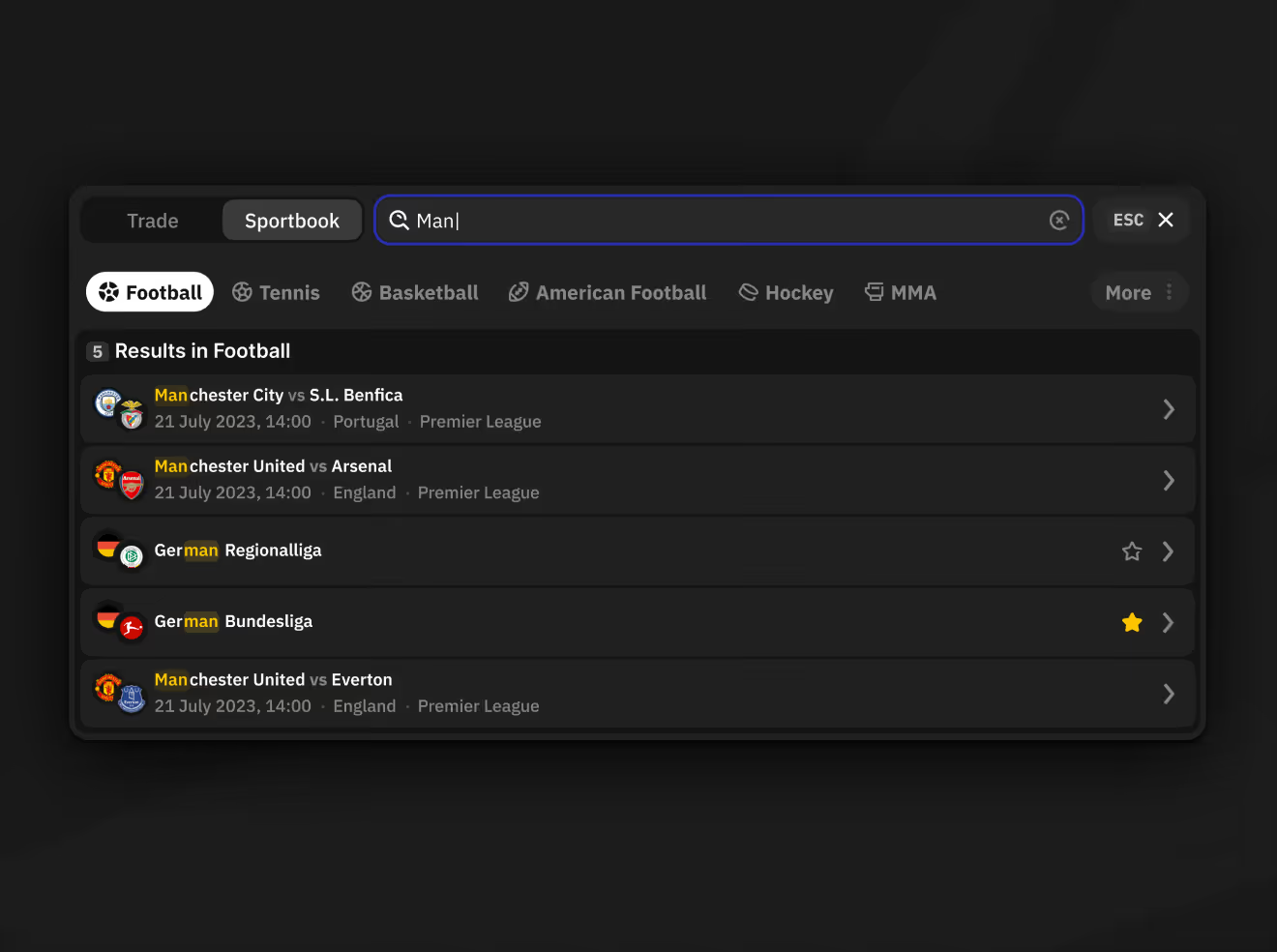
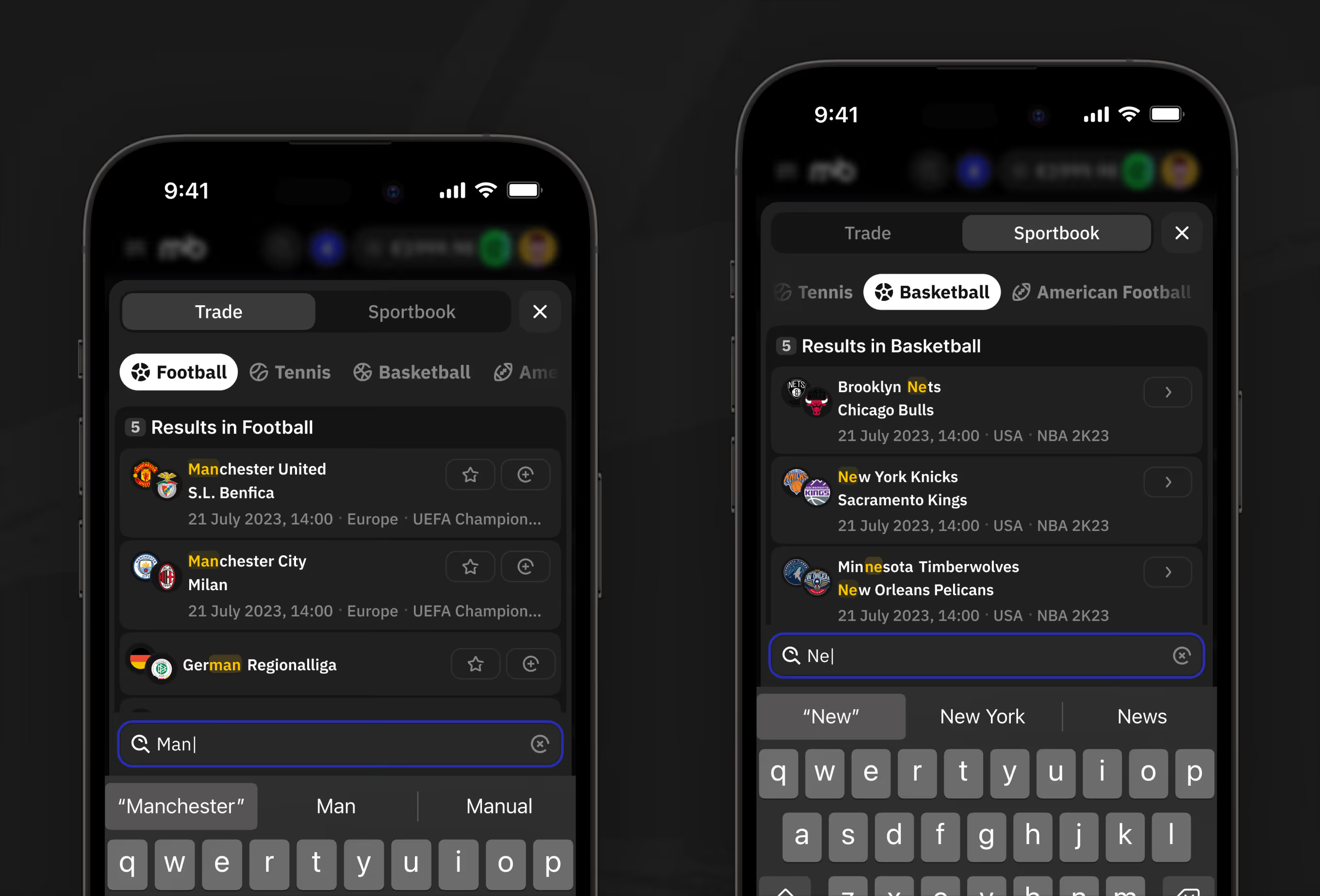
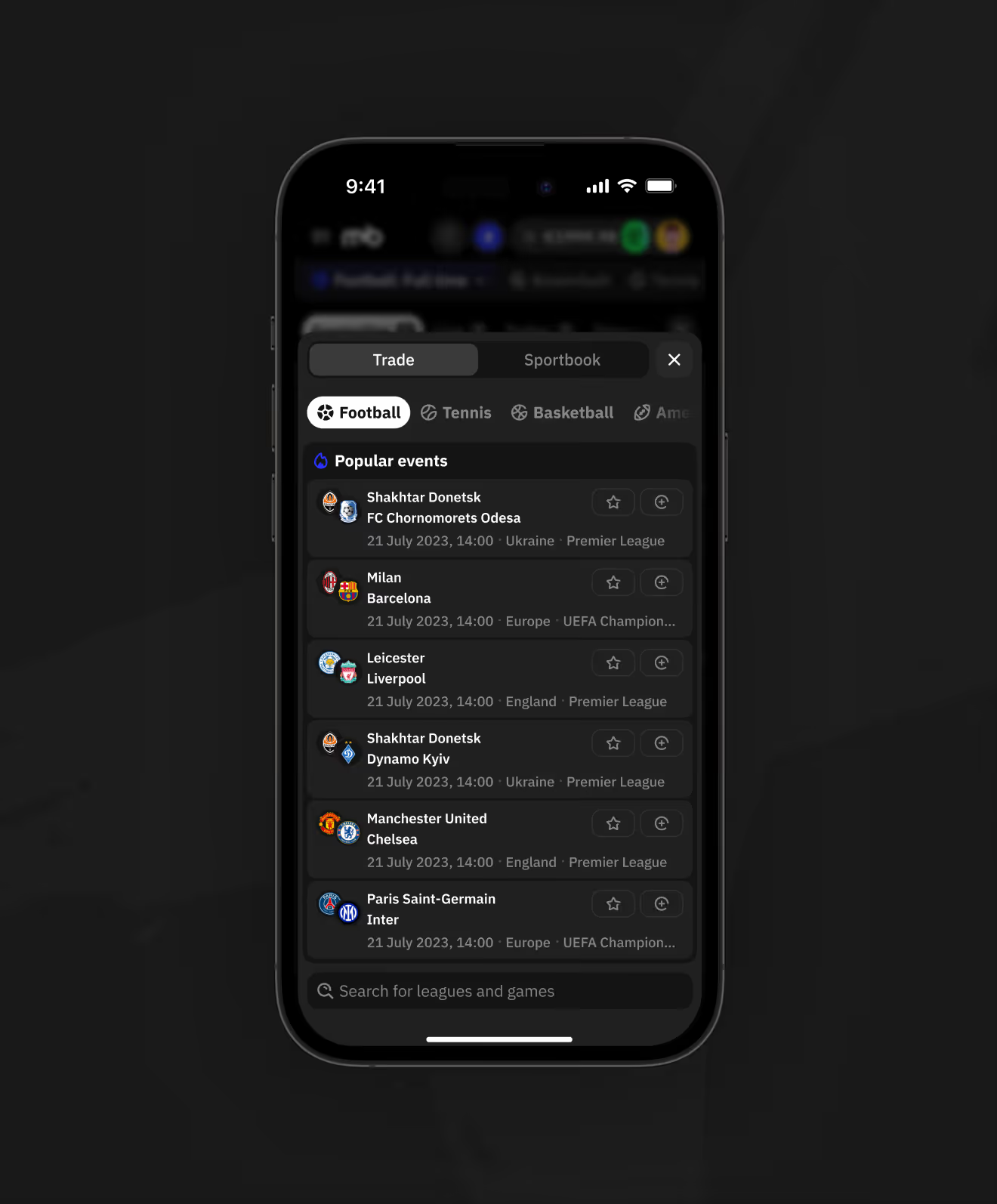
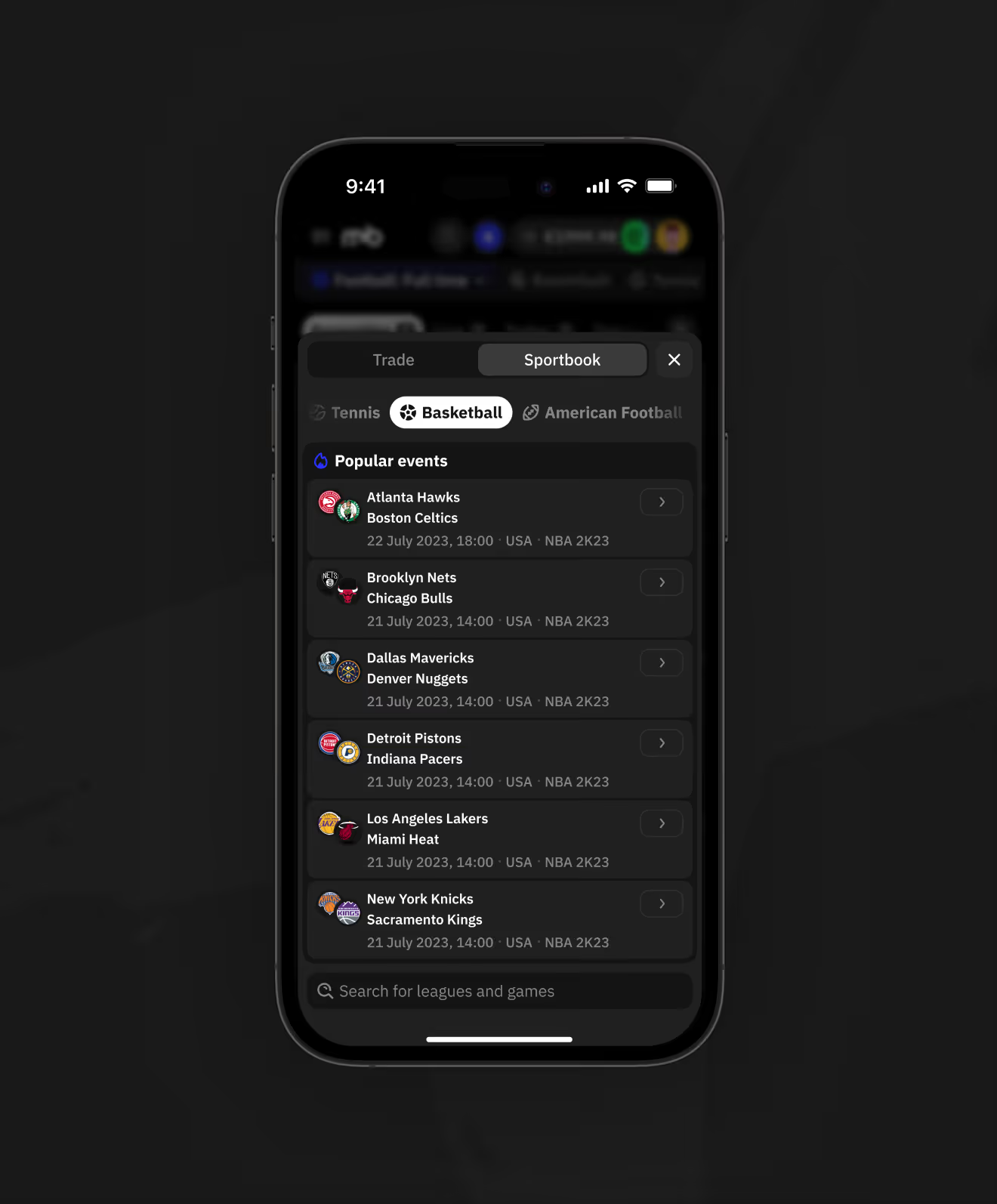
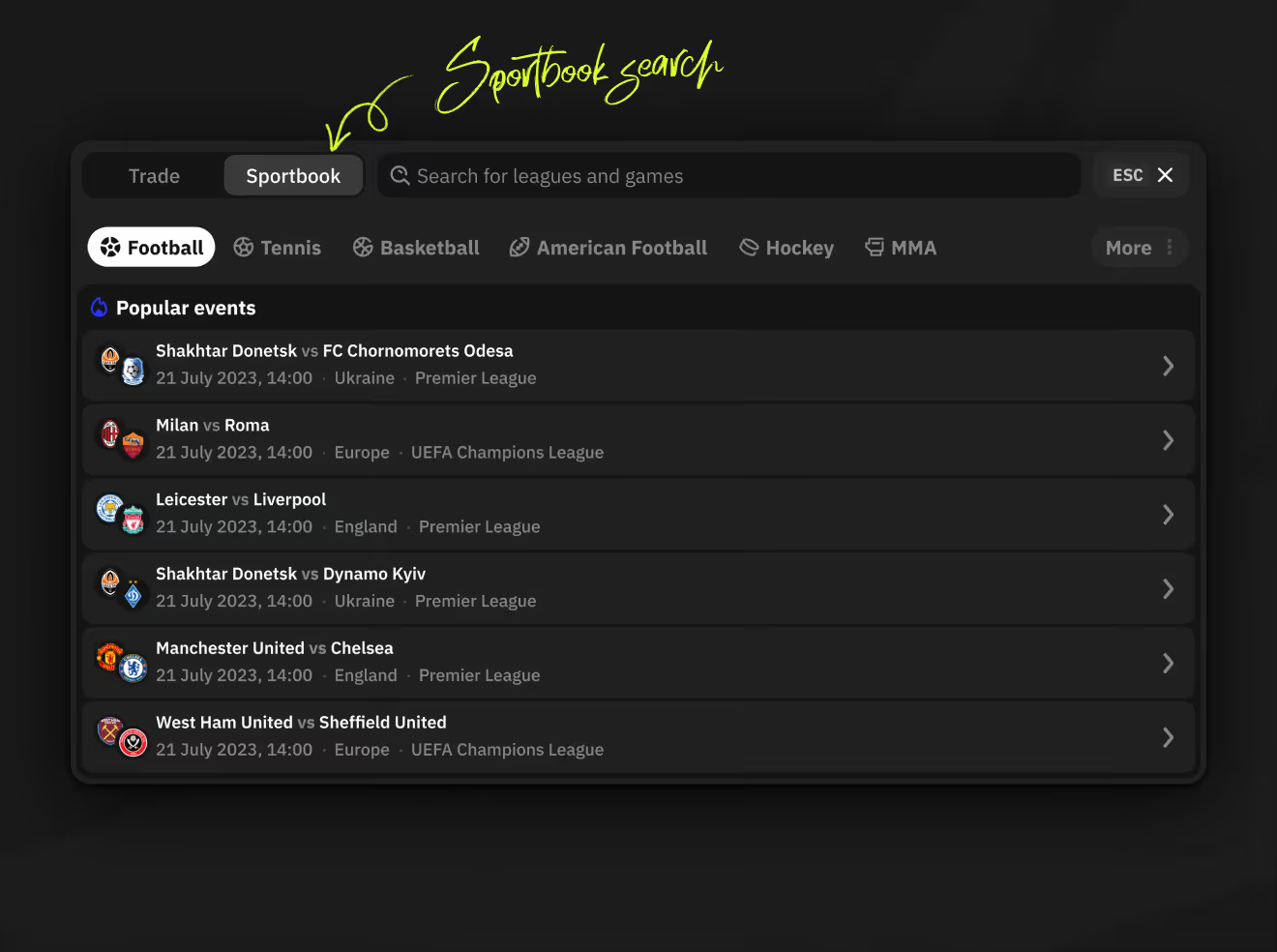
Search results differ by tab — Trade adds matches to a personal list via Add Event or Add All, while Sportsbook results link directly to the match page. Six sport tabs help narrow results faster.
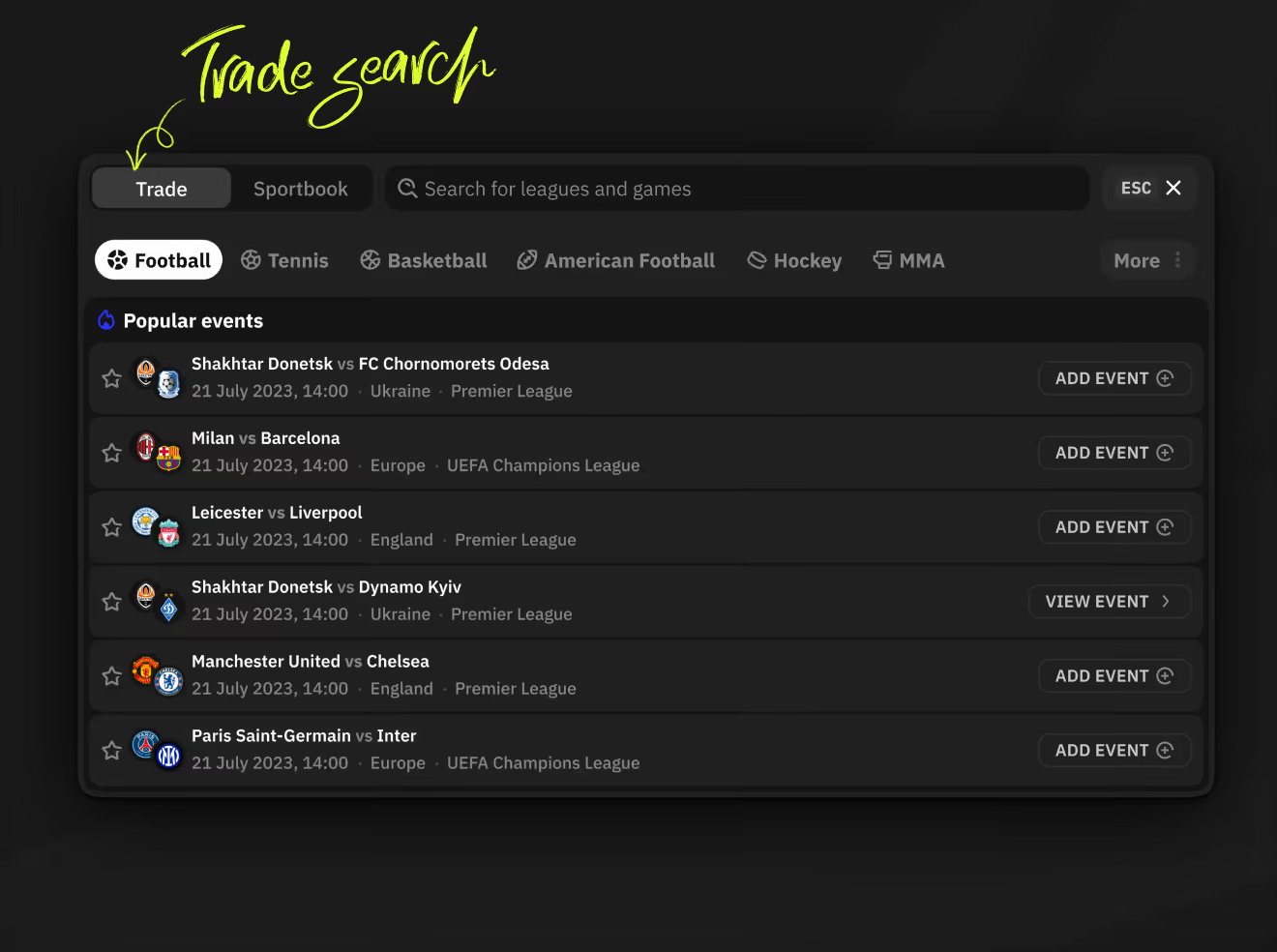
Desktop Trade search popular events list with Add Event and View Event actions.
Desktop Sportsbook search popular events list with chevron links to each match.
Desktop Trade search results for partial team name showing Add Event and Add All actions.
Desktop Sportsbook search results for partial team name with star and chevron icons.
Mobile search comparing Football and Basketball tab results
Mobile Trade search popular events list with star icons for football matches.
Mobile Sportsbook search popular events list for basketball matches.

Wondering how your dense professional product could reach a younger audience without dumbing it down? A concept like this answers that question before you commit a roadmap. Ask us.


Ready to start your own project?