











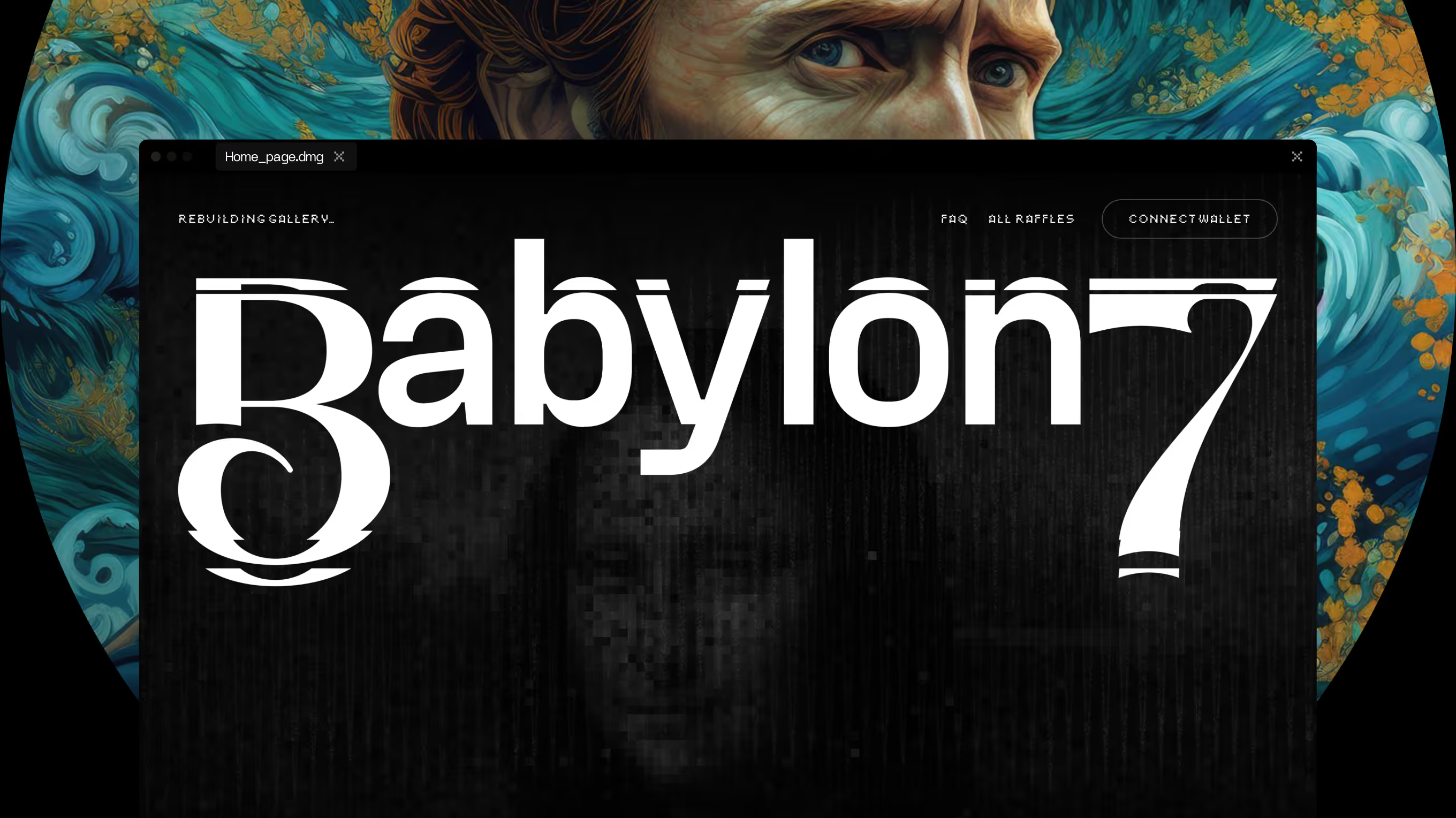
We designed it as a fully functional NFT marketplace, covering UX, UI, and a design system delivered at speed. Bidding, ownership, and value mechanics needed to stay clear and trustworthy while selling the emotional side of digital art – and the marketplace launched with both intact.
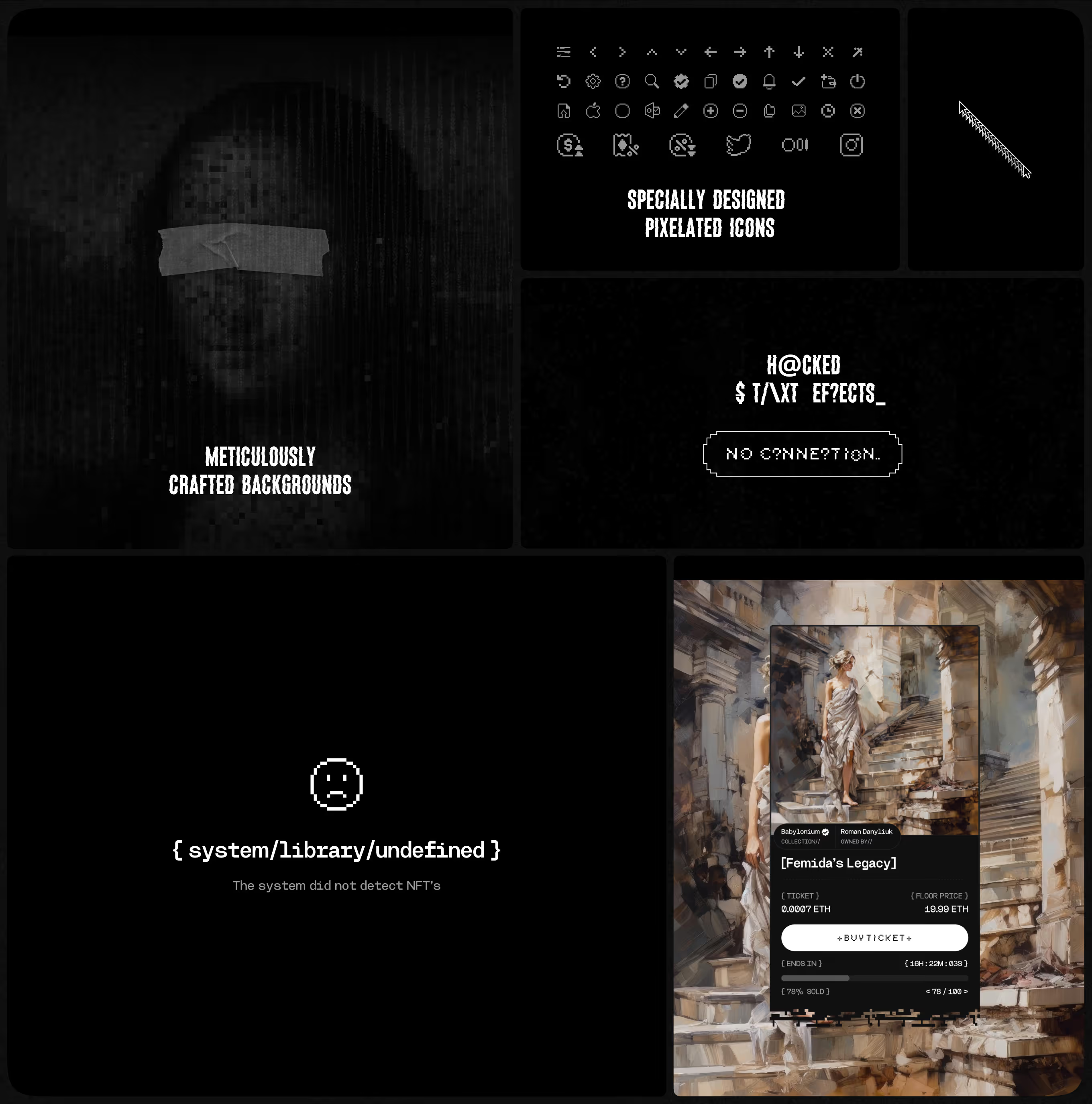
A custom icon set, glitch-text states, and textured backgrounds carried across Babylon 7's NFT marketplace. The same visual language appears on error screens, empty states, and individual listing cards.
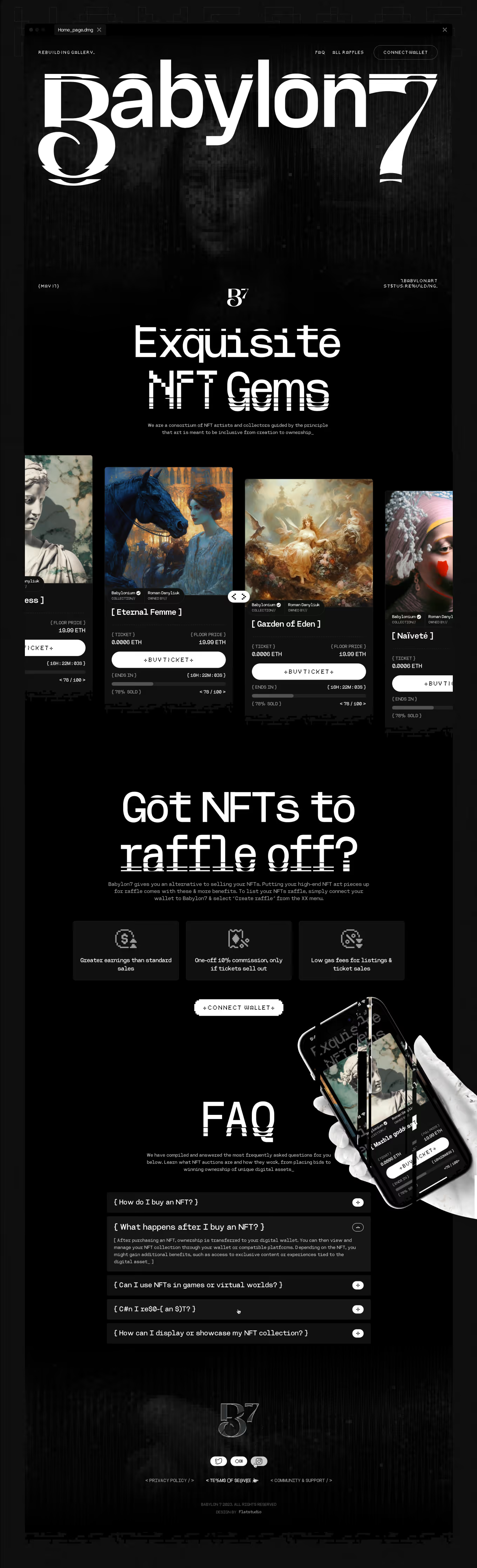
Landing page for Babylon 7's NFT marketplace, built for Web3 collectors and artists under a Pitch & Product Concept engagement. Listings run as ticket-based raffles, with floor price, countdown, and percent-sold shown on every card.
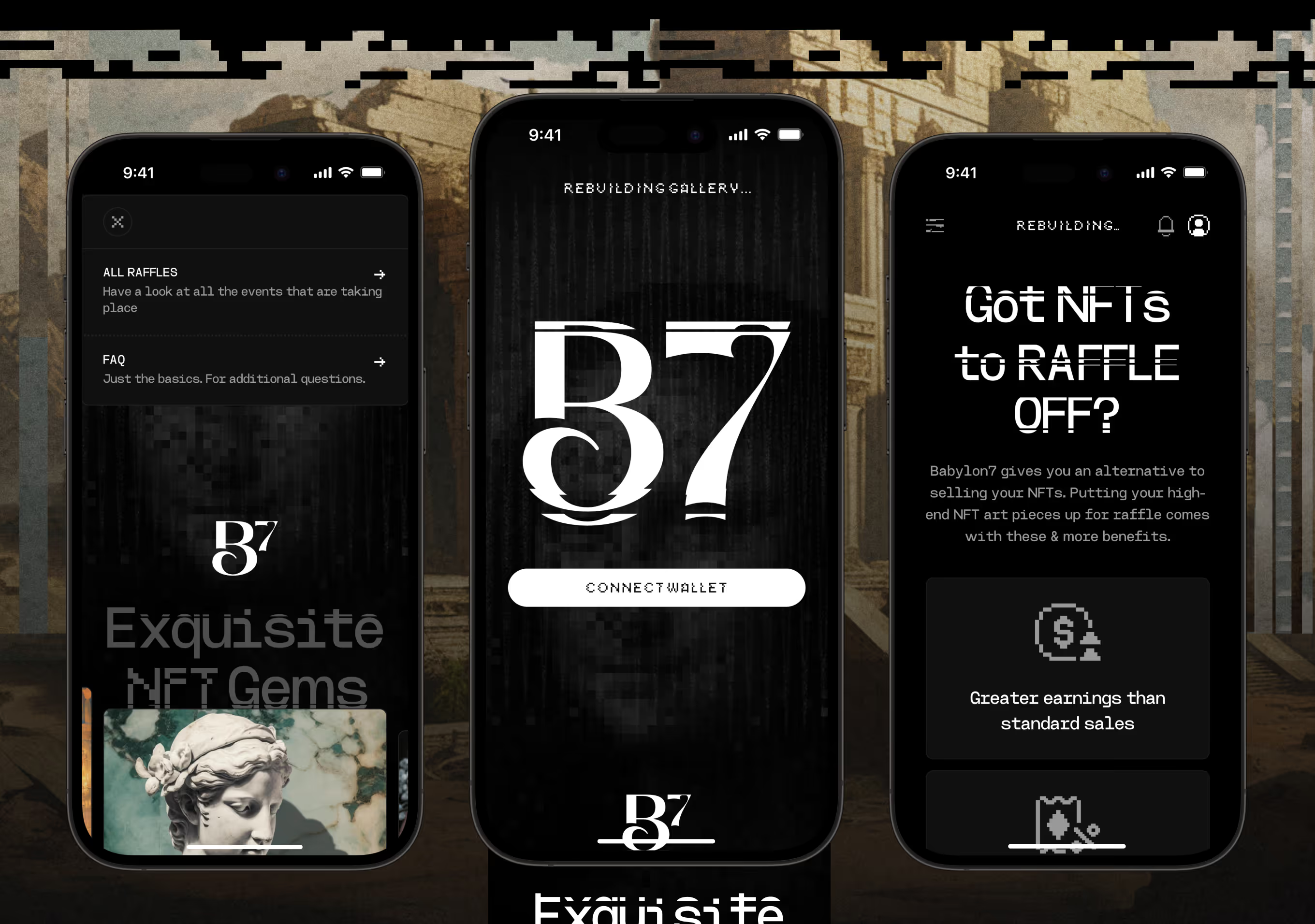
Mobile version of the homepage for collectors browsing Babylon 7 on a phone. A collapsible menu leads to All Raffles and FAQ, with the connect-wallet screen and raffle benefit cards stacked in one column.
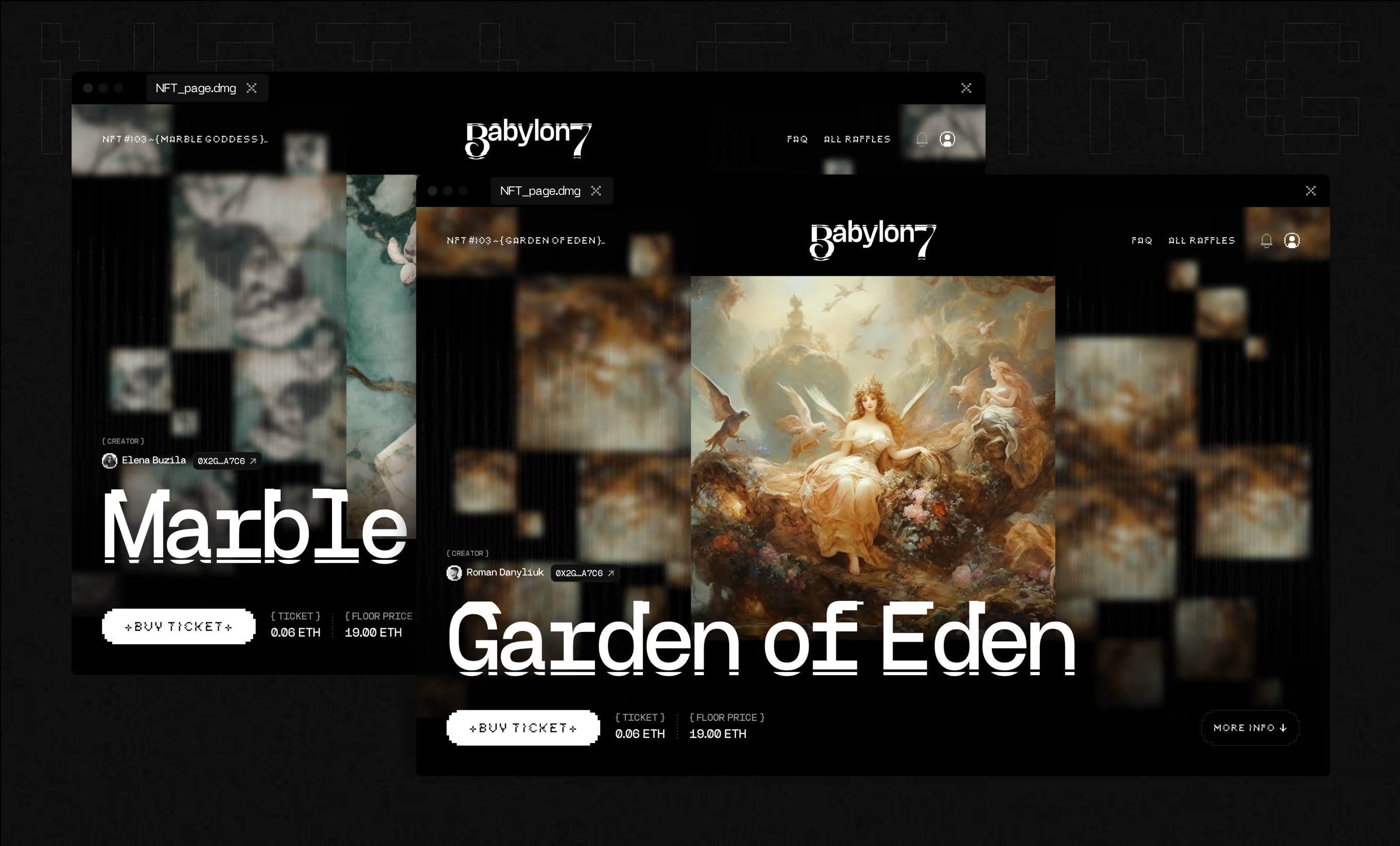
Detail view for a single NFT inside the platform, aimed at collectors evaluating one piece before bidding. A mosaic-tile transition precedes the page, which surfaces the creator's name, wallet address, and a buy-ticket action.

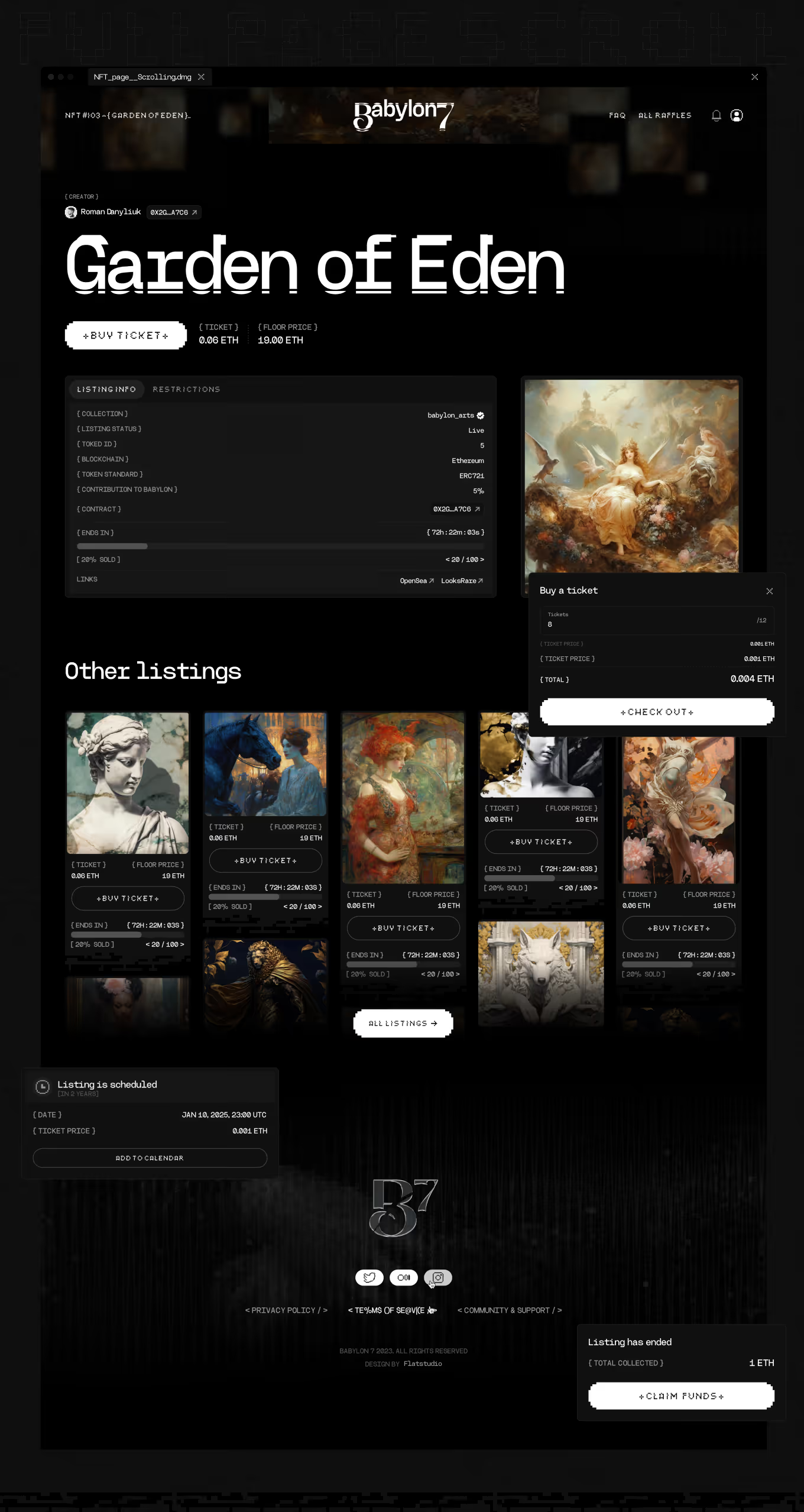
Listing page inside Babylon 7's NFT marketplace, built on Product & Interface Design logic. Each listing shows collection, token ID, blockchain, token standard, and contract address, with links.
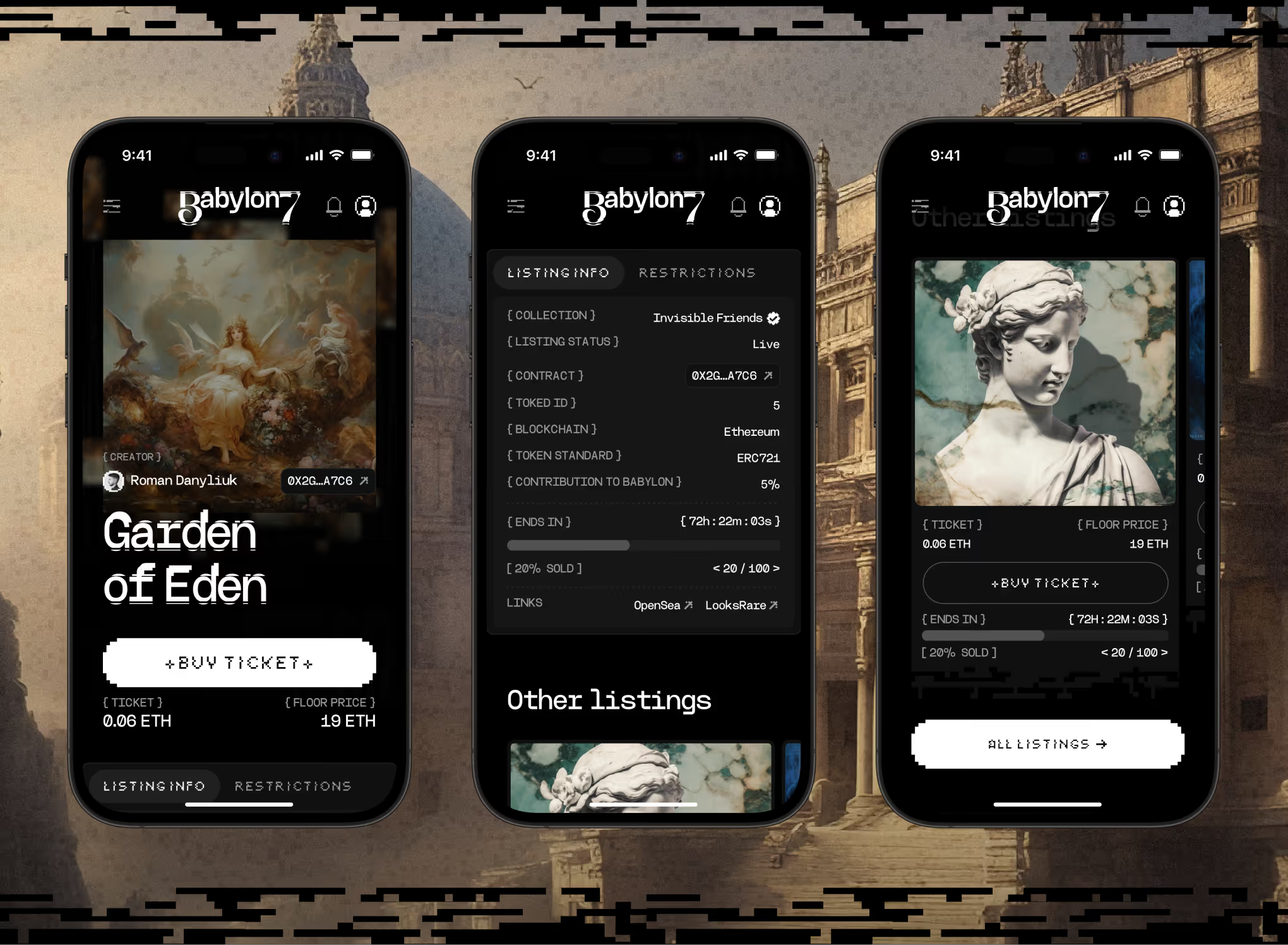
Mobile layout for the same listing screen, condensed for one-handed browsing. Listing Info and Restrictions sit under tabs, with Other Listings stacked below for continued scrolling.
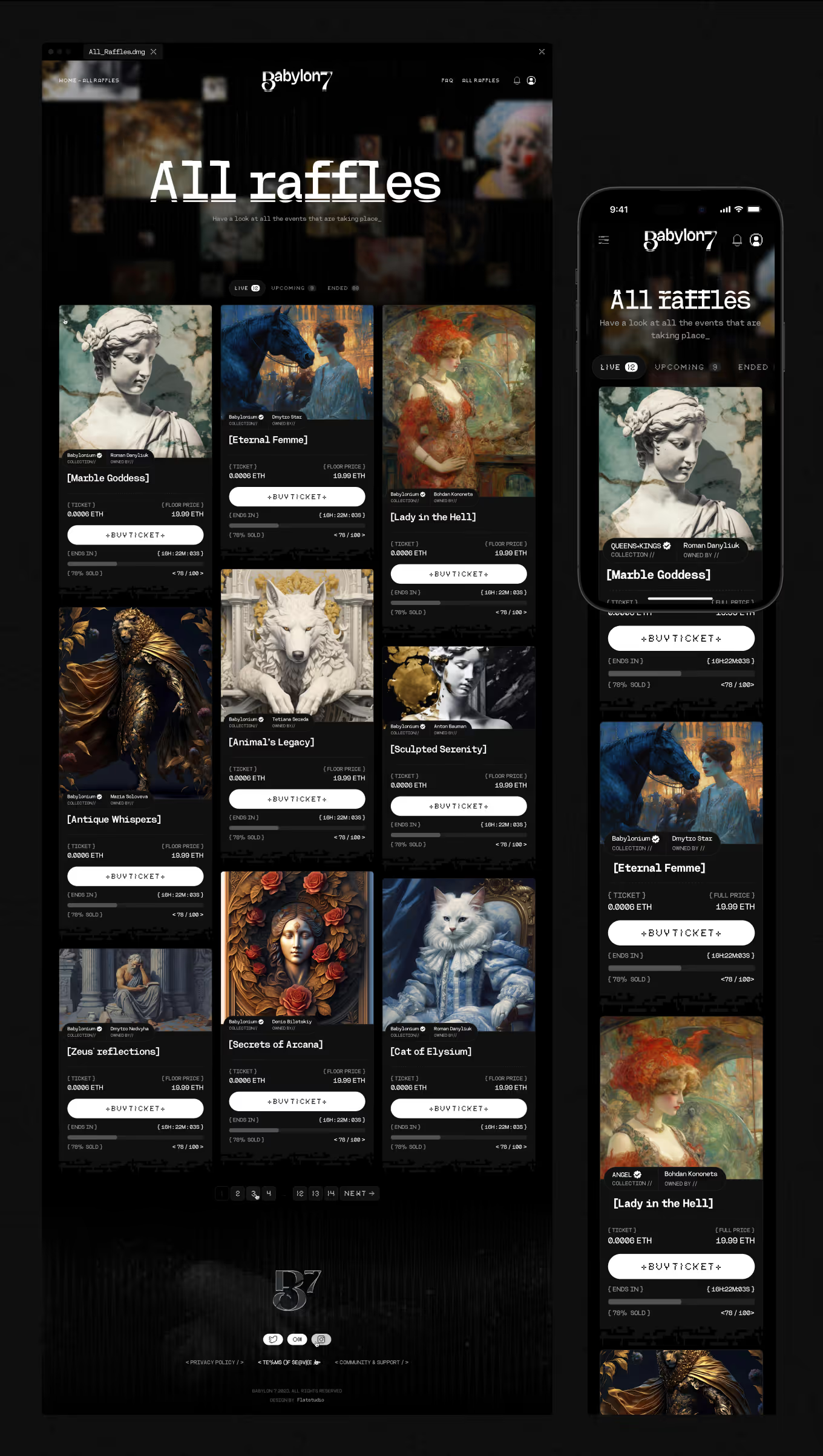
Directory page listing every raffle on the platform, for collectors comparing several pieces at once. Live, Upcoming, and Ended filter tabs show counts per status, with numbered pagination and a single-column layout on mobile.
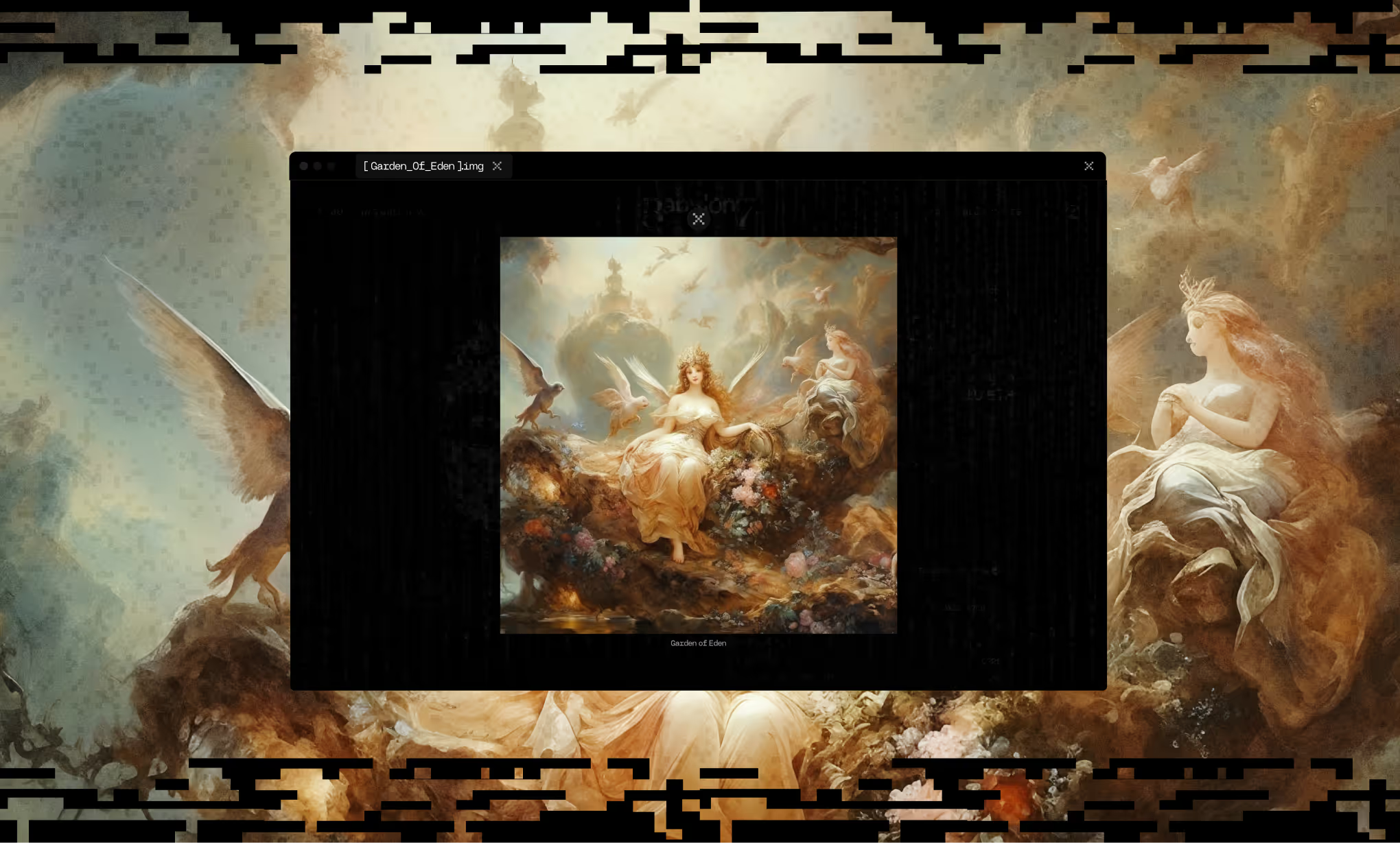
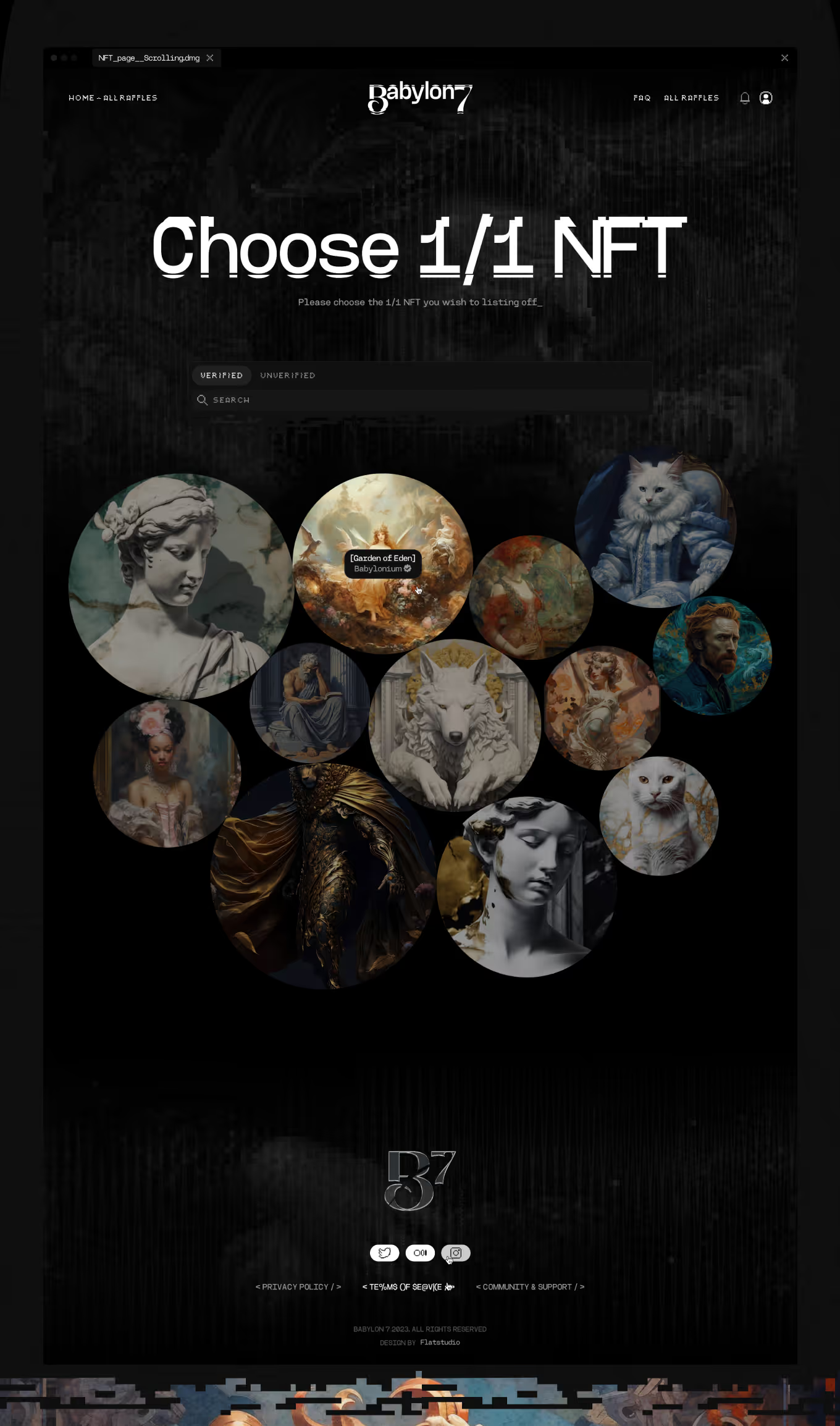
Step where a seller picks which owned NFT to put up for raffle. Verified and Unverified tabs sit above a search field and a circular thumbnail grid of the connected wallet's artworks.
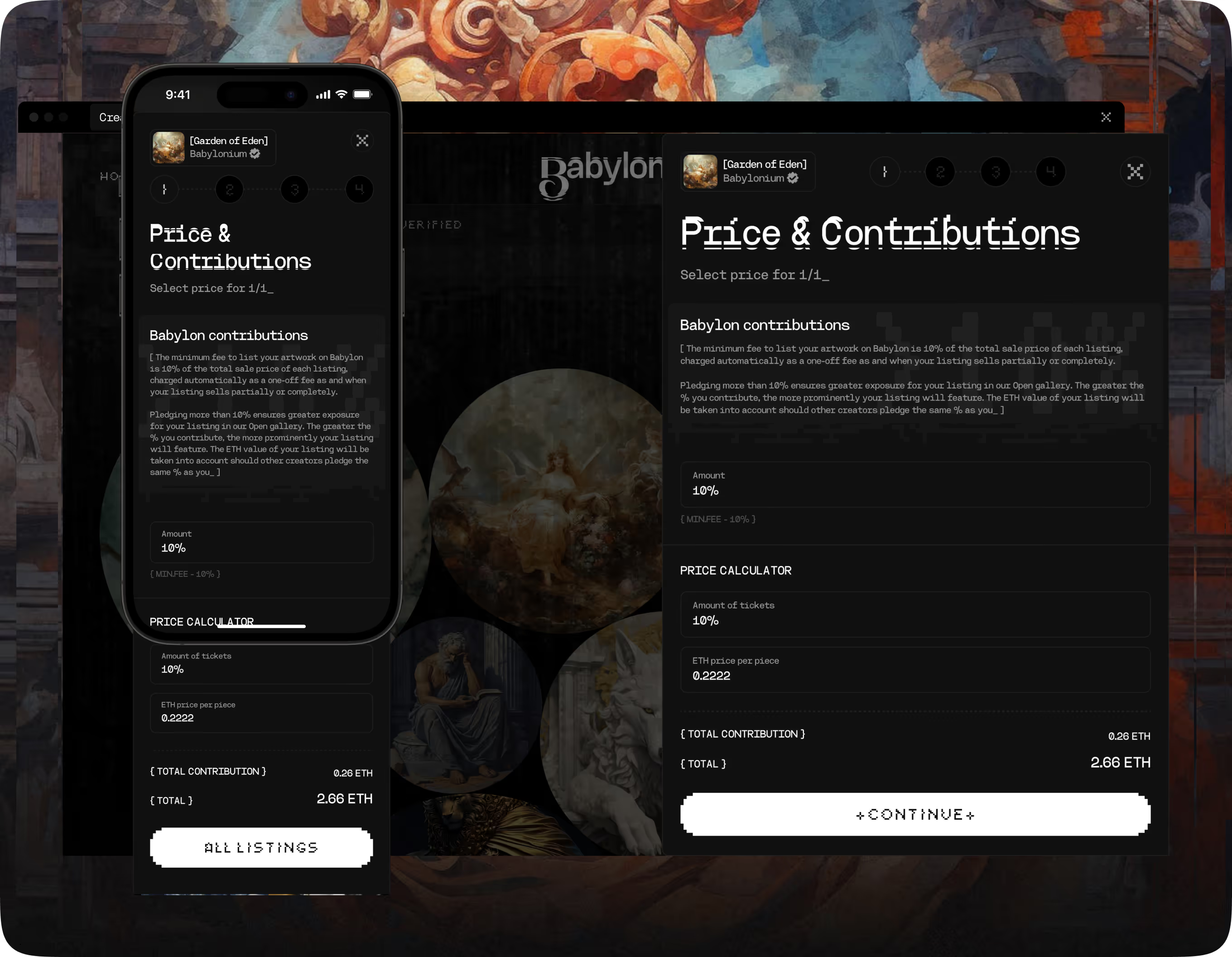
First step of the four-step listing flow, where sellers set ticket price and platform contribution. A minimum fee applies, adjustable upward for more exposure, alongside a calculator for tickets, price per piece, and total.
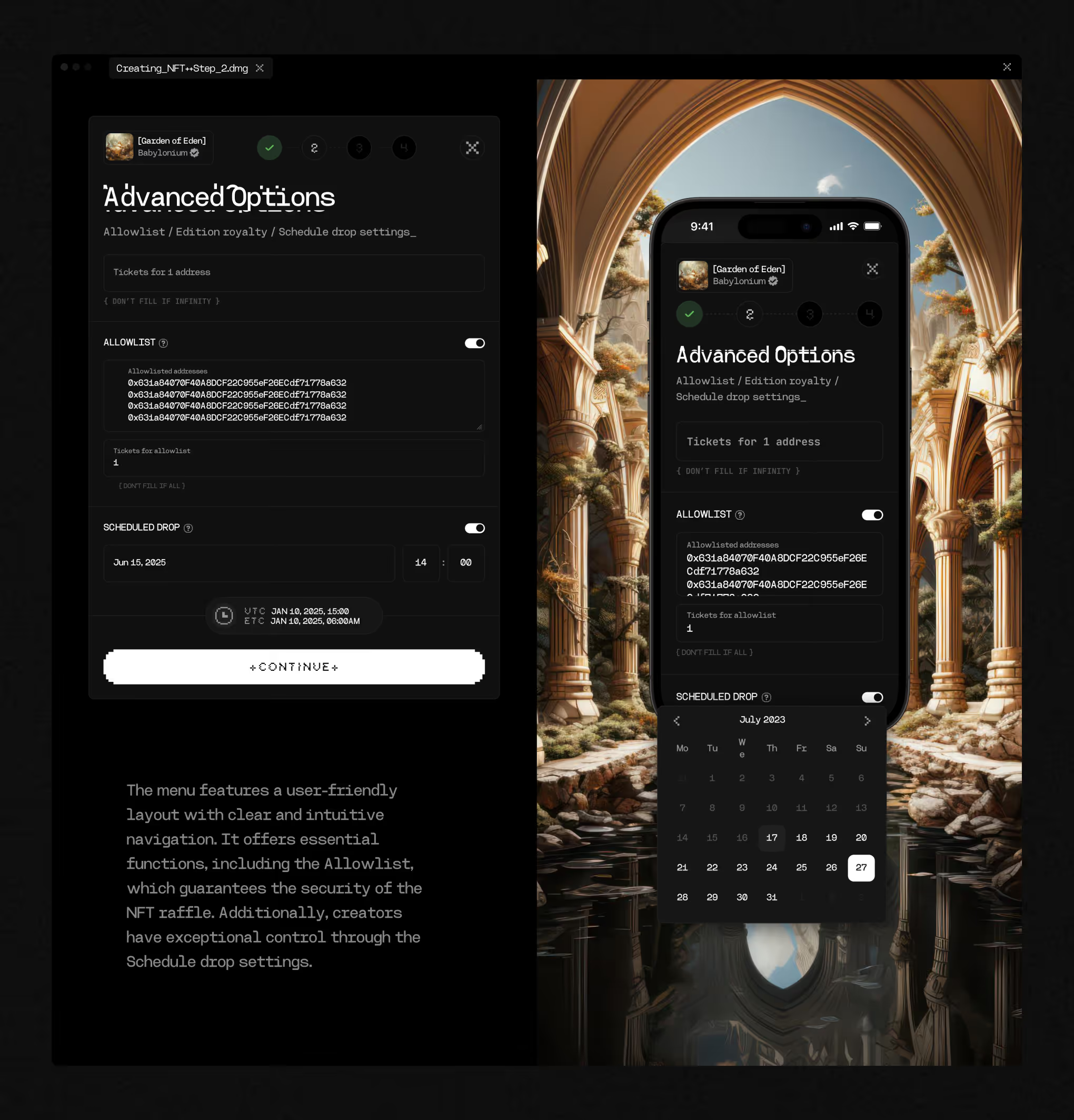
Second step for sellers refining a raffle's rules, added as the product grew under Post-MVP Evolution. Allowlist controls limit tickets per wallet address, and Scheduled Drop sets an exact release date and time.
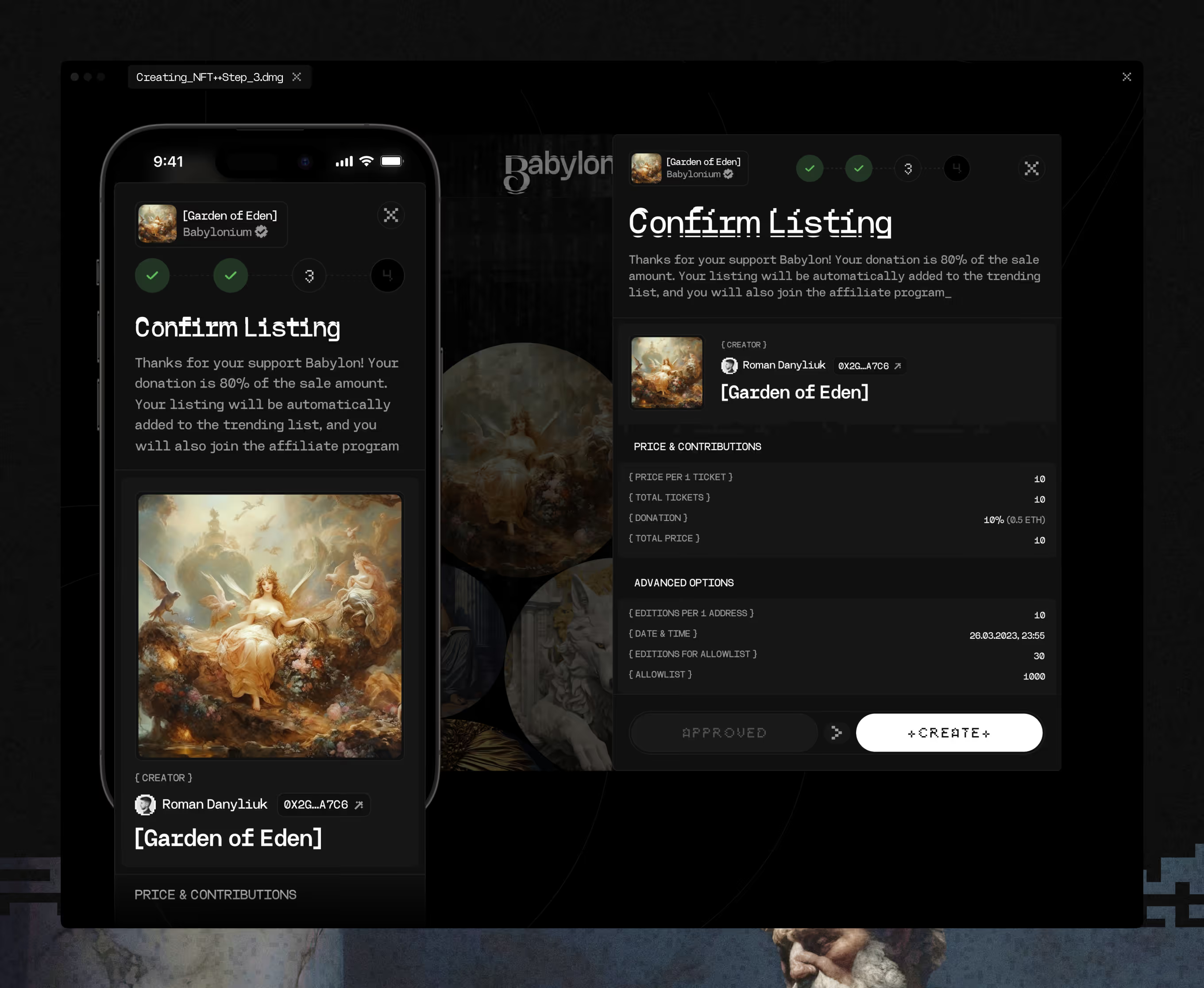
Third step summarizing every setting before a raffle goes live. Creator, price per ticket, donation percentage, and allowlist rules sit in one panel, closed by Approved and Create actions.
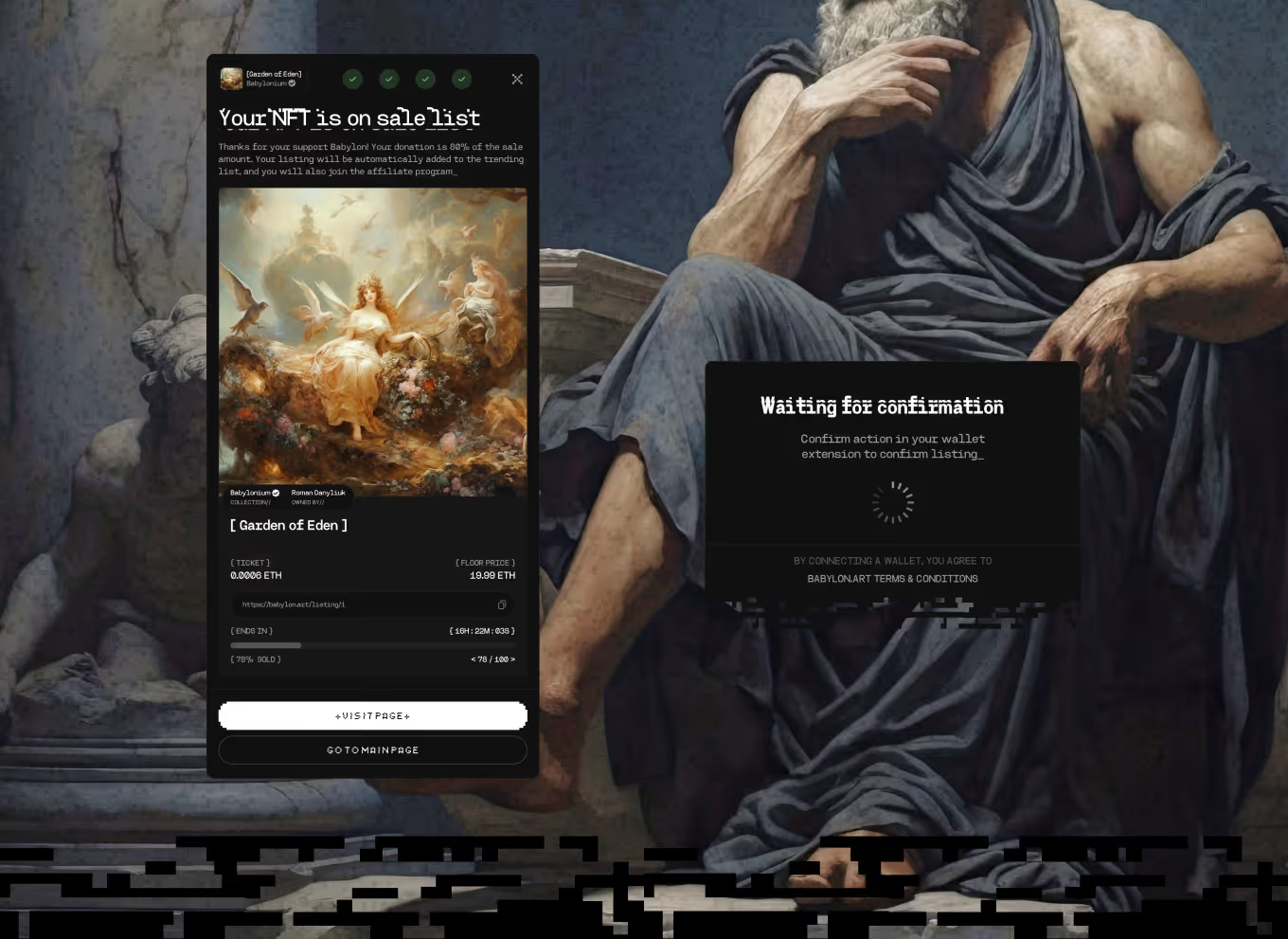
Final screen after the listing flow completes, confirming the NFT is live for raffle. A wallet-signature step, Waiting for confirmation, precedes it, tied to accepting terms and conditions.
Launching a marketplace where emotion sells but transaction mechanics build trust? Both have to be designed together, at speed. We've done it – tell us your timeline.
